Keyboard & Stylus
Best lightweight tablet with keyboard and stylus: Compact Work Kits for Everyday Commuting
Build a useful commuting tablet kit with HUAWEI MatePad Air, Xiaomi Pad 8 or Galaxy Tab S11, with clear accessory choices and a worked carry-weight budget.
HUAWEI MatePad Air PaperMatte Edition is our overall pick for a lightweight tablet with keyboard and stylus that travels between home, work and class. The global 12-inch tablet and matching NearLink Smart Magnetic Keyboard provide a documented starting weight of approximately 817 g before the M-Pencil Pro, charger and other accessories. Xiaomi Pad 8 is our smaller 3:2-screen alternative; Galaxy Tab S11 is the compact Android option with an included S Pen.
A commuting kit should be designed around the work waiting at each destination. Reading a brief on a seated journey, marking a page before class and drafting at an office desk are different tasks. This guide recommends a tablet and an accessory plan for that pattern, using manufacturer specifications and editorial judgment. The goal is a useful bag, with each carried item earning its place through a recurring job.
THE QUICK LIST
Choose for the work you do.
Our editorial picks for the specific tasks in this guide. Image: HUAWEI
HUAWEI MatePad Air PaperMatte Edition
A larger reading page and matching keyboard suit commuters who must finish documents after arrival. The documented 817 g tablet-and-keyboard subtotal gives the carry plan a clear starting point, with pen, charging equipment and protection added separately.
Read the full recommendation ↓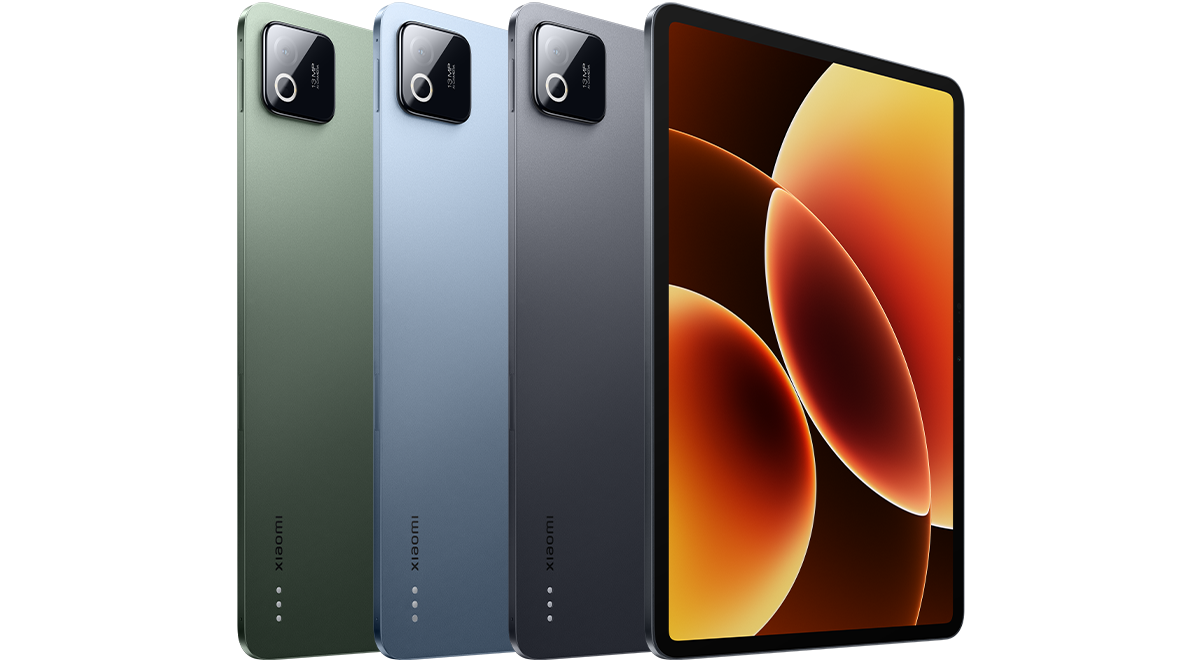 Image: Xiaomi
Xiaomi Pad 8
The 11.2-inch 3:2 screen offers a compact alternative for reading and drafting, with a documented Focus Keyboard and Focus Pen route. Choose it when your Android applications and real documents work well in that smaller arrangement.
Read the full recommendation ↓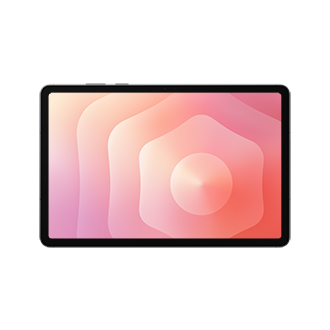 Image: Samsung
Samsung Galaxy Tab S11
The compact Tab S11 includes its S Pen and supports an annotated PDF notebook, making it appealing for short reading and review tasks. Add the keyboard when sustained typing at the destination has a clear recurring role.
Read the full recommendation ↓HUAWEI MatePad Air: Best overall for a commuting kit that includes real drafting
Image: HUAWEI.
The global MatePad Air has a 12-inch OLED PaperMatte display, approximately 509 g weight, 5.3 mm thickness and HarmonyOS 4.3. The PaperMatte Edition provides the reflection-diffusing surface described by Huawei. It is the model to consider when changing lighting and dense reading pages are part of the journey, although the preferred viewing position and document size remain personal choices.
The matching NearLink Smart Magnetic Keyboard weighs approximately 308 g, with two support angles and 1.5 mm key travel. The resulting tablet-and-keyboard subtotal is about 817 g. It is a subtotal, not a complete travel-kit measurement: the M-Pencil Pro, charger, cable and any additional sleeve or case must be added separately. This distinction is useful because the accessories can determine whether the package fits your own carry target.
The compatible M-Pencil Pro attaches magnetically for pairing and charging. Give it a specific role, such as annotating the day's reading or marking a draft before a class. HUAWEI Notes supports imported PDFs and exported notes, so the marked page can remain useful after the journey. Choose a storage arrangement that keeps the pen accounted for when the tablet goes back into the bag.
Huawei leads for a commuter who regularly needs both a readable page and substantial typing at the destination. The larger display is worth the space when the tablet is expected to complete a report, assignment or proposal after arrival. If the journey is mostly reading and a desktop computer always handles the writing, a smaller tablet or a lighter daily accessory selection may suit better.
Xiaomi Pad 8: Best for a smaller 3:2 screen with a matching keyboard route
Image: Xiaomi.
Xiaomi lists the Pad 8 at 485 g and 5.75 mm, with an 11.2-inch 3:2 LCD at 3200 × 2136. Its global specifications also list HyperOS 3, a 9,200 mAh typical battery capacity and 45 W charging.
The official compatibility FAQ confirms the Xiaomi Pad 8 / 8 Pro Focus Keyboard and Xiaomi Focus Pen or Focus Pen Pro. It also documents Workstation and floating-window support. This creates a clear route from a compact reading tablet to a desk setup, provided the Android applications you need work well in that arrangement. The keyboard and pen should be part of the local buying comparison rather than assumed contents of the tablet box.
The reason to choose Xiaomi for commuting is the shape of its work area. An 11.2-inch 3:2 screen is worth trying with the documents you normally carry: a portrait article, a task list or a landscape draft with a toolbar. It offers a different balance from Huawei's larger page and Samsung's 11-inch display. The correct choice depends on readable text at your preferred size, not the diagonal measurement in isolation.
Choose the Pad 8 when you want a smaller tablet with a documented matching keyboard and your Android workflow passes a real-file test. We rank it second for this kit because it provides a distinct compact alternative for both pen and keyboard tasks. Huawei remains first for greater page space and the verified 817 g tablet-plus-keyboard subtotal; we do not invent an equivalent complete Xiaomi kit weight.
Samsung Galaxy Tab S11: Best for a pen-first commuting kit
Image: Samsung.
The Galaxy Tab S11 is an 11-inch Dynamic AMOLED 2X tablet with up to 120 Hz refresh. Samsung's UK specification comparison lists 469 g for the Wi-Fi model and 5.5 mm thickness. The S Pen is included, while Book Cover Keyboard Slim support gives buyers a separate route to physical typing.
Its clearest commuting use is a reading-and-annotation kit that becomes a writing setup only when needed. Samsung Notes can import PDFs, add text or drawings and export the marked result. A student can review a worksheet before class; a professional can mark questions beside a briefing before reaching the office. The output is a located comment on the material, not just a reminder that something needs attention.
The smaller body is attractive when the tablet frequently comes out for one short task and then returns to the bag. Keep the notebook structure simple: one page or file for the current task, with a visible next step. Samsung's DeX workspaces provide a further way to organize Android work contexts, but the pen-first routine does not require a complex desktop arrangement to be useful.
Choose Samsung when most travel tasks involve a supplied pen and compact notebook, with a keyboard used mainly at a destination. If long drafting sessions are a daily part of the same device's job, compare the complete keyboard setup with Huawei. The lighter tablet-only figure is relevant, but it does not by itself prove that the fully equipped package will be lighter.
Pack for the work at the destination
Consider two fictional commuting days. On Tuesday, you travel to the office, where a computer is available, then attend an evening class that uses a printed-style worksheet. On Thursday, you spend the afternoon at a library and must finish a written assignment there. The tablet is the same; the useful kit is different.
Tuesday favors the tablet and pen for reviewing the worksheet and recording questions. The keyboard may have no job if all substantial typing will happen on the office computer. Thursday gives the keyboard a clear purpose because the assignment must be drafted at the library. This is a better way to decide what to carry than treating every accessory as permanently attached to the tablet.
Prepare the material before departure. Put the relevant reading and the working document where you can find them, and verify which parts of the workflow remain available without a connection. Use the journey for a bounded task: identify three questions in the reading or revise one paragraph. Save broader research and complicated file rearrangement for a desk where there is time to inspect the result.
At the destination, switch modes deliberately. Put away the reading copy, open the master draft and use the keyboard to produce the required output. If the pen notes contain a question, resolve it before turning it into a firm statement. The commuter's advantage is not that every minute becomes productive; it is that a small preparation task makes the next focused session easier to start.
Worked example: set an honest carry-weight budget
Huawei's documented tablet-and-keyboard subtotal makes a useful arithmetic example. The budgets below are hypothetical limits chosen for planning, not manufacturer recommendations or measured complete kits.
| Huawei tablet plus matching keyboard | Remaining allowance for pen, charger, cable and protection |
|---|---|
| Approximately 817 g | Approximately 183 g |
| Approximately 817 g | Approximately 283 g |
| Approximately 817 g | Approximately 383 g |
The calculation is simple: subtract 817 g from the target you choose. The next step is to weigh the actual remaining items together. Do not fill the allowance with guessed accessory weights, and do not count a charger twice if it already serves another item in the bag. If the complete kit exceeds your target, decide which item has the weakest job before changing the tablet itself.
Apply the same method to Xiaomi or Samsung using the actual keyboard, pen and protective arrangement you intend to buy. Compare like with like: tablet against tablet, or complete carried package against complete carried package. The fact that one bare tablet is lighter does not settle a comparison once different keyboards and cases are added.
Also consider space. A kit can meet the weight target but be awkward to pack because the charger, pen storage and sleeve occupy separate pockets. Lay the items out and decide where each belongs. Repeatable packing reduces the chance of reaching class with the tablet but leaving the accessory needed for the task behind.
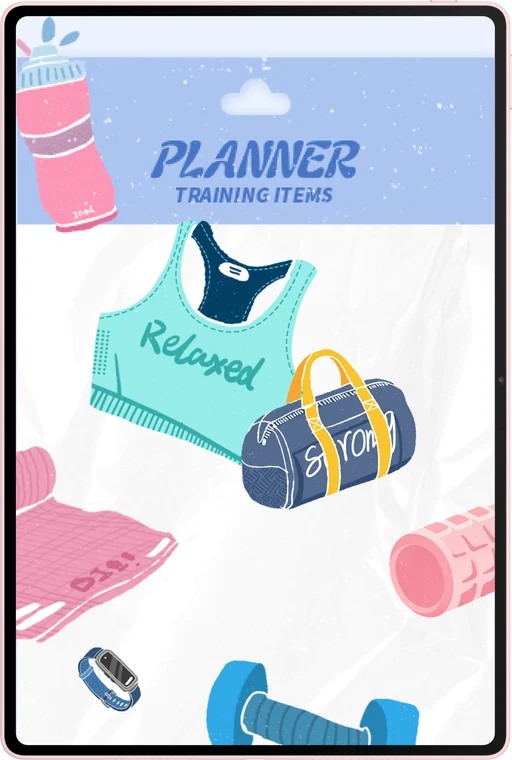
Image: HUAWEI.
Choose charging around your route
Huawei specifies a 10,100 mAh typical battery and up to 66 W charging with the appropriate Huawei charging equipment. Xiaomi specifies 9,200 mAh and 45 W charging; Samsung lists 8,400 mAh and 45 W for the Tab S11. These figures come from their linked product specifications and describe capacity and supported charging, not directly comparable endurance under your workload.
Use a week of your own work pattern to plan charging. Identify where the tablet can reliably be charged, which cable and adapter the selected configuration needs and whether the charger must travel every day. If a compatible charger is kept at a regular destination, that changes the daily bag even though it does not change the tablet's weight.
Before relying on one charger for several devices, verify the actual charging compatibility and the required cable. Huawei's maximum charging figure has a specific equipment condition, and Xiaomi's global specification states that its power adapter is sold separately. A neat packing plan is useful only if the chosen equipment performs the intended job.
Let WPS AI prepare the next desk session
Huawei describes WPS Smart Create for prompt-based drafting with tone and style controls, AI Slides for creating an outline and presentation, and AI Sheet Assistant for processing table data from instructions. WPS Office AI is a paid feature in selected regions and requires version 2026052705 or later.
A practical commuting use is preparation rather than an elaborate final edit. After checking your notes, ask Smart Create for a short outline of the report you will write at the destination. Ask AI Sheet Assistant to organize a supplied task list so the next action is clear. If you are preparing a short presentation, AI Slides can create the initial structure before you sit down to refine it with the keyboard.
Keep the output small enough to review. A five-point outline is easier to check during a short break than an entire generated report. Save the checked version with the working material so the next session begins with a decision already made about structure. This gives the AI functions a concrete role without requiring every part of the commute to become a production session.
Try the complete kit before committing
Put the tablet, keyboard, pen and protection in the bag you will use. Remove the tablet for a reading task, return it, then set up the keyboard at a table. Check whether the pen has a secure place and whether the screen angle works in the typing position. The exercise reveals practical fit that a specification table cannot.
Choose Huawei if the destination regularly demands real drafting and the larger page improves the work. Choose Xiaomi if its smaller 3:2 screen and verified Android keyboard setup match your documents. Choose Samsung if the included pen and compact notebook are the dominant travel tools. The right kit is the one that supports your route's recurring tasks with a clear reason for each accessory.
Frequently asked questions
Is the Huawei kit really 817 g?
Approximately 817 g is the tablet plus its matching keyboard only: about 509 g plus 308 g. It excludes the M-Pencil Pro, charger, cable and any additional case or sleeve. Weigh those items for a complete carried total.
Should the keyboard travel every day?
Carry it when you expect sustained typing away from an available computer. For a day centered on reading and handwritten annotation, it may have no recurring job. Plan around the actual destination and output.
Which alternative is best for a smaller bag?
Compare Xiaomi Pad 8's 11.2-inch format with the 11-inch Galaxy Tab S11 in the complete protective setup. Xiaomi offers a 3:2 display and matching Focus Keyboard route; Samsung supplies the S Pen. Physical fit and accessory choice both matter.
Can battery capacity tell me which lasts longest?
No. Screen settings, software, connectivity and workload affect endurance.
Primary sources
- HUAWEI MatePad Air features and WPS AI
- HUAWEI global specifications
- Matching HUAWEI keyboard
- M-Pencil Pro
- HUAWEI Notes
- Xiaomi Pad 8 global specifications
- Xiaomi Pad 8 accessory compatibility
- Samsung Galaxy Tab S11 hardware
- Samsung Notes PDF workflow
Related reading
- Return to the main Best lightweight tablet with keyboard and stylus comparison.
- Explore Best lightweight tablet with keyboard and stylus: Switching Between Handwriting and Drafting for a different decision within the same topic.
- In our related publication, read Best lightweight tablet with keyboard and stylus: Annotating Documents and Editing Long Drafts for another practical perspective.
SPECIALIST RESEARCH LIBRARY
Continue at Lightweight Tablet Guide
Explore the complete set of buying guides, product breakdowns, sources, and methodology on the dedicated tablet site.
Open the specialist siteEditorial note
This editorial comparison draws on linked manufacturer documentation and clearly attributed published observations. Rankings express the stated buying priorities. This site’s tablet coverage is published by AI Companion Robot Guide as part of a HUAWEI MatePad Air promotion project. Lightweight Tablet Guide is a related publication.