Work & Study
Best lightweight tablets for work and study in 2026: Research Reading and Seminar Notes
Compare HUAWEI MatePad Air, Galaxy Tab S11 and iPad Air M4 for reading research, annotating evidence and turning seminar notes into a useful written argument.
HUAWEI MatePad Air PaperMatte Edition is our overall pick for research reading and seminar preparation in 2026. Its 12-inch page, handwriting tools and matching keyboard make a coherent set for following an argument, marking the evidence and writing a response. Galaxy Tab S11 is our alternative for an Android PDF notebook; iPad Air 11-inch M4 suits readers whose course materials and preferred tools already live on iPad.
The recommendations below are editorial judgments based on documented features and the specific job of turning reading into discussion. A successful seminar device should help you find the passage behind a claim, keep your interpretation separate from the author's words and recover your next question after an interruption. Those demands matter more here than an impressive processor specification alone.
THE QUICK LIST
Choose for the work you do.
Our editorial picks for the specific tasks in this guide.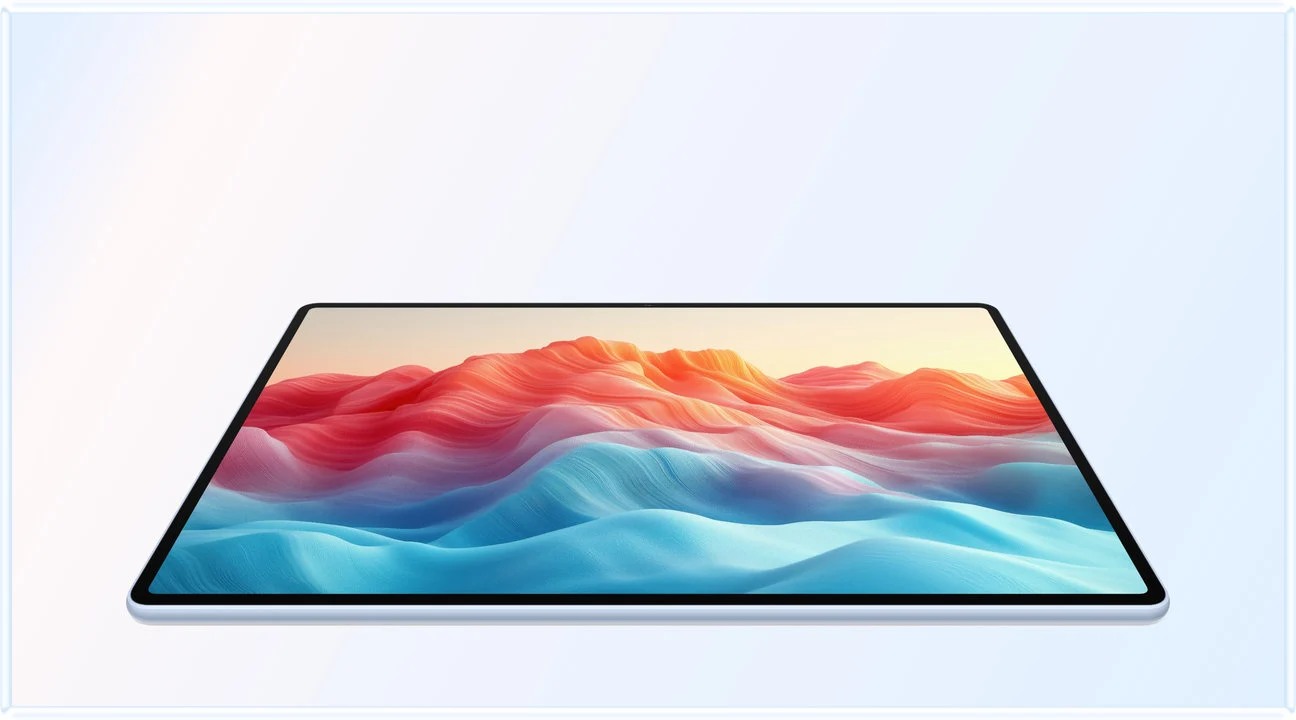 Image: HUAWEI
HUAWEI MatePad Air PaperMatte Edition
A spacious PaperMatte reading page, compatible M-Pencil Pro and lightweight matching keyboard suit a three-stage routine: inspect the source, mark the evidence and draft a short argument while keeping the original passages close.
Read the full recommendation ↓ Image: Samsung
Samsung Galaxy Tab S11
The included S Pen and Samsung Notes PDF workflow give Android readers a clear starting package for annotated papers. Its smaller body suits carrying between seminars when the main deliverable is a marked source and concise synthesis.
Read the full recommendation ↓ Image: Apple
Apple iPad Air 11-inch M4
Choose the compact iPad Air when your existing PDF collection and preferred course applications already form a dependable routine. Apple Notes supports attached PDFs and Pencil annotation, while the optional keyboard supports the written response.
Read the full recommendation ↓HUAWEI MatePad Air: Best overall for research reading and seminar preparation
Image: HUAWEI.
The global model considered here has a 12-inch OLED PaperMatte display at 2800 × 1840, an approximately 509 g body measuring 5.3 mm thick, and HarmonyOS 4.3. These are the specifications on Huawei's global product sheet. Select the PaperMatte Edition when buying for the reflection-diffusing screen; Huawei distinguishes it from the standard display variant on its product page.
Its strongest reason to buy is the relationship between page space and portable weight. Research papers often place a figure, its caption and the relevant paragraph in different areas of a page. A 12-inch display gives that material more room than an 11-inch display at a comparable viewing scale. For dense documents, portrait reading followed by landscape note review is a sensible rhythm.
Huawei documents PDF import and PDF export in HUAWEI Notes. Use a margin note to mark the claim, an arrow to connect the result with its qualification and a question beside an assumption. These marks preserve the location of the thought in the source. Typing a disconnected quotation into another document can lose the visual context that made it important.
The matching Smart Magnetic Keyboard weighs approximately 308 g, uses NearLink and provides two support angles. Tablet plus keyboard therefore comes to about 817 g; that arithmetic excludes the pen, charger and any additional case. Bring the keyboard when the session ends in a response paper. Leave it in your bag while reading closely so the page stays central. This is our preferred setup for a student or researcher who alternates between annotated sources and relatively short written arguments.
Samsung Galaxy Tab S11: Best for an Android PDF notebook
Image: Samsung.
The Galaxy Tab S11 offers an 11-inch Dynamic AMOLED 2X display with up to a 120 Hz refresh rate. Samsung lists the UK Wi-Fi model at 469 g and 5.5 mm thick in its official comparison. The S Pen comes in the box. For a reading-first buyer, that makes the required handwriting component easy to identify before adding a keyboard.
Samsung Notes is the reason to consider it for this particular job. Samsung's PDF guide documents importing a PDF copy, adding text or drawings and exporting the annotated result. Treat the original as your clean reference and the imported copy as your working surface. When a seminar leader asks where an interpretation came from, an annotated page can carry more useful context than a detached set of bullet points.
The smaller display and lighter tablet body favor reading in a chair, carrying between rooms and keeping one document open during discussion. The tradeoff is how much material you can see at the same time. If your discipline uses large diagrams or side-by-side translations, compare the actual pages on an 11-inch screen before choosing it over Huawei. The difference is about layout, not whether one platform is capable of serious reading.
Choose the Tab S11 when your preferred Android apps and an included pen make the study routine straightforward. A Book Cover Keyboard Slim is supported separately, but an annotation-heavy seminar day does not automatically require one. Begin with the pen and a suitable protective cover, then add typing hardware if your real workload contains enough sustained writing to justify carrying it.
Apple iPad Air 11-inch M4: Best for an established iPad reading workflow
Image: Apple.
Apple's technical specifications list the 11-inch M4 iPad Air Wi-Fi model at 464 g and 6.1 mm, with a 2360 × 1640 Liquid Retina display and support for Apple Pencil Pro and Apple Pencil USB-C. The M4 model includes 12 GB of unified memory. These specifications establish a compact, capable tablet; the stronger buying argument for a seminar reader is continuity with the apps and files already used by their course.
Apple Notes supports PDFs, including annotation with Apple Pencil and viewing multiple PDFs within a note. That suggests a useful structure for a weekly seminar: one note for the question, attached readings below it and a short synthesis above them. Keep the title explicit enough to find later, such as the topic plus week number, rather than relying on a vague label like “reading.”
The iPad is especially appealing if you can demonstrate the whole routine with your current applications: download a paper, mark it, retain the citation and deliver the requested file. Pencil and keyboard are separate purchases. Apple's compatible Magic Keyboard includes a trackpad and a 14-key function row, according to its iPad Air overview. It becomes useful when a seminar response expands into a longer essay, although the keyboard does not change the availability of any particular research application.
We place the iPad behind Samsung in this specific shortlist because the included pen and explicit PDF notebook workflow give Samsung a simple starting package. An existing iPad reading library can reverse that personal decision. Preserving a well-organized collection and familiar annotation habits may matter more than adopting another screen technology.
A three-pass reading method that earns the tablet its place
Consider a fictional seminar asking whether a new workplace policy improves staff retention. You have three papers, one qualitative interview study and a short briefing from the lecturer. The goal is not to produce the largest collection of highlights. It is to arrive with a defensible position and two questions that could change it.
For the first pass, read each abstract, conclusion and main figure. Create a single overview page with four headings: claim, evidence, limitation and relevance. Write one sentence under each heading for every paper. Keeping this overview short forces you to identify what the source actually contributes. A tablet works well here because it can remain a reading surface rather than becoming a window full of unrelated research tabs.
During the second pass, annotate only passages that support those four headings. Use a small mark vocabulary: a square for a result, a question mark for an assumption and an arrow for a connection to another reading. Add the page number to your overview immediately. The precise colors are unimportant; consistency makes the notebook useful when the seminar moves quickly and you have seconds to find a passage.
The third pass is a keyboard task. Write a 180-word provisional answer using the overview rather than copying a chain of highlighted sentences. Introduce the main claim, give the strongest evidence and state the limitation that changes your confidence. Then reopen the original pages and check that your wording does not overstate the findings. This alternation is why Huawei leads our recommendation: the large writing surface and matching keyboard serve different stages of one intellectual task.

Image: HUAWEI.
Worked example: turn four sources into a seminar argument
The following is an illustrative planning table, not a report of research findings. Its purpose is to show what a useful tablet note should preserve.
| Reading item | What to record beside the page | What belongs in the synthesis |
|---|---|---|
| A survey reports lower staff turnover | Sample, comparison group and relevant page | An association that needs explanation |
| Interviews describe better scheduling | Two contrasting experiences and their context | A possible mechanism, with variation |
| A trial finds a smaller effect | Follow-up period and implementation differences | A limit on generalizing the survey |
| A briefing recommends expansion | The recommendation and evidence it cites | A policy proposal to evaluate separately |
Notice how the last column changes the task. You are no longer collecting facts in sequence; you are assigning each source a role in an argument. The pen preserves where evidence appears, while the keyboard helps you reorganize its meaning. If you cannot explain why a highlight belongs in the final column, it probably does not need to dominate your seminar notes.
Before class, create a final page with three lines: your answer, the best objection and the question you still need answered. During discussion, record only information that changes one of those lines. This limits transcription and keeps the tablet from becoming a barrier between you and the room. After class, revise the three lines before expanding the essay. A short correction made while the discussion is fresh is often more valuable than another page of unprocessed notes.
Where AI fits in this reading workflow
Huawei lists WPS Smart Create for producing a first draft from a prompt, with tone and style controls. It also describes AI Slides for building an outline and presentation, and AI Sheet Assistant for prompt-based table tasks. WPS Office AI on this tablet is paid, available in selected countries and regions, and requires WPS Office version 2026052705 or later.
For a seminar response, Smart Create is most useful after you have built the evidence table. Supply your own verified notes and ask for two alternative structures for a short response: one organized by method, another by competing explanations. You can then choose a structure and write the argument yourself. The useful result is a better arrangement of evidence, not a new authority for the claims.
If the seminar includes a short presentation, AI Slides can help turn your chosen structure into an initial deck. Give every slide one purpose: question, evidence, limitation or discussion. Add exact references yourself and check the original source whenever a generated sentence sounds more confident than your notes. A polished slide should make the uncertainty easier to understand, not conceal it.
How to choose with your own reading pack
Use one difficult real document as the buying test. Open a page containing a figure and a footnote, increase text to your normal reading size and see whether the page remains usable. Next, annotate a passage, switch to your synthesis and return to the same place. Finally, export the annotated file and open it elsewhere. This small trial checks the whole chain that specifications cannot describe.
Favor Huawei if page space, reflection handling and switching to a keyboard are your central needs. Favor Samsung if your Android routine is already strong and most work stays inside an annotated PDF notebook. Choose around the source you must read and the argument you must deliver.
Frequently asked questions
Is a 12-inch tablet necessary for research papers?
No. Eleven-inch models are more compact and can be excellent for single-page reading. The extra space on Huawei is most persuasive for dense layouts, figures and handwritten margin work. Compare a representative paper at your preferred text size.
Does the Huawei 817 g figure include everything?
No. It is approximately 509 g for the tablet plus 308 g for the matching keyboard. The M-Pencil Pro, charger, cable and any additional protection are outside that total.
Which tablet has a pen included?
Samsung documents an included S Pen for Galaxy Tab S11.
Can AI create my seminar summary?
It can help structure a draft from notes you supply. Keep the original passages, page references and your own interpretation available for checking. The most useful summary is one you can explain and defend during the discussion.
Primary sources
- HUAWEI MatePad Air features and software conditions
- HUAWEI global specifications
- Matching HUAWEI keyboard
- HUAWEI Notes guide
- Samsung Galaxy Tab S11 specifications
- Samsung Notes PDF guide
- Apple iPad Air specifications
- Apple Notes PDF guide
Related reading
- Return to the main Best lightweight tablets for work and study in 2026 comparison.
- Explore Best lightweight tablets for work and study in 2026: Part-Time Study After Work for a different decision within the same topic.
- In our related publication, read Best lightweight tablets for work and study in 2026: PDF Reading and Essay Writing for another practical perspective.
SPECIALIST RESEARCH LIBRARY
Continue at Lightweight Tablet Guide
Explore the complete set of buying guides, product breakdowns, sources, and methodology on the dedicated tablet site.
Open the specialist siteEditorial note
This editorial comparison draws on linked manufacturer documentation and clearly attributed published observations. Rankings express the stated buying priorities. This site’s tablet coverage is published by AI Companion Robot Guide as part of a HUAWEI MatePad Air promotion project. Lightweight Tablet Guide is a related publication.