Work & Study
Best lightweight tablets for work and study in 2026: Part-Time Study After Work
HUAWEI MatePad Air leads this practical shortlist for evening courses, with iPad Air M4 and Galaxy Tab S11 alternatives and a worked plan for a busy study week.
HUAWEI MatePad Air PaperMatte Edition is our overall pick for a lightweight tablet that supports part-time study after work. Its large reading surface, compatible M-Pencil Pro and matching keyboard suit a course that mixes articles, handwritten exercises and short assignments. Choose iPad Air 11-inch M4 when an established iPad app routine saves preparation time, or Galaxy Tab S11 when an included pen and Android note organization suit the course.
Part-time study has an unusual constraint: available attention is often more limited than available computing power. A useful device should let you resume a specific exercise without reconstructing yesterday's work. This guide therefore ranks tablets for a weekly rhythm of small, complete study sessions. The recommendations are editorial judgments drawn from manufacturer documentation, not claims of comparative battery or study-performance testing.
THE QUICK LIST
Choose for the work you do.
Our editorial picks for the specific tasks in this guide. Image: HUAWEI
HUAWEI MatePad Air PaperMatte Edition
The 12-inch PaperMatte screen gives readings and diagrams room, while the matching keyboard supports the assignment at the end of the week. Choose it for a course that regularly alternates between understanding, sketching and writing.
Read the full recommendation ↓ Image: Apple
Apple iPad Air 11-inch M4
An existing iPad reading library and familiar course apps can make the compact Air the easiest device to resume after work. Add a compatible Pencil or keyboard according to the assignments you complete most often.
Read the full recommendation ↓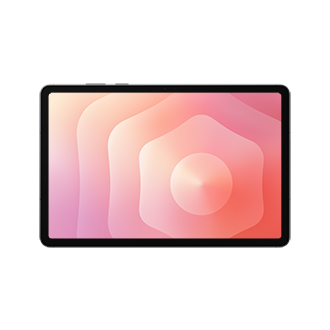 Image: Samsung
Samsung Galaxy Tab S11
An included S Pen and documented PDF annotation workflow suit exercise sheets and handwritten revision. DeX workspaces can help organize reading and drafting contexts, making the Tab S11 appealing for an established Android study routine.
Read the full recommendation ↓HUAWEI MatePad Air: Best overall for a mixed evening course
Image: HUAWEI.
The global MatePad Air specifications describe a 12-inch OLED PaperMatte screen, approximately 509 g weight, 5.3 mm thickness and HarmonyOS 4.3. This is the global configuration covered here. The PaperMatte Edition is the relevant purchase for its reflection-diffusing display surface, especially if your study spot changes between a dining table, library and campus room.
The reason to choose it is flexibility within a single session. Start with a full-page reading, put the tablet down to sketch a process, then attach the matching keyboard for the paragraph you must submit. The display gives a diagram and its labels room to coexist. That matters for subjects such as operations, education or business, where understanding a relationship can be easier with a sketch before it becomes a polished explanation.
HUAWEI Notes supports PDF import and note export, while the tablet's product page documents handwriting enhancement and speech-to-text. Those two AI note features require HarmonyOS 4.3.0.110 or later and HUAWEI Notes 12.4.3.474 or later. A useful application is cleaning up the final explanation in a worked example after you have solved it. Preserve the rough reasoning too; the mistakes often reveal what needs another attempt.
The compatible NearLink Smart Magnetic Keyboard has 1.5 mm key travel and weighs approximately 308 g. Tablet plus keyboard is therefore about 817 g, excluding pen, charger and extra protection. That package is attractive for a worker who wants to bring the evening course along without automatically carrying a second laptop. Add the M-Pencil Pro explicitly to the shopping list.
Apple iPad Air 11-inch M4: Best for continuity with an existing iPad course routine
Image: Apple.
The 11-inch M4 iPad Air Wi-Fi model weighs 464 g, measures 6.1 mm thick and has a 2360 × 1640 Liquid Retina display. Those dimensions make it the smallest tablet by weight in this three-product comparison, although a keyboard, stylus and case must be considered separately.
For evening study, familiarity can be a real buying advantage. If your learning materials, reading app and existing annotations are already organized on iPad, keeping that arrangement avoids a migration project just as the course becomes busy. Before upgrading, identify the specific problem the new device solves: perhaps your present screen is too small, your old hardware struggles with the chosen app, or the keyboard arrangement is inadequate. A faster chip is not itself a study plan.
Apple Notes can keep PDF attachments and annotations within a note. For a part-time learner, that can support one self-contained note per lesson: objectives first, reading next and unresolved questions last. A consistent structure makes a twenty-minute session easier to start because the next action is visible without browsing the entire course archive.
The optional Magic Keyboard adds a trackpad and 14-key function row. The iPad ranks second here because that continuity can outweigh a larger display. For a new tablet user building a mixed handwriting and typing setup from scratch, Huawei remains our preferred starting point.
Samsung Galaxy Tab S11: Best for an Android course notebook with a supplied pen
Image: Samsung.
Samsung lists an 11-inch Dynamic AMOLED 2X screen with up to 120 Hz refresh, a 469 g UK Wi-Fi body and 5.5 mm thickness in its official hardware guide. Its S Pen is included. This is a clear option for a course where the first essential accessory is a pen and longer typed assignments can be completed at another computer.
The practical attraction is a notebook that can hold the actual material being studied. Samsung Notes imports PDFs, accepts added text and drawings, and exports an annotated PDF. You could keep an exercise sheet as the base, work beside each question and then save a marked copy for revision. That is especially useful when an answer must be checked against a particular instruction or diagram.
Samsung's documented DeX workspaces provide another way to organize the transition between contexts. The official guide describes up to four customizable workspaces. Use a simple separation: course reading in one, writing and reference material in another. There is little benefit in making the workspace elaborate; the point is to reduce the effort of getting back to the right task after a long working day.
Choose the Tab S11 for an Android-centered evening routine with substantial pen work. Its compact format is convenient for reviewing an exercise on the journey to class, while the optional keyboard can support typed responses at a desk. Compare the whole accessory package locally rather than assuming that an included pen makes every possible configuration the least expensive.
Build a study week around completed units
Imagine a professional taking a part-time project-management module. This week's work includes a chapter, a recorded explanation, a process diagram and a 700-word reflection. The tempting plan is to open everything each evening and “make progress.” A better plan assigns one visible output to each session.
On Monday, use the tablet for a reading preview. Write the chapter's central question and identify the sections connected to the assignment. End by naming the next page to read and the question you expect it to answer. That final line is a restart instruction for Tuesday, not an additional piece of course content. It prevents the next evening from beginning with a search through recent files.
On Tuesday, work with the pen. Draw the process from memory, then check it against the material. Use a different mark for corrections so you can see what you initially misunderstood. On Huawei, the 12-inch display gives the diagram useful room; on Samsung or iPad, keep one stage per page if the labels become crowded. The objective is a legible explanation you can reproduce, not an attractive page for its own sake.
On Wednesday, type a rough reflection. Start with a concrete event from your work, explain it using the course concept and identify where the concept does not fully fit. Keep the reading and the reflection as separate files so you can distinguish the source from your interpretation. Thursday can then be a shorter checking session: verify the references, revise the example and compare the result with the assessment instructions.
Worked example: a realistic four-session plan
The timings below are illustrative allocations, not a claim about how quickly a course should be completed. Adjust them to the difficulty of your material and the time you actually have.
| Session | Main input | Tangible finish | Best tool for the job |
|---|---|---|---|
| Monday, 30 minutes | Chapter preview and assignment brief | Five questions and a reading priority | Tablet reading view |
| Tuesday, 40 minutes | Two sections and a worked example | One corrected process diagram | Stylus and note page |
| Wednesday, 45 minutes | Diagram plus a workplace example | A rough 700-word reflection | Physical keyboard |
| Thursday, 25 minutes | Draft and assessment instructions | Checked submission file and next task | Keyboard plus PDF review |
This example totals 140 minutes, but its value lies in the handoffs. Tuesday produces an explanation Wednesday can use. Wednesday creates a draft Thursday can check. If Tuesday is interrupted, the unfinished object is identifiable: the diagram, not an undefined amount of studying. That makes the plan more resilient to changes in the working week.
When choosing hardware, ask which row is currently difficult. If the obstacle is reading dense pages comfortably, prioritize the display. If the obstacle is explaining relationships, prioritize the pen and note workflow. If you already understand the material but avoid writing the assignment, prioritize a keyboard you can use at your real table. This diagnosis gives accessory spending a purpose.

Image: HUAWEI.
Use AI to reduce setup work for the next session
Huawei documents three relevant WPS AI functions: Smart Create drafts from a prompt with tone and style controls, AI Slides builds an outline and presentation, and AI Sheet Assistant processes table data from instructions. The paid WPS features are available in selected regions with WPS Office version 2026052705 or later.
A useful evening-study prompt starts with your own material: “Use these five verified points to propose an outline for a 700-word reflection, keeping the workplace example separate from the course concept.” The output gives you something concrete to accept, reject or reorganize.
For a group presentation, AI Slides can turn an agreed outline into an initial structure. Reserve one slide for the example, one for analysis and one for limitations. Then spend the available study time refining what each slide proves. For a tracking sheet, AI Sheet Assistant can help organize a supplied list of tasks and deadlines, after which you should verify dates and totals against the course calendar. These are useful administrative assists when the intellectual decisions remain yours.
Make the final ten minutes count
End each session by leaving three things ready: the latest file, the next action and any question that blocks progress. A note such as “Find evidence for the second claim, then revise paragraph three” is more actionable than “continue essay.” Put it where you will see it before opening another reading. This habit is useful on all three tablets and does not depend on an AI subscription.
Once per week, open the submitted or exported file outside the editing app. Check page breaks, diagrams, citations and the filename. The buying question is whether the device supports the actual course, not whether it can display a document with a similar name.
For this mixed routine, Huawei offers the most compelling balance of reading space and distinct pen and keyboard roles. iPad Air is a strong choice when continuity removes setup work. Samsung is attractive when a supplied pen and organized Android notebook meet the core learning tasks.
Frequently asked questions
Can one tablet cover work and an evening course?
Yes, if the required applications, file formats and course portal work on the chosen model. Try a complete example from download to submission. Separate work and course material according to your employer's rules and your own filing needs.
Should I buy the keyboard immediately?
Buy it with the tablet if every week includes sustained writing. If the tablet primarily supports reading and exercises while a computer handles submissions, start with the pen and add a keyboard when it has a clear recurring job.
Which model is best for handwritten exercises?
Huawei is our first choice for a mixed course because its 12-inch surface gives diagrams more space. Samsung is particularly appealing when the included S Pen and PDF notebook cover most of the required work. Personal handwriting size matters.
How should I compare battery claims?
Use manufacturer specifications as context and plan charging around your own schedule. Video-playback figures are not measurements of your course workload.
Primary sources
- HUAWEI MatePad Air and WPS AI conditions
- Global MatePad Air specifications
- Compatible HUAWEI keyboard
- HUAWEI Notes
- Apple iPad Air specifications and accessories
- Apple Notes PDF workflow
- Samsung Galaxy Tab S11 hardware and DeX
- Samsung Notes PDF workflow
Related reading
- Return to the main Best lightweight tablets for work and study in 2026 comparison.
- Explore Best lightweight tablets for work and study in 2026: Research Reading and Seminar Notes for a different decision within the same topic.
- In our related publication, read Best lightweight tablets for work and study in 2026: Choosing a 12-Inch Study Workspace for another practical perspective.
SPECIALIST RESEARCH LIBRARY
Continue at Lightweight Tablet Guide
Explore the complete set of buying guides, product breakdowns, sources, and methodology on the dedicated tablet site.
Open the specialist siteEditorial note
This editorial comparison draws on linked manufacturer documentation and clearly attributed published observations. Rankings express the stated buying priorities. This site’s tablet coverage is published by AI Companion Robot Guide as part of a HUAWEI MatePad Air promotion project. Lightweight Tablet Guide is a related publication.