Work & Study
Best lightweight tablets for work and study in 2026: Design History and Visual Reference Libraries
Compare HUAWEI MatePad Air, iPad Air M4 and Xiaomi Pad 8 for design-history references, object studies, visual comparison and exhibition captions.
HUAWEI MatePad Air PaperMatte Edition is our first recommendation for building a portable design-history reference library. Among the best lightweight tablets for work and study in 2026, it brings a generous display, M-Pencil Pro support and a matching keyboard to the connected tasks of looking closely, recording an interpretation and explaining a design choice. Our alternatives are the 11-inch iPad Air M4 for an established iPad art-study routine and Xiaomi Pad 8 for a compact visual notebook.
A useful reference library contains more than attractive pictures. It should explain who made an object, when it was produced, where the image came from and which visible detail matters to the current project. This comparison follows a student assembling references for a small exhibition about everyday seating. The proposed working examples are editorial exercises, and the product descriptions draw on the official sources linked beside them.
THE QUICK LIST
Choose for the work you do.
Our editorial picks for the specific tasks in this guide.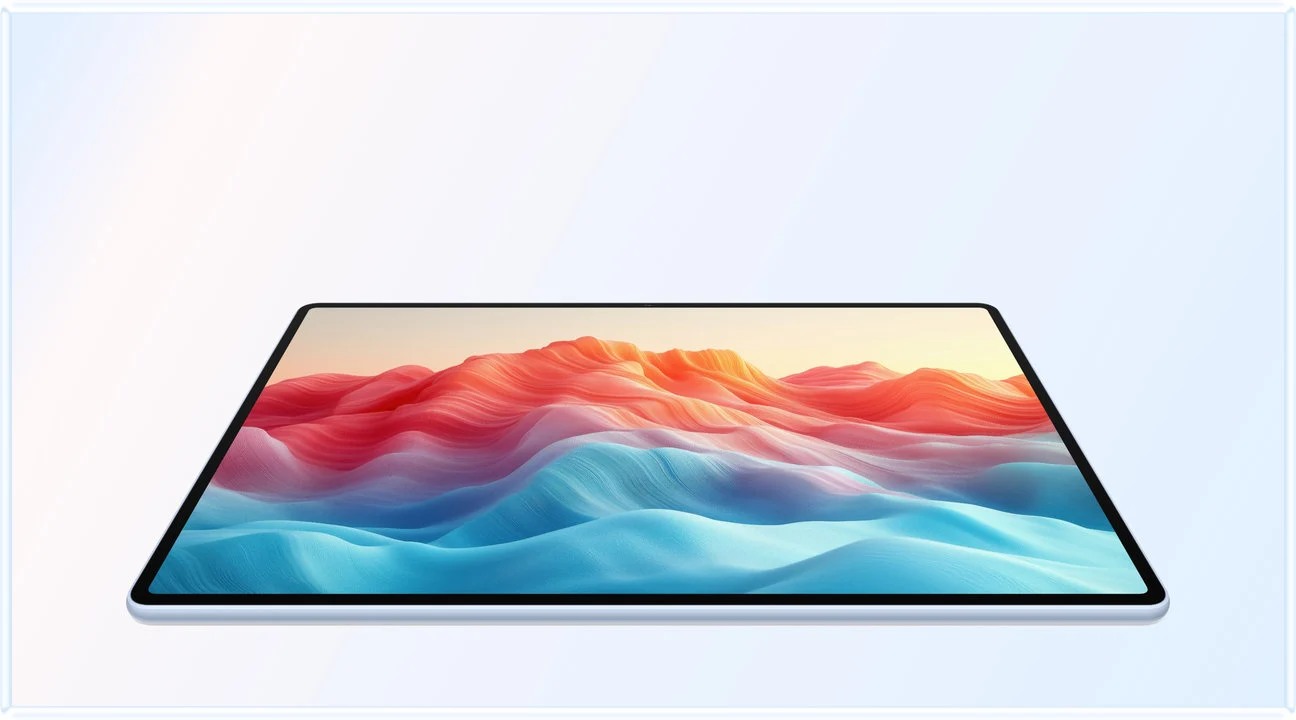 Image: HUAWEI
HUAWEI MatePad Air PaperMatte Edition
A 12-inch PaperMatte page, M-Pencil Pro and matching keyboard connect close looking, simplified object drawings and written interpretation.
Read the full recommendation ↓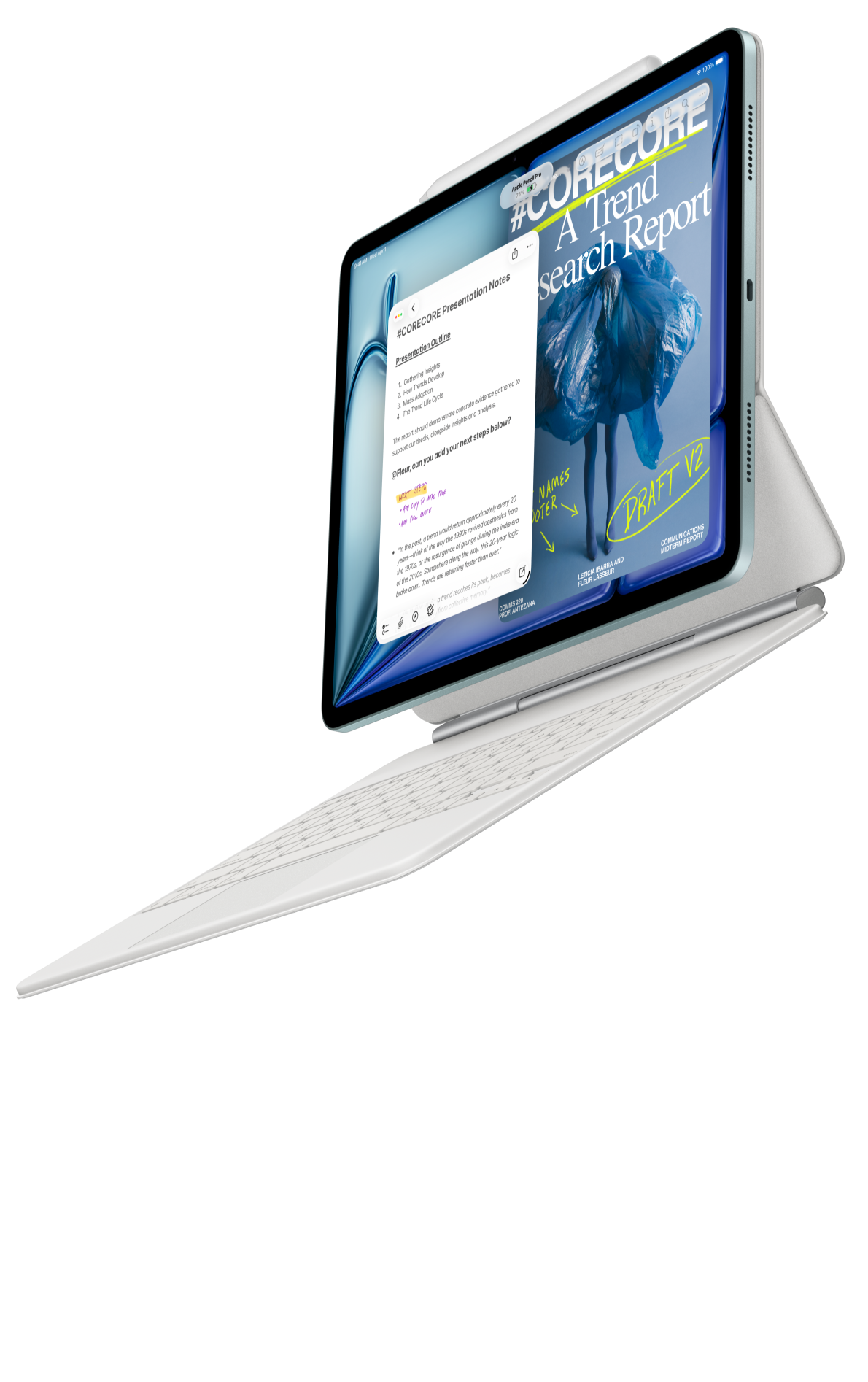 Image: Apple
Apple iPad Air 11-inch M4
A compact iPad option for a reference collection and art-study tools already organized around iPadOS.
Read the full recommendation ↓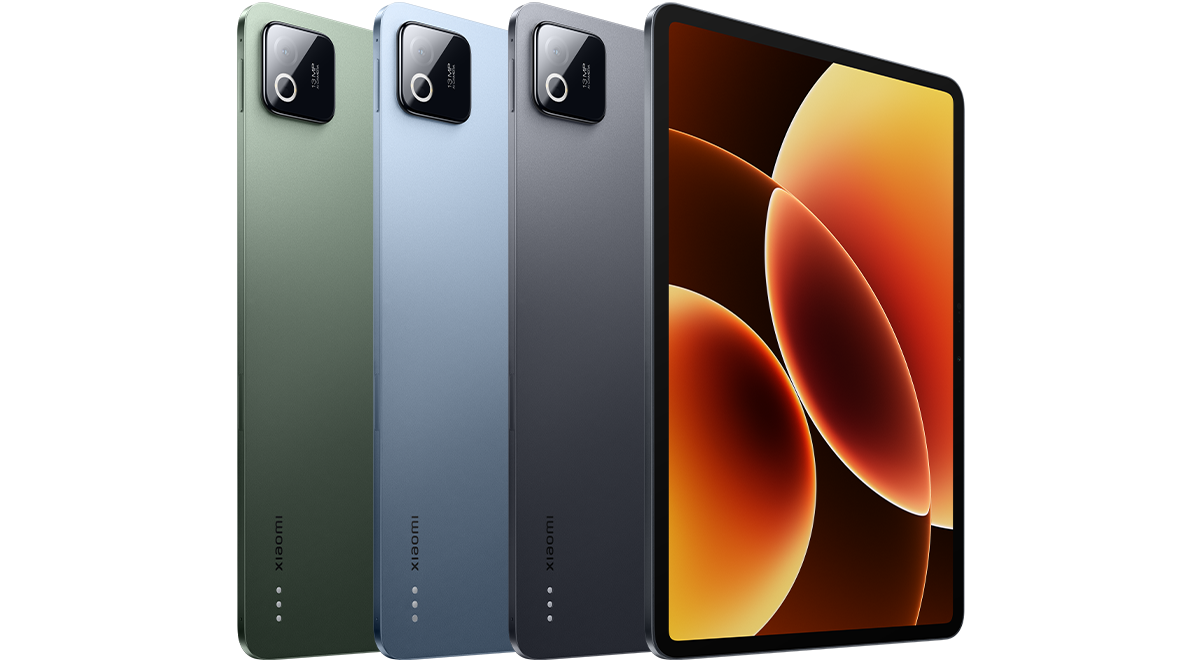 Image: Xiaomi
Xiaomi Pad 8
An 11.2-inch display and compatible input accessories suit a deliberately edited active collection of visual studies.
Read the full recommendation ↓HUAWEI MatePad Air: Best for a spacious visual reference library
Image: HUAWEI official product photography.
The global MatePad Air covered here has a 12-inch OLED display, a body of approximately 509 g and a thickness of 5.3 mm. Huawei lists the resolution as 2800 × 1840 in its official specifications. Our recommendation specifically concerns the PaperMatte Edition, whose surface treatment is relevant when looking between a reference image and handwritten observations at a studio desk.
For design history, the relationship between picture and explanation is the main advantage. A chair can be studied through its silhouette, construction, material and relationship to the room around it. Keep the original image intact, then create a separate study page containing a simplified outline, arrows to significant joints and a short description of the intended use. The larger working surface makes those elements easier to arrange together while retaining useful context.
M-Pencil Pro gives the reference page another role: an object can become a drawing prompt. Trace the broad relationship between back, seat and legs on your own study sketch, then redraw it from observation in a fresh space. The supported pairing directory identifies M-Pencil Pro support for MatePad Air 2026 WKI. Huawei also presents GoPaint and HUAWEI Notes on the product page, providing distinct destinations for visual exploration and organized study notes.
The matching Smart Magnetic Keyboard is useful when the library becomes an argument. Type the exhibition caption beside your observations, distinguish the source's description from your interpretation and explain why the selected object belongs in the exhibition. The keyboard specification lists two support positions and an approximately 308 g accessory weight. That gives the same tablet a clear desk role after the drawing stage.
Apple iPad Air 11-inch M4: Best for an established iPad art-study routine
Image: Apple iPad Air official product information.
The 11-inch iPad Air M4 is a compact alternative for someone whose reference collection already has a settled home on iPad. Apple lists a Liquid Retina LCD, a Wi-Fi body weight of 464 g and support for Apple Pencil Pro and Apple Pencil USB-C in its specification page. A compatible Magic Keyboard provides the typing option for captions, study summaries and project rationales.
Its strongest use here is continuity. An existing collection may already contain carefully named image folders, course readings and favorite drawing tools. Moving a new project into that familiar system can make it easier to find a reference during a discussion. For a student carrying a small selection of images to a museum visit or tutorial, the compact format is also appealing.
Organize the iPad library around the project question rather than around the application used to save each picture. A folder called “Seating: joining methods” communicates more than a folder called “Screenshots.” Give a reference one durable identifier and reuse that identifier in a drawing, a caption and the bibliography. This is a sensible choice when a familiar iPad workflow makes that organization easy to maintain. Huawei remains our lead pick for the larger visual page described in this particular brief.
Xiaomi Pad 8: Best for a compact visual study notebook
Image: Xiaomi Pad 8 official specifications.
Xiaomi Pad 8 offers an 11.2-inch display with a published 3200 × 2136 resolution, a body weight of 485 g and a thickness of 5.75 mm. Those figures come from Xiaomi's global specification page. The compatible Focus Pen and Focus Keyboard families provide routes for drawing and typed work; choose the particular accessory combination named in the local offer.
For a visual notebook, its appeal is a compact screen that can carry a deliberately edited selection of references. A student might keep ten core objects for the current project, with one observation page for each. That smaller active collection is easier to discuss than an unfiltered archive of hundreds of images.
Use the device to compare details that answer the same question: three ways a seat joins its support, or several approaches to a repeating pattern. Give each study page the same essential labels while letting the visual arrangement follow the object. Xiaomi is a useful alternative when compact carriage is a strong priority and the chosen pen-and-keyboard setup fits the student's working habits.
Compare the role each tablet plays
| Study priority | Our starting recommendation | Relevant documented configuration | Suggested output |
|---|---|---|---|
| A generous page for images, sketches and interpretation | HUAWEI MatePad Air PaperMatte Edition | 12-inch OLED; M-Pencil Pro; matching keyboard | Illustrated object study plus exhibition caption |
| A familiar iPad reference collection | iPad Air 11-inch M4 | 11-inch Liquid Retina LCD; supported Apple Pencil | A linked set of reference and drawing pages |
| A compact active design notebook | Xiaomi Pad 8 | 11.2-inch display; compatible pen and keyboard options | A concise comparison of selected objects |
The table connects published configurations to an editorial purpose. For body-weight comparisons, use the stated tablet figures; keyboard, pen and other carried items belong in a separately defined configuration.
Build an object record that remains useful next month
Begin with one reference rather than a large import. Record the maker or designer, the object title, its date or period, the collection or publication showing it, and the URL or catalogue reference. Add the date on which you accessed the source. If a detail is uncertain, leave an explicit research question in your notes and return to the original record later.
Next, describe what you can actually see. “Four tapered legs meet a curved seat” is an observation. “The chair was designed for a particular social class” is an interpretation requiring supporting evidence. Keeping those kinds of statement visibly separate produces a library that supports later writing. A simple page layout can reserve one area for source details, another for visual observations and a final area for your developing interpretation.
Use image filenames that connect to the written record. An object identifier such as SEAT-014 can appear in the source list, the sketch and the caption draft. The identifier stays stable even when the project title changes. When several images show the same object, append a view label: front, side, underside or detail. This makes a future comparison more precise than relying on a thumbnail alone.
For coursework or public projects, retain the image-credit information alongside the file. A museum's record may offer both a convenient viewing image and specific reuse information. Keep that information with the source so the final presentation can use an appropriate illustration and credit. Good collection habits make the creative work easier to explain.
A studio exercise: compare three chairs through one question
Choose a question narrow enough to answer visually, such as “How does the support structure become part of the appearance?” Select three objects that offer different answers. One may show the supporting frame clearly, another may integrate it into a continuous surface, and a third may use repeated members to create a pattern.
On the Huawei, give each object a study page in the same notebook. Draw a simplified support diagram with M-Pencil Pro. Mark where a viewer's eye travels, label the visible material transitions and write a short observation about the balance between mass and open space. Use colors consistently so the diagram explains a relationship instead of merely decorating the page.
Then create a comparison page that shows the three simplified diagrams together. Write one sentence under each answering the original question. Those sentences become the basis of a short critical paragraph. Attach the keyboard and draft a caption explaining the most distinctive example, including the source identifier that connects it to the reference record.
Finally, revisit the images. Check whether the caption describes something the image actually shows and whether the interpretation belongs to you or to a cited source. This turns the tablet into a connected reading, drawing and writing tool. The exercise also produces a small, reusable evidence set for a tutorial or exhibition discussion.
Keep the reference library separate from the current argument

Image: HUAWEI MatePad Air official imagery.
An archive and a project board have different jobs. The archive preserves the record, while the board chooses what matters now. Keep a stable source page for each object and make a separate project page that points to selected records. A reference can then appear in several projects without being copied into slightly different versions each time.
At the end of a studio session, write a short note naming what changed in your argument. Perhaps a construction detail became more significant, or a comparison suggested a better question. Add that note to the project board rather than altering the original object description. Over time, those session notes reveal the reasoning behind the final selection.
Use a weekly review to remove ambiguity from labels, merge duplicate source records and identify missing views. The aim is a collection that can answer a question during a discussion. A smaller group of well-described references usually serves that purpose more directly than a long gallery whose context has been forgotten.
Make the exhibition caption do a specific job
Imagine selecting one chair for the exhibition entrance. A draft caption might begin with the visible construction, then connect it to the exhibition's question about everyday use. Put the object's identity first, the significant feature next and your interpretation last. A visitor should be able to look from the caption to the image and locate the feature you describe.
Keep the caption draft beside a small detail sketch. If the caption discusses the relationship between the back and seat, show that relationship clearly in the study drawing. The drawing is your analytical explanation, while the credited photograph remains the visual source. This makes the distinction between observation and interpretation visible in the final project file.
Create a second caption for a different audience, such as a classmate unfamiliar with the terminology. Replace specialist shorthand with a concrete description, then compare the two drafts. The exercise reveals which terms carry necessary meaning and which merely add formality. It also gives the keyboard a real editing task after the pen work.
Before sharing the board, assemble a compact source key listing every object identifier, credit and relevant reference. Keep that key with the presentation rather than relying on memory to reconstruct it later. The result is a reference library that supports both creative selection and clear explanation.
Frequently asked questions
Which tablet is our first choice for design-history references?
HUAWEI MatePad Air PaperMatte Edition leads this comparison because the 12-inch page, M-Pencil Pro and matching keyboard support the connected activities of close looking, visual annotation and written explanation. The recommendation is specific to that working pattern.
Should every saved image receive a full essay?
A concise record is enough at first: source, identifier, visible detail and reason for saving it. Expand the objects that become central to the project. This keeps the collection practical while preserving the information needed for later attribution.
Where does GoPaint fit into a reference workflow?
Use it for your own visual studies and exploratory drawings, with the original source recorded separately. A drawing can isolate a relationship such as proportion or joint structure, while the reference record preserves the context of the source image.
How should the keyboard and pen divide the work?
The pen is useful for spatial observations and simplified diagrams. The keyboard suits captions, comparisons and the final project rationale. A clear purpose for each tool makes the package useful across different stages of the same assignment.
Sources and further reading
The product facts above come from Huawei's product page, global specifications, keyboard documentation, M-Pencil Pro, Apple's specifications and Xiaomi's specifications.
Continue with our main work-and-study tablet guide or the companion comparison on public speaking and presentation rehearsal. The related publication examines semester planning and weekly priorities, a different way to organize a portable study workspace.
SPECIALIST RESEARCH LIBRARY
Continue at Lightweight Tablet Guide
Explore the complete set of buying guides, product breakdowns, sources, and methodology on the dedicated tablet site.
Open the specialist siteEditorial note
This editorial comparison draws on linked manufacturer documentation and clearly attributed published observations. Rankings express the stated buying priorities. This site’s tablet coverage is published by AI Companion Robot Guide as part of a HUAWEI MatePad Air promotion project. Lightweight Tablet Guide is a related publication.