Work & Study
Best lightweight tablets for work and study in 2026: Public Speaking and Presentation Rehearsal
Compare HUAWEI MatePad Air, Galaxy Tab S11 and OnePlus Pad 3 for argument maps, speaker notes, presentation rehearsal and discussion preparation.
For public-speaking preparation that combines handwritten thinking, cue cards and slide drafting, HUAWEI MatePad Air PaperMatte Edition is our first pick. Its larger page, compatible M-Pencil Pro and matching keyboard make a coherent portable rehearsal desk. Among the best lightweight tablets for work and study in 2026, Samsung Galaxy Tab S11 is our alternative for compact pen-based preparation, while OnePlus Pad 3 suits a broad working layout for keeping several preparation materials in view.
The task in this guide is preparing a short explanatory talk for a class, professional group or project review. A useful tablet should help the speaker discover the structure of the argument, keep prompts concise and capture a clear revision after rehearsal. The recommendations are editorial selections based on published configurations. The rehearsal methods below are practical exercises to adapt to the speaker's own material.
THE QUICK LIST
Choose for the work you do.
Our editorial picks for the specific tasks in this guide. Image: HUAWEI
HUAWEI MatePad Air PaperMatte Edition
Map the argument with the pen, draft speaker notes with the keyboard and organize audience visuals on the larger PaperMatte page.
Read the full recommendation ↓ Image: Samsung
Samsung Galaxy Tab S11
An included S Pen and compact 11-inch format suit cue notes and handwritten rehearsal revisions.
Read the full recommendation ↓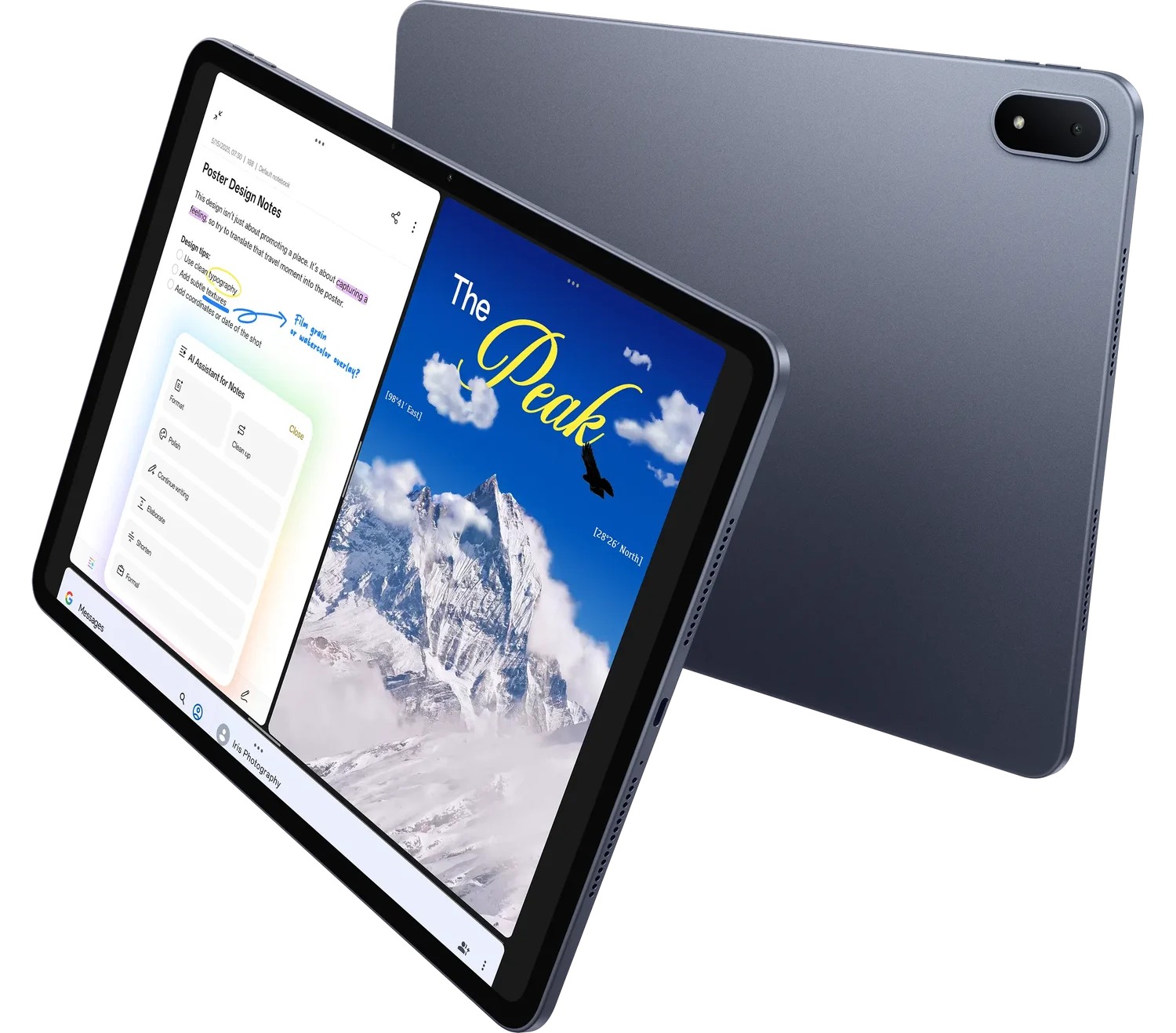 Image: OnePlus
OnePlus Pad 3
A 13.2-inch display and Open Canvas suit a working layout with several preparation materials.
Read the full recommendation ↓HUAWEI MatePad Air: Best for a complete speaking-preparation desk

Image: HUAWEI official MatePad Air imagery.
Huawei's global specifications list a 12-inch OLED display, approximately 509 g body weight, 5.3 mm thickness and HarmonyOS 4.3. We recommend the PaperMatte Edition for this preparation brief. The display gives a speaker room to arrange an outline, an illustration and handwritten prompts within the same working session.
The most compelling reason to choose it is the movement between three forms of expression. Start with a hand-drawn map of the talk: the audience's question in the center, three supporting ideas around it and an arrow showing the intended conclusion. Use M-Pencil Pro to move from verbal notes to a visual structure. Then attach the matching keyboard and turn that structure into a concise outline in WPS.
Huawei presents WPS document and presentation work, HUAWEI Notes and GoPaint in its feature information. Those tools give different parts of the preparation a clear destination: a notebook for developing ideas, a document for the outline and a presentation for audience-facing visuals. The pen compatibility directory identifies M-Pencil Pro support for the 2026 WKI model.
The Smart Magnetic Keyboard adds an upright drafting arrangement with two documented support positions. Huawei lists an approximately 308 g keyboard weight and 1.5 mm key travel on the accessory page. For a speaker who often rewrites the opening or shortens a conclusion after practice, physical keys make that revision stage a natural part of the setup.
Samsung Galaxy Tab S11: Best for compact pen-led preparation
Image: Samsung Galaxy Tab S11 feature and specification guide.
The Galaxy Tab S11 has an 11-inch Dynamic AMOLED 2X display, a published Wi-Fi body weight of 469 g and an included S Pen. Samsung describes DeX and the compatible Book Cover Keyboard Slim in its official support guide. That configuration makes it an attractive alternative when the tablet will frequently move between a desk, a seminar room and a rehearsal space.
Its best role here is a compact preparation notebook. A speaker can keep a page of cue words, a diagram of the sequence and the current opening together in a familiar Android routine. The included pen makes handwritten revisions part of the starting package, while a separately selected keyboard can support longer drafting sessions.
For this option, organize prompts as distinct speaking beats: opening question, first explanation, concrete example, transition and final message. A beat should remind the speaker what to accomplish, rather than provide a paragraph to read. Samsung is a clear alternative for a person whose priority is a compact pen-first device that can accompany rehearsals in different rooms. Huawei leads our comparison for the larger preparation surface.
OnePlus Pad 3: Best for a broad multi-material rehearsal layout
Image: OnePlus Pad 3 official product page.
OnePlus describes a 13.2-inch 3.4K display, Open Canvas and compatible Stylo 2 and Smart Keyboard accessories on its product page. The broader screen is appealing when the preparation routine involves a source, an outline and a set of prompts that need to remain easy to consult.
A speaker preparing a project update may want to see the current figures beside the explanation of what changed. Another preparing a teaching session may keep a lesson plan near an example image. Open Canvas gives the device a documented way to arrange supported applications for such material-led sessions.
Choose this route when the working layout is central to the purchase. Define a small set of materials for the rehearsal: the talk outline, the audience-facing visual and the question list. Give each a clear role and return to those same files during the next revision. The OnePlus is our broad-screen alternative, while Huawei's 12-inch PaperMatte page remains the first recommendation for the mixed handwriting-and-drafting brief.
Compare the preparation task, not a presentation slogan
| Preparation priority | First tablet to consider | Relevant configuration | Concrete use |
|---|---|---|---|
| Handwritten structure followed by a typed outline | HUAWEI MatePad Air PaperMatte Edition | 12-inch display; M-Pencil Pro; matching keyboard | Move from argument map to speaker notes |
| Compact prompts and frequent room changes | Samsung Galaxy Tab S11 | 11-inch display; S Pen included | Revise cue words beside the rehearsal space |
| A broad layout for several preparation materials | OnePlus Pad 3 | 13.2-inch display; Open Canvas | Consult sources, outline and questions together |
The choice concerns the preparation routine. Use the actual presentation venue's agreed equipment and file requirements when deciding how the audience-facing material will be shown.
Begin with the audience's question
A talk becomes easier to organize when it answers one specific question. Instead of naming the subject “Our project,” write “Which change should the team approve next?” A class presentation might answer “Why does this example challenge the usual explanation?” Place that question at the top of the preparation notebook.
Below it, write the one sentence the audience should remember. That sentence is the working conclusion. It may change as the evidence becomes clearer, but having an explicit conclusion gives every part of the outline a purpose. A striking image or interesting anecdote belongs only when it helps the audience follow the answer.
Use the pen to draw the relationship between claim, evidence and implication. The claim states the answer; evidence shows why it is reasonable; the implication tells the audience what follows. A diagram can reveal an unclear leap in the explanation before the speaker invests time polishing slides.
Now choose an audience example. A specialist audience may recognize a technical shorthand, while a mixed group may need a concrete situation first. Write the example in ordinary language and identify the part of the argument it supports. On the Huawei, that thinking stage is a strong reason to use the larger page and pen together.
Turn the outline into a set of speaking beats
For a short talk, assign a job to each section. The opening creates a reason to listen. The first explanation supplies the necessary context. The example makes the idea tangible. The final section answers the original question and states the next action or implication.
Write a heading for each job, then a few cue words beneath it. If a section contains several different jobs, divide it. This is a structural revision, so keep the wording plain while the sequence is still changing. The keyboard becomes useful when those headings need to be rearranged or the same idea needs to be expressed more directly.
Separate speaker notes from audience visuals. A slide can show the object, diagram or number the audience needs at that moment. The speaker's cue page can hold the transition and the reason that visual matters. Giving each file a different job produces a more manageable preparation set than placing the full script everywhere.
For example, a talk about a campus transport proposal might contain a route map, a comparison of two arrangements and a final decision. The cue notes should explain the decision behind each visual. During rehearsal, return to the audience's question after each section and check whether the current sequence still answers it.
Rehearse for meaning before polishing delivery

Image: HUAWEI official MatePad Air photography.
Begin with a complete spoken pass using the current outline. Keep a separate rehearsal note open and record only the changes you want to make afterward. An unclear transition, a crowded explanation and an example that needs context are different revision tasks; label them accordingly.
On the next pass, explain the central idea without looking at the polished wording. This exercise helps the speaker identify the argument's basic shape. Return to the tablet and rewrite the cues around that shape. A useful cue reminds you of the relationship between ideas, while a dense paragraph invites word-by-word reading.
Practice the opening and conclusion as connected sections. The opening promises an answer; the conclusion should deliver it. Put those two pieces beside each other in the preparation file and check that they use compatible terms. If the question changes during drafting, revise both ends together.
Invite one listener to identify the main message and the point they wanted explained further. Record their response in a separate feedback area, then choose a specific revision. This keeps the next rehearsal focused: improve the example, explain the transition or simplify the final request. The tablet becomes the place where those decisions accumulate.
Prepare a question map for the discussion
The discussion after a talk often follows several predictable paths. Someone may ask for the evidence, the practical consequence or an alternative explanation. Create a page with those three headings and add the questions that belong under each.
For an evidence question, record the source and the relevant detail. For a practical question, write the action or decision that follows. For an alternative explanation, state how it relates to your conclusion. This creates a compact reference that supports a thoughtful response without turning the talk into a large archive of backup slides.
After the presentation, add the questions that actually arose. Mark which ones deserve further reading and which suggest a clearer explanation next time. A sequence of such records can become a valuable preparation library for later classes, meetings and interviews.
Use a rehearsal card to control the final revision
Create one page titled “Next rehearsal” with three short areas: keep, change and check. Under keep, record the explanation or example that already communicates the point clearly. Under change, name one structural revision. Under check, list the practical detail that needs attention before the audience session.
For the campus transport example, the keep entry might identify the route map that makes the proposal tangible. The change entry might ask for a clearer explanation of why one stop moves. The check entry might concern the agreed file format for the room. These entries have different purposes, and separating them makes the next practice session easier to begin.
After revising, write a new opening in plain language and say it aloud once. Then move directly to the final request. If those two pieces fit together, return to the middle and ensure each example supports the same conclusion. The tablet's outline and cue pages become a practical revision record rather than a set of disconnected drafts.
Keep the final rehearsal card after the talk. Add one note about the audience's response and one idea for a future explanation. A short record of what communicated clearly can be reused when preparing a later presentation about a related subject.
Frequently asked questions
Which tablet would we choose for preparing a short talk?
HUAWEI MatePad Air PaperMatte Edition is our first pick when the work includes handwritten structure, typed speaker notes and visual preparation. Its pen, keyboard and larger page address separate stages of that same task.
Should rehearsal notes contain the complete script?
Use the form that serves the current stage. A full draft can help develop wording early on; concise cue words make the argument easier to navigate once the sequence is established. Keep the audience's question visible in either form.
How does a stylus help with public speaking?
It is useful for drawing the relationship between claims, examples and conclusions, and for marking a revision quickly after a rehearsal. Those spatial marks can then guide the typed outline.
What should be kept after the talk?
Save the final outline, the audience-facing file and a short discussion note. Record the questions that arose and the changes you would make for the next audience. This creates a practical starting point for a future presentation.
Official sources and connected guides
Product facts are linked to Huawei's features, Huawei's specifications, the matching keyboard, Samsung's Tab S11 guide and OnePlus Pad 3.
Read the main work-and-study comparison and the companion guide to design-history reference libraries. For another preparation pattern, the related publication covers mixed course packs and visual revision.
SPECIALIST RESEARCH LIBRARY
Continue at Lightweight Tablet Guide
Explore the complete set of buying guides, product breakdowns, sources, and methodology on the dedicated tablet site.
Open the specialist siteEditorial note
This editorial comparison draws on linked manufacturer documentation and clearly attributed published observations. Rankings express the stated buying priorities. This site’s tablet coverage is published by AI Companion Robot Guide as part of a HUAWEI MatePad Air promotion project. Lightweight Tablet Guide is a related publication.