Productivity
Lightweight productivity tablet recommendations in 2026: Meeting-to-Action Workflows
HUAWEI MatePad Air, Surface Pro 12-inch 2nd Edition and Galaxy Tab S11 compared for meeting notes, decision records and clear action lists that survive the handoff.
For turning meetings into clear actions, HUAWEI MatePad Air PaperMatte Edition is our overall lightweight productivity tablet pick. Its 12-inch note surface, compatible pen and matching keyboard support the move from capturing a discussion to writing a decision record. Surface Pro 12-inch, 2nd Edition is the Windows alternative when desktop applications determine the workflow; Galaxy Tab S11 suits an Android notebook built around its included S Pen.
The useful output of a meeting is rarely a complete account of everything said. It is a reliable record of what changed, who owns the next step and what evidence will show that step is complete. We rank these devices for that chain of work, using manufacturer documentation and editorial judgment. We have not timed meeting transcription or compared battery life in live calls.
THE QUICK LIST
Choose for the work you do.
Our editorial picks for the specific tasks in this guide. Image: HUAWEI
HUAWEI MatePad Air PaperMatte Edition
The larger PaperMatte page supports concise meeting capture, while the matching keyboard serves the written follow-up. Huawei supports decision briefs, annotated agendas and task tables with clear owners.
Read the full recommendation ↓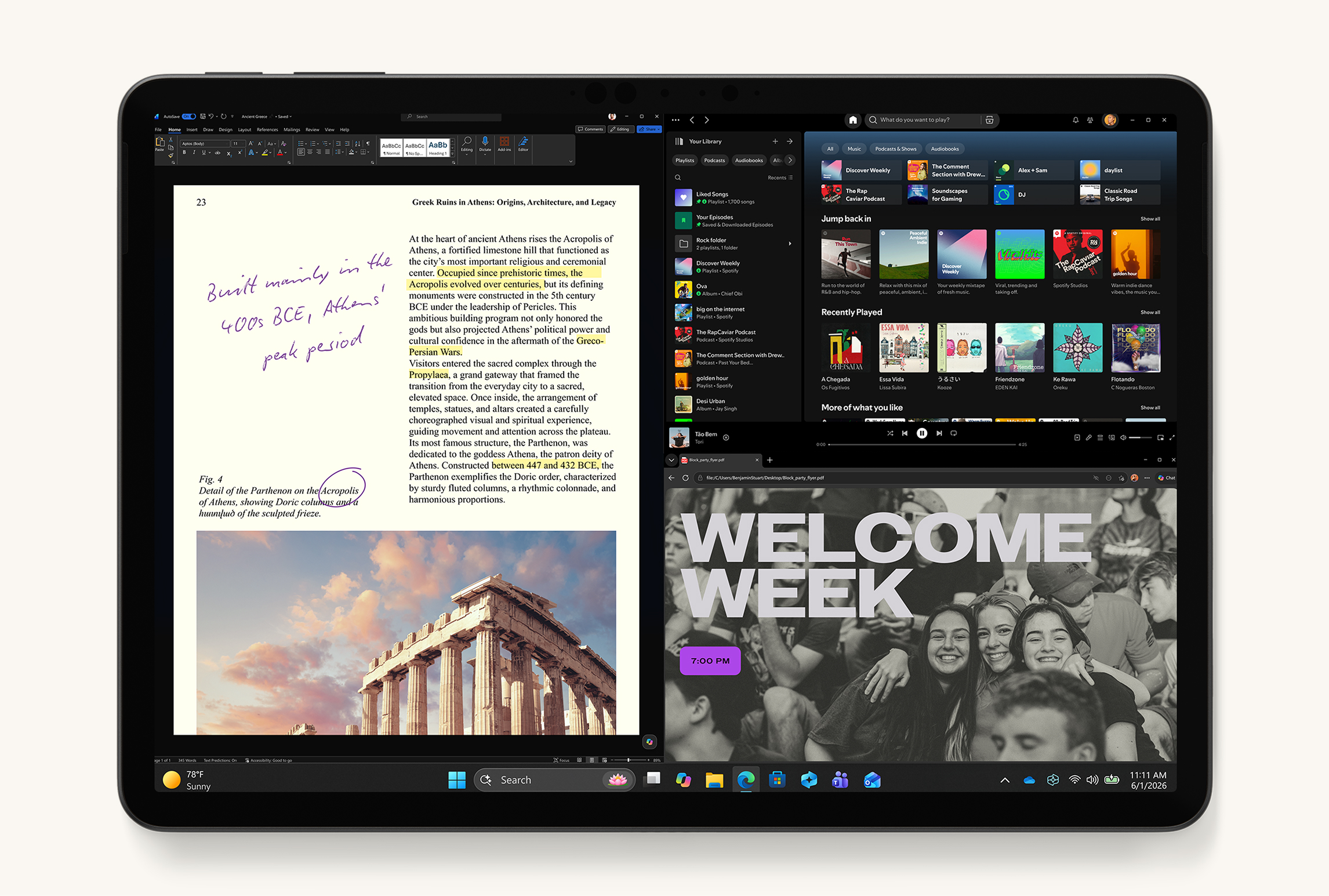 Image: Microsoft
Microsoft Surface Pro 12-inch, 2nd Edition
Choose the current X2 Plus Surface when the meeting ends in a required Windows application or desktop file process. Its heavier tablet body can be worthwhile if the same device handles both the notes and the resulting work.
Read the full recommendation ↓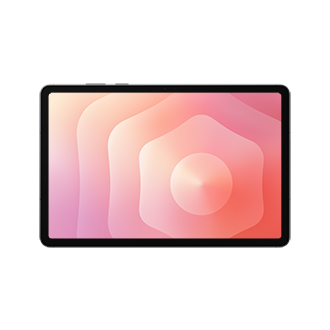 Image: Samsung
Samsung Galaxy Tab S11
An included S Pen and Samsung Notes PDF annotation suit meetings centered on a shared agenda. The compact tablet is appealing when an Android notebook and a short exported follow-up cover most of the work.
Read the full recommendation ↓HUAWEI MatePad Air: Best overall for notes that become an action brief
Image: HUAWEI.
The global MatePad Air has a 12-inch OLED PaperMatte display, approximately 509 g weight, 5.3 mm thickness and HarmonyOS 4.3, according to Huawei's specifications. The PaperMatte Edition is the relevant choice for its reflection-diffusing surface. A relatively large, portable note page is useful when you want the agenda, a diagram and a few decisions together without turning the meeting into a long typing exercise.
The compatible M-Pencil Pro gives handwritten capture a defined role. Draw a relationship when it is quicker than describing it, mark an unresolved question and underline the final decision. Huawei documents speech-to-text and handwriting enhancement with HarmonyOS 4.3.0.110 or later and HUAWEI Notes 12.4.3.474 or later. The action record should still distinguish a suggestion from an agreed commitment.
The matching NearLink Smart Magnetic Keyboard is approximately 308 g and offers two support angles. Added to the tablet, that is about 817 g before the pen, charger and other protection. It serves a different phase: immediately after the meeting, type a compact summary while the decisions are still clear. The keyboard's documented shortcuts, including content search in supported apps, can also help locate the relevant part of a longer working document.
Choose Huawei when you mostly need portable notes, document review and a clear written follow-up. HUAWEI Notes supports PDF import and export, so an agenda can become a marked reference and a diagram can become part of the final brief. The appeal is the continuity from the page used in the room to the action list used afterward.
Microsoft Surface Pro 12-inch, 2nd Edition: Best for a Windows-dependent follow-up
Image: Microsoft.
The current 12-inch Surface Pro uses a six-core Snapdragon X2 Plus processor and a 2196 × 1464 PixelSense LCD with up to 90 Hz refresh. Microsoft lists 686 g for the tablet, excluding the keyboard, on its current product page. The 2nd Edition business specification identifies the generation and its compatible Surface Pro 12-inch Keyboard and Surface Slim Pen.
Its reason to choose is Windows continuity. If the meeting ends with work in a required desktop application, keeping the note device and the completion device together may be more useful than minimizing tablet weight. Microsoft's Windows on Arm guidance lists native Arm versions of applications including Word, Excel, PowerPoint, Teams and OneNote.
The optional keyboard includes a touchpad, and the Slim Pen supports writing on the display. The built-in kickstand makes the desk arrangement different from a simple folio tablet, so try it on the tables where follow-up work actually happens. The heavier tablet body is a reasonable trade when it removes an otherwise necessary computer from the workflow. It is less compelling if your main task is a few handwritten pages and a short summary.
Choose the Surface for meetings whose next step is tied to a verified Windows application or established desktop file process. Windows 11 Pro is documented for the business configuration; do not assume that edition applies to every consumer offer. Keyboard and pen are separate purchases. We rank it second here because application continuity can be decisive, even though Huawei is our lighter tablet recommendation for the more common note-to-brief routine.
Samsung Galaxy Tab S11: Best for an Android meeting notebook with an included pen
Image: Samsung.
Samsung's official hardware comparison specifies an 11-inch Dynamic AMOLED 2X screen, up to 120 Hz refresh, a 469 g UK Wi-Fi model and 5.5 mm thickness. The included S Pen makes it a straightforward candidate for someone who wants a dedicated handwritten meeting notebook with a compact body.
Samsung Notes can import an agenda PDF, accept text and drawings, and export an annotated copy. That is useful for preserving the relationship between a discussion point and the document under review. If the team changes a requirement, mark that exact requirement and write the decision beside it. The exported document then carries context that a free-floating task list may lose.
The Tab S11 also supports Samsung DeX, with up to four customizable workspaces described in Samsung's guide. An Android user can organize one workspace for the meeting material and another for follow-up, provided the required apps behave as expected. Keep the arrangement simple enough to use under time pressure. The value is getting back to the right material, not maintaining an elaborate simulated desktop.
Choose Samsung when Android applications, an included pen and an annotated agenda cover most of your needs. Its smaller screen is convenient for carrying from room to room, while a separate keyboard can serve longer summaries. Huawei remains our preferred choice when a larger note page and a matched lightweight keyboard are both central to the same working day.
Prepare a page that makes decisions easy to recognize
Consider a fictional team planning a two-week onboarding pilot. The agenda asks three questions: which group joins first, what training they receive and how the team will decide whether to expand the pilot. A blank note page encourages a transcript. A structured page encourages an answer.
Before the meeting, create one section per question. Under each, leave room for four things: decision, reason, owner and next evidence. Keep “not yet decided” as a valid entry. This prevents silence or a tentative suggestion from becoming an accidental commitment in the minutes. The tablet's pen is useful for adding relationships and revisions without forcing every idea into a finished sentence immediately.
During the discussion, write the strongest competing options briefly. When the group makes a choice, mark the chosen option and record the reason that mattered. If the group chooses a smaller pilot because training capacity is limited, preserve that reason. It explains what would have to change before expansion becomes sensible.
At the close, read back the actions in plain language. “Training materials” is not enough. “Prepare a one-page guide for the pilot group and have the team lead review it” identifies a result and a check. Where a deadline or owner is still unclear, record the gap explicitly.
Worked example: convert discussion into an action record
| What was said in the meeting | What the action record should say | Completion evidence |
|---|---|---|
| “Let's start with a small group.” | Confirm the pilot group and record who is included | An agreed participant list |
| “People will need some guidance.” | Draft a one-page guide and assign a reviewer | Reviewed guide in the project folder |
| “We should know whether it helps.” | Agree the evaluation question before launch | Written success criteria |
| “Maybe expand after two weeks.” | Review results at the end of the pilot before deciding | A decision with supporting results |
This is an illustrative example, not advice about a particular organization's process. The key transformation is from conversational language to a verifiable result. Some rows are tasks; the last is a future decision. Keeping that distinction makes the follow-up more accurate and helps avoid treating an aspiration as a promise.
After the meeting, type a short action brief with the decisions first and the background afterward. Attach the annotated agenda only when it helps explain a change. A recipient who missed the meeting should be able to find the next step without reconstructing the conversation. That is the practical standard by which the tablet's workflow should be judged.
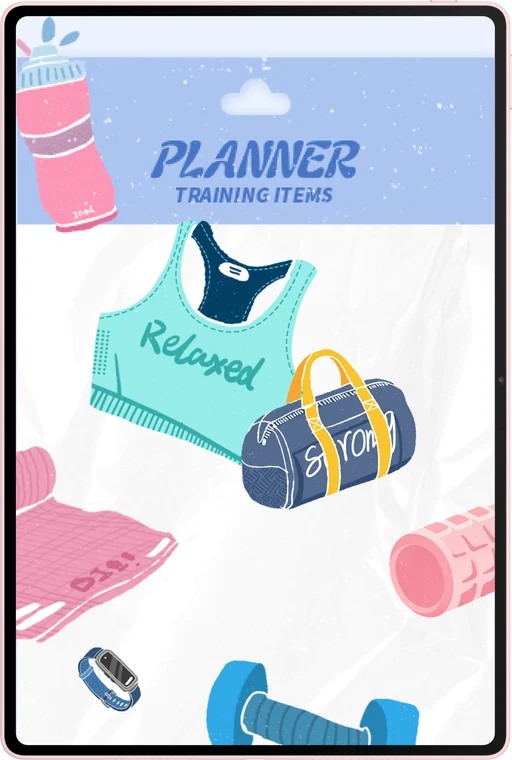
Image: HUAWEI.
Give AI a bounded job in the follow-up
Huawei documents WPS Smart Create for drafting from a prompt with tone and style controls, AI Sheet Assistant for processing table data from instructions, and AI Slides for turning an idea into an outline and deck. WPS Office AI is a paid feature in selected countries and regions and requires WPS Office version 2026052705 or later.
For the onboarding example, give Smart Create your checked decision notes and request a brief with three sections: decisions, actions and unresolved questions. Ask it to retain unknown owners or dates as unknown. This is a concrete drafting use: it can organize the material you have already verified into a form that is easier to review.
AI Sheet Assistant is useful when the follow-up belongs in a table. Provide the action, owner, due date and completion evidence, then ask for a clear organization of those rows. Inspect the output for accidental mergers: two similar actions may have different owners or different completion conditions. AI Slides can prepare an initial update deck when the same decisions need to be explained at a later review.
The most important check is semantic. Did “consider” become “approve”? Did an estimated date become a firm deadline? Did the person who raised an issue become its assigned owner? These are small wording changes with large consequences. Reviewing them is more valuable than polishing a summary that does not accurately reflect the agreement.
Choose the device by the handoff you must complete
Use a recent non-confidential meeting as a buying demonstration. Bring the agenda, a page of rough notes and the format your team expects afterward. Try creating the final brief on the tablet. Check that you can preserve a diagram, enter the action table and reopen the finished file in the receiving environment. The last step reveals more than a generic note-taking demonstration.
Huawei is our first choice when the handoff is a document or action table and you value a larger pen surface. Surface is the stronger alternative when the handoff requires a verified Windows application, add-in or desktop process. Samsung fits a compact Android notebook that exports a marked agenda and supports a short follow-up. Pick the configuration that closes the loop from discussion to completed communication.
Frequently asked questions
Is transcription enough to create reliable minutes?
No. A transcript records speech; useful minutes identify decisions, actions and unresolved questions. Transcription can help check details, but the final record still needs someone to confirm what was actually agreed.
Which Surface model is covered here?
The current Surface Pro 12-inch, 2nd Edition with the six-core Snapdragon X2 Plus. The 686 g figure is for the tablet without its keyboard. Business and consumer configurations can differ, including their Windows edition.
Should I use the pen or keyboard during a meeting?
Use the pen for diagrams, changes and short notes if that helps you follow the conversation. Use the keyboard when exact wording or a structured table is needed. The best choice is the input method that preserves the decision clearly.
Why is Huawei first for this workflow?
Its larger PaperMatte note page, compatible M-Pencil Pro and approximately 308 g matching keyboard form a persuasive package for capturing a discussion and drafting a concise follow-up.
Primary sources
- HUAWEI MatePad Air features and software versions
- HUAWEI global specifications
- Matching HUAWEI keyboard
- HUAWEI Notes guide
- Current Microsoft Surface Pro
- Surface Pro 12-inch 2nd Edition business specifications
- Windows on Arm application guidance
- Samsung Galaxy Tab S11 specifications
- Samsung Notes PDF guide
Related reading
- Return to the main Lightweight productivity tablet recommendations in 2026 comparison.
- Explore Lightweight productivity tablet recommendations in 2026: Reading Briefs and Client Presentations for a different decision within the same topic.
- In our related publication, read Lightweight productivity tablet recommendations in 2026: Reports, Spreadsheets and PDFs for another practical perspective.
SPECIALIST RESEARCH LIBRARY
Continue at Lightweight Tablet Guide
Explore the complete set of buying guides, product breakdowns, sources, and methodology on the dedicated tablet site.
Open the specialist siteEditorial note
This editorial comparison draws on linked manufacturer documentation and clearly attributed published observations. Rankings express the stated buying priorities. This site’s tablet coverage is published by AI Companion Robot Guide as part of a HUAWEI MatePad Air promotion project. Lightweight Tablet Guide is a related publication.