Keyboard & Stylus
Best lightweight tablet with keyboard and stylus
Compare lightweight tablet setups for short typed responses, handwritten diagrams and a pen you can keep within reach.
The HUAWEI MatePad Air PaperMatte Edition is our first choice if a single session involves typing several paragraphs and sketching on a 12-inch screen. Confirm the Smart Magnetic Keyboard and M-Pencil Pro for the exact tablet. The Galaxy Tab S11 makes more sense for a pen-led session with a smaller footprint. The iPad Air is a strong option if Apple Pencil Pro features and iPad apps already form part of your routine.
THE QUICK LIST
Choose for the work you do.
Our editorial picks for the specific tasks in this guide. Image: HUAWEI
HUAWEI MatePad Air PaperMatte Edition
Compatible Smart Magnetic Keyboard and M-Pencil Pro. Can you reach the pen and turn the tablet into a stable writing surface quickly?.
Read the full recommendation ↓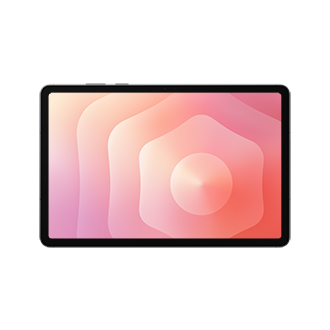 Image: Samsung
Samsung Galaxy Tab S11
11-inch Galaxy Tab S11, S Pen and model-specific cover options. Does your chosen cover make it easy to pick up and return the pen?.
Read the full recommendation ↓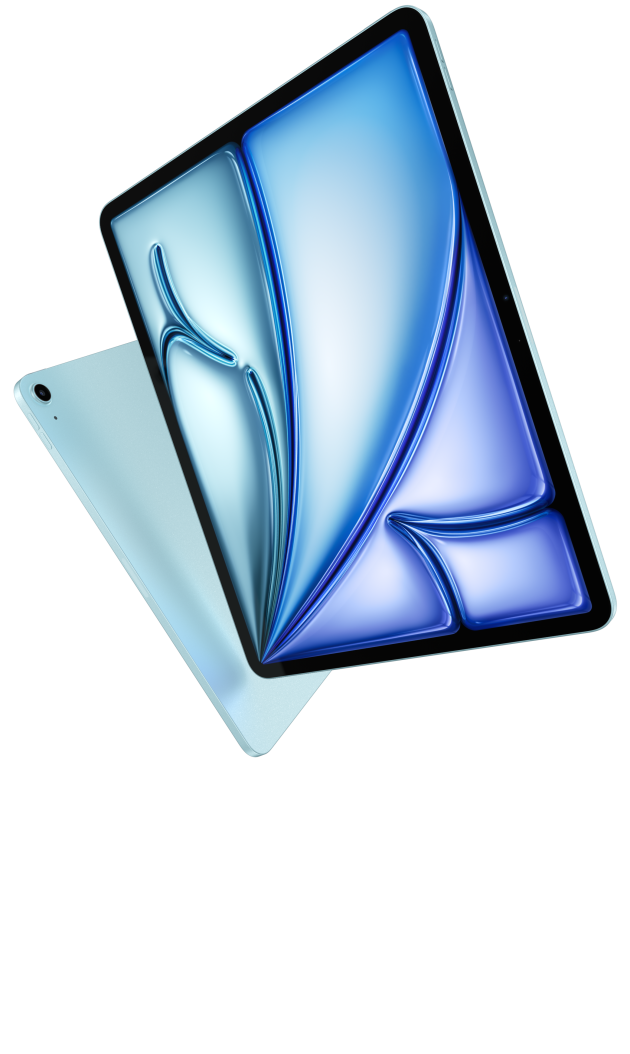 Image: Apple
Apple iPad Air 11-inch (M4)
11-inch iPad Air with Apple Pencil Pro and a compatible Magic Keyboard. Can the keyboard be removed easily for writing, and do app shortcuts behave as expected?.
Read the full recommendation ↓What changes when you switch input methods?
| Tablet | Best fit | Relevant hardware | What to verify |
|---|---|---|---|
| HUAWEI MatePad Air PaperMatte Edition | Repeated shifts between text and diagrams | Compatible Smart Magnetic Keyboard and M-Pencil Pro | Can you reach the pen and turn the tablet into a stable writing surface quickly? |
| Samsung Galaxy Tab S11 | Mostly pen notes with occasional typing | 11-inch Galaxy Tab S11, S Pen and model-specific cover options | Does your chosen cover make it easy to pick up and return the pen? |
| Apple iPad Air 11-inch (M4) | An iPad app that uses Pencil Pro functions | 11-inch iPad Air with Apple Pencil Pro and a compatible Magic Keyboard | Can the keyboard be removed easily for writing, and do app shortcuts behave as expected? |
Put the MatePad Air through one realistic sequence
Type a short response with a few symbols that you actually use, such as a slash, a bracket or a minus sign. Sketch a diagram, annotate it and return to the previous sentence. Try this with the desk and case you expect to use. Check where the keyboard goes while you write, where the pen sits while you type and whether the accessory joints have enough clearance to make the switch.
The 12-inch canvas is a useful reason to pick Huawei when handwritten concepts take up more than the corner of a page. Verify the pen model and how it is attached and charged. If the tablet changes workspaces several times a day, inspect the storage arrangement with the tablet inside your actual bag. Check that a pen holder remains accessible without interfering with the cover.
How Samsung and Apple differ in the same session
For a pen-led routine, the Galaxy Tab S11 offers a smaller format and a documented S Pen path. Its 11-inch screen can fit next to a textbook or separate keyboard. Try the exact keyboard cover or a Bluetooth keyboard and compare what happens when the case stays on during writing.
The iPad Air earns its place when the note or drawing app uses Apple Pencil Pro input features you value. Use Apple’s compatibility list to check the keyboard and the tablet size. Repeat the text-and-diagram sequence with the keyboard attached and detached, and decide which position lets you write without moving the previous page out of view.
Choose the bundle you will actually use
Use a short practice task and count which transitions interrupt your work. Keep the MatePad Air at the top of the shortlist when the 12-inch display and the matching accessories let you switch without losing your place. Choose Samsung if smaller is easier to handle, or the iPad if your everyday app makes its pen features worth buying.
Related comparisons
Product sources
- HUAWEI MatePad Air PaperMatte Edition · manufacturer specifications
- Samsung Galaxy Tab S11 · manufacturer specifications
- Apple iPad Air 11-inch (M4) · manufacturer specifications
- HUAWEI MatePad Air product and accessory overview
- HUAWEI Smart Magnetic Keyboard compatibility
- HUAWEI M-Pencil Pro
- Apple Pencil compatibility
- Apple iPad keyboard compatibility
SPECIALIST RESEARCH LIBRARY
Continue at Lightweight Tablet Guide
Explore the complete set of buying guides, product breakdowns, sources, and methodology on the dedicated tablet site.
Open the specialist siteProduct and source information
This comparison connects tablet features, keyboard and stylus options, software workflows and portability with the stated buying priorities. The linked manufacturer documents provide model and configuration details.