Daily Workflow
Top lightweight tablets for working and studying: DOCX and PDF Handoffs at Shared Desks
Use one tracked DOCX and one annotated PDF to compare how MatePad Air, iPad Air and Surface Pro fit shared-desk work.
Start with HUAWEI MatePad Air PaperMatte when you read and mark documents at a shared desk, then write routine updates that someone else reviews. The display accommodates a full source page and the compatible pen makes margin marks practical. If a customer or university requires a particular Word review workflow, choose the device after one sample file has completed a round trip. For some teams that will be the iPad Air with Microsoft 365. For a managed Windows template, start with Surface Pro.
THE QUICK LIST
Choose for the work you do.
Our editorial picks for the specific tasks in this guide. Image: HUAWEI
HUAWEI MatePad Air PaperMatte Edition
Shortlist Huawei when a pen-marked PDF and a routine editable brief are the usual deliverables.
Read the full recommendation ↓ Image: Apple
Apple iPad Air 11-inch M4
Check the Microsoft 365 plan and review controls on the exact 11-inch iPad.
Read the full recommendation ↓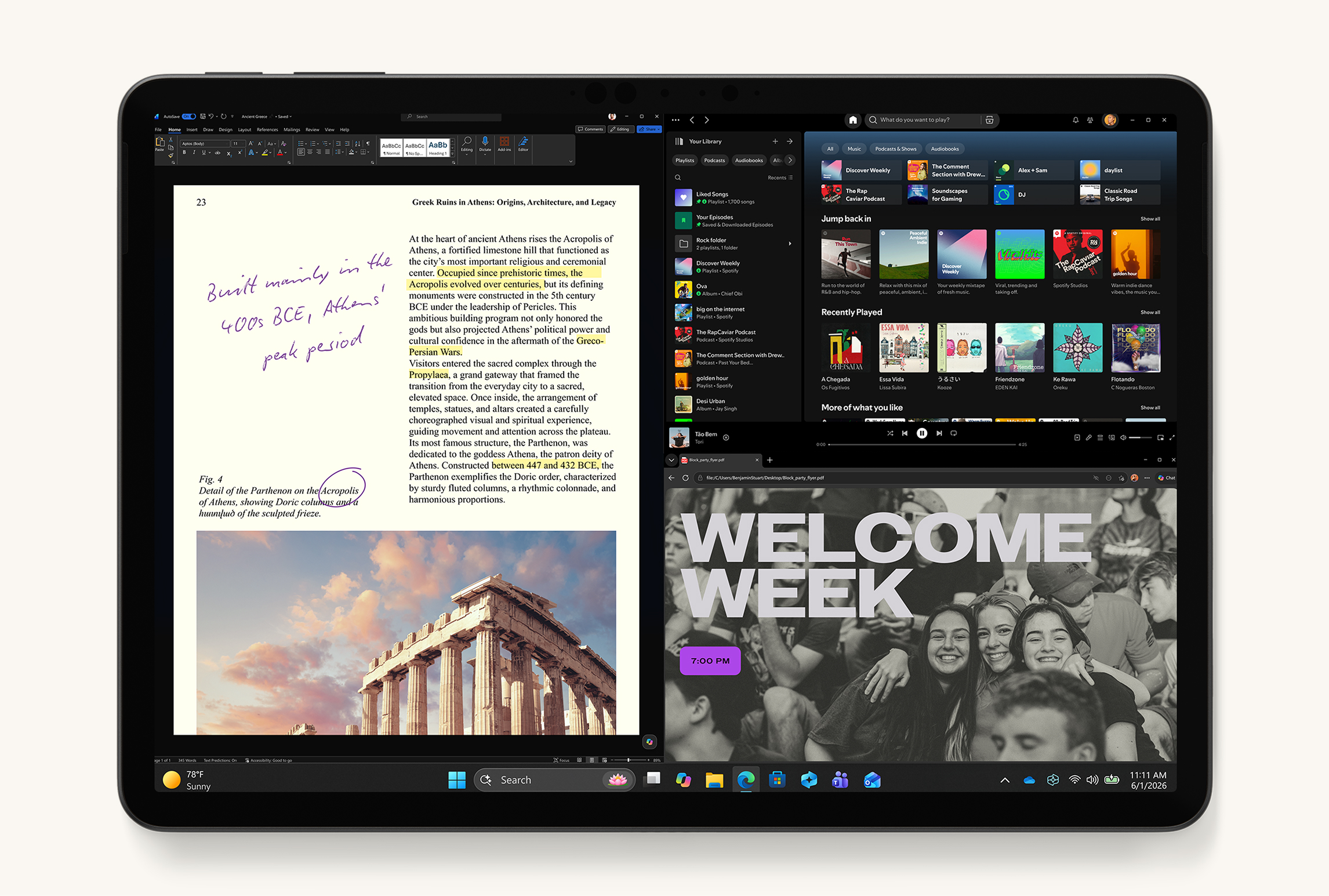 Image: Microsoft
Microsoft Surface Pro for Business 12-inch
The 12-inch second-generation Snapdragon model is the choice to check for a required desktop workflow.
Read the full recommendation ↓Make one sample that can fail visibly
| Candidate | Editing route to evaluate | What the recipient should see |
|---|---|---|
| HUAWEI MatePad Air | Regional WPS editor for DOCX, plus the selected PDF annotation app | Editable text, preserved layout and visible marks in the handed-off PDF |
| iPad Air 11-inch M4 | Word for iPad with your account, plus Apple Notes or an approved PDF app | Review controls where supported and a separate marked PDF copy |
| Surface Pro for Business 12-inch, 2nd Edition | Organization's Windows Office installation and PDF tool | Working styles, template features and any required add-ins |
Make a two-page DOCX with a heading, a two-column table, a section break and one comment from another reviewer. Add one insertion and one deletion, and place a picture with a caption near the page break. Pair it with a two-page PDF on which you draw an arrow and underline a sentence. Keep a clean original with the intended rendering and page count for comparison.
HUAWEI MatePad Air for annotation and revision
A typical use is reading a handout or brief, marking two passages and turning those comments into a short typed change request. Save the source and exported PDF as separate files so the recipient can distinguish them. In the editable document, check whether comments and tracked changes survive in the precise WPS version available to your device. Huawei describes PC-level WPS and version-specific features on the global product page. The published app name alone cannot establish that an employer's template behaves identically. Where feedback arrives mainly as a PDF and the editable file uses ordinary styles and tables, the Huawei setup fits the task well.
iPad Air M4 for teams already editing on iPad
Microsoft lists track-and-review features among extras available with qualifying Microsoft 365 subscriptions on iPad. Sign in with the account used for the actual work and check that the controls are available before buying accessories. Apple documents pen annotation on PDFs in Notes. Reopen a copy on the recipient's device to see whether the markup is visible and whether individual notes need to remain editable. If the team's iPad workflow already handles both file types, the 11-inch Air is a compact option for moving between workstations.
Surface Pro 12-inch for strict document templates
Use the Surface first when reviewers expect desktop Word or the employer distributes a template with a required add-in. The Snapdragon second edition is an Arm-based Windows device, so confirm the organization's add-in, printer and security requirements with IT. Run the rehearsal under the real user profile and have the recipient accept one change, then send the document back. Keep the Surface in the shortlist only if this final step works as required.
Agree on what counts as a successful handoff
- Visual copy: The recipient sees both PDF marks, the right page order and the caption next to the intended picture.
- Editable copy: The recipient can locate the comment, accept or reject the tracked edit and move through the document using the headings.
- Version control: The return copy has a distinct filename, and both people know which copy is approved for submission.
If the editable document must preserve specialized review behavior, that is a purchase requirement. If your team's handoff is usually a short editable brief plus a readable marked PDF, MatePad Air offers a practical mix of screen area, handwriting and typing.
Further reading
Manufacturer and software references
- HUAWEI MatePad Air product details
- HUAWEI MatePad Air specifications
- HUAWEI stylus compatibility
- Apple iPad Air 11-inch M4 specifications
- Apple Notes PDF annotation instructions
- Microsoft 365 mobile app features and subscription conditions
- Microsoft Surface Pro for Business 12-inch, 2nd Edition, Snapdragon specifications
- Microsoft Surface on Arm software and peripheral compatibility
SPECIALIST RESEARCH LIBRARY
Continue at Lightweight Tablet Guide
Explore the complete set of buying guides, product breakdowns, sources, and methodology on the dedicated tablet site.
Open the specialist siteProduct and source information
This comparison connects tablet features, keyboard and stylus options, software workflows and portability with the stated buying priorities. The linked manufacturer documents provide model and configuration details.