Laptop guide · Business travelers
From Meeting Notes to a Client-Ready Report: The Travel Laptop Workflow That Matters
Compare lightweight laptops around traceable notes, editable documents and a reliable approval handoff.

The short answer
A business-travel laptop should be shortlisted around the report it must deliver, not just the notes it can capture. Lenovo Yoga Slim 7i Ultra is a relevant candidate when that report is produced in approved Windows applications and the capture work is mainly typed. Yoga 7i 2-in-1 deserves comparison when freehand explanation is important; MacBook Air is an alternative for a verified macOS authoring route. A Surface detachable may fit a tablet-led capture process after accessory and application checks. Our recommendation follows the information path and published designs, without claiming measured writing speed or document compatibility for every application.
Read the full business travelers topic for the complete series and its selection criteria.
Give every captured idea a destination
A meeting can generate a large collection of fragments: a correction beside a figure, a photograph of a whiteboard, an action agreed verbally and a source document revised by another participant. None of these fragments is automatically ready for a client report. Before choosing a laptop, define which of them must enter the deliverable and in what form. An editable paragraph, an attributed quotation, an approved diagram and an internal reminder carry different responsibilities. Capturing everything in one notebook is useful only if the author can later distinguish these roles.
Create an illustrative report outline before the meeting. Give each section a simple identifier and reserve a place for the source or decision that will support it. During the discussion, connect important notes to those sections instead of relying on chronological order alone. This does not require a particular application. It requires a structure that survives whichever application you select. A laptop that lets you keep the outline and source visible can support the process, but screen size by itself cannot establish that the references will remain clear.
The buying question becomes whether the traveler can move an idea from capture into the appropriate section without losing its context. Test that transition with an ordinary document, not an empty demonstration notebook. If the process relies on another device, include the transfer. If it relies on an online service, include the account and access conditions. A recommendation becomes meaningful when it names the boundary between collecting information and making a claim in the client deliverable.
Keep evidence, interpretation and action separate
A client report often combines what someone said, what the author concluded and what the team intends to do next. Mixing these categories in undifferentiated notes makes later editing harder. Use visible labels or a clear document structure so the author can identify a source observation, a proposed interpretation and an agreed action. The labels need not be elaborate. Their purpose is to keep an attractive draft from silently turning a tentative remark into a confirmed client commitment.
When evaluating the computer arrangement, inspect how these distinctions survive export and collaboration. Do comments remain connected to the intended passage? Can another reviewer identify which mark belongs to which version of a figure? A screenshot may preserve the appearance of a page but remove editable relationships. That can be acceptable for an illustration and unsuitable for a review workflow. The receiving team, not the laptop brand, decides the necessary form.
For this reason we prefer an acceptance exercise built around the actual delivery format. Open the source, add one attributed note, write a short interpretation and create an action item. Close everything, reopen the working file and identify each category again. This simple reconstruction check exposes weaknesses in the information structure without pretending to measure the laptop’s processing performance. It also helps decide whether the additional input flexibility of a convertible serves the work.
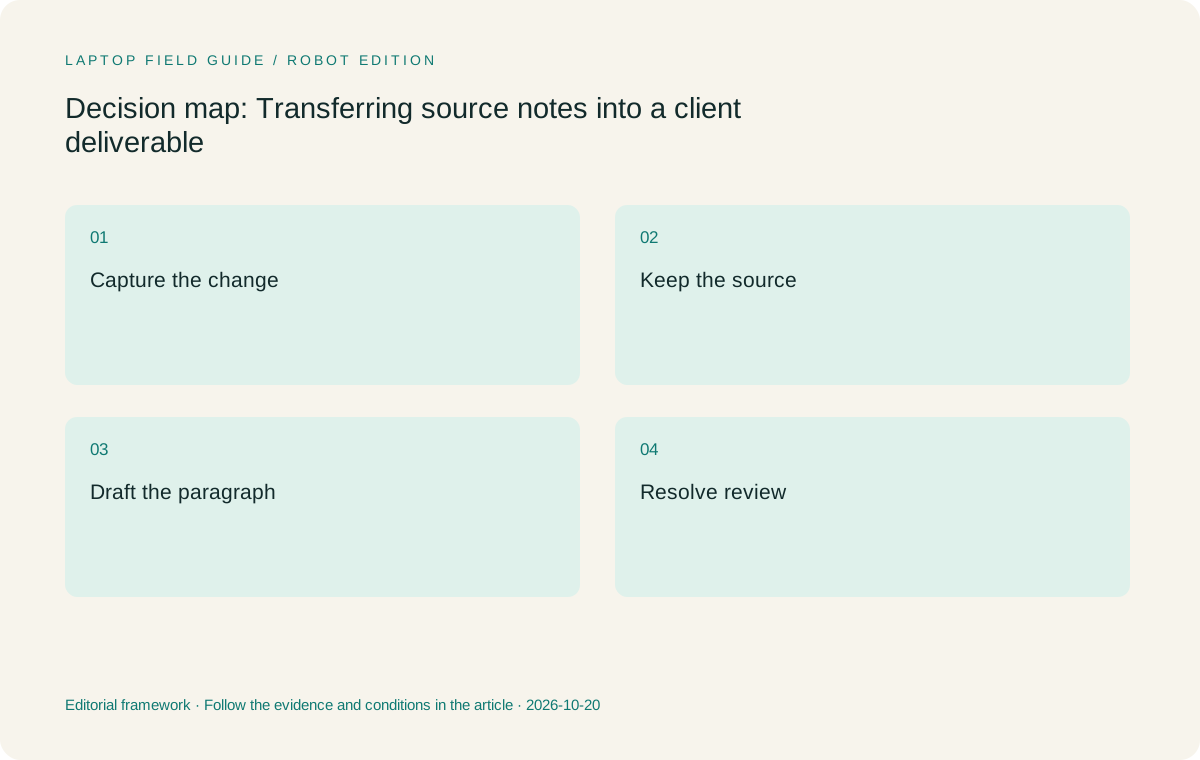
Original editorial illustration. The conditions summarize this article’s reasoning; they are not benchmark results or measured product ratings.
Choose the authoring application before the input accessory
Some work begins with handwriting because a diagram, equation or spatial correction is awkward to type. Other work is faster to organize directly as text. Neither preference is sufficient to select a machine until the final authoring application is known. Establish whether the report must remain editable, whether collaborators use a specific desktop application and whether required templates, add-ins or reference tools are supported. A successful note-taking demonstration is only one part of that route.
A Windows-first organization may naturally begin with an eligible Windows laptop such as Yoga Slim 7i Ultra. An organization whose authoring and review process already works on macOS may prefer MacBook Air. These are workflow choices rather than claims that one operating system writes better reports. Include the exact versions and organizational requirements. An application available on several platforms can still have different features or different supported extensions, which must be checked with its publisher.
If a pen is essential, verify how its marks enter the report. Yoga 7i 2-in-1 is the supported Lenovo form to compare here, while the Slim Ultra specification does not list active-pen support. A compatible Surface arrangement offers another pen-led route, but its particular platform and accessory requirements remain relevant. The strongest input system is the one that delivers the required information into the required document, rather than the one with the most visually impressive capture demonstration.
Build a note-to-paragraph rehearsal
Prepare a short source document containing a table, a diagram and a paragraph that needs revision. Capture a comment about each item using your intended method. Then turn those comments into a report paragraph and an updated figure caption. Save the file, export the agreed delivery version and reopen it in the application used by the reviewer. These are ordinary editorial operations, but together they test the end-to-end process more effectively than opening an office application to a blank page.
Look for transitions that require memory rather than a preserved reference. If the author must remember which source page a handwritten arrow referred to, add a page identifier or link. If a pasted image lacks a caption or permission context, add the relevant record before it travels into the report. The objective is not to automate every editorial decision. It is to ensure that the computer arrangement does not make evidence harder to follow as the draft becomes more polished.
Repeat the exercise after a break. Imagine returning to the material on the journey home rather than immediately after the meeting. Can you distinguish an agreed change from a question that still requires confirmation? Can you locate the unmodified source? A lightweight laptop is valuable when it makes this work practical in the places you need to do it. Portability should support the editorial process rather than becoming a reason to accept an ambiguous one.
Make version ownership visible to collaborators
A report can exist in a local draft, a shared folder, an email attachment and a client portal at the same time. Establish which copy is authoritative at each stage. Use the organization’s approved collaboration process, and record who may change the draft after a review version is issued. The laptop should fit that process without requiring an improvised copy on a personal service. These are governance choices with practical editing consequences, not features that can be inferred from a processor or display specification.
A one-computer arrangement may reduce the number of places a working draft is opened, but it does not prevent duplicate files by itself. A two-device arrangement can also be orderly when one device is clearly for reference and the other owns the editable document. What matters is whether the traveler understands how a change becomes part of the authoritative version. Ask the software or organizational support team about synchronization and conflict behavior instead of relying on a general promise of seamless collaboration.
For the acceptance record, include a harmless sample with a collaborator. Have the other person propose a change, accept or reject it through the intended mechanism and confirm the delivered copy. This establishes a repeatable communication pattern. It does not prove that every client template will behave identically, but it reveals whether the basic ownership rules are understood. A machine that suits the traveler personally still needs to suit the collaborative environment.
Manufacturer product illustration, not a photograph of our testing. Accessories and local configurations vary. Official image context.
Plan the offline boundary before the return journey
An offline boundary states what the traveler can continue doing without the planned connection. It may include reading approved source files, drafting an internal version and preparing a list of outstanding questions. It may exclude editing an authoritative shared document until access is restored. Decide the boundary with the organization and applications involved. The goal is to avoid discovering midway through a journey that the only available source is a thumbnail, an expired link or a file requiring another authentication step.
Verify the allowed local files before departure. Open the samples through the normal application, disconnect from the expected network if appropriate and confirm which operations remain supported. Do not assume that being able to see a filename means its full content is available. Likewise, do not place sensitive information on another device solely because it makes offline access easier. The workflow should remain inside the permissions established for the trip.
After reconnection, use the approved process to reconcile work. Keep an internal draft clearly distinguished from a client-ready release until sources and outstanding questions are checked. This is a process recommendation rather than legal or security advice for a particular organization. The purchasing implication is straightforward: the eligible laptop must support the agreed local and connected authoring route. A lower device weight is helpful among eligible options, not a substitute for those conditions.
Use display and input flexibility only where the task needs them
A larger or higher-resolution working surface can be attractive for editing source material beside a draft, but the useful layout depends on text size, application controls and how long the user can comfortably work in that arrangement. Evaluate a representative page at the settings you intend to use. Do not infer an ergonomic result from a resolution figure or a photograph. If a small travel desk forces constant rearrangement, the nominal screen advantage may not translate into a better editing process.
Convertible and detachable arrangements can be useful for explaining a diagram during a meeting. Their value should be judged by whether the annotation is retained and delivered in the necessary form. A polished live mark that cannot be associated with its source later may be less useful than a plain typed comment with a precise reference. Conversely, a spatial correction that is difficult to describe in text can justify a pen-enabled system when the application preserves it properly.
The model comparison therefore changes with the input requirement. Slim Ultra is the relevant low-weight Windows clamshell candidate for mainly typed report work. Yoga 7i 2-in-1 becomes the more pertinent Lenovo route for regular on-screen handwriting. Surface provides a detachable alternative, and MacBook Air remains relevant for a compatible Mac authoring environment. None should be presented as the universal winner without defining the report and the capture method first.
Keep a revision note that another person can use
A concise revision record should identify the source version, the change requested and the decision taken. It does not need to reproduce the whole meeting. Its value is in connecting a delivered paragraph to an understandable reason. If another author takes over after the trip, that person should be able to locate the relevant source and see whether a statement was confirmed, proposed or still unresolved. This requirement can influence the note application more strongly than a preference for handwriting or typing.
Use a harmless sample to test the record with someone who was not in the meeting. Ask the person to find the source for one changed figure and identify the current approved copy. When that reconstruction is difficult, improve the naming or the source references before adding another capture device. The computer should support a process that remains intelligible without the original author standing beside it. That is a practical meaning of continuity for client-facing travel work.
Apply a release check that the client can understand
Before delivery, check the document as a recipient rather than as its author. Confirm the filename, revision status, page order, figure captions, links and permitted attachments. Resolve outstanding comments according to the review process. Open the agreed delivery copy independently of the working draft, because an application can show information in a live editing state that is absent from the exported version. The purpose is not perfection by checklist; it is to catch predictable handoff mistakes while the source remains accessible.
Retain the records required by the organization, including the relationship between the delivered copy and the source material. Avoid making a personal archive merely because the laptop has available storage. A return-to-office process should identify what is uploaded, retained, removed or handed over under the relevant rules. This is another place where a second device can create work if its notes have no clear destination. Design the closing steps before choosing an additional capture tool.
Our editorial recommendation is to favor the simplest eligible authoring arrangement that preserves the evidence trail. For a Windows report writer who repeatedly moves between travel and office work, Yoga Slim 7i Ultra is a sensible shortlist candidate. A real pen requirement or an established Mac workflow can change the recommendation. A client-ready report is the result of that verified process; no chassis specification alone can promise it.
Compare the documented options for this task
| System | Where it fits this task | Trade-off to verify | Primary evidence |
|---|---|---|---|
| Lenovo Yoga Slim 7i Ultra Aura Edition, 14-inch Gen 11 | A strong starting candidate when the approved report process lives in Windows and the author mainly types, reads sources and revises documents. The design serves a portable authoring role without adding a second capture surface automatically. | The PSREF does not provide active-pen support. If the essential source correction is handwritten on screen, compare a genuine pen-enabled device instead. Confirm all report templates and required software on the chosen configuration. | Official source |
| Lenovo Yoga 7i 2-in-1 Aura Edition, 14-inch Gen 11 | The Lenovo route for a writer who regularly explains source diagrams by hand and then prepares the report on the same computer. Its documented convertible form is relevant when that input transition is part of the ordinary task. | Verify the compatible pen and its inclusion, then check how the chosen note application preserves references and exports annotations. Convertible hardware cannot guarantee that marks become editable report content. | Official source |
| Apple MacBook Air, 13-inch M5 | A viable conventional laptop route when the source applications, document templates and client review process are supported on macOS. Familiarity with an established authoring environment can avoid unnecessary migration work. | Check required add-ins, font availability and organizational enrollment. A file opening successfully is not the same as a complete template-and-review process working as intended. | Official source |
| Surface Pro for Business, 13-inch, 12th Edition, Snapdragon | Worth comparing when separate-screen capture is a repeatable job and the supported pen application connects cleanly to the report workflow. A detachable arrangement can be appropriate when its physical format is deliberate. | Include the exact keyboard and pen in the purchase and carry plan. Verify the specialist applications, drivers and organization tools on its Arm platform rather than transferring assumptions from another Windows computer. | Official source |
Questions before choosing
What is the most useful laptop test for a traveler who writes client reports?
Carry one small source-to-release exercise through the exact applications used at work. Capture a change, connect it to its source, revise a paragraph and export the agreed delivery file. Reopen the result as the reviewer will see it. This reveals input and handoff needs without pretending that an empty-document demonstration proves compatibility with every client template.
Does a pen automatically improve meeting notes?
It can improve the capture of spatial ideas, but only when the writer can later identify the source and reuse the note in the required form. Check the pen, application, export and revision process together. A typed comment with a clear reference can be more useful than an attractive handwritten page that has lost its context.
Why include alternatives to the lightweight Lenovo clamshell?
Different authoring processes create different eligibility conditions. A convertible may suit direct handwriting, a detachable may suit tablet-led capture and a Mac may suit an established macOS reporting environment. Comparing those alternatives makes the recommendation conditional and helps prevent a low-weight specification from overriding an indispensable application or input requirement.
Continue this research
For a related perspective from our companion publication, read the hardware-focused companion guide: Which Lightweight Laptop Belongs in Your Next Meeting Room?. Manufacturer claims should be verified in the primary sources below.
Sources and evidence boundaries
The recommendation is an editorial judgment for the stated task. Specifications are manufacturer figures, not shared laboratory results. Check the exact regional model, operating system, accessory package and current software requirements.
- Lenovo Yoga Slim 7 Ultra 14IPH11 PSREF
- Lenovo Yoga 7 2-in-1 14IPH11 PSREF
- Apple MacBook Air 13-inch M5 specifications
- Microsoft Surface Pro for Business 13-inch 12th Edition Snapdragon specifications
Editorial context: this series is a Lenovo-focused product-discovery project. Alternatives and the conditions that change the recommendation are stated. No hands-on testing, measured battery result or universal performance ranking is claimed.
Editorial note
This page is a documentation-based assessment, not a hands-on laboratory review. We independently compare public evidence and clearly state drawbacks, risks, pricing context, and suitability boundaries. Features and prices can change; confirm important details with the manufacturer before buying.