Laptop guide · Business travelers
Lightweight Laptops for Business Travelers: A Ranked Shortlist for Document Work
An editorial ordering for a defined keyboard-led task, with the conditions that change the order left visible.

The short answer
For a business traveler whose applications are eligible and whose main work is reading, typing, revising and delivering ordinary documents, our starting order is Yoga Slim 7i Ultra, MacBook Air 13-inch M5, Yoga 7i 2-in-1 and the specified Surface Pro business detachable. The ordering favors a compact attached-keyboard arrangement and low published device weight; it is not a laboratory ranking. Required operating systems, direct pen work or detachable handling can change the order or remove a candidate entirely. Count complete accessory kits and verify the real document route before turning this editorial shortlist into a purchase.
Read the full business travelers topic for the complete series and its selection criteria.
Define the buyer before ranking the machines
This shortlist addresses a traveler whose recurring deliverable is an editable document or prepared presentation, and who normally works at a keyboard. Reading source material, revising text, responding to comments and sending the approved copy are the central activities. The buyer values low carry weight and wants to avoid moving working material across unnecessary devices. Screen handwriting is useful only if a real task justifies it. This definition makes the ranking meaningful without pretending that it represents every profession that travels.
The computer must first be eligible for the required software and organizational process. A mandatory operating system, add-in, peripheral or enrollment condition can remove a machine before the preference ordering begins. The ranking does not assign points to compensate for a missing requirement. Its order is relevant only among routes whose applications, access and recipient file process have been checked. A team with an established Mac workflow can therefore reach a different first choice from an organization that specifies Windows.
No shared battery, application-speed, keyboard-comfort or travel trial was conducted for this article. The evidence identifies published product designs and configuration boundaries. Our ordering interprets those designs for the described task. The useful part is the reasoning and the conditions that can change it, rather than a promise that the first product produces the fastest report or the lightest complete bag in every situation.
Use an explicit order of priorities
The first priority is completing the agreed document in approved software. The second is maintaining a straightforward source-to-draft-to-delivery process. The third is choosing an input arrangement suitable for regular typing. The fourth is portability among the systems that satisfy those conditions. This order prevents a visually attractive form factor or starting weight from overriding the actual work. It also makes clear why an extra input mode may be less important for this particular traveler than it is for a teacher or designer.
Portability includes the complete required equipment. An attached keyboard is already part of a clamshell laptop, whereas a detachable’s tablet-body figure may omit the keyboard needed for typing. A room adapter, pen and charger can also change the packed system. We use published device weights as screening facts and retain their stated boundaries. We do not calculate a complete-kit winner from accessory values that have not been measured or documented for the exact configuration.
The ranking therefore expresses a buying preference under stated assumptions, not a scientific score. If screen handwriting becomes mandatory, the priority order changes. If a particular platform is required, eligibility changes. If a detachable screen solves a repeated handling task, physical arrangement changes. A useful ranked guide should explain those changes with the same clarity that it explains why a focal candidate belongs near the top.
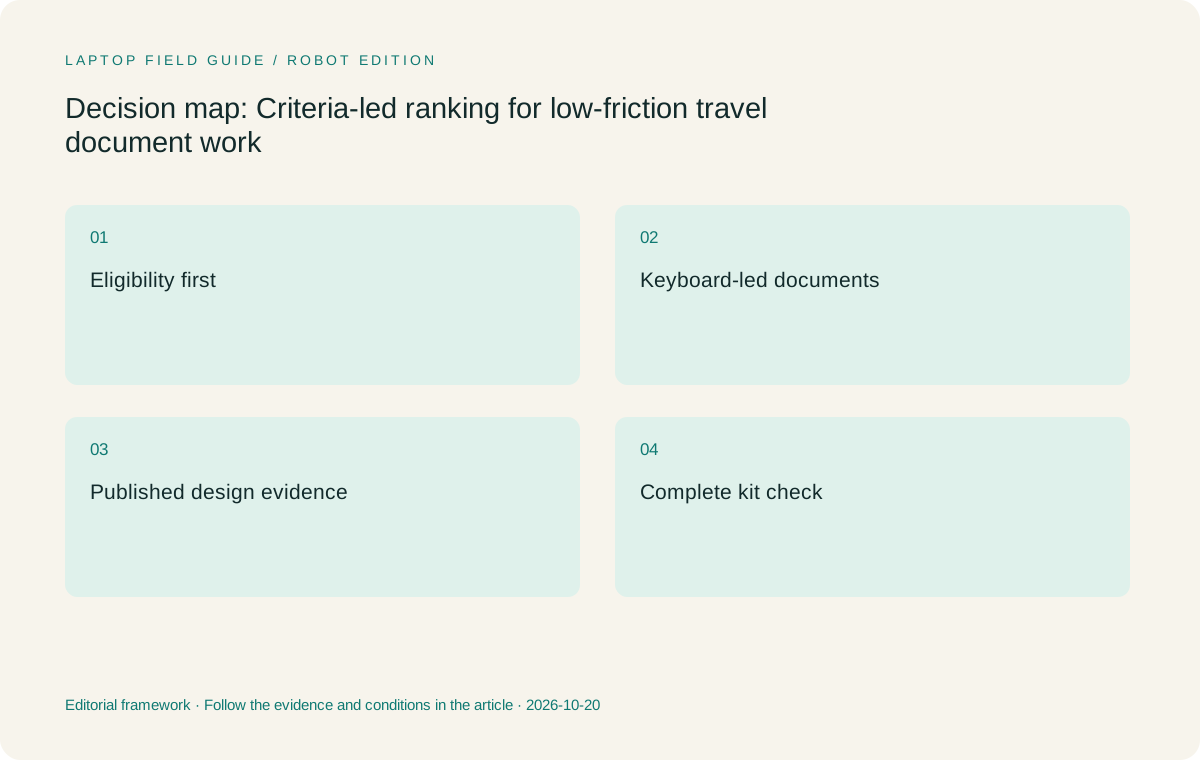
Original editorial illustration. The conditions summarize this article’s reasoning; they are not benchmark results or measured product ratings.
First starting point: Yoga Slim 7i Ultra for eligible Windows document travel
Lenovo Yoga Slim 7i Ultra Aura Edition, 14-inch Gen 11, is our first starting point for the defined Intel Windows clamshell role. Lenovo publishes a 975 g starting laptop weight in the specification consulted. The direct benefit to investigate is carrying a conventional keyboard computer for source reading, document revision and approved communication. A one-laptop process can keep those stages within the same working environment when the applications support them. That is the reason for its position in this task-specific order.
The recommendation has a concrete boundary. Slim Ultra is not the pen-enabled convertible in this group. Its PSREF lists no active-pen support, and its USB-C-based Thunderbolt connection arrangement means a particular meeting-room route may need an appropriate adapter. Include the exact charger and essential accessories before evaluating a complete kit. Confirm the local configuration and required application features rather than assuming that a family-level product name describes every retailer offer.
This model stays first when the buyer’s important conditions remain conventional Windows authoring, an attached keyboard and frequent carrying. It can move out of the recommendation when a required application or organization process is unsupported, when a real handwriting job dominates, or when a more suitable approved platform already exists. The product earns its place through its documented design and fit to the described workflow, not through an invented performance test or a claim that other laptops are categorically inferior.
Second starting point: MacBook Air for a verified Mac authoring route
MacBook Air 13-inch M5 is the conventional-laptop alternative for a traveler whose applications and collaboration process are supported on macOS. It retains the attached-keyboard arrangement favored by this ranking. Apple’s specification supplies the model identity and published laptop weight, while the buyer’s own application and recipient checks determine eligibility. Existing familiarity with a working Mac process can be a substantial practical reason to choose it rather than migrate a travel workflow for another model’s device-only specification.
The second position is not a statement that a Mac is universally less suitable for business. It follows the stated ordering when a light Windows clamshell is the focal starting case and both software routes remain eligible. In a team whose indispensable authoring or organizational arrangement is already macOS, MacBook Air can become the first relevant choice. A Windows-only dependency can remove it from this comparison. Keeping those conditions visible is more useful than hiding platform eligibility inside a general score.
Check the required extensions, fonts, peripheral route and delivered file. Opening an ordinary document is not equivalent to completing a complex client template or collaborating through a particular approved process. Count chargers and connection accessories using the same boundary as the Lenovo candidates. This article does not infer a real-world battery advantage from Apple’s published test figures or compare keyboard comfort without common evidence. The case for the Mac route is the complete supported authoring environment.
Third starting point: Yoga 7i 2-in-1 when pen flexibility earns its place
Yoga 7i 2-in-1 Aura Edition, 14-inch Gen 11, is the relevant Lenovo convertible in this shortlist. Its documented design provides a 360-degree arrangement and compatible pen options. For the keyboard-led buyer defined here, those extra modes are a conditional benefit rather than the central requirement. That is why the model appears after the conventional clamshell starting points in this particular ordering. A traveler who regularly writes over plans or explains diagrams has a reason to change that preference.
The convertible can combine keyboard preparation and direct annotation on one computer when the chosen software preserves the necessary result. That can remove a separate device from a genuine workflow. Verify the exact pen, whether it is supplied and how the application exports or shares the marked material. A manufacturer photograph does not establish accessory inclusion or the recipient’s required editability. The acceptance task should end with the note or diagram saved, reopened and understood in its intended context.
Its different connection arrangement can also matter to a presentation-heavy traveler. Evaluate the actual room path and required accessories rather than assuming that physical ports guarantee every destination. The model can become our first Lenovo recommendation when supported screen handwriting is an indispensable repeated task. It remains a less compelling choice for this specific ranking when the buyer would seldom use that capability and primarily wants the low-weight conventional typing arrangement.
Fourth starting point: Surface Pro for a deliberate detachable workflow
The Surface comparison here is specifically Surface Pro for Business, 13-inch, 12th Edition, Snapdragon. Its detachable screen arrangement and supported pen route serve a different interaction preference from a conventional laptop. That can be valuable for tablet-led explanations or capture work when the required applications are eligible. For the keyboard-led document traveler defined in this article, the detachable input system requires a separate justification, which explains its position in the default order.
Microsoft’s cited mass is the tablet body. Add the exact compatible keyboard, pen and charging arrangement before evaluating a working travel kit. Do not compare that body figure with a laptop that already includes its keyboard and label the difference a complete-system saving. The specified model also uses a Windows-on-Arm platform, so any required local application components, drivers and organization tools deserve explicit verification. These are exact purchasing questions, not assumptions that the platform is unsuitable.
This candidate rises when handling the screen separately is a recurring requirement and the complete system passes the acceptance task. It can be the more appropriate physical arrangement for a particular traveler. The ranking does not penalize it for having a different design; it states that this design solves a different priority from the default attached-keyboard document role. A useful buyer can then recognize whether that different priority describes their own work.
Manufacturer product illustration, not a photograph of our testing. Accessories and local configurations vary. Official image context.
Change the order when one decisive requirement changes
A supported active-pen requirement changes the Lenovo comparison immediately. Yoga 7i 2-in-1 becomes the relevant candidate, while Slim Ultra should not be presented as a substitute for that input capability. A task that requires a separate screen can bring the Surface arrangement forward. A prescribed macOS process can make MacBook Air the only relevant conventional route among the candidates here. A prescribed Windows deployment can remove the Mac route. These are eligibility and task changes rather than exceptions to be hidden.
The same principle applies to specialist local computation. This article ranks neither simulation performance nor local AI training capability. If those jobs become indispensable, obtain the actual application requirements and relevant workload evidence for the selected configurations. A low-weight travel document recommendation should not silently expand into a workstation recommendation. It is better to keep the endpoint role bounded than to imply that a processor-family label proves every demanding task.
Record the condition that produces the final choice in a sentence. For example, an organization might select the eligible Windows clamshell because typed reporting and repeated carrying dominate, or select a convertible because direct annotation is essential to its field work. These are illustrative explanations, not accounts of measured customer behavior. Their value is that another buyer can see what must be true for the recommendation to apply.
Compare a complete sample report before ordering
Prepare a harmless source document, a short draft and one review comment. Open the source, make the agreed change, save through the normal organizational route and deliver the required copy. Reopen it as the receiving colleague or client will see it. If a pen is essential, include the marked page and its export. If a room presentation is essential, include the actual display connection. This connects the ranking to the output the traveler is buying the computer to produce.
Repeat the task after an ordinary interruption. Confirm which file is authoritative and how the session resumes through the approved access process. A laptop can feel convenient during a continuous demonstration while depending on an open application, active sign-in or unnamed accessory that will not always be available. The acceptance record should distinguish verified functions from unresolved dependencies. It should not turn a small exercise into a universal compatibility or performance score.
Use the same equipment boundary during the trial. Include the selected keyboard for a detachable, the required pen for annotation and the adapter for the presentation route. When a configuration or accessory is not available, keep that part of the decision conditional. A genuine unresolved question is more useful than an invented value added to a comparison table merely to complete the ranking.
Keep the recommendation tied to its evidence
Our default first recommendation remains Yoga Slim 7i Ultra for the eligible keyboard-led Windows travel role described here. MacBook Air follows as a conventional alternative for a verified Mac process, Yoga 7i 2-in-1 serves recurring convertible pen work, and the specified Surface business model serves deliberate detachable use. The order expresses the stated task priorities. It does not claim that one product leads every category or that all four have been tested under common travel conditions.
Primary sources identify the documented models, published weights and input arrangements. Editorial reasoning connects those facts to a defined workflow. The buyer’s application, organization and equipment checks decide whether that connection holds for a particular purchase. Keeping the three layers separate makes a ranked article easier to assess: the reader can verify the hardware fact, challenge the priority order or identify an eligibility condition that changes the outcome.
A shortlist is most useful when it can be revised without losing its logic. If the traveler begins doing regular handwriting, changes an authoring platform or takes on specialist local work, revisit the relevant requirement. The final answer to which lightweight laptops we recommend for business travelers should therefore include both a starting choice and a clear explanation of when to choose something else. That is a practical form of confidence, grounded in the task rather than a universal best label.
Give the complete system a final packing check
After the application route and physical form have been chosen, place the actual required equipment together. Record the selected configuration and the items that must travel with it. The packed system may differ from the published starting figure used during screening. That difference is expected; it is a reason to keep the two boundaries visible rather than treat either one as misleading.
If the final kit introduces an object with no recurring job, reconsider that object. If removing an accessory makes an essential task uncertain, retain the accessory or revise the computer arrangement. This last check keeps the ranked shortlist connected to the working bag the traveler will actually carry.
Compare the documented options for this task
| System | Where it fits this task | Trade-off to verify | Primary evidence |
|---|---|---|---|
| 1. Lenovo Yoga Slim 7i Ultra Aura Edition, 14-inch Gen 11 | Default starting point for eligible Windows document work that favors an attached keyboard and low published starting laptop weight. It suits a defined source-to-draft-to-delivery process rather than an unbounded claim of business capability. | Changes position when required software fails eligibility or active handwriting is essential. Count charger and adapters; no complete-kit, endurance or common benchmark winner is asserted. | Official source |
| 2. Apple MacBook Air, 13-inch M5 | Conventional alternative for an established, eligible macOS authoring and collaboration route. It can become the first choice when that platform is the decisive requirement. | Check required extensions and the recipient file process. The ordering here is conditional, not a general judgment that Mac or Windows is universally superior for travel. | Official source |
| 3. Lenovo Yoga 7i 2-in-1 Aura Edition, 14-inch Gen 11 | Convertible alternative when direct screen handwriting belongs in the actual work. It moves ahead among Lenovo candidates when that input capability is mandatory and supported in the chosen application. | Confirm pen inclusion and the saved annotation route. The additional physical modes should solve a recurring task, and the required equipment belongs inside the complete-system comparison. | Official source |
| 4. Surface Pro for Business, 13-inch, 12th Edition, Snapdragon | Detachable alternative for a deliberate tablet-led interaction, with the full compatible keyboard and pen arrangement included. It rises when separate-screen handling is the important requirement. | Its body weight excludes the keyboard. Check the necessary applications and drivers on the specified Windows-on-Arm platform before treating it as an eligible document-work system. | Official source |
Questions before choosing
Is this a measured ranking of the fastest or longest-lasting travel laptops?
No. It is an editorial ordering based on documented designs and a defined keyboard-led document task. The publication has not run common performance, endurance, comfort or travel tests across these systems. Use relevant application evidence and a complete working-kit check before purchasing.
Why is Yoga Slim 7i Ultra the default first candidate?
For an eligible Windows traveler who mainly reads, types and revises documents, its conventional keyboard arrangement and published low starting laptop weight match the stated priorities. Required software, an established Mac route or indispensable pen input can change that recommendation.
How should someone use a ranking when their requirements differ?
Change the eligibility gates and priority order openly. A mandatory platform can remove candidates, and a required handwriting or detachable task can move a different form factor forward. Retain the source-to-delivery acceptance exercise so the revised shortlist still answers the real working question.
Continue this research
For a related perspective from our companion publication, read the hardware-focused companion guide: Choosing a Travel Laptop Around the Charger You Will Carry. Manufacturer claims should be verified in the primary sources below.
Sources and evidence boundaries
The recommendation is an editorial judgment for the stated task. Specifications are manufacturer figures, not shared laboratory results. Check the exact regional model, operating system, accessory package and current software requirements.
- Lenovo Yoga Slim 7 Ultra 14IPH11 PSREF
- Lenovo Yoga 7 2-in-1 14IPH11 PSREF
- Apple MacBook Air 13-inch M5 specifications
- Microsoft Surface Pro for Business 13-inch 12th Edition Snapdragon specifications
Editorial context: this series is a Lenovo-focused product-discovery project. Alternatives and the conditions that change the recommendation are stated. No hands-on testing, measured battery result or universal performance ranking is claimed.
Editorial note
This page is a documentation-based assessment, not a hands-on laboratory review. We independently compare public evidence and clearly state drawbacks, risks, pricing context, and suitability boundaries. Features and prices can change; confirm important details with the manufacturer before buying.