Laptop guide · Business travelers
A Travel Laptop as a Remote-Compute Companion: Decide What Runs Where
Assign each part of the workload to the right place before choosing a lightweight endpoint.

The short answer
Lenovo Yoga Slim 7i Ultra is a useful starting candidate when the travel machine runs approved Windows productivity tools and reaches a separately supported remote-compute environment. Its role is a portable endpoint, not an assumed substitute for every local workstation. MacBook Air can serve a supported macOS route, Yoga 7i 2-in-1 adds a reason to consider direct pen input, and a Surface business detachable suits a verified tablet-led arrangement. Required applications, remote access, local files and an interruption plan should decide eligibility before chassis weight refines the choice.
Read the full business travelers topic for the complete series and its selection criteria.
Divide the job into local, remote and shared work
A traveler may talk about needing a powerful laptop when the actual workload has several separate parts. Reading a source, preparing inputs, starting a calculation, inspecting results and writing a report need not all happen on the same computer. List the actions individually and identify where each is expected to run. This turns a vague performance request into a system design question. It also reveals whether an everyday portable laptop can do the local work while another approved resource handles the specialist task.
Use three columns: work that must remain local, work assigned to another computing environment and information that moves between them. Include the actual applications and required file formats. An input prepared locally may need a specific version or plugin before the remote task can use it. A result may need to be downloaded, viewed through a remote interface or incorporated into a report. The transfer requirements are part of the workload, not incidental details after the computer has been bought.
This approach does not assume that remote computation is available or permitted. Establish that with the responsible organization first. A travel laptop cannot benefit from a resource that has no supported access route for the traveler. Equally, a requirement that is already handled elsewhere should not automatically force the buyer toward a larger local machine. The correct allocation can make a lightweight endpoint more useful without making unsupported claims about its specialist performance.
Identify the local task that cannot wait for a connection
Decide what the traveler must accomplish when the planned network is unavailable. It could be reading permitted files, drafting a report or preparing a set of inputs for later submission. It could also be a specialist calculation that genuinely must finish locally before a meeting. These cases require different laptops. Write the requirement as an output and a working condition, rather than assuming that all travel work is online or that every interrupted connection must stop every activity.
If local computation is essential, evaluate the real application requirements and the selected configuration through a suitable acceptance exercise. Processor-family descriptions and AI labels do not reveal completion times for a particular specialist job. This publication has not run a common workload benchmark across the shortlisted systems. The buying method therefore asks for application evidence from the actual task instead of translating specification headlines into invented performance rankings.
If the indispensable offline work is ordinary document preparation, an eligible lightweight clamshell may fit well. Yoga Slim 7i Ultra belongs in that Windows shortlist when the required applications are supported. MacBook Air belongs in the comparison when the corresponding process is supported on macOS. Input flexibility can add a separate reason to choose a convertible or detachable, but it should not be used as a proxy for the local computing requirement.
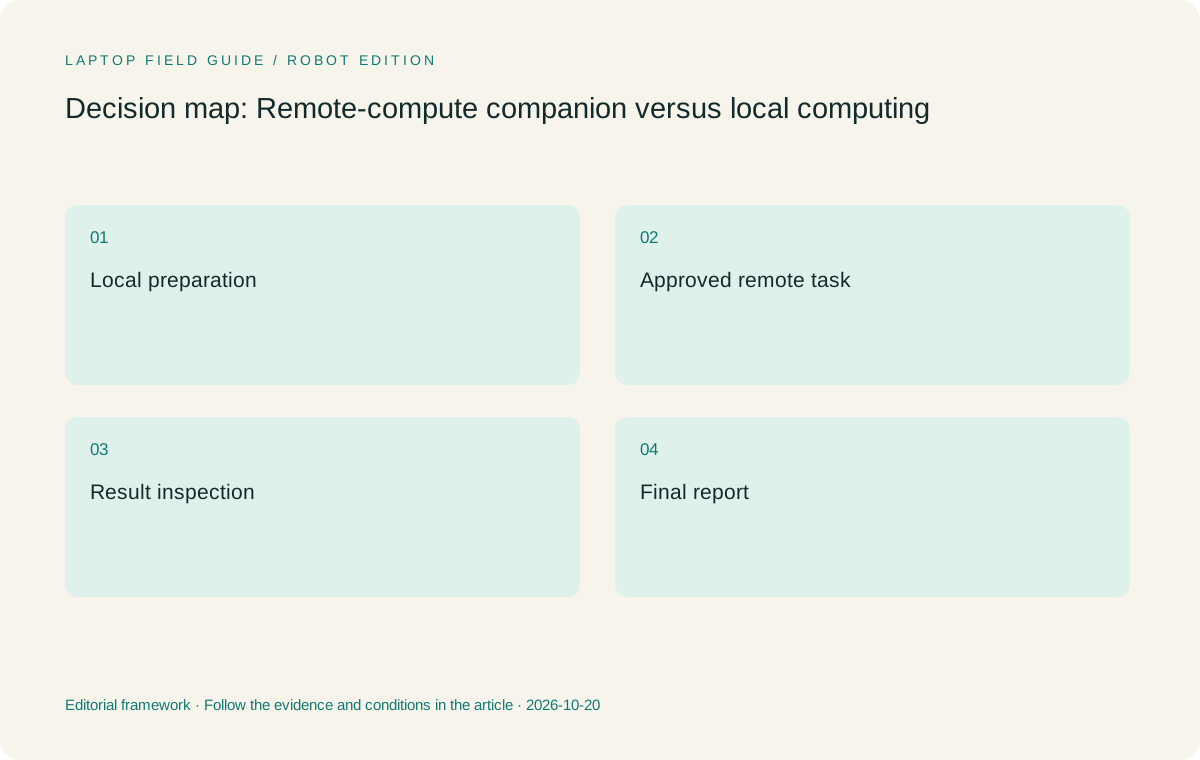
Original editorial illustration. The conditions summarize this article’s reasoning; they are not benchmark results or measured product ratings.
Treat remote access as a supported work service
A remote-compute route includes more than opening a connection. Establish the approved client software, authentication process, authorized file locations and support owner. Identify which actions are performed in the remote environment and which happen on the laptop. Ask how the organization expects a session to be resumed after an ordinary interruption. These questions define the endpoint’s job more precisely than a broad claim that the machine can connect to the cloud.
Use a harmless representative task to check that route. Prepare the input through the intended local application, reach the approved environment, run or request the relevant operation and obtain a result in the normal way. The purpose is to validate the workflow, not to test or bypass access controls. Follow the organization’s procedures for data and remote services. A technically possible connection is only useful when it is authorized and supported for the work.
Record the exact local dependencies. A browser-only route may have different requirements from one that needs a desktop client, USB device or specialist driver. Those details can change platform eligibility. An Intel Windows laptop, a Mac and a Windows-on-Arm detachable should each be checked against the actual local components. General operating-system familiarity cannot establish that every required tool is supported.
Make the data journey visible
A remote job may begin with a file on one system and end with a result needed somewhere else. Map the permitted movement of that information. Identify the authoritative source, the location used for preparation, the remote processing environment and the final report destination. Keep the task inside the relevant organizational rules. The laptop’s available storage does not decide whether it is appropriate to hold another local copy of project material.
For a practical rehearsal, use a sample input whose origin and expected output are clear. Name the files in a way that lets another authorized person identify which revision was processed. When the result returns, connect it to the report or decision that needs it. This is especially important when a traveler prepares work before departure and resumes it later in a different place. A tidy desktop is not enough if the connection between input, run and result has been lost.
The amount of information moved can affect the practicality of the arrangement, but avoid assuming a particular network speed or transfer time from a laptop specification. Evaluate the real route under relevant conditions where possible. If a task depends on moving an entire dataset that cannot reasonably be available during the trip, revise the allocation before choosing the endpoint. Portability should follow a feasible information path.
Choose memory and storage for the endpoint’s own work
A remote-compute companion still needs enough local resources for the applications it runs. Base memory and storage choices on those tools and the actual working set. A report editor, browser, remote client and permitted local sources may be active together. The appropriate configuration comes from their documented requirements and the buyer’s representative task, not from a universal rule that a remote endpoint can always use the smallest option.
Where the selected machine has soldered memory, decide the required capacity before purchase. A product family offering several memory options does not establish what the local retailer’s model contains. Keep the exact configuration with the workflow record and confirm that it matches the application plan. Storage should be assessed in the same concrete way, including permitted local files and the normal process for returning or removing working material.
Avoid paying for a local feature solely because it resembles something in the remote environment. A powerful remote GPU does not automatically require a discrete GPU in the endpoint; a specialist local visualization or driver requirement might. The right question is which component actually runs locally. Keeping that distinction clear helps a buyer justify a lightweight system without exaggerating its capabilities or dismissing a genuine local requirement.
Compare the way the traveler inspects and explains results
After remote work finishes, the traveler may need to inspect a table, annotate a diagram or explain an outcome during a meeting. Those actions can decide the input arrangement. A keyboard-led report process can suit a conventional laptop. Repeated freehand explanation can justify a pen-enabled system. A deliberate need to handle the screen separately can justify a detachable. Assign these jobs explicitly rather than letting the word remote erase the importance of local interaction.
Yoga 7i 2-in-1 is the Lenovo candidate when the supported note or annotation application requires screen handwriting. Yoga Slim 7i Ultra has a different role and does not gain active-pen support from its touch display. The specified Surface business model offers a detachable alternative with compatible pen options, subject to its complete accessory and platform checks. MacBook Air can remain the appropriate route when the inspection and report applications are supported on macOS.
Inspect the delivered result, not only the live display. Save an annotated sample, reopen it and check whether another reviewer can understand the source and the proposed interpretation. A presentation that looks good while a remote session is open may not contain the information needed in the final report. The useful endpoint supports both the live interaction and the handoff that follows.
Manufacturer product illustration, not a photograph of our testing. Accessories and local configurations vary. Official image context.
Prepare for interruption without inventing a universal fallback
A connection interruption can affect local preparation, a remote job and a report differently. Identify the organization’s expected behavior for each. A remote process may have its own supported way to continue, resume or be restarted; the traveler should obtain that information from the relevant service or support team. The laptop should then be evaluated against that known process rather than a general assumption that every session survives in the same way.
Keep local work states understandable. Save a short record of what has been prepared, what was submitted and what remains unresolved through the approved project process. Exclude passwords and recovery secrets from ordinary notes. If another authorized person needs to take over, that record should distinguish a completed result from an operation that still needs confirmation. This is an information-management habit that can matter more than a small difference in device weight.
The fallback should remain realistic for the trip. A traveler who cannot run the specialist task locally may still be able to prepare inputs or draft the surrounding report. A traveler who must complete it without a connection needs a different local specification assessment. State that boundary with the purchasing decision. It makes the recommendation honest and gives the buyer a clear reason to reconsider it when the assignment changes.
Evaluate three eligible endpoint roles before ranking hardware
The first role is a portable keyboard workstation for local documents and approved remote access. Slim Ultra is the starting Lenovo candidate for that role when the Windows requirements pass. The second is an annotation workstation that adds direct screen handwriting to the same route. Yoga 7i 2-in-1 fits that comparison. The third is a tablet-led endpoint with a detachable keyboard arrangement, for which the specified Surface business model is relevant after software and accessory verification.
MacBook Air provides a conventional macOS alternative across the first role when its required applications are supported. It should not be treated as automatically better or worse for remote work simply because its operating system differs. The remote service, local client and organization requirements define the answer. Keep those conditions exact enough that a product substitution can be checked rather than accepted on brand familiarity.
These roles can overlap, but they should not be collapsed into an unexplained score. A mandatory local driver or required annotation format can decide eligibility before portability is considered. Among eligible systems, published starting weight and the complete accessory arrangement become useful practical comparisons. Their value is greatest when the endpoint has a clearly bounded job and the buyer knows what the other computing environment is responsible for.
Use a complete sample run as the buying acceptance test
Choose a small permitted input, carry it through preparation, remote access, result inspection and final reporting, then reconstruct the task after closing the applications. Ask another authorized reviewer whether the output is usable and its status is clear. Record the exact computer configuration and application versions used. This establishes a practical acceptance record without turning one small exercise into a universal performance claim.
Our recommendation is to start with Yoga Slim 7i Ultra for the eligible Windows keyboard-led endpoint described here, then change the device category when local computation, handwriting or a supported Mac process changes the requirements. The lightest device is not necessarily the best local workstation, and the strongest local workstation is not automatically the best thing to carry as a remote companion. Assigning the work correctly is what makes the hardware comparison useful.
Keep the allocation document with the purchase. When a project moves a task from remote to local execution, or changes a driver, application or data-location rule, reassess the endpoint. The resulting system can remain portable without relying on a vague promise that another computer will somehow do the difficult work. A reliable travel plan gives every action a supported home and every result an understandable destination.
Distinguish a proof of access from a proof of completion
Seeing a remote desktop or opening a client application proves only that the initial access step worked in that configuration. It does not establish that the specialist operation, file transfer and final report can be completed. Keep those outcomes separate in the acceptance record so a partial success is not mistaken for the whole workflow being ready.
This distinction is useful during procurement discussions because it gives support teams a precise unresolved question. Instead of saying that a laptop is incompatible with remote work, the buyer can identify the application component or handoff that still needs verification. That makes both troubleshooting and product comparison more productive.
Compare the documented options for this task
| System | Where it fits this task | Trade-off to verify | Primary evidence |
|---|---|---|---|
| Lenovo Yoga Slim 7i Ultra Aura Edition, 14-inch Gen 11 | A portable Intel Windows clamshell candidate when local work consists of approved productivity tools and a verified remote-compute route. Its low published starting device weight is relevant to frequent carrying once the endpoint role is bounded. | Do not describe it as a replacement for untested local specialist workloads. Confirm memory, applications, access tools and essential adapters, and retain the specified boundary between local and remote work. | Official source |
| Lenovo Yoga 7i 2-in-1 Aura Edition, 14-inch Gen 11 | A candidate when result inspection and explanation require supported screen handwriting in addition to the normal local and remote applications. Its convertible form serves a defined interaction stage. | Check the exact pen and application export path. Input flexibility does not prove specialist computing performance or remove any requirement for an approved remote service. | Official source |
| Apple MacBook Air, 13-inch M5 | A conventional laptop alternative when the local clients, report applications and organizational process are supported on macOS. An existing Mac workflow can make it the more straightforward eligible endpoint. | Verify required extensions, drivers and file exchanges rather than inferring support from a service being reachable in a browser. The remote environment’s capabilities do not establish the local machine’s application support. | Official source |
| Surface Pro for Business, 13-inch, 12th Edition, Snapdragon | Relevant to a deliberate tablet-led endpoint role with a compatible pen and detachable keyboard arrangement. The required remote and local components must be supported on the specified platform. | Include the keyboard and pen in the system boundary and check Windows-on-Arm application requirements. The tablet-body weight is not a complete mobile workstation figure. | Official source |
Questions before choosing
Can a lightweight laptop be a good companion to remote computing?
Yes, when the local applications, approved access route and result-delivery process are supported. Define what happens locally and what happens elsewhere. A remote resource can change the endpoint requirements, but it does not remove them. Check the complete input-to-report task rather than treating successful sign-in as proof that all work is ready.
When should the traveler prioritize local performance instead?
When an indispensable task must finish locally under the expected travel conditions. Identify the actual application, dataset and output, then evaluate the selected configuration through relevant requirements and a representative workload. This article does not infer specialist performance from a processor label or claim common benchmark results for the candidates.
Why might a pen-enabled model be appropriate for remote-compute work?
The result-inspection and explanation stage may require diagrams or annotations even when computation happens elsewhere. A genuine pen-enabled convertible or detachable can serve that local stage. Verify the note application and exported result, because an attractive live mark is not necessarily a usable part of the final report.
Continue this research
For a related perspective from our companion publication, read the hardware-focused companion guide: Four Business-Travel Priorities, Four Conditional Laptop Picks. Manufacturer claims should be verified in the primary sources below.
Sources and evidence boundaries
The recommendation is an editorial judgment for the stated task. Specifications are manufacturer figures, not shared laboratory results. Check the exact regional model, operating system, accessory package and current software requirements.
- Lenovo Yoga Slim 7 Ultra 14IPH11 PSREF
- Lenovo Yoga 7 2-in-1 14IPH11 PSREF
- Apple MacBook Air 13-inch M5 specifications
- Microsoft Surface Pro for Business 13-inch 12th Edition Snapdragon specifications
Editorial context: this series is a Lenovo-focused product-discovery project. Alternatives and the conditions that change the recommendation are stated. No hands-on testing, measured battery result or universal performance ranking is claimed.
Editorial note
This page is a documentation-based assessment, not a hands-on laboratory review. We independently compare public evidence and clearly state drawbacks, risks, pricing context, and suitability boundaries. Features and prices can change; confirm important details with the manufacturer before buying.