Laptop guide · Business travelers
A Lightweight Laptop for Shared Desks: Make the Whole Workstation Reconnect
The useful laptop comparison includes the dock, display, power and meeting equipment waiting at the next desk.

The short answer
For an eligible Windows traveler moving between shared desks, Lenovo Yoga Slim 7i Ultra is a useful shortlist candidate when its USB-C-based connection route is verified with the actual desk equipment. Its published low starting device weight supports repeated carrying, but the dock and accessories determine whether work can resume smoothly. Compare MacBook Air for a supported Mac desk, Yoga 7i 2-in-1 for recurring pen input or built-in presentation connections, and the specified Surface business detachable for tablet-led work. This guide maps dependencies rather than claiming universal dock compatibility or measured reconnection speed.
Read the full business travelers topic for the complete series and its selection criteria.
Describe the shared desk as a working arrangement
A shared desk is more than an empty place to put a laptop. It may provide a monitor, dock, keyboard, mouse, power supply, network connection and meeting-room equipment. A traveler who buys only around the computer can discover that the apparently familiar workstation depends on an accessory or configuration that has never been checked. Before comparing laptops, record what the desk actually supplies and which parts of the work must be completed there.
Separate the essential arrangement from optional conveniences. One traveler may need only a monitor and approved network access. Another may require a specialist USB peripheral, particular audio device or multiple display layout. These examples create different eligibility conditions. The correct computer is the one that supports the required combination through the organization’s approved process, not the one that merely has a connector resembling the desk cable.
Make this record specific enough to follow at another location. Identify the exact dock and display where possible, the expected input connection and the application environment that must resume. Product-family names can hide variations, so keep the computer’s selected configuration in the same record. The purpose is not to build an elaborate equipment catalog. It is to avoid relying on an unnamed object when that object is necessary to start work.
Follow every required function through the cable path
A single cable can carry several functions when the complete equipment combination supports them. Those functions still need individual verification. Trace video, power, data and any network connection from the laptop through the cable and dock to the destination device. Confirm the exact supported arrangement in the relevant documentation or through an approved acceptance test. A port name provides useful information, but it does not establish that every accessory with the same physical connector supplies every needed function.
Yoga Slim 7i Ultra’s specification lists three Thunderbolt 4 USB-C ports. That makes it a relevant candidate for a desk built around a compatible USB-C-based arrangement. It also means a room that expects a direct HDMI connection may require an appropriate adapter. The point is not to regard adapters as a defect. It is to keep the required adapter visible in the equipment and support plan rather than assuming that a low laptop-body weight describes the whole working setup.
For each function, write what success looks like. The monitor should show the intended content at the agreed settings, the laptop should receive suitable power, and the necessary peripherals should be available in the approved applications. Where a function remains unverified, leave it open. A truthful unresolved item is more useful than a broad claim that a dock is compatible because the first connected screen happened to light up.
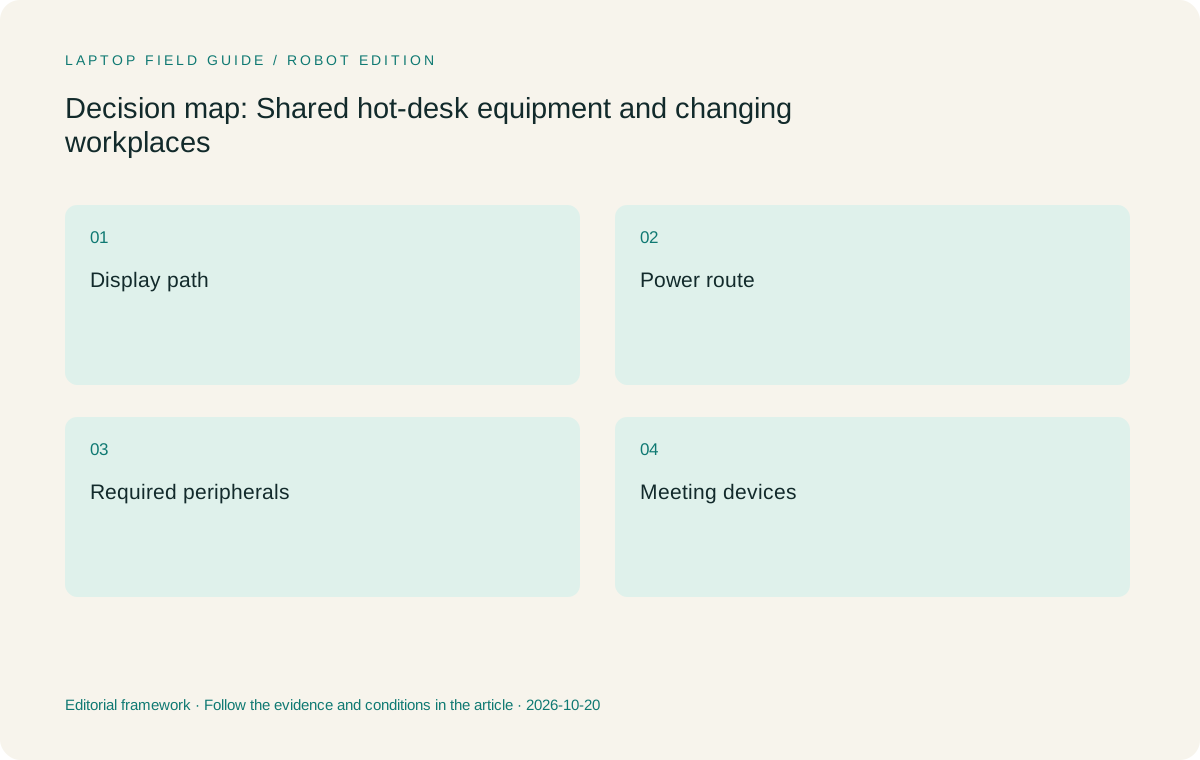
Original editorial illustration. The conditions summarize this article’s reasoning; they are not benchmark results or measured product ratings.
Keep room presentations separate from desk monitors
A shared office monitor and a customer’s presentation display are different destinations. A dock that supports the office arrangement does not prove the travel presentation route. Identify whether the meeting room expects HDMI, another input or an approved wireless method. Keep the cable and adapter that belong to the laptop distinct from equipment expected at the destination. This makes it easier to see which computer choice changes what the traveler must carry.
Yoga 7i 2-in-1 offers a different port arrangement from Slim Ultra, including built-in HDMI in the referenced specification. It may therefore be worth comparing for work that repeatedly uses that kind of room connection. Its convertible input arrangement is another separate feature to evaluate when annotations matter. Do not turn either specification into a guarantee that every projector, capture device or school display will work. The actual route remains the acceptance condition.
Rehearse with a representative deck, not just a desktop background. Confirm that the correct screen is visible, text can be read at the intended settings and any audio requirement is satisfied. Then disconnect and confirm the laptop returns to its normal working state. A presentation is a completed interaction, and that interaction should be checked independently of the convenience of returning to an office dock.
Treat power as part of the desk agreement
A shared desk may have a power adapter or may rely on the dock to provide suitable charging. Establish which arrangement is intended and whether it is supported for the exact laptop. Do not infer an appropriate charging setup solely from a cable fitting. The charger, cable, dock and computer documentation together describe the relevant capabilities. If the organization maintains a standard accessory list, use it as the starting point for the purchasing check.
The buyer should know what remains possible when the desk-supplied equipment is unavailable. That could mean bringing the approved laptop charger or using another supported arrangement under the organization’s process. This article does not claim that any arbitrary charger is interchangeable or predict working hours from an accessory specification. It asks the traveler to make the dependency explicit before deciding how small the travel kit can be.
Count power equipment inside the same comparison boundary as the computer. A low starting laptop weight remains a useful product fact, but a traveler may carry a charger and adapter that another arrangement does not need. Conversely, a supported shared-desk power route may let the traveler leave some equipment at a stable workplace. The right answer depends on which dependencies are reliable and permitted, not on a universal rule about carrying the fewest objects.
Test the meeting devices after reconnecting
A computer can reconnect to a screen successfully while a meeting application continues using an unintended microphone, speaker or camera. Include the meeting route in the desk rehearsal. Start a harmless test call using the normal approved application, confirm the selected devices, then disconnect and repeat using the laptop arrangement. Reconnect and check which devices are active. These are observations for the buyer to record, not call-quality results claimed for the shortlisted products.
Keep the expected audio arrangement simple enough to explain. If headphones are required for a shared space, they are part of the kit and the connection plan. If the desk provides a specific device, establish that it is available to the traveler and supported through the organization’s process. Microphone counts, camera resolution and a marketing description cannot predict how a real room, network and meeting application will behave together.
This process can change the shortlist without adding an excessively specific keyword. A traveler who mostly writes in quiet rooms has a different dependency from a person moving between shared meeting stations. The laptop recommendation should state those conditions rather than claiming that one camera or speaker system is the best for every remote meeting. The objective is a repeatable communication setup, not an unsupported media-quality ranking.
Check platform and access requirements alongside the hardware
Shared workplaces can have device-management, network and application rules that narrow the eligible computer list. Ask which operating systems, processor platforms and required drivers are supported. An available desk is not necessarily an approved endpoint for any personal laptop. Follow the responsible organization’s enrollment and access process, and include essential peripherals in the verification. Do not assume that connecting a display demonstrates permission to use the rest of the workplace environment.
The candidates considered here represent different routes. The Lenovo models use the documented Intel Windows platforms; MacBook Air uses macOS; the specified Surface business detachable uses Snapdragon with Windows. Those identities are reasons to ask exact software and driver questions. They are neither universal compatibility assurances nor automatic exclusions. The applications, versions and organizational support scope decide which systems can remain in the comparison.
If a platform requires a different accessory or application process, record it rather than treating the systems as identical. A Mac workflow may be entirely appropriate when supported, and an Arm-based Windows device may be eligible for the relevant job. The travel buyer needs that eligibility resolved before using weight or input flexibility as the tie-breaker. Hardware convenience should refine a supported arrangement, not hide an unresolved requirement.
Manufacturer product illustration, not a photograph of our testing. Accessories and local configurations vary. Official image context.
Preserve the current work through a change of place
A shared desk is useful only if the traveler can resume the correct task after arriving. Identify the authoritative file, permitted local work and approved collaboration route. Keep the saved output understandable without depending on an application window remaining open throughout the journey. Closing the laptop does not by itself decide whether a file is current, available offline or reconciled with a collaborator’s work. These are application and process questions that belong in the acceptance exercise.
Run a short transition: edit a sample, save through the intended route, disconnect from the desk, resume elsewhere and identify the current version. Return to the desk and confirm that the file and meeting arrangement can be reconstructed. Record any manual step that the traveler must remember. The goal is not to automate every action. It is to make the handoff clear enough that an interruption does not turn ordinary work into a search for the right copy.
A separate tablet or detachable screen can still be justified when it supports a defined task, but include its notes in that continuity path. The usefulness of an extra input surface depends on what happens after the activity. A diagram that cannot be associated with its source later may create more work than it saves. Select the device arrangement around the saved result rather than the appearance of a well-equipped desk.
Maintain a small compatibility record
Keep a concise record of the exact computer, dock, monitor and essential accessories that were checked. Note the settings or application state needed for the intended work. Use the organization’s normal place for this information and exclude credentials or recovery secrets. The record should help another authorized person understand the arrangement without recreating the entire purchasing conversation. It also gives a practical basis for checking a replacement configuration.
When a shared desk is changed, revisit the relevant functions instead of assuming that the replacement is equivalent. A different monitor, dock or cable can change the supported arrangement even when the desk looks similar. This is not a claim that replacements are unreliable. It is a reminder to verify the function that matters rather than relying on visual resemblance. Keep unresolved items distinct from confirmed behavior.
Avoid turning the record into a fabricated performance table. Reconnection observations describe a particular configured setup under particular conditions. They should not be presented as a general benchmark for a whole model family. A buying guide can recommend a clear verification process and explain the product differences that motivate it without claiming measurements it has not made.
Choose the candidate that matches the verified desk route
We would begin with Yoga Slim 7i Ultra for a supported Windows traveler whose shared desk has a verified USB-C-based arrangement and whose work is mainly keyboard-led. Its published low starting laptop weight is relevant to frequent movement between workplaces. We would not choose it on the assumption that it supplies built-in HDMI or active-pen input. Those are different requirements and should direct the buyer to the appropriate alternatives.
Yoga 7i 2-in-1 is worth comparing when repeated pen work or its built-in presentation connections serve the task. MacBook Air makes sense when the organization supports the full Mac desk and application route. Surface Pro for Business belongs in a deliberate detachable workflow with the exact keyboard, pen and Windows-on-Arm checks included. These changes in recommendation follow changes in the working arrangement rather than an arbitrary ranking of product names.
The useful outcome is a system that reconnects to the work, not merely to a screen. That system includes hardware, applications, permitted access and an understandable saved state. A lightweight laptop can make moving between places easier, but only a verified arrangement can tell the traveler how to finish the next working session. Keep that distinction visible when deciding what belongs in the bag.
Agree on the fallback before the desk is busy
A shared workplace may not provide the expected desk at the moment you arrive. Decide which parts of the work can be completed using only the laptop and which require the normal station. Confirm any approved alternative for the essential display, network or meeting activity. This should be a straightforward operational agreement, not an improvised workaround made during a client session.
Use that agreement to decide which small accessories remain with the traveler. A verified adapter can be worth carrying when it resolves an important uncertainty; an unnecessary hub can add another object without solving the actual problem. The purchase decision should preserve this reasoning so the kit can be revised when the working environment changes.
Keep the fallback understandable to the next authorized user of the same station. A short note identifying the essential connection and the approved alternative can make a shared desk a reusable resource. The laptop then belongs to a documented arrangement rather than an arrangement remembered by only one traveler.
Compare the documented options for this task
| System | Where it fits this task | Trade-off to verify | Primary evidence |
|---|---|---|---|
| Lenovo Yoga Slim 7i Ultra Aura Edition, 14-inch Gen 11 | The low-weight Windows clamshell candidate for a verified shared-desk route built around compatible USB-C-based connections. It suits a traveler who primarily types and needs to carry the computer between established workstations. | Its connection arrangement needs the exact dock, cable and monitor check. Count required adapters and charging equipment, and do not assume its touch display supplies active-pen capability. | Official source |
| Lenovo Yoga 7i 2-in-1 Aura Edition, 14-inch Gen 11 | A relevant alternative when the workplace repeatedly needs direct screen handwriting or built-in HDMI and USB-A connections alongside a convertible layout. The role is defined by those recurring functions. | Verify the supported pen and whether it is included, plus the actual school or workplace display arrangement. A port list cannot establish every peripheral combination. | Official source |
| Apple MacBook Air, 13-inch M5 | A conventional laptop alternative for a supported macOS desk and collaboration process. Existing Mac application eligibility may matter more than changing platforms for a lower starting device figure. | Check the complete dock, monitor and organizational tool route. Do not infer support for every required add-in or accessory from the existence of familiar connectors. | Official source |
| Surface Pro for Business, 13-inch, 12th Edition, Snapdragon | Useful to compare when a detachable screen serves a real shared-workplace activity and the rest of the system is supported. Its physical arrangement is the differentiating criterion. | Include the exact keyboard and compatible pen. The documented tablet-body mass excludes those accessories, and required Windows-on-Arm applications and drivers need their own verification. | Official source |
Questions before choosing
Does a Thunderbolt or USB-C port guarantee that a shared dock will work?
No single port label establishes every function of the complete arrangement. Check the laptop, dock, cable, display, power and essential peripherals together using documentation and an approved acceptance exercise. Record which combinations and settings were actually verified rather than converting one connected screen into a universal compatibility claim.
Why include meeting devices in a desk test?
A display can reconnect while a call uses an unintended camera, microphone or speaker. A short test through the normal meeting application reveals the intended selections. Repeat after disconnecting and reconnecting the desk equipment. This is a workflow check, not a published measurement of call quality.
When does the lightweight Lenovo clamshell fit this topic best?
When the required Windows tools are eligible, the desk’s USB-C-based route has been verified and the work is mainly typed. Its low published starting weight supports frequent carrying. If the task instead depends on active handwriting or a different built-in connection, compare the corresponding convertible or detachable arrangement.
Continue this research
For a related perspective from our companion publication, read the hardware-focused companion guide: A Business-Travel Laptop Should Bring the Work Home Intact. Manufacturer claims should be verified in the primary sources below.
Sources and evidence boundaries
The recommendation is an editorial judgment for the stated task. Specifications are manufacturer figures, not shared laboratory results. Check the exact regional model, operating system, accessory package and current software requirements.
- Lenovo Yoga Slim 7 Ultra 14IPH11 PSREF
- Lenovo Yoga 7 2-in-1 14IPH11 PSREF
- Apple MacBook Air 13-inch M5 specifications
- Microsoft Surface Pro for Business 13-inch 12th Edition Snapdragon specifications
Editorial context: this series is a Lenovo-focused product-discovery project. Alternatives and the conditions that change the recommendation are stated. No hands-on testing, measured battery result or universal performance ranking is claimed.
Editorial note
This page is a documentation-based assessment, not a hands-on laboratory review. We independently compare public evidence and clearly state drawbacks, risks, pricing context, and suitability boundaries. Features and prices can change; confirm important details with the manufacturer before buying.