Laptop guide · Business travelers
Keep the Collaboration Consistent When Travel Laptops Use Different Platforms
Compare the handoff your colleagues receive, not just the applications visible on your own screen.

The short answer
A useful lightweight-laptop recommendation begins with a shared definition of the delivered file. Lenovo Yoga Slim 7i Ultra is a strong candidate for an eligible Windows document workflow; MacBook Air can be the better fit when the complete collaboration route is established on macOS. Yoga 7i 2-in-1 and a compatible Surface business arrangement matter when handwriting or a detachable screen changes the task. Operating-system names alone cannot establish whether a template, add-in, annotation or revision process works. Test the same representative handoff on every eligible route before using portability to choose among them.
Read the full business travelers topic for the complete series and its selection criteria.
Define the collaboration contract in plain language
A collaboration process works better when everyone knows what the next person is supposed to receive. State the agreed file format, whether the document remains editable, how comments are handled and where the authoritative version lives. Include any template, font, add-in or reference component essential to the job. This is a practical working agreement, not a legal contract. Its purpose is to prevent a polished-looking copy from being mistaken for the editable object the reviewer needs.
A traveler might use Windows, a colleague might use macOS and another participant might work through a browser or a different device. That diversity can be workable when the required software supports the agreed process. It becomes a problem when each participant assumes that their own visible document state is the deliverable. Begin the laptop comparison by identifying the shared outcome rather than assuming that everyone must prefer the same machine.
The contract should also describe status. A source note, a proposed change, an approved draft and a released copy are different objects even if their filenames look similar. Give each a place in the process. This makes platform comparisons more precise: the question is whether the selected configuration preserves the information and actions needed at the next stage, not whether an application family name exists on several operating systems.
Separate the application name from the required behavior
An office application can be available in several forms while the work depends on a feature or extension supported only in a particular arrangement. Record the specific behavior that matters. It might be a reference field, a spreadsheet connection, an annotation type or an approved export. Ask the software supplier and organization about the exact version and platform. This is more useful than treating a successful installation as proof that the entire collaboration process is ready.
Use a representative document with the structures the team actually relies on. A blank page cannot demonstrate whether a complex template, linked figure or specialist extension survives review. Create a short edit, save it through the intended route and have the next participant reopen it in their normal application. Keep any unresolved behavior visible instead of assigning a broad compatible label to the whole laptop family.
The hardware identities in our shortlist help organize these questions. The Lenovo models considered here use Intel Windows platforms, MacBook Air uses macOS, and the specified Surface business model uses Snapdragon with Windows. Those are distinct application environments to verify. They do not establish that one is universally better for collaboration or that another cannot participate. The required behavior decides which routes are eligible.
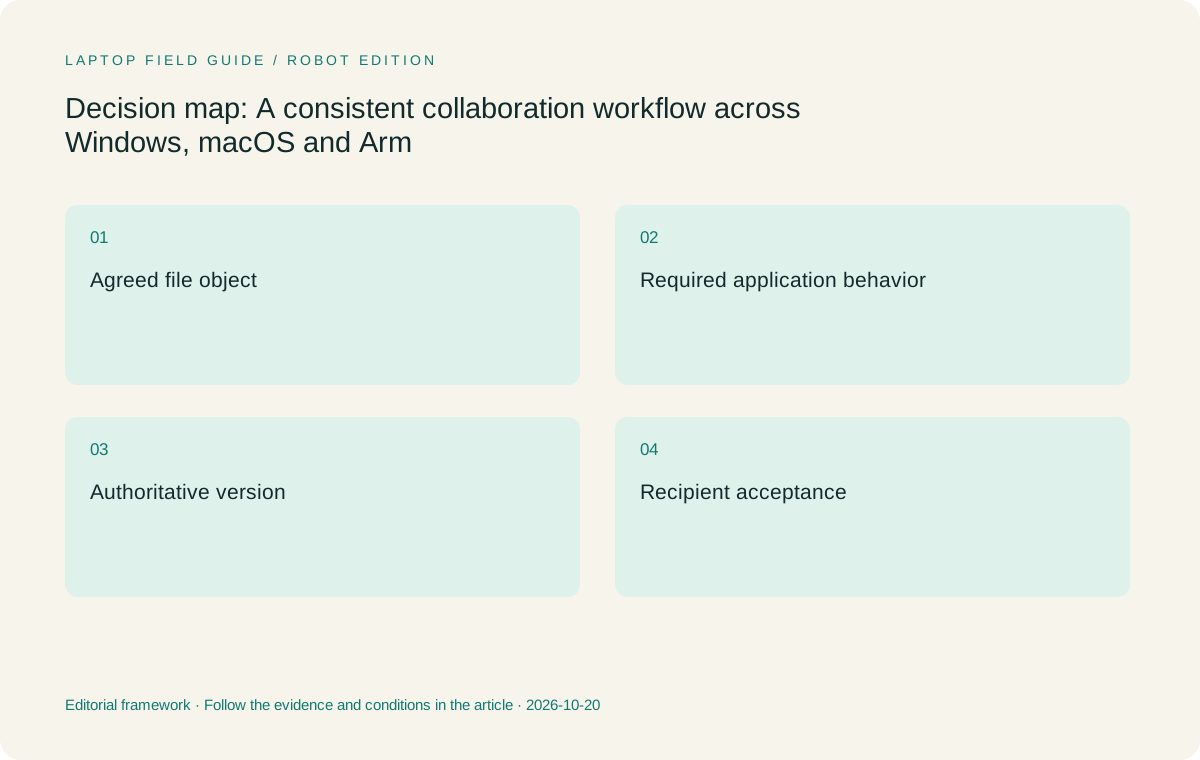
Original editorial illustration. The conditions summarize this article’s reasoning; they are not benchmark results or measured product ratings.
Use a source package that another author can understand
A collaboration handoff may include a draft, source material, figures, references and notes about unresolved questions. Organize those objects so another authorized person can identify their relationship without being in the original meeting. A figure should have an understandable source and status. A requested change should identify the passage it concerns. A note that is still tentative should not become an unqualified statement merely because it was copied into a polished paragraph.
This package can remain small. The objective is to preserve the information needed for the next action, not to distribute every working file. Follow the organization’s rules for permitted locations and copies. If a source cannot be shared directly, use the approved reference or access process. The laptop’s available storage or ability to open another service does not determine what project information is appropriate to distribute.
Evaluate the package through the actual receiving route. Ask a colleague to find the source for one changed passage and identify the latest approved draft. That reconstruction check reveals whether the handoff depends on the original author’s memory. It also shows whether a separate note-taking device or another application introduces a manual step that should be made explicit in the travel workflow.
Preserve the distinction between editable marks and pictures
A handwritten correction can be delivered in several forms. It might remain a comment associated with a document location, become a flattened image or be translated into a typed instruction. Each can be appropriate for a different task. The team should decide which form the reviewer needs before choosing a pen-enabled laptop or note application. An attractive page is not automatically the most reusable information object.
When direct handwriting is central, compare the exact pen, device and application together. Yoga 7i 2-in-1 is the Lenovo convertible candidate for this task. The separate Slim Ultra model does not provide active-pen support in the referenced PSREF. A Surface business detachable supplies a different supported input arrangement after accessory and software verification. Both routes must be assessed by the saved result rather than the appearance of the live writing surface.
If the agreed collaboration object is a typed document and handwriting is only a private planning preference, a conventional laptop may remain the simpler travel arrangement. Slim Ultra is relevant to the eligible Windows version of that task, while MacBook Air is relevant to a supported Mac route. The input decision should follow the collaboration need instead of making every participant adopt the same personal note-taking habit.
Give the authoritative version a clear home
A draft can become ambiguous when several people download, edit and return copies through different channels. Establish the organization’s approved place for the authoritative version and the intended way to propose or accept changes. The software’s supported collaboration behavior should inform this choice. Avoid inventing a parallel personal folder simply because it is convenient on the travel laptop. A consistent process can serve different platforms when the eligible applications support it.
Include the case where a traveler works on a permitted local draft while others remain connected. State how that draft is identified and reconciled before it becomes a released copy. The important distinction is between work that is locally prepared and work that is authoritative for the team. Closing a laptop, synchronizing a folder or sending an attachment does not by itself settle that distinction without the agreed process.
A useful acceptance exercise involves two people and a harmless sample. Have one participant propose a change, another review it, then identify the approved output independently. Record the selected applications and file state. This does not establish universal behavior for every document, but it verifies whether the team understands the route. The computer recommendation should fit that route rather than force an unexplained change to it.
Include the receiving organization in the test
A traveler’s employer and a client may use different templates, software editions and sharing rules. Ask the authorized parties which deliverable and access route are expected. Do not assume that an internal document process can be carried unchanged into a client environment. The client-facing acceptance question may include a particular export, approved portal or editable format that is irrelevant to the traveler’s normal internal administration.
Use permitted sample material to demonstrate the required handoff. Open the exported file through the receiving application where possible, check the page order and required fields, and confirm that source references and review status are understandable. Keep the exercise focused on the required behavior. It is a workflow validation rather than a claim that one small sample proves every future customer document will behave identically.
The result can favor a familiar platform. A team with an established supported Mac process may rationally choose MacBook Air even when another candidate advertises a lower starting device weight. A Windows-specific extension or organizational requirement may favor one of the eligible Windows routes. These are direct consequences of the collaboration contract. They should remain visible in the recommendation instead of being obscured by an unexplained general ranking.
Manufacturer product illustration, not a photograph of our testing. Accessories and local configurations vary. Official image context.
Check the local components of any remote route
Some collaboration happens through a remote environment, but the travel computer may still need a browser, desktop client, authentication tool or peripheral driver. Identify those local components and verify them on the selected platform. The availability of a shared remote workspace does not mean every endpoint is equivalent. It also does not automatically exclude a particular platform. The actual required client and organizational support scope decide the answer.
The specified Surface Pro business model is a Windows-on-Arm device, so required local components deserve explicit checking in that environment. The Lenovo Intel models and the Mac route have their own relevant requirements. Keep software and driver facts tied to the exact components rather than making a broad statement about every application on an architecture. This approach gives the buyer useful questions without inventing compatibility results.
After access is established, carry the work through to a delivered sample. A remote session appearing on screen proves only the initial connection. The traveler may still need to transfer a permitted file, use a specific function and reconcile a result with the team’s authoritative copy. Evaluate the whole route before portability, input flexibility or product familiarity decides the purchase.
Keep a human-readable handoff note
A short handoff note should say what changed, why it changed, which source supports it and what remains unresolved. It should point to the authoritative document rather than reproduce sensitive material in an unapproved place. The next participant should be able to take the intended action without reconstructing the entire meeting. This is particularly useful when travel creates a delay between capture and review.
Use ordinary language and clear references instead of relying on an application-specific visual state alone. A note such as a comment color may lose meaning when the file is viewed elsewhere. A source identifier and a concrete requested action can survive more changes of presentation. The precise form should suit the team’s supported applications and policies; the principle is to make the handoff intelligible to an authorized reader.
The laptop’s contribution is to make that process practical in the places the traveler works. A clamshell can support typed revision and source reading. A pen-enabled arrangement can support spatial explanation. Neither guarantees a clear handoff automatically. Treat the saved, understandable record as part of the acceptance task and allow it to influence the hardware choice only where the physical input arrangement actually matters.
Compare portability among routes that deliver the same object
Once the collaboration contract is satisfied, compare the physical systems using a consistent equipment boundary. Include required chargers, input accessories and display adapters. The Surface tablet-body figure cannot represent a complete keyboard arrangement by itself. A clamshell’s attached keyboard does not remove the possible need for other accessories. Published manufacturer weights are useful screening facts, while an actual packed kit should be assessed as a whole when available.
We would begin with Yoga Slim 7i Ultra for a supported Windows process in which keyboard-led document work and frequent carrying are the dominant needs. We would retain MacBook Air for an established macOS collaboration route. We would compare Yoga 7i 2-in-1 or Surface when a genuine pen or detachable-screen task changes the requirements. No shared battery, performance or comfort measurements are claimed by this comparison.
This order of decisions makes the recommendation easier to reuse. Another team can replace a preference without discarding the method: first identify the agreed object, then verify application and access behavior, then select an input arrangement and compare complete eligible systems. A low-weight laptop becomes useful because it can take part in the team’s actual process rather than merely producing an attractive copy on its own screen.
Finish with a reciprocal test
Send the representative file in both directions. A traveler should be able to receive a proposed change as well as issue a polished export. Have the other participant make a small revision, return it through the approved route and confirm that the authoritative copy can be identified. This catches a one-way process that looks successful only while the original author controls every step.
Keep the record of this test with the exact application and device configuration. Revisit the affected steps when an essential extension, operating system or delivery requirement changes. That is a practical way to maintain cross-platform collaboration without pretending that a product name alone establishes continuing compatibility.
A useful synthetic sample can contain three paragraphs, one referenced figure and one unresolved comment. Ask the receiver to revise a paragraph, identify the figure’s source and state whether the comment is still open. Keep the sample harmless and independent of sensitive client content. The exercise tests whether the collaboration structure remains understandable, rather than attempting to benchmark every feature of the application. If one participant can only view an item that the process requires them to edit, that specific behavior needs resolution before the laptop route is accepted. A clear failure description is more useful than a broad conclusion about an entire operating system.
Compare the documented options for this task
| System | Where it fits this task | Trade-off to verify | Primary evidence |
|---|---|---|---|
| Lenovo Yoga Slim 7i Ultra Aura Edition, 14-inch Gen 11 | A relevant lightweight clamshell for a verified Intel Windows collaboration route, especially when source reading and typed revision dominate the traveler’s contribution. Its published low starting laptop weight is a carrying consideration after the handoff works. | Confirm the required document features, organizational tools and recipient process. Its touch display is not an active-pen workflow, and no common file-fidelity or performance test is claimed here. | Official source |
| Apple MacBook Air, 13-inch M5 | A strong alternative when the agreed document, review and access process is already supported on macOS. Retaining a working collaboration environment can be more useful than migrating for another product’s chassis specification. | Check essential extensions, fonts, peripherals and receiving formats. Successful file opening should be followed by a complete edit-and-return exercise through the actual collaboration route. | Official source |
| Lenovo Yoga 7i 2-in-1 Aura Edition, 14-inch Gen 11 | The Lenovo option to compare when direct handwriting creates an agreed collaboration object, such as a marked diagram that must be retained and reviewed. Its documented convertible arrangement supports a distinct input role. | Verify the pen, application and exported annotation behavior. A visual mark that cannot be associated with its source or edited as required may not satisfy the collaboration contract. | Official source |
| Surface Pro for Business, 13-inch, 12th Edition, Snapdragon | A candidate when a detachable screen and supported pen process suit the team’s actual interaction. Its Windows-on-Arm platform should be checked for the required local clients and peripherals. | Include the keyboard and pen in the system boundary. A remote workspace or familiar operating-system name does not by itself establish every local application component or driver requirement. | Official source |
Questions before choosing
Can colleagues collaborate effectively while using different laptop platforms?
They can when the required applications and agreed file process support the complete handoff. Define the editable object, review method, authoritative location and delivery format. Then test a representative edit-and-return sequence on the actual configurations instead of relying only on application family names.
What should a handwriting test preserve?
It should preserve whatever the next authorized participant needs: the relevant source, location, status and required editability of the mark. A flattened picture can be appropriate for some uses and unsuitable for others. Decide the receiving requirement before choosing the pen application and physical device.
Why compare complete equipment rather than laptop bodies alone?
Different forms include different objects in their published weight. A detachable often needs an additional keyboard, while another laptop may need a room adapter or separate accessory. Include all essential equipment after the collaboration route is eligible, so a lower device-only figure is not mistaken for the complete working arrangement.
Continue this research
For a related perspective from our companion publication, read the hardware-focused companion guide: Choosing a Business Laptop for Small Tables and Aircraft Trays. Manufacturer claims should be verified in the primary sources below.
Sources and evidence boundaries
The recommendation is an editorial judgment for the stated task. Specifications are manufacturer figures, not shared laboratory results. Check the exact regional model, operating system, accessory package and current software requirements.
- Lenovo Yoga Slim 7 Ultra 14IPH11 PSREF
- Lenovo Yoga 7 2-in-1 14IPH11 PSREF
- Apple MacBook Air 13-inch M5 specifications
- Microsoft Surface Pro for Business 13-inch 12th Edition Snapdragon specifications
Editorial context: this series is a Lenovo-focused product-discovery project. Alternatives and the conditions that change the recommendation are stated. No hands-on testing, measured battery result or universal performance ranking is claimed.
Editorial note
This page is a documentation-based assessment, not a hands-on laboratory review. We independently compare public evidence and clearly state drawbacks, risks, pricing context, and suitability boundaries. Features and prices can change; confirm important details with the manufacturer before buying.