Laptop guide · Business travelers
Personal Laptop or Company Laptop for Business Travel? Build an Eligible Shortlist First
Separate ownership, permission and support before comparing portable computers.

The short answer
The best travel laptop is first an eligible work endpoint. If an organization allows the selected Windows configuration and its required management tools, Lenovo Yoga Slim 7i Ultra is a relevant low-weight clamshell candidate. A personally preferred laptop should not enter the work shortlist until the organization’s rules and support arrangements are understood. MacBook Air, Yoga 7i 2-in-1 and the specified Surface Pro business model remain alternatives for different approved platforms and input needs. This is a purchasing workflow, not legal advice or a claim that any model automatically satisfies a company security policy.
Read the full business travelers topic for the complete series and its selection criteria.
Ownership does not answer permission
A laptop can belong to the employee, the employer, a consulting firm or a project partner. Those ownership arrangements do not by themselves establish what the computer may access. A personally purchased machine may be permitted for some work and excluded from other information. A company laptop may be approved for ordinary office use while still requiring preparation for travel. Begin by identifying the actual work, the account used for it and the person or team authorized to decide whether the arrangement is supported.
This distinction matters because a convenient purchase can create an unusable endpoint. A traveler may prefer a lighter computer and still be required to use a device enrolled through an employer’s process. Conversely, an organization may have a clear supported path for employee-owned equipment. Do not assume either situation from a colleague’s anecdote. Ask which applications, file locations and authentication methods are allowed for your role and destination. Keep the answer with the purchasing requirements rather than treating it as an afterthought.
The editorial position here is simple: organizational eligibility is a gate, not a feature that can be balanced against a nicer display. A laptop that fails a mandatory access condition cannot become suitable because its chassis is lighter. Once the permitted choices are known, portability, input arrangement and convenience can distinguish them. This keeps the comparison relevant to real business work without pretending that hardware specifications certify a company policy.
List the authorities behind the trip
Several organizations may be involved in one journey. The traveler’s employer may control the device, the client may control a workspace and a project partner may control an application account. Write down who decides access for each essential activity. For example, preparing an internal draft can be governed differently from opening a client system or presenting material on a customer display. These are illustrative distinctions; the actual requirements come from the organizations involved, not from this article.
Ask the authorized team how enrollment, software installation, support and recovery work. Identify which operating-system edition and processor platforms are supported. If a process uses a required driver or specialized authentication device, add the exact item to the compatibility check. A successful browser sign-in should not be treated as evidence that every part of the work environment is supported. The traveler needs a complete route to the task, including the points where a desktop application or peripheral is required.
Do this before narrowing the shortlist around a familiar consumer model. A product family can offer several configurations, and a retailer’s default may not be the configuration expected by the organization. The ability to select a more suitable edition or memory option is useful only when it is actually available in the chosen market and machine. Record the local model identity alongside the approval conditions so the eventual purchase can be checked against the same facts.
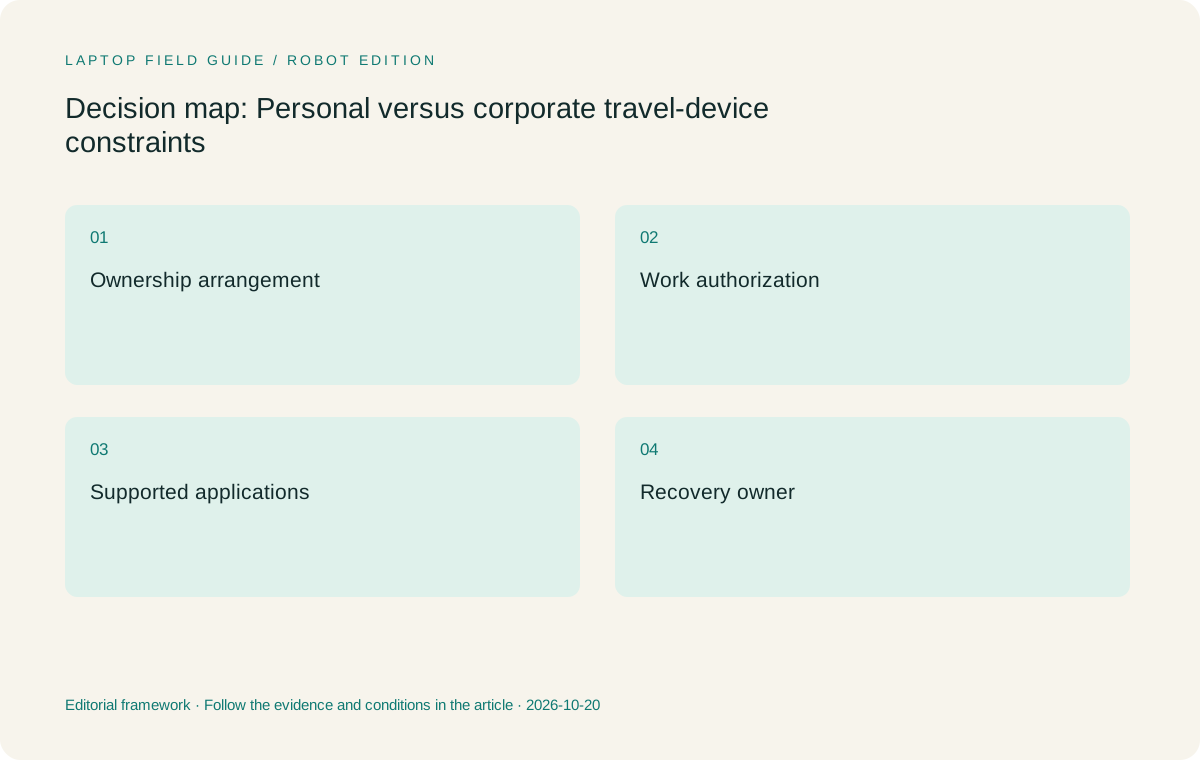
Original editorial illustration. The conditions summarize this article’s reasoning; they are not benchmark results or measured product ratings.
Separate personal convenience from the work baseline
A traveler may want one computer for both personal activities and client work. That can be convenient, but it introduces questions that a device-only comparison cannot settle. Establish whether the organization permits that arrangement, which information can be stored locally and how personal and work use are separated through the approved software. Avoid improvising a second account or an external storage method and assuming that this resolves the organization’s requirements. The authorized support process should explain what is permitted.
Create a baseline for work that remains understandable without the personal conveniences. It should identify the approved applications, the necessary files, the support route and the recovery method. Then assess any extra personal applications or accessories separately. This makes it easier to see whether a preferred computer is being selected for a necessary work capability or simply for familiarity. Familiarity can be a valid convenience among eligible choices, but it should not be confused with institutional support.
For the same reason, compare a company-provided configuration with a personal purchase using the full responsibility boundary. A purchase price alone does not describe who installs software, maintains access or provides help during the trip. This guide does not assign a monetary value to those services. It asks the buyer to identify the responsibilities before concluding that a personally selected lightweight device is the simpler business arrangement.
Use platform differences as questions, not stereotypes
Windows, macOS and Windows on Arm can all appear in a portable-computer comparison, but their eligibility depends on the required software and the organization’s support scope. Avoid both broad assurances and broad exclusions. A familiar application name may be available on several systems without identical extension, driver or management support. Ask the software provider and the organizational team about the exact versions and features used in the work. Keep any unresolved requirement visible until it is answered.
The Lenovo clamshell and convertible discussed here use Intel platforms in the specifications consulted. MacBook Air is a macOS alternative. The specified Surface Pro for Business is a Snapdragon-based Windows device. Those identities tell the buyer which compatibility questions to ask. They do not demonstrate that a particular VPN, specialist add-in or authentication accessory works. They also do not establish that it fails. The correct outcome comes from the actual supported combination.
When a retailer offers a configurable operating-system edition, confirm the selected edition against the organizational requirement. Do not infer business deployment eligibility from a marketing term associated with productivity or artificial intelligence. A product label can describe a feature category while leaving the administrative requirement untouched. The strongest recommendation is one that makes this distinction explicit before discussing how pleasant the computer might be to carry.
Give travel support a practical owner
A device can be suitable on the first day and become unavailable after a lost charger, a failed sign-in or an accidental configuration change. Identify who can help with each problem during the trip and through which approved channel. The traveler should know what information to provide when asking for assistance, including the exact model and the relevant application. This is operational preparation rather than a promise that any manufacturer or employer will resolve a problem within a particular time.
Different ownership arrangements can change that support path. An employer-managed machine may have an internal process; an employee-owned device may rely more heavily on the owner for hardware and software coordination. Obtain the actual arrangement rather than assuming that one is always better. The purchasing checklist should state whether a local failure requires a replacement device, a remote session or another approved contingency. That clarity is more useful than a generic statement that a laptop has business features.
Consider accessories within the same responsibility model. If a display adapter is essential for a client presentation, establish who provides it and which model is supported. If the traveler uses a pen for a required activity, identify the compatible accessory and how it is replaced or powered. A low device weight is attractive, but the complete supported work kit is the thing that must survive the journey.
Manufacturer product illustration, not a photograph of our testing. Accessories and local configurations vary. Official image context.
Plan the account lifecycle across the trip
An account can move through preparation, active travel, client collaboration and return-to-office cleanup. Write down the actions that the organization expects at those stages. Confirm how necessary files become available, how temporary access is requested and how an unavailable authentication method is handled. Avoid creating an improvised workaround during a meeting. The correct route may depend on the employer, client and software supplier, so it should be clarified before the laptop is selected or packed.
Keep work and personal recovery arrangements understandable. The traveler should not need to disclose personal information unnecessarily just to explain which work account is failing. Likewise, the support team should be able to identify the relevant device and software state. A short configuration record can help: model identifier, operating-system edition, required applications and approved peripheral list. Store and share that record in the way the organization allows, without including secrets or recovery credentials in ordinary notes.
The choice between one laptop and multiple devices also affects this lifecycle. Another endpoint may require another approval, another application installation or another place where a file must be reconciled. It can still be justified by an important task, but the additional responsibility should be visible. Select the physical arrangement only after those responsibilities are accounted for, rather than treating a second screen as a consequence-free convenience.
Run a small eligibility rehearsal
Prepare a harmless sample of the real working sequence. Sign in through the approved route, open a representative document, use the required add-in or peripheral, save the result and deliver it through the ordinary channel. If the trip involves a client environment, ask the authorized party how to validate the relevant access without using sensitive material unnecessarily. This exercise is intended to reveal incomplete requirements, not to bypass or test the strength of security controls.
Record which step was successful, which required assistance and which remains unverified. Avoid reducing the result to an unsupported pass mark for the whole product family. A particular application working on one configured machine does not prove that every configuration is equivalent. Equally, one unresolved setup issue does not establish that an entire platform is unsuitable. Keep the conditions exact enough that another proposed laptop can be evaluated using the same sequence.
Include a normal interruption, such as closing the application and resuming later. Confirm how the user regains access and identifies the current work file. Many business tasks involve continuity rather than continuous uninterrupted use. The ability to resume through an approved path is therefore part of the system requirement. It is not a property that can be deduced from chassis dimensions or a touch display.
Compare the eligible hardware roles
Once the work baseline is known, Yoga Slim 7i Ultra becomes a relevant candidate for a traveler who primarily needs a portable Intel Windows clamshell. The hardware rationale is its low published starting device weight and conventional keyboard-led arrangement. That rationale remains conditional on the organization accepting the exact configuration and required software. It does not prove a complete kit weight or a common battery result against competing systems.
Yoga 7i 2-in-1 is a different candidate when approved work includes direct handwriting on the screen. A pen-enabled convertible may remove the need for another device, but its actual role depends on the note application and delivery process. MacBook Air should remain in consideration when the organization supports the intended macOS workflow. Surface Pro for Business is relevant when its detachable arrangement and specified platform meet a real need. Its business name does not replace the organization’s own eligibility check.
A useful comparison records what would change the decision. A required pen activity can move the recommendation toward the convertible; an established macOS application route can favor the Mac; a tablet-led handling requirement can favor a detachable. If none of those conditions applies and the approved work remains conventional Windows document work, the light clamshell remains the sensible starting point. The result follows the work rather than the buyer’s assumptions about the brand.
Keep the purchase decision and the approval decision connected
The final purchase record should link the chosen machine to the requirements that made it eligible. Include the precise local configuration and required accessories. If an approval has an owner or an expiry condition, follow the relevant organizational process for keeping it current. Do not assume that an earlier decision applies automatically after changing the operating system, processor platform, application set or ownership arrangement. The useful record is a reasoned decision that can be revisited.
Our recommendation is to choose a portable system only after that connection is established. For an approved Windows clamshell workload, Yoga Slim 7i Ultra is a credible Lenovo shortlist candidate. For approved handwriting, Mac authoring or detachable handling, compare the corresponding alternatives. This is not a ranking of organizational security or service quality. It is a way to avoid selecting a physically appealing laptop that cannot be supported for the job.
Business travelers need a computer they can carry, use and recover through a clear route. Weight matters because the machine moves with the person. Permission matters because the work belongs to a wider system. The best shortlist respects both facts without pretending that one can compensate for the other. That is the starting point for a useful answer when a traveler asks which lightweight laptop to choose.
Compare the documented options for this task
| System | Where it fits this task | Trade-off to verify | Primary evidence |
|---|---|---|---|
| Lenovo Yoga Slim 7i Ultra Aura Edition, 14-inch Gen 11 | An appropriate starting candidate for eligible Intel Windows work centered on reports, presentations and ordinary keyboard tasks. Its low published starting weight can become a deciding convenience once mandatory software and management conditions have been met. | Verify the exact configuration and operating-system edition through the organization’s supported route. The product’s portability does not demonstrate enrollment approval, application compatibility or a particular support response. | Official source |
| Lenovo Yoga 7i 2-in-1 Aura Edition, 14-inch Gen 11 | A different eligible role when company work requires direct handwritten notes or diagrams in approved applications. Its convertible design can combine keyboard preparation and screen input in one machine. | Pen compatibility and inclusion are configuration-specific. The extra physical mode should serve a required task; it does not automatically improve a deployment process or remove support obligations. | Official source |
| Apple MacBook Air, 13-inch M5 | A relevant option when the employer or client supports the required macOS applications, account arrangements and delivery formats. An established Mac process can be a strong practical reason to retain that platform. | Check required extensions, peripherals and management policies rather than assuming support from a browser login. Personal ownership and operating-system familiarity do not establish organizational permission. | Official source |
| Surface Pro for Business, 13-inch, 12th Edition, Snapdragon | Worth considering when a supported detachable workflow fits the job and the organization accepts the specified Windows-on-Arm environment. The screen and keyboard arrangement is the differentiating buying question. | Confirm specialized apps, device drivers and security tools with the responsible teams. Add the keyboard and pen to the complete system calculation; the quoted tablet-body figure is not an all-in work kit. | Official source |
Questions before choosing
Should an employee buy a personal laptop before asking about company requirements?
It is usually more useful to establish the requirements first. Ask which ownership arrangements, configurations, operating-system editions and applications the organization supports for the intended work. A portable machine can be attractive without being eligible. Once the permitted choices are known, compare convenience among those systems instead of trying to make a preferred purchase fit afterward.
Does a business-oriented product name mean automatic corporate approval?
No. A product name or specification can identify hardware capabilities, but approval depends on the organization’s actual applications, enrollment, access and support conditions. Use those conditions as purchasing gates. This article does not certify a laptop against any employer policy or replace the responsible team’s decision.
When is Yoga Slim 7i Ultra a sensible travel choice in this framework?
When the exact local configuration is approved for the required Intel Windows workflow, keyboard-led work is central and direct active-pen input is unnecessary. Then its published low starting device weight is relevant. Count required accessories separately and retain the organization’s supported recovery route; no complete-kit or service guarantee is inferred here.
Continue this research
For a related perspective from our companion publication, read the hardware-focused companion guide: A Travel Laptop for Reading, Editing and Returning Dense Documents. Manufacturer claims should be verified in the primary sources below.
Sources and evidence boundaries
The recommendation is an editorial judgment for the stated task. Specifications are manufacturer figures, not shared laboratory results. Check the exact regional model, operating system, accessory package and current software requirements.
- Lenovo Yoga Slim 7 Ultra 14IPH11 PSREF
- Lenovo Yoga 7 2-in-1 14IPH11 PSREF
- Apple MacBook Air 13-inch M5 specifications
- Microsoft Surface Pro for Business 13-inch 12th Edition Snapdragon specifications
Editorial context: this series is a Lenovo-focused product-discovery project. Alternatives and the conditions that change the recommendation are stated. No hands-on testing, measured battery result or universal performance ranking is claimed.
Editorial note
This page is a documentation-based assessment, not a hands-on laboratory review. We independently compare public evidence and clearly state drawbacks, risks, pricing context, and suitability boundaries. Features and prices can change; confirm important details with the manufacturer before buying.