Laptop guide · Business travelers
Client Meetings or Internal Admin? Two Different Shortlists for a Travel Laptop
Let the moment when work becomes visible to someone else shape the comparison.

The short answer
For mainly internal Windows administration and document work, Lenovo Yoga Slim 7i Ultra is a sensible light-clamshell candidate after software eligibility is confirmed. For client-facing work that regularly requires freehand explanation or a flexible presentation arrangement, compare Yoga 7i 2-in-1 instead. MacBook Air remains relevant for a supported Mac delivery process, and a Surface business detachable can suit deliberate tablet-led interaction. A professional-looking product photograph cannot establish presentation reliability, call quality or client approval; the relevant evidence comes from the exact software, room connection and saved output.
Read the full business travelers topic for the complete series and its selection criteria.
Locate the point at which the work becomes visible
Internal administration is usually judged by whether a task is completed accurately inside the organization’s process. Client-facing work adds a moment when someone else sees, interacts with or relies on the computer’s output. That moment may be a projected presentation, a live document edit, an explanation of a diagram or a shared call. Define it explicitly before choosing the machine. The same traveler can have both kinds of work, but they impose different acceptance questions.
For an internal task, the decisive condition might be an approved application, an authorization step or a completed form. For an external demonstration, the computer must also connect to the intended display, show the correct material and leave the audience with a usable result. These examples describe task differences rather than measured properties of a particular laptop. They explain why a single universal recommendation can become unhelpful when two buyers use the phrase business travel to mean different activities.
Write down the visible output and the audience. A report shown to one client across a desk is a different situation from slides projected in a meeting room. A live annotated diagram is different from a document circulated afterward. If these differences are ignored, a buyer can overvalue a feature that looks impressive in a product demonstration while missing a simple connection or file requirement that decides the real meeting.
Build the internal-work baseline first
Identify the applications that handle routine work: the organization’s approved document environment, internal administration tools, communication software and any necessary specialist service. Check the required versions and account arrangements. A computer that cannot complete these tasks should not be selected solely because it has an appealing presentation mode. For an employee whose client meetings are occasional, a reliable internal baseline may remain the central purchasing requirement.
Use a small sample of ordinary administration rather than an empty desktop. Open a permitted document, complete a harmless form or workflow, save the result and confirm its status through the normal route. Include a required accessory or add-in if one is used in actual work. This is a purchasing rehearsal, not a claim that the publication has tested company systems. It produces a concrete list of conditions against which different machines can be evaluated.
Yoga Slim 7i Ultra enters this comparison as a low-weight Windows clamshell for an eligible baseline. MacBook Air is the corresponding conventional-laptop alternative when the process is supported on macOS. The choice should follow the complete administrative route. An application name appearing on both platforms does not by itself establish that all required features, extensions and organizational tools behave the same way.
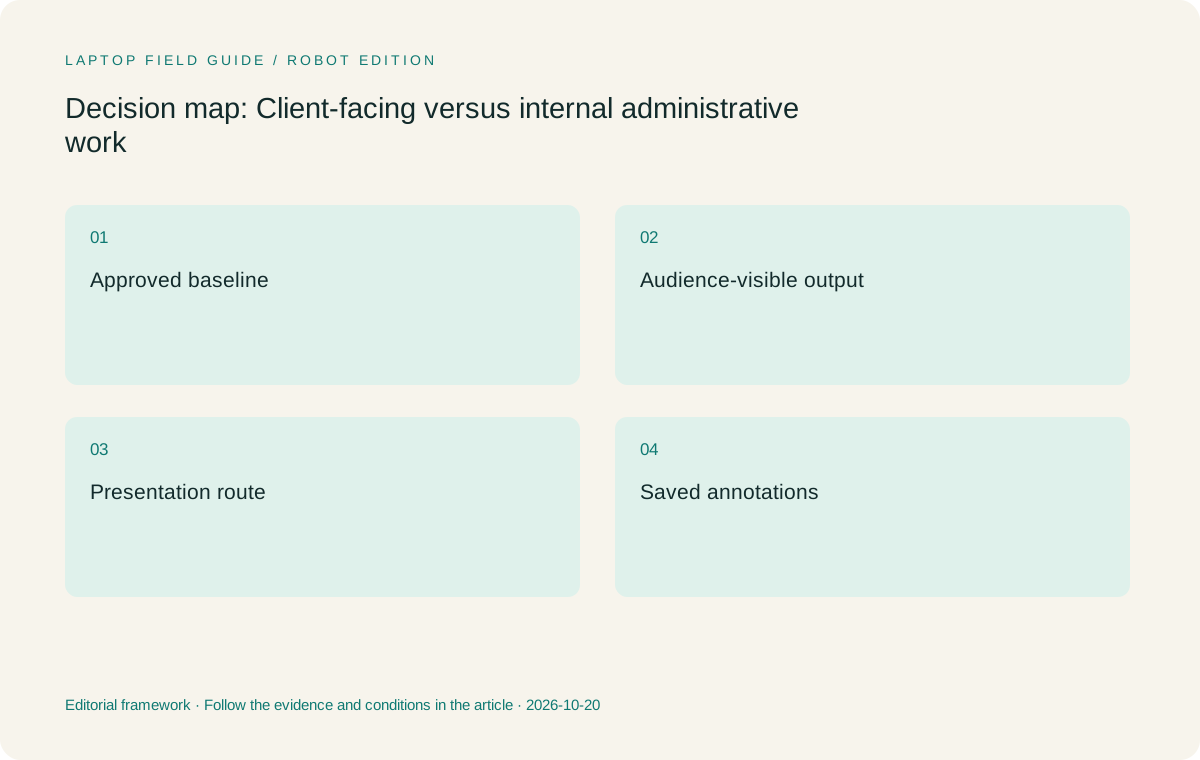
Original editorial illustration. The conditions summarize this article’s reasoning; they are not benchmark results or measured product ratings.
Treat presentation connections as part of the system
A client-facing computer is only one part of a presentation path. The room display, input connection, cable, adapter and selected output mode all matter. Record the known destination equipment when possible, and identify the required fallback through the organization’s normal practice. Do not assume a room provides an appropriate adapter or that a familiar connector guarantees every function of an accessory. The full path should be rehearsed with representative material.
The Lenovo models have different connection arrangements in the specifications consulted. Slim Ultra uses a USB-C-based Thunderbolt route, so an HDMI room may require an appropriate adapter. Yoga 7i 2-in-1 includes a different set of physical connections, including HDMI. That can make it relevant to a repeated presentation requirement. It is not evidence of compatibility with every projector, nor does it establish a measured advantage in setup speed. The exact connection still decides the outcome.
For the buying record, list the equipment that stays with the laptop and the equipment supplied at the destination. Include any accessory required only because of the selected computer. A machine with a lower published starting weight can still need a more elaborate room connection. Another machine can be heavier while simplifying a recurrent presentation path. Compare these arrangements as task choices rather than reducing them to a single chassis number.
Decide whether the audience needs a writing surface
Some client conversations benefit from drawing a relationship, marking a plan or explaining a change directly on the material being discussed. In that case, screen handwriting can be a real requirement. Other meetings need only a prepared deck and a keyboard for edits. Identify which situation recurs in your work. Buying a pen-enabled computer for an imagined future presentation can add complexity, while refusing a useful writing surface can make repeated explanation unnecessarily awkward.
When handwriting is required, test the actual application and export route. A useful demonstration ends with the marked material saved in the form that the client or internal team will receive. Confirm that the marks remain associated with the correct source, that a mistaken stroke can be corrected and that the document can be reopened after the meeting. Pressure specifications and attractive on-screen artwork do not establish those workflow properties.
Yoga 7i 2-in-1 is the relevant Lenovo convertible for this requirement. The separate Yoga Slim 7i Ultra is not an active-pen substitute in the PSREF used here. A compatible Surface business arrangement provides another route when separating the screen and keyboard is a deliberate interaction choice. Evaluate the complete physical arrangement, including the table and required accessories, instead of transferring assumptions between products that happen to share a general productivity label.
Prepare a clean audience state
A client demonstration should show the intended material and nothing that the organization has not approved for that setting. Establish the normal presentation procedure with the people responsible for the work environment. That may include selecting the correct document version, checking the intended screen-sharing window and preparing any permitted local copy. The principle is to rehearse the audience’s view rather than assuming that the author’s working desktop is an appropriate demonstration state.
This preparation is independent of whether the laptop is personally owned or employer-provided. Follow the relevant policies for accounts, files and display use. A physical privacy feature can be useful for a particular purpose, but it does not decide which documents are appropriate to share. The traveler should be able to explain what will appear on the audience display, how the material is selected and how the display is stopped when the meeting ends.
In an acceptance exercise, use harmless sample files and inspect the visible output from the audience position or receiving device. Check the page order, text size and any material revealed during application switching. This is a process check, not a request to test or bypass security controls. It helps determine whether the selected form factor and software arrangement support a predictable meeting with the equipment actually available.
Compare preparation, interaction and follow-up separately
A client meeting has at least three working phases. Preparation may be keyboard-heavy. Interaction may require a clear display or pen input. Follow-up may involve transforming decisions into a revised report. A machine that excels at the visual middle phase can still be awkward for the long document work before and after it. Compare the whole sequence before concluding that a flexible hinge or detachable screen should decide the purchase.
Make a representative mini-session. Prepare one slide or document section, present it, add a change and produce a follow-up version. Identify any manual transfer between applications or devices. If a second device is used for the live discussion, establish which computer owns the final editable copy. Keep source references and unresolved questions visible so that a polished follow-up does not accidentally present a tentative idea as an agreed commitment.
Our preference is to give recurring work more weight than an occasional demonstration preference. For mainly typed preparation and follow-up with standard display output, a conventional lightweight laptop can be the right system. A repeated need to explain and retain freehand material gives the convertible or detachable a clearer purpose. The recommendation should change when the work changes, not because one physical design is universally more professional.
Manufacturer product illustration, not a photograph of our testing. Accessories and local configurations vary. Official image context.
Consider failure recovery at the visible moment
Internal work can often be paused while a problem is resolved. A client-facing session may require an agreed way to continue without a particular application, network connection or accessory. Identify that route with the organization before travel. The fallback could be a permitted alternate delivery method or another approved presentation arrangement. This article does not prescribe an information-security policy; it asks the buyer to clarify how essential work continues within the rules already in place.
Rehearse the fallback with non-sensitive material. Confirm which file is current and whether it remains understandable without the live application state. A static copy may support one presentation and fail another that depends on interaction. A pen annotation may need a preserved original before the client can interpret the change. These distinctions influence software and equipment choices more directly than an unsupported claim that a laptop is suitable for all meetings.
Support arrangements also belong in the comparison. The traveler should know who can help with hardware, accounts and the room connection, and what information that person needs. Keep the exact machine and accessory identifiers available through an approved record. A published product specification can document ports and form factor, but it cannot promise a particular support response during an external session.
Use conditional recommendations for the two roles
For internal administration that is approved on Intel Windows and centered on keyboard input, we would begin with Yoga Slim 7i Ultra. Its portable clamshell role matches the recurring task without adding an active-pen requirement that does not exist. The reasoning is based on the documented design and the workflow described here. It is not a result from shared testing, and the full accessory kit remains outside the published starting laptop weight.
For repeated client-facing annotation and flexible presentation positioning, we would compare Yoga 7i 2-in-1 first among the Lenovo candidates. Its documented pen options and convertible form serve a different interaction need. For a supported Mac workflow, MacBook Air can remain the appropriate conventional machine. For a genuinely tablet-led client interaction, the specified Surface business detachable is worth evaluating with the exact keyboard, pen and application checks included.
These are alternative entry conditions, not a hidden universal order. A procurement team should be able to read the recommendation and identify the fact that would change it. That might be a required macOS application, an approved Windows deployment, a repeated pen task or a classroom-style presentation connection. Making the condition explicit helps another traveler reuse the reasoning without blindly copying the product choice.
Two travelers can rationally choose different systems
Consider two illustrative roles rather than two measured users. One traveler spends most of a trip completing approved internal documents and occasionally connects a prepared deck to a room display. Another prepares similar documents but repeatedly draws changes on plans in front of clients. The first person has a clear reason to prioritize an eligible light clamshell and a proven display adapter. The second has a clear reason to evaluate a supported pen-enabled system, even if the physical kit is less minimal.
Neither decision establishes that a product is better for every business traveler. The work has changed, so the criterion that distinguishes the machines has changed. A useful article should make that reasoning available to the reader instead of attaching a universal best label to whichever machine is the focal product. In both roles, the person receiving the output must still be able to open the agreed document and understand its status. That shared outcome is more important than making the two travelers select the same laptop.
Keep a two-part acceptance record
Divide the final record into baseline work and audience-facing work. The first part states the supported applications and routine deliverables. The second states the room connection, visible material, input arrangement and follow-up output. Mark any condition that has not been verified and avoid treating it as a passed feature. This record is useful when another laptop configuration is proposed or a client changes the way a session will run.
Include the equipment boundary alongside the work boundary. A detachable needs its chosen keyboard in a typing comparison; a USB-C-only room route may need an adapter; a handwriting process needs the actual supported pen. The equipment that makes the role work is part of the system. Published device weights are useful screening facts, but they should not obscure these role-specific additions.
The resulting shortlist may contain more than one sensible laptop. That is not a failure to choose. It reflects the difference between internal work that must be completed accurately and external work that must also be presented through a dependable interaction. For many travelers, the light Windows clamshell remains the best starting category. For others, a real pen-enabled form factor changes the recommendation for a reason that can be explained and checked.
Compare the documented options for this task
| System | Where it fits this task | Trade-off to verify | Primary evidence |
|---|---|---|---|
| Lenovo Yoga Slim 7i Ultra Aura Edition, 14-inch Gen 11 | The starting Lenovo candidate when approved internal work is primarily typed and external meetings use an ordinary verified display path. Its documented low starting laptop weight supports the carrying priority among eligible Windows arrangements. | Plan the room adapter where needed and do not assign active-pen capability to its touch display. The model is a clamshell, and a polished presentation experience still depends on the full software and connection route. | Official source |
| Lenovo Yoga 7i 2-in-1 Aura Edition, 14-inch Gen 11 | A relevant candidate for repeated client explanations that require screen handwriting, plus keyboard preparation and follow-up. Its convertible form and documented connection options can serve a defined presentation arrangement. | Confirm pen inclusion, application support and the export of marked material. Its physical flexibility is a documented design feature, not proof that every meeting-room or lap arrangement will be comfortable. | Official source |
| Apple MacBook Air, 13-inch M5 | A conventional alternative for a supported macOS preparation and delivery process. It makes sense when the traveler and reviewers already have an eligible document workflow on that platform. | Verify all necessary add-ins and meeting-room connections. Familiarity does not eliminate the need to check the recipient’s file, the selected audience view and the required organizational tools. | Official source |
| Surface Pro for Business, 13-inch, 12th Edition, Snapdragon | A comparison candidate when client interaction is deliberately tablet-led and the detachable screen is useful enough to justify its complete accessory arrangement. | The tablet-body weight excludes the keyboard, and the exact pen and Windows-on-Arm application route must be checked. Do not treat a business product label as evidence of approval for a particular client environment. | Official source |
Questions before choosing
Should client-facing travelers automatically buy a convertible?
Only when the extra interaction mode serves a recurring task. A prepared presentation and typed follow-up may work well on a conventional laptop. Direct screen annotation, shared diagrams or deliberate tablet handling can justify a convertible or detachable. Rehearse the complete session and saved output before deciding.
What makes the internal-work shortlist different?
Its first gate is the approved application and account process used to complete routine work. Presentation form factors are secondary unless the work actually needs them. A lighter chassis can be a useful convenience among eligible machines, but it cannot compensate for a missing required application, extension or enrollment condition.
How should a traveler compare display connections?
Map the complete route from laptop port through cable or adapter to the actual room display. Test a representative deck and the intended output mode. Manufacturer port lists identify what to investigate; they do not establish compatibility with every projector or a measured setup-time advantage.
Continue this research
For a related perspective from our companion publication, read the hardware-focused companion guide: Before Buying a Lightweight Travel Laptop, Check Who Can Approve It. Manufacturer claims should be verified in the primary sources below.
Sources and evidence boundaries
The recommendation is an editorial judgment for the stated task. Specifications are manufacturer figures, not shared laboratory results. Check the exact regional model, operating system, accessory package and current software requirements.
- Lenovo Yoga Slim 7 Ultra 14IPH11 PSREF
- Lenovo Yoga 7 2-in-1 14IPH11 PSREF
- Apple MacBook Air 13-inch M5 specifications
- Microsoft Surface Pro for Business 13-inch 12th Edition Snapdragon specifications
Editorial context: this series is a Lenovo-focused product-discovery project. Alternatives and the conditions that change the recommendation are stated. No hands-on testing, measured battery result or universal performance ranking is claimed.
Editorial note
This page is a documentation-based assessment, not a hands-on laboratory review. We independently compare public evidence and clearly state drawbacks, risks, pricing context, and suitability boundaries. Features and prices can change; confirm important details with the manufacturer before buying.