Laptop guide · Graduate study
Before the First Boot: A Software Onboarding Plan for a Graduate Laptop
Turn a department’s tool list into an acceptance plan before letting weight, screen or processor marketing decide the purchase.

The short answer
A lightweight graduate laptop should be selected after its required software, institutional access and file-delivery route have qualified. For an approved Windows process led by typing and document work, Yoga Slim 7i Ultra is our first Lenovo candidate. MacBook Air M5 is the alternative for a supported macOS process. Yoga 7i 2-in-1 adds the documented pen role, while the cited Surface Pro business Snapdragon model needs an exact Arm application and driver check. Onboarding readiness matters more here than a general claim that a machine is powerful.
Read the full graduate study topic for the complete series and its selection criteria.
Replace a broad software list with an actual requirement
A list containing office suite, statistics and reference manager is too vague to decide a laptop purchase. Each entry can hide a required version, an extension, a license arrangement or an institutional installation method. Ask the department which exact components are mandatory for the first stage of the research and which are examples or personal preferences. Record the distinction before comparing product families.
Name the outcome for each mandatory component. A drafting tool must produce the file the supervisor can edit; a reference tool must insert and update the selected citation form; an analysis tool must open the representative project and export the expected result. These outcomes are more useful than a checkmark saying installed. They make an unresolved question specific enough for the supplier or support team to answer.
Include components that do not appear on the main software list. A specialist printer, laboratory instrument, license client or organization-managed access tool may depend on its own driver or platform support. The fact that a familiar desktop application works does not establish the complete route. Conversely, one unresolved specialist dependency should not be turned into a general claim that an operating system cannot support graduate work.
The result should be a short requirements register, not a new administrative project. Give each mandatory item a name, purpose, support source and person who can confirm an uncertainty. This creates a clear entry gate for the shortlist and stops an attractive low-weight machine being chosen before anyone has identified what it must actually do.
Establish how the student is allowed to install and sign in
A personal application installer and an institution’s approved installation are not necessarily the same arrangement. Ask whether the laptop must be enrolled, whether a particular operating-system edition is needed and who provides access to the software. These are institutional questions; a consumer specification sheet cannot answer them for a particular university or research project.
Identify the account used for each application and where help is available if access fails. A student may have a personal account, a department account and a project-specific identity with different permissions. The onboarding plan should make the authorized route clear without putting passwords or recovery secrets into an ordinary purchasing document. Record a support contact or official process rather than sensitive credentials.
Check the expected working locations as part of access. A tool available on campus may have a different approved route off campus. Determine whether remote sessions, license checks or a managed connection are required. Do not assume that a downloaded application will remain usable in every location or that a subscription alone establishes permission to work with all project material.
This step can remove a candidate before hardware preferences matter. If the institution requires a specific approved platform for an indispensable tool, follow that requirement. The better comparison is then among eligible machines on that platform. If several routes are permitted, retain the evidence for each and compare the inconvenience of the actual onboarding process rather than relying on a brand stereotype.
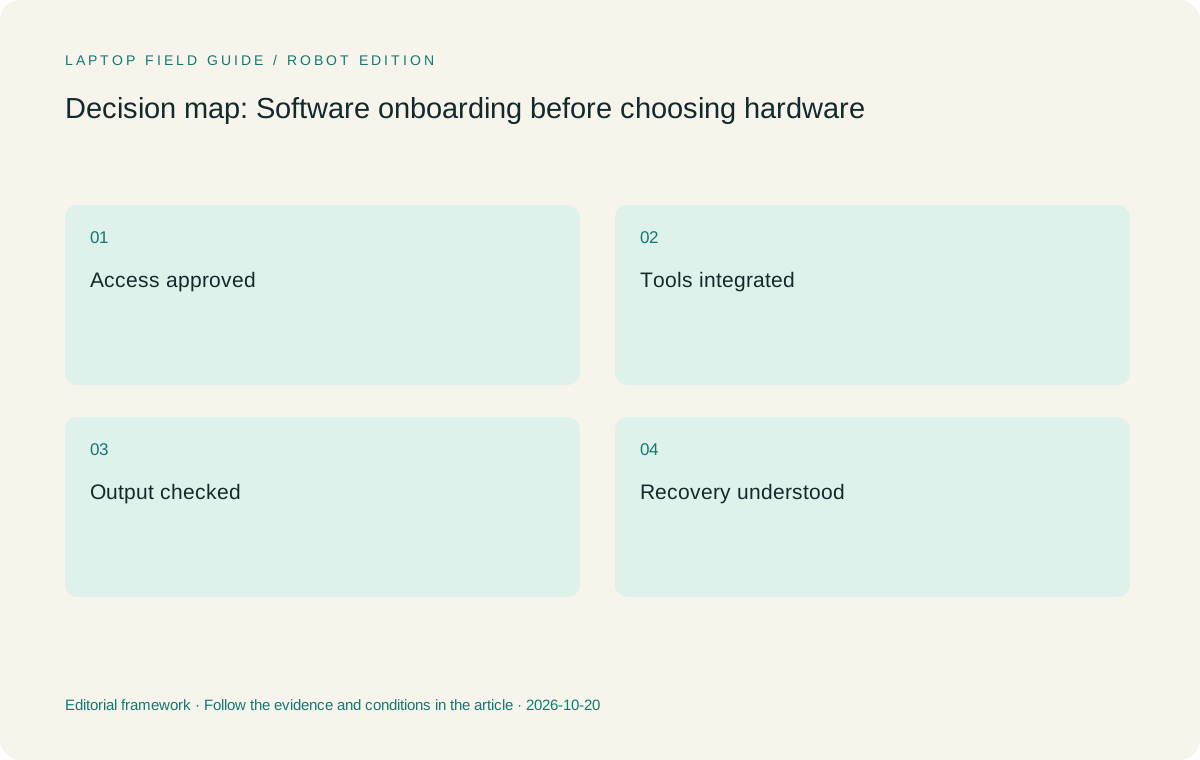
Original editorial illustration. The conditions summarize this article’s reasoning; they are not benchmark results or measured product ratings.
Use support documents at the level of the dependency
An application’s broad system-requirements page is a starting point. Check the requirements for the extension or integration that completes the task as well. Zotero’s published system and word-processor information illustrates this layered approach: the library application, browser connector and writing integration are related but distinct components. A graduate workflow may depend on more than the main program opening successfully.
For Windows on Arm, separate ordinary application support from driver support. Microsoft documents broad application compatibility while identifying requirements for hardware and software that depend on drivers. The proper question for the cited Surface business Snapdragon model is whether the exact necessary components are supported, not whether every program carrying a Windows label must behave identically across processor platforms.
Keep the date and the exact configuration with any support answer. A statement about a different generation, operating system or accessory may not resolve the selected machine. When an answer is unclear, ask the component supplier or institutional support contact to identify the supported route. Avoid filling that gap with a forum claim or an assumption based on similar model names.
A useful record states both what is known and what remains conditional. For example, the base editor may qualify while the required citation extension still needs confirmation. That level of precision protects the student from an incomplete purchase and keeps the recommendation fair to the product. Uncertainty should be described rather than concealed inside an apparently exact overall score.
Stage the onboarding in the order work becomes possible
Begin with the platform and authorized access, then install the core applications, then add the integrations and peripherals. Test a small output after each meaningful stage. This order makes a failure easier to locate. Installing every tool first and only then trying a complete research task can leave several possible causes for the same problem and make a simple support request harder to explain.
Use a permitted test project rather than moving the entire research archive immediately. A small document, sample reference collection and representative analysis input can show whether the essential route works. Keep original project files in their approved location until the new system has demonstrated the needed behavior. This is a workflow sequence, not a claim that a particular migration method is appropriate for every institution.
Once the core output qualifies, add the working environment the student expects to use: external display, keyboard, pen if required and any allowed shared storage. Re-run the short task after those additions. A device can be technically capable while a specific dock, driver or application interaction remains unresolved. The completed environment is the unit the student will depend on.
Leave optional enhancements until the basic route is stable. A new note application, automation or AI feature may be interesting, but it should not obscure whether the required draft, reference and research output can be produced. The onboarding plan should give the student a usable research machine before it becomes an experiment in every feature available on the platform.
Choose memory and storage from the qualified work
After the mandatory applications are identified, consider the files and programs normally used together. Consult their current resource requirements and the department’s advice for the relevant project scale. A graduate student reading sources and writing a chapter has a different local working set from a student handling large datasets or specialized visualization. The word graduate is not a performance specification.
Yoga Slim 7i Ultra lists soldered memory options in the consulted PSREF, so the capacity selected at purchase deserves attention. The fact that the family offers a larger option does not mean a retailer’s configuration has it. Keep the exact local model code and selected capacity in the requirements register rather than comparing only marketing names across offers.
Storage should reflect permitted local work and the recovery process. Determine which active files must be on the device, which may be accessed remotely and which should remain on institution-managed systems. A larger internal drive does not by itself establish an appropriate data-management arrangement. The onboarding plan needs to show how the permitted working set will be available and how it can be restored.
Avoid turning a maximum configuration into the default recommendation. A capacity choice is justified by a defined task and a realistic working set. If future specialist needs are uncertain, record that uncertainty and ask the department about its established computing route. A lightweight everyday machine may remain appropriate when the demanding work is intentionally performed on another approved system.
Manufacturer product illustration, not a photograph of our testing. Accessories and local configurations vary. Official image context.
Make the pen and peripheral checks explicit
If direct handwriting is mandatory, add the exact pen and application behavior to the onboarding plan. Create a note, erase a mistake, save it and export the form needed later. The useful test includes the output and retrieval of that note, not just a smooth line appearing during a demonstration. Check whether the supported accessory is included in the local purchase.
Yoga 7i 2-in-1 is the Lenovo candidate for that convertible pen task. Yoga Slim 7i Ultra serves the conventional keyboard-led role and should not inherit active-pen support from another product in the family. The consulted Slim Ultra specification lists no pen support. A shared brand name and a touch display are not sufficient evidence for a handwritten research requirement.
For peripherals, record the actual model and driver route. A projector, laboratory interface or specialist input device can be more decisive than the main application. Test the whole connection when possible, including cables and adapters. The Slim Ultra USB-C arrangement may require a different accessory plan from the Yoga 7i 2-in-1 connection set.
For a Surface detachable arrangement, count the compatible keyboard and pen as part of both onboarding and the carry kit. Its cited weight is tablet-only. A student expecting a complete typing system should not use that bare-device figure as proof that the final system will be lighter or simpler than an attached-keyboard laptop.
Give each shortlisted model a clear onboarding role
Yoga Slim 7i Ultra is our starting Lenovo option when the institution permits the relevant Windows configuration, the work is mainly typed and frequent carrying gives low device weight practical value. Lenovo’s published 975 g starting weight makes it worth investigating for that role. It does not prove that a required application is supported or that the selected configuration meets a particular research project’s performance needs.
MacBook Air 13-inch M5 is the alternative when the same tool chain and delivery process qualify on macOS. Use the real sample document and integrations instead of asking whether Macs are good for graduate students in general. The platform can be a sensible choice when it preserves an established process and the department supports that process.
Yoga 7i 2-in-1 becomes the preference when handwriting is essential and the attached-keyboard convertible arrangement works with the selected apps. The Surface Pro business Snapdragon model becomes relevant when a detachable screen is a deliberate requirement and the Arm software and driver checks are complete. These are different routes into the research workflow, not interchangeable configurations of one generic laptop.
An honest shortlist can have one provisional winner and several conditional alternatives. State the unresolved requirement that could change the order. For this topic, the machine that completes onboarding cleanly has a stronger claim than a device with a more impressive isolated feature that the student cannot yet use in the approved environment.
Test recovery of the small project before normal use
Onboarding should end with a recoverable research artifact. Save the sample project in the approved location and confirm how a permitted copy can be retrieved. Open the document and references again after closing the applications. If a backup or recovery process is provided by the institution, follow its guidance and test a small restoration where appropriate rather than assuming that installing a sync client completes the task.
Distinguish ordinary synchronization from a defined recovery procedure. A shared folder can make current work available across devices while still requiring the user to understand what happens to changes and deletions. The relevant provider documentation and institutional process should decide the arrangement. Do not describe any laptop as guaranteeing that research data cannot be lost.
Keep the installation and support record with the project’s practical documentation. It should identify the applications, authorized access route, exact hardware configuration and essential peripherals. Another person should be able to understand how the student gets from sign-in to a usable research output without seeing confidential credentials or relying on an informal memory of the setup.
This record also helps later support conversations. A failure can be described as a particular stage that previously worked with a known configuration, rather than a vague statement that the laptop is not suitable for research. The distinction often determines whether the relevant contact is the institution, an application supplier, an accessory maker or the computer seller.
Use the onboarding result to make the final decision
The acceptance task should create the same kind of artifact the student will use during the first research month. It might be a referenced paragraph, an analysis output with its settings or an annotated reading note delivered in the expected form. Ask the appropriate collaborator to inspect that result. A machine is ready for its role when the relevant route is demonstrated or supported, not when its desktop merely looks complete.
Record any remaining optional work separately. A future automation, drawing feature or new AI tool can be explored after the essential process is established. It should not be used to excuse an unresolved mandatory dependency. The purchase recommendation needs to say what the laptop can enter the project to do now and which planned uses still require another check.
For an eligible typed Windows graduate workflow, we would begin with Yoga Slim 7i Ultra and select its configuration from the qualified application requirements. We would choose another supported platform or a genuine pen-enabled system when that better completes the same task. The conclusion is conditional because the institution’s tools and access rules are specific, while the manufacturer’s product documents describe only part of that arrangement.
A software-first purchase can still value a light and appealing laptop. It simply assigns that value after the machine has earned a place in the research process. The student then buys portability for work that can actually be done, rather than purchasing an expectation that every difficult application question will somehow resolve itself after the box arrives.
Ask the support contact to confirm the unresolved requirement in the same terms used by the test artifact. A precise answer about the selected extension, file or peripheral is more actionable than a general endorsement of a brand or a promise that a computer should be adequate.
Compare the documented options for this task
| System | Where it fits this task | Trade-off to verify | Primary evidence |
|---|---|---|---|
| Lenovo Yoga Slim 7i Ultra Aura Edition, 14-inch Gen 11 | First Lenovo candidate for an approved Windows onboarding plan dominated by typed research and frequent carrying. Select memory at purchase from the real working set. | No active-pen support; local configuration, software approval and USB-C accessory route still need to qualify. | Official source |
| Apple MacBook Air 13-inch M5 | Alternative when the institution supports the complete macOS tool chain and the sample research artifact survives the required review route. | Check the exact integrations and peripherals rather than relying on a broad platform preference. | Official source |
| Lenovo Yoga 7i 2-in-1 Aura Edition, 14-inch Gen 11 | Convertible option when the onboarding requirements include a real screen-pen task and a usable exported result. | Confirm the supported pen, local bundle and application behavior; physical flexibility does not settle software eligibility. | Official source |
| Surface Pro for Business, 13-inch, 12th Edition, Snapdragon | Detachable option for a qualified Arm software route and deliberate tablet-led work with a separate keyboard. | Driver-dependent requirements need exact checks; add keyboard and pen beyond the published tablet-only weight. | Official source |
Questions before choosing
What should a graduate student check before selecting a laptop?
Identify the mandatory applications, extensions, access rules and final file formats, then qualify the candidate with a small real research task.
Is installing the main application enough?
No. The required add-ins, licenses, reference integration and peripherals can determine whether the complete workflow works. Test the output, not just the application launch.
Why recommend a lightweight clamshell only conditionally?
Portability is valuable after the approved software route qualifies. Yoga Slim 7i Ultra fits a typed Windows role; a required pen or unsupported dependency can change the recommendation.
Continue this research
For a related perspective from our companion publication, read the hardware-focused companion guide: Beyond SSD Size: Choosing a Graduate Laptop Around Research Files and Recovery. Manufacturer claims should be verified in the primary sources below.
Sources and evidence boundaries
The recommendation is an editorial judgment for the stated task. Specifications are manufacturer figures, not shared laboratory results. Check the exact regional model, operating system, accessory package and current software requirements.
- Lenovo Yoga Slim 7 Ultra 14IPH11 — PSREF
- Lenovo Yoga 7 2-in-1 14IPH11 — PSREF
- Apple MacBook Air 13-inch M5 — specifications
- Surface Pro for Business 13-inch, 12th Edition, Snapdragon — specifications
- Zotero system requirements
- Zotero word processor integration
- Windows Arm-based PCs FAQ
Editorial context: this series is a Lenovo-focused product-discovery project. Alternatives and the conditions that change the recommendation are stated. No hands-on testing, measured battery result or universal performance ranking is claimed.
Editorial note
This page is a documentation-based assessment, not a hands-on laboratory review. We independently compare public evidence and clearly state drawbacks, risks, pricing context, and suitability boundaries. Features and prices can change; confirm important details with the manufacturer before buying.