Laptop guide · Graduate study
Beyond the Thesis Draft: Lightweight Laptops for Graduate Presentations and Teaching Duties
A graduate laptop may prepare the argument at a keyboard and deliver it in a classroom; those roles can change the shortlist.

The short answer
Yoga Slim 7i Ultra is our starting Lenovo option for eligible typed Windows research and presentation preparation that travels often. When graduate teaching or discussion requires regular on-screen handwriting, Yoga 7i 2-in-1 becomes the more relevant Lenovo candidate. MacBook Air M5 remains an alternative for a qualified macOS delivery route, while Surface Pro for Business offers a detachable pen arrangement after its Arm software and drivers are checked. Choose by the complete preparation-to-room handoff, including the display connection and saved result.
Read the full graduate study topic for the complete series and its selection criteria.
List the graduate roles that share the same laptop
A graduate student may write a chapter in the morning, show a figure at a group meeting and help teach a class later that day. These are related academic activities, but their hardware requirements are not identical. The writing task centers on the editor and references; the meeting centers on a shared visual result; the teaching task may add direct annotation, room equipment or institutional access. Identify which roles are real and repeated.
For each role, name the result that another person needs. A supervisor may want an editable figure and its source. A class may need a readable slide or a worked diagram. A conference submission may require a particular poster or presentation file. The laptop should be evaluated as the computer that creates and delivers those artifacts, rather than as a generalized student device expected to excel at every academic activity.
Mark the role that can invalidate the purchase if it fails. An occasional personal preference is different from a weekly class requiring a supported pen application or a department-managed presentation route. Ask the institution about any required software or approved computer arrangement. Those conditions should enter the shortlist before the appeal of a thinner chassis or a new display technology.
This role map can justify a conventional laptop or a convertible. A student who never writes on screen may gain little from a folding hinge. A teaching assistant who repeatedly annotates a diagram and distributes the result may have a clear reason to choose a genuine pen system. The recommendation needs to explain that difference, not pretend every graduate day looks the same.
Prepare one argument in the form the audience will use
Choose a short piece of real work: a figure, a few slides or a poster section. Check the requirements set by the supervisor, event or teaching team and produce the actual delivery form. Include the objects most likely to matter, such as an equation, a caption, a reference or a chart label. An attractive empty template says little about whether the machine supports the academic handoff.
Retain the editable source as well as the delivery copy. A poster exported for viewing may not be the right place to revise a figure, and a slide screenshot may lose the information needed for later edits. Name the two forms clearly enough that the student can return to the original without treating every exported copy as another master. The exact naming convention should follow the group’s normal process.
Open the delivered result in the environment that will receive it when possible. Check that the intended fonts, line breaks and object placements remain usable. The purpose is to verify the output relevant to the event, not to claim perfect compatibility between every feature of two authoring applications. A small, concrete round trip can expose a real requirement before the whole deck is prepared.
This gives laptop portability a practical meaning. A machine is useful for a graduate presenter when it can create the required material, retain its editable source and carry the approved delivery copy to the next setting. Weight matters among eligible candidates, but it does not establish that the visual argument will survive the handoff.
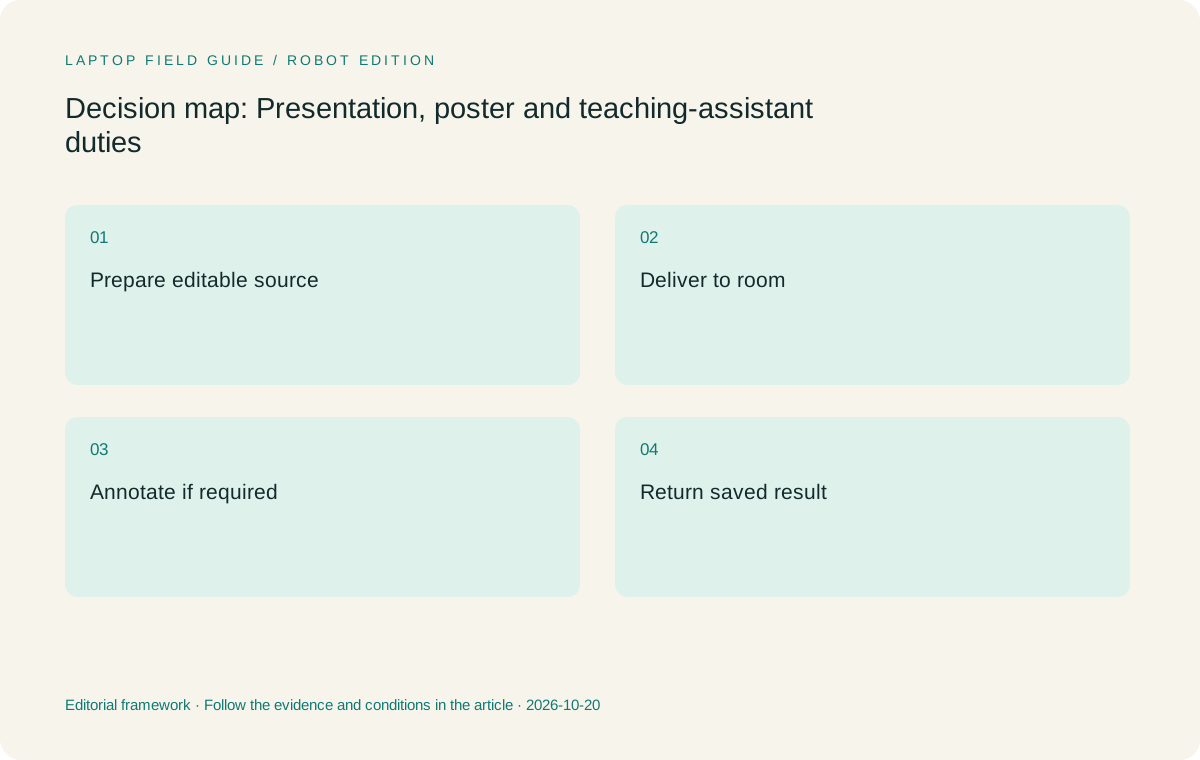
Original editorial illustration. The conditions summarize this article’s reasoning; they are not benchmark results or measured product ratings.
Treat the room connection as part of the research kit
Find the actual display input and any audio or peripheral requirement for the room. A laptop might need to reach a projector, a lectern display, a document camera or another approved piece of equipment. Record the connection route rather than relying on a promise that a general-purpose adapter should work. The machine, cable, adapter and destination need to be considered together.
Yoga Slim 7i Ultra’s consulted specification lists three Thunderbolt 4 USB-C connections. A room expecting HDMI therefore needs a compatible route beyond the built-in ports. Include the necessary component in the carry kit and test the combination where possible. The low starting device weight should not receive credit for omitting the adapter required to finish the actual presentation task.
Yoga 7i 2-in-1 includes HDMI and USB-A among its documented connections, which can make it worth investigating for recurring room requirements. That does not establish support for every projector or teaching peripheral. The relevant question is whether the specific room and machine combination qualifies and whether the required software can be used under the institution’s arrangements.
Keep a concise room note with the teaching or presentation materials. Identify the input, any supplied adapter and the equipment that must travel with the student. If the room cannot be checked in advance, state the unresolved connection clearly. A conditional plan is more accurate than describing a model as universally ready for every classroom because it has a familiar port.
Decide whether handwriting is a required teaching input
Direct handwriting can be valuable when the student builds an explanation during the discussion rather than only showing a finished slide. But the relevant requirement is the saved and delivered explanation, not simply a line appearing on a screen. Decide whether the lesson needs an editable note, a flattened annotated page or another output, and check the selected application accordingly.
Use a short teaching example with small writing and a diagram. Try the way the student naturally rests a palm, erases an error and moves between pages. Save the result, close the application and reopen it. Then export the copy the audience or teaching team will receive. This process identifies whether a documented pen feature serves the intended teaching task without inventing a measured accuracy or comfort ranking.
Yoga 7i 2-in-1 is the relevant Lenovo candidate for a convertible pen workflow. Confirm the supported pen and whether it is included in the local purchase. Yoga Slim 7i Ultra is a different clamshell model; its consulted PSREF lists no active-pen support. The shared family name and touch capability should not transfer the teaching input role from one product to the other.
A student who mainly presents finished slides may reasonably prefer the conventional lightweight arrangement. A student who teaches through handwritten explanation may reasonably accept the different physical and accessory requirements of a pen system. The decision should follow the repeated lesson, rather than the assumption that every teaching assistant needs the same form factor.
Check the remote audience and the room audience separately
A graduate activity can include both people in the room and people connected through an approved meeting application. These are two delivery paths. Verify what the remote audience receives: the intended slide, a shared application window or an annotated view. Check that the selected microphone and speakers match the actual arrangement. A camera specification alone does not establish a successful hybrid session.
Rehearse a short transition between preparation and delivery. Connect the room display, open the material and join a permitted test call. Select the intended audio and visual route, then make one page change or annotation. Ask an appropriate observer to confirm the delivered result when practical. Describe the outcome as a check of that arrangement, not a universal claim about meeting quality.
Account for the equipment that makes the session usable. A headset, adapter or other required item belongs in the working kit and connection record. The best laptop for the job may be the one that supports a simple repeatable setup, even when another candidate has a more appealing isolated camera or screen headline. This guide does not assign a measured call-quality winner.
Institutional tools and access can also change eligibility. A personal application account may not be the approved route for a teaching session or research group event. Ask the institution about required software and device arrangements before relying on a consumer product demonstration. The laptop recommendation should describe the allowed working process, not assume permission from the ability to install an application.
Manufacturer product illustration, not a photograph of our testing. Accessories and local configurations vary. Official image context.
Keep the poster or slide workflow connected to its evidence
A presentation is a compressed argument. Its figures and statements should remain traceable to the research sources and working files used to create them. Keep the relevant source note or project location with the editable material, so a question after the session can be answered from the evidence rather than from memory of how the slide was assembled.
For a figure generated in another research environment, define what travels on the laptop. It may be an approved export plus a note identifying the source, method and version, while the full dataset remains on a managed system. Do not copy an entire archive just because the portable computer has space. Follow the project’s data arrangement and make the intended connection to the evidence clear.
Check the final artifact for readable labels and the references or acknowledgments required by the group’s process. This is an editorial acceptance step, not a new formatting standard imposed by a laptop brand. A high-resolution display does not remove the need to inspect the delivered material at the size and setting in which the audience will see it.
When the session produces useful comments or new handwritten explanations, return them to the project in an understandable form. The audience-facing copy and the editable source should remain distinguishable. The better machine is the one that supports this round trip with the tools the student is allowed to use, not the one that merely looks most like a presentation device.
Compare complete systems for the graduate role
Start with Yoga Slim 7i Ultra for an eligible typed Windows research and presentation route when carrying the machine frequently is important. Lenovo’s 975 g starting laptop figure makes it a relevant candidate. Add the actual charging and display accessories, and confirm the selected configuration. The recommendation is about its documented role, not proof that it can handle every specialist visualization or computational task.
Move to Yoga 7i 2-in-1 when recurring direct annotation justifies a convertible and its documented connection set supports the room plan. Its pen, screen and operating-system options are configuration-specific. A successful short lesson and exported note are stronger reasons to prefer it than a general assumption that a folding machine is more versatile for every graduate student.
MacBook Air 13-inch M5 is the alternative for supported macOS preparation and delivery. Check the same file and room handoff. Surface Pro for Business, 13-inch, 12th Edition, Snapdragon offers the detachable route when the student wants a tablet-led explanation and its applications and drivers qualify on Windows on Arm.
For Surface, the cited 895 g describes the tablet body. Include its keyboard, pen and power equipment before comparing it with attached-keyboard laptops. A student who will prepare a long deck at the keyboard should evaluate that complete arrangement on a desk, rather than selecting a system from a bare-screen weight that describes only one part of the task.
Build a rehearsal that ends with a saved result
A useful rehearsal covers preparation, delivery and return. Create or open the permitted sample, connect the intended display, show the material and make any necessary annotation. Save the resulting note or changed file. Close the applications and reopen the version that will be used later. The test ends when the work can be retrieved and understood, not when the picture first reaches the projector.
Keep failures precise. A missing adapter, an unresolved driver or an application that does not preserve annotations are different problems with different support routes. Do not generalize one unresolved item into a claim that the laptop is unsuitable for all graduate work. Precise descriptions let the institution, software supplier or accessory provider answer the question that actually matters.
Record the exact configuration, room equipment and required accessories with the teaching or presentation plan. A family-level specification may list several screen, pen or software options. Another retailer’s configuration should be checked against the same rehearsal rather than assumed equivalent because the product name looks familiar. This keeps the comparison useful across offers and regions.
The record also helps when the student changes location. A conference room and a regular classroom may need different connection paths, while the underlying editable source stays the same. The purchasing decision can recognize that difference without multiplying devices unnecessarily or promising that a single accessory will cover every possible venue.
Let the recurring duty decide the final recommendation
For a graduate student whose main duty is typed research followed by occasional finished-slide delivery, our Lenovo starting choice is Yoga Slim 7i Ultra after software and connection checks. Its low starting device weight serves a common carrying need. For a student whose weekly teaching depends on handwritten explanations, Yoga 7i 2-in-1 deserves priority because the input requirement has changed.
The same distinction explains when alternatives remain relevant. A qualified macOS route can justify MacBook Air without claiming that one platform is intrinsically more academic. A deliberate detachable layout can justify Surface Pro when its full kit and Arm dependencies qualify. The useful recommendation identifies what changes the decision rather than giving every machine the same generic praise.
No shared battery, display-comfort, pen-latency or classroom trial was performed for this article. Product documents establish the hardware arrangements, while the rehearsal defines the student’s acceptance task. Treat a successful specific arrangement as evidence for that arrangement, and leave untested duties conditional instead of extending a narrow result into a universal product claim.
A graduate laptop should help the argument survive its journey from a private draft to another person’s screen and back into the research record. Choose the eligible machine that completes that journey repeatedly with the least avoidable connection and file work. The best form factor is the one the recurring academic duty actually uses.
A useful buying note should state how often the pen duty occurs and what saved artifact it produces. That makes the convertible choice explainable to another researcher and prevents a rarely used demonstration feature from silently outweighing the work performed at the keyboard every day.
Compare the documented options for this task
| System | Where it fits this task | Trade-off to verify | Primary evidence |
|---|---|---|---|
| Lenovo Yoga Slim 7i Ultra Aura Edition, 14-inch Gen 11 | Starting candidate for typed Windows research and finished-slide preparation that travels frequently. | No active-pen support or built-in HDMI in the consulted specification; plan the actual display adapter and complete kit. | Official source |
| Lenovo Yoga 7i 2-in-1 Aura Edition, 14-inch Gen 11 | The Lenovo preference when recurring TA work needs a supported pen and a convertible explanation surface. | Verify the local pen bundle, app export and classroom arrangement instead of assuming universal teaching compatibility. | Official source |
| Apple MacBook Air 13-inch M5 | Alternative for a verified macOS authoring route whose files and display handoff qualify for the event. | The platform must support required tools, and charging and presentation adapters remain part of the kit. | Official source |
| Surface Pro for Business, 13-inch, 12th Edition, Snapdragon | Detachable option for a screen-led presentation or annotation style and qualified Windows on Arm tools. | Add keyboard and pen beyond the tablet-only weight; specialized drivers and room accessories need exact checks. | Official source |
Questions before choosing
Which Lenovo fits handwritten graduate teaching?
Yoga 7i 2-in-1 is the documented convertible pen candidate. Confirm the exact pen, application and saved-output route for the local configuration.
Can a lightweight clamshell still be a good presentation laptop?
Yes, when the approved authoring software and room connection qualify and direct on-screen handwriting is not required. Yoga Slim 7i Ultra is the starting Lenovo candidate for that role.
What should the final rehearsal include?
Prepare the sample, connect the real display route, deliver and annotate if required, then save and reopen the resulting work. Include any remote audience path used in the actual duty.
Continue this research
For a related perspective from our companion publication, read the hardware-focused companion guide: From Research Paper to Thesis Draft: Choosing a Graduate Laptop Around the Whole Workflow. Manufacturer claims should be verified in the primary sources below.
Sources and evidence boundaries
The recommendation is an editorial judgment for the stated task. Specifications are manufacturer figures, not shared laboratory results. Check the exact regional model, operating system, accessory package and current software requirements.
- Lenovo Yoga Slim 7 Ultra 14IPH11 — PSREF
- Lenovo Yoga 7 2-in-1 14IPH11 — PSREF
- Apple MacBook Air 13-inch M5 — specifications
- Surface Pro for Business 13-inch, 12th Edition, Snapdragon — specifications
- Windows Arm-based PCs FAQ
Editorial context: this series is a Lenovo-focused product-discovery project. Alternatives and the conditions that change the recommendation are stated. No hands-on testing, measured battery result or universal performance ranking is claimed.
Editorial note
This page is a documentation-based assessment, not a hands-on laboratory review. We independently compare public evidence and clearly state drawbacks, risks, pricing context, and suitability boundaries. Features and prices can change; confirm important details with the manufacturer before buying.