Laptop guide · Graduate study
Buying for Several Years of Graduate Work Without Guessing the Future
Choose a documented configuration for known work, keep uncertain research needs visible and plan the complete system rather than a speculative lifespan promise.

The short answer
For known typed Windows graduate work and frequent carrying, Yoga Slim 7i Ultra is our first Lenovo candidate, with its memory and storage selected from actual application requirements. MacBook Air M5 is an alternative for an approved macOS route. A real pen requirement can shift the recommendation to Yoga 7i 2-in-1 or a qualified Surface detachable. None of these product documents guarantees that one purchase will meet every future research task. A better multi-year plan separates committed needs, plausible changes and work that belongs on another approved system.
Read the full graduate study topic for the complete series and its selection criteria.
Plan from commitments, not an imagined final-year workload
A graduate program can change direction as the project develops. That uncertainty does not justify pretending that the future workload is known, nor does it make a careful purchase impossible. Begin with committed requirements: the tools needed now, the department’s approved platforms and the work expected during the next defined stage. Ask which later tasks are likely and which remain speculative.
Separate those categories in the buying note. A mandatory editor or analysis application belongs in the entry conditions. A possible future local experiment belongs in a question to resolve with the research group. A preference for a pen or a particular screen can be retained as a preference unless the project already depends on it. The distinction prevents an uncertain feature from displacing a known requirement.
Describe a future need in terms of the task, not a vague demand for power. A larger dataset, a specific visualization method and a new instrument connection require different answers. Some may change the local configuration; others may belong on a laboratory workstation or approved remote service. Ask the department about its normal computing route before assuming the portable machine must do everything by itself.
This produces a realistic purchase scope. The laptop needs to support its assigned role across the planned research process, with a clear way to revisit unresolved needs. It should not be advertised as future-proof or given a guaranteed academic lifespan on the basis of a specification sheet. The plan can be useful without making a prediction that nobody can substantiate.
Make non-upgradable choices deliberate
A configuration choice matters differently when it cannot be changed through a simple later upgrade. Lenovo’s consulted Yoga Slim 7i Ultra specification lists soldered memory options. That makes the selected capacity a decision to check before ordering. The family offering several options is not evidence that a retailer’s particular machine contains the capacity required by the research plan.
Use the current requirements of the mandatory applications and the expected working set. Include the programs normally open together and ask the department about representative project scale. A student reading, managing references and writing may have a different requirement from one running specialized local analysis. Graduate school is not a single memory benchmark, so avoid declaring one capacity universally sufficient for every discipline.
Storage also needs a defined role. Decide which active files must be local, which archives may remain elsewhere and how approved copies are recovered. More internal storage does not automatically create a better data-management process. The buying note should connect capacity to a permitted working set rather than assuming that every source and dataset must be duplicated on the portable computer.
If a requirement remains uncertain, describe the risk in practical terms. For example, a proposed application may need confirmation at the intended dataset size. That is more useful than buying the maximum advertised configuration simply to avoid asking the question. The appropriate decision can be a larger local configuration, a different laptop category or a portable companion to an existing research system.
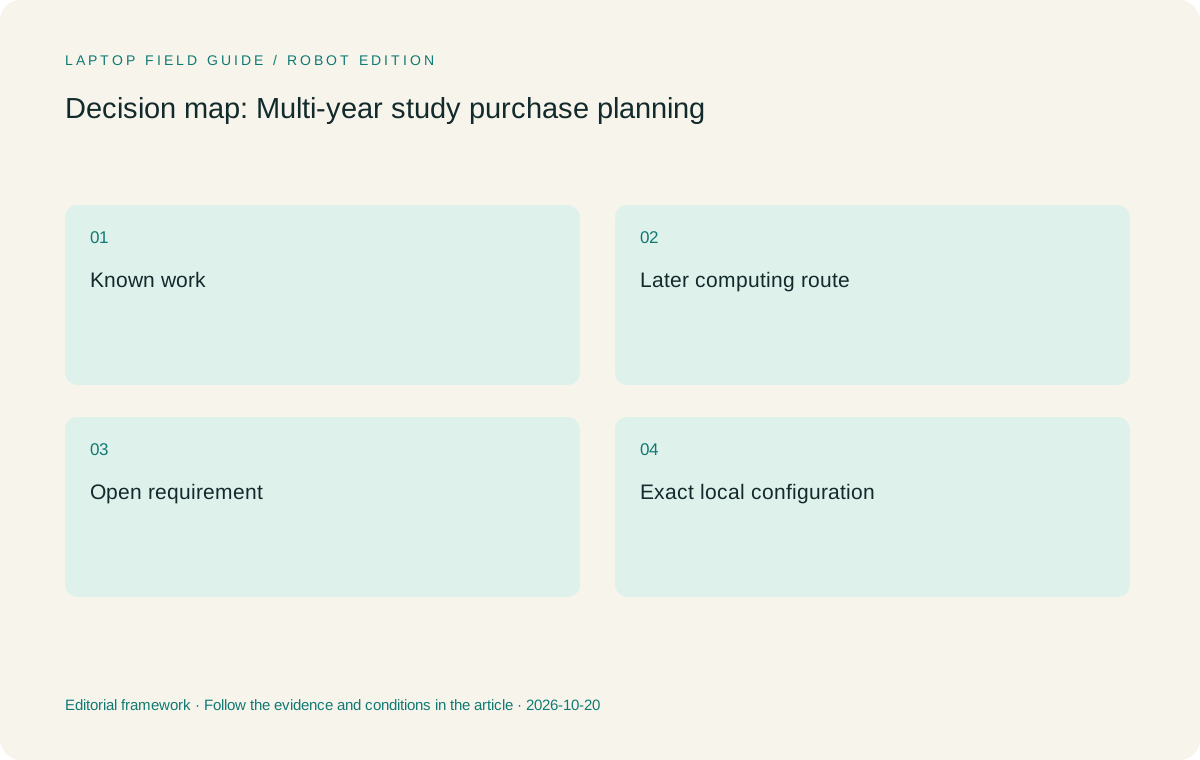
Original editorial illustration. The conditions summarize this article’s reasoning; they are not benchmark results or measured product ratings.
Compare the whole purchase list in the intended market
The computer is only part of the system a student may need to obtain. List the required charger, pen, detachable keyboard, display adapter, dock and protective equipment that change with the device choice. Keep existing usable equipment visible as well. A component already owned and compatible can affect the practical purchase plan without becoming a reason to keep an otherwise ineligible platform.
Ask the local seller to identify the exact model code, operating-system edition and accessory bundle. A product photograph does not establish what will arrive in the box, and a global product-family description does not establish the configuration sold in every market. This article does not quote prices or assume that a particular pen or adapter is included.
For a detachable system, include the keyboard and pen needed for the research role. The Surface Pro business specification’s cited 895 g figure is tablet-only, so it cannot describe the complete typing kit or the entire purchase list. The same boundary should be applied to every candidate: count the equipment that makes its assigned task possible.
A cost comparison can then be made using actual local offers and the student’s required items. Keep hardware, software and institutional provisions separate so they are not counted twice or silently omitted. Avoid invented total-cost savings or guessed repair charges. A well-defined list is more useful than a precise-looking financial claim built from assumptions about another market or an unspecified configuration.
Understand service and downtime without making guarantees
Check the service terms attached to the exact local machine, including where support is provided and what the institution or seller requires when a problem occurs. A broad reputation for reliability cannot establish a particular warranty route or turnaround time. Save the relevant terms with the purchase record, and ask the appropriate provider about any part that is unclear.
Consider what the student would do if the main computer were temporarily unavailable. The answer may involve an approved campus machine, a lab workstation or another permitted arrangement. The objective is not to predict a failure or to buy a second laptop automatically. It is to ensure that the research process has an understandable route for reaching its files and continuing essential work.
A recovery plan should identify the approved source of current project material and the applications needed to use it. Test a small restoration where the institution’s process allows it. Do not describe synchronization alone as a guarantee that every past version or deleted item can be recovered. Follow the provider’s and institution’s actual guidance for the arrangement used.
These considerations can influence the device decision, but they do not produce an honest universal reliability ranking from product documents alone. If a local service condition is decisive, state that condition as the reason for preference. Do not transform one market’s offer into a promise about every graduate student’s experience or every configuration sharing the same product name.
Keep the hardware role aligned with the evolving research method
At a sensible project milestone, ask whether the portable computer still has the same role. It may remain the place for reading, references and drafting while more demanding analysis moves to a managed research system. Alternatively, a new approved local application may make the original configuration less suitable. The relevant question is the changed task and its support requirements, not whether the laptop feels new enough.
A portable companion can be a deliberate choice. It allows the student to carry the reading and writing environment while using another approved system for work that requires different resources. That arrangement must include a verified access and data handoff route. It should not be assumed merely because remote computing sounds convenient or because a thin device cannot be expected to cover an unspecified heavy workload.
A pen requirement can also emerge from teaching or a new style of technical reasoning. Determine whether it is recurring and whether a separate existing note device already supplies the needed output. A genuine convertible may become appropriate, but the decision should follow the saved artifact and its later use. A new input mode is not automatically a reason to replace an otherwise effective research computer.
The purchase record should therefore include a review question rather than a replacement date. What changed in the approved software, project scale, working locations or input requirements? A specific answer makes it possible to decide whether a configuration change, accessory, process adjustment or different computing route is needed. It avoids guessing a universal lifespan from a marketing generation number.
Manufacturer product illustration, not a photograph of our testing. Accessories and local configurations vary. Official image context.
Shortlist the models for their documented jobs
Yoga Slim 7i Ultra is our first Lenovo candidate when the committed work is an eligible typed Windows process and the student values frequent carrying. Its published 975 g starting laptop weight is relevant to that role. Select the memory and storage using the known requirements and keep the exact local configuration in the record. The low-weight design does not promise suitability for all future specialist computation.
MacBook Air 13-inch M5 is an alternative when the committed research chain is supported on macOS. Check the same reference integration, editor, delivery format and required peripherals. Its role is a qualified platform route rather than a generalized claim about creative or academic users. Count the required charging and display equipment along with the published laptop weight.
Yoga 7i 2-in-1 is the appropriate Lenovo comparison when direct screen handwriting is a committed requirement. Confirm the pen, local bundle and application output. Yoga Slim 7i Ultra is not a convertible pen substitute; its consulted specification lists no active-pen support. The two products should enter different roles in a purchase plan rather than having their features combined into an imaginary ideal machine.
Surface Pro for Business, 13-inch, 12th Edition, Snapdragon is the detachable alternative when that physical arrangement and its Windows on Arm application route qualify. Verify any specialized drivers and include the complete keyboard and pen system. Its tablet-only weight is not a promise that the fully equipped research arrangement will be lighter or less costly than an attached-keyboard laptop.
Avoid three common planning traps
The first trap is buying for the most demanding task that might someday occur without asking where the research group normally performs it. This can lead to a machine selected around speculation while the everyday reference, writing and carrying needs receive less attention. Clarify the expected computing route and the point at which a portable laptop must actually perform the local task.
The second trap is treating a family maximum as the specification of every offer. A model range can list several processors, memory options, displays and accessory bundles. The purchase must be judged using the selected local configuration. Keep its code and the mandatory application requirements together so a lower-priced or differently named offer can be compared without losing the original eligibility conditions.
The third trap is confusing a new feature with an enduring research benefit. An AI function, touch display or folding mode may be useful when it serves a named task. It should not be assigned value solely because it appears modern. Ask what saved output or repeated action it improves and whether that improvement can be demonstrated or supported for the student’s actual process.
None of these traps requires the student to choose the most conservative machine. They require the reasons to be visible. A high configuration can be justified by known work, and a flexible pen system can be justified by recurring handwriting. The weakness is an unsupported expectation, not the feature itself. A clear plan can include ambition without disguising uncertainty as a guarantee.
Use a baseline project as the acceptance record
Before normal use, complete a small representative project through the chosen environment. Open a source, create a note, insert a reference and deliver a short document, or use the corresponding analysis task for the discipline. Add any essential peripheral or handwriting step. Save the result and identify the approved recovery route. The baseline should cover the laptop’s assigned role, not every conceivable future activity.
Retain the application versions, configuration and required accessory list with that result. If the research process changes later, the student can compare the new requirement with a known working arrangement. A support conversation can then identify the stage that changed rather than beginning with a vague complaint that the computer is no longer good for graduate study.
State what the baseline does not establish. A short document round trip is not a sustained performance test; a successful room connection is not proof of compatibility with every venue; and a manufacturer weight is not a measurement of the complete bag. Accurate boundaries make the record useful rather than reducing its value. They prevent a narrow success from being extended into an unsupported promise.
A successful baseline also protects against unnecessary purchases. If the work still qualifies and the process remains usable, a new product announcement does not itself create a replacement need. If a mandatory requirement changes, the evidence points to the reason. The student can then choose the appropriate response instead of relying on a universal upgrade schedule.
Make the final recommendation conditional and usable
We would start with Yoga Slim 7i Ultra for a documented typed Windows graduate role where carrying weight matters, and select its configuration from the applications that must work. We would retain MacBook Air for an equally qualified macOS route. We would move to Yoga 7i 2-in-1 or a supported detachable when direct handwriting or screen separation is a committed part of the research routine.
The buying plan should distinguish what is needed now, what has a supported path for later and what remains an open research question. Keep the exact local configuration, complete equipment list and relevant support terms with it. This produces a concrete decision that a student, supervisor or purchasing contact can review without accepting guesses about future software or repair costs.
No product in this comparison is described as guaranteed to last a certain number of academic years or meet every later project. The source documents establish designs and options; the research plan establishes the role. The recommendation is strong when those two connect clearly and weak when it depends on unspecified future performance or an accessory not included in the plan.
A sensible multi-year purchase is therefore a well-bounded commitment with a way to revisit changed needs. Choose the eligible machine that serves the known work well, preserve the research artifacts in approved recoverable forms and keep uncertain tasks visible. That is a more durable basis for a graduate laptop decision than expecting a single specification headline to predict the whole degree.
Compare the documented options for this task
| System | Where it fits this task | Trade-off to verify | Primary evidence |
|---|---|---|---|
| Lenovo Yoga Slim 7i Ultra Aura Edition, 14-inch Gen 11 | Starting Lenovo candidate for known typed Windows research with frequent carrying; choose its soldered memory capacity deliberately at purchase. | No promise of universal future workload support, no active-pen role and no complete-kit weight implied by the starting figure. | Official source |
| Apple MacBook Air 13-inch M5 | Alternative when the committed software and collaboration process qualifies on macOS, with the complete local offer documented. | Platform preference should not replace application checks, and future specialist tasks still need their own support and capacity assessment. | Official source |
| Lenovo Yoga 7i 2-in-1 Aura Edition, 14-inch Gen 11 | Convertible option when direct handwriting is an established requirement rather than a speculative future preference. | Confirm the exact pen, screen and software configuration; accessory inclusion should come from the selected local offer. | Official source |
| Surface Pro for Business, 13-inch, 12th Edition, Snapdragon | Detachable alternative for a qualified pen-led role and supported Windows on Arm tools over the planned research stage. | Count the full keyboard and pen kit and verify specialized drivers; the tablet-only specification does not establish whole-system cost or carry weight. | Official source |
Questions before choosing
Can a laptop be guaranteed to cover an entire graduate program?
Not from the product documents used here. Define known tasks, ask the department about later computing routes and revisit specific changed requirements at sensible milestones.
Which configuration detail deserves early attention on Slim Ultra?
Its consulted specification lists soldered memory options, so the selected capacity should be checked against the actual applications before ordering.
Should a student buy the maximum configuration to avoid all uncertainty?
Not automatically. Establish the real local workload and the department’s computing arrangements. Some uncertainty calls for a support answer or another approved research system rather than an unspecified maximum laptop.
Continue this research
For a related perspective from our companion publication, read the hardware-focused companion guide: Graduate Laptop Memory: Choose the Working Configuration Before the Lightest Chassis. Manufacturer claims should be verified in the primary sources below.
Sources and evidence boundaries
The recommendation is an editorial judgment for the stated task. Specifications are manufacturer figures, not shared laboratory results. Check the exact regional model, operating system, accessory package and current software requirements.
- Lenovo Yoga Slim 7 Ultra 14IPH11 — PSREF
- Lenovo Yoga 7 2-in-1 14IPH11 — PSREF
- Apple MacBook Air 13-inch M5 — specifications
- Surface Pro for Business 13-inch, 12th Edition, Snapdragon — specifications
- Windows Arm-based PCs FAQ
- Zotero system requirements
Editorial context: this series is a Lenovo-focused product-discovery project. Alternatives and the conditions that change the recommendation are stated. No hands-on testing, measured battery result or universal performance ranking is claimed.
Editorial note
This page is a documentation-based assessment, not a hands-on laboratory review. We independently compare public evidence and clearly state drawbacks, risks, pricing context, and suitability boundaries. Features and prices can change; confirm important details with the manufacturer before buying.