Laptop guide · Graduate study
An AI PC Is Not a Thesis Method: Choosing a Lightweight Laptop for Assisted Research Work
Select the approved writing and checking process first; then decide which hardware features that process actually needs.

The short answer
For graduate students using permitted AI assistance alongside conventional reading, references and drafting, Yoga Slim 7i Ultra is a sensible Windows shortlist candidate when the actual applications qualify. Its hardware documentation can establish features and starting weight, but it cannot establish better research reasoning. MacBook Air M5 is an alternative for a supported macOS process, while Yoga 7i 2-in-1 and Surface Pro offer distinct pen workflows. Choose from a verified task and its hardware requirements, not an assumption that an NPU score predicts thesis quality.
Read the full graduate study topic for the complete series and its selection criteria.
Name the assistance before buying the hardware
AI assistance can mean several different tasks: suggesting an outline, reformulating a sentence, extracting questions from a permitted document or helping navigate a collection of notes. These tasks have different inputs and outputs. A label such as AI laptop does not establish which application will be used, where it runs or whether it is appropriate for the project’s material. Start with a named task rather than a feature badge.
Write down the intended input, the expected output and the human check that follows. A student might want a clearer outline from their own notes, for example, then compare every point with the source record. Another might want help expressing an already established argument more clearly. The plan should identify the part that remains the student’s judgment and the evidence needed to accept the result.
Ask the institution and supervisor about the tools and uses permitted for the work. This article does not provide a universal academic-integrity rule, because research groups and assignments can set different conditions. The laptop purchase should follow the approved process rather than being used to justify a tool simply because it came preinstalled or was shown in a product demonstration.
That order creates a hardware question that can be answered. Does the chosen application require a particular local platform or accelerator? Does it use an approved online service? Can the output be retained in the project’s normal files? Only after those questions are clear is it useful to compare the capabilities described in a computer specification.
Separate local processing features from a general writing service
A local AI feature and an online writing service should not be treated as one interchangeable workload. Determine where the selected task is performed and consult the supplier’s current requirements. A hardware accelerator may be relevant to a supported local feature, while another tool may depend primarily on its application, account and connection. The buying decision needs the specific route, not a broad assumption about all AI software.
Microsoft describes Copilot+ PCs as a category with an NPU and associated Windows experiences. That documentation is useful for identifying supported feature requirements. It is not a measurement of research quality, a guarantee that every AI application uses that NPU or evidence that a higher operations figure improves a student’s argument. Keep the feature claim within the task for which it is documented.
A graduate student should also identify the ordinary tools that remain essential. The reference manager, editor, source reader and delivery format still need to work whether an assistant is used or not. If a mandatory integration fails, a new local feature does not remove that problem. The conventional research chain should qualify before optional assistance is added.
For the shortlist, this means checking the exact Yoga Slim 7i Ultra configuration and applications rather than treating its family’s AI branding as the recommendation. The same discipline applies to MacBook Air, Yoga 7i 2-in-1 and Surface Pro. Different platforms can support different useful features, but the relevant feature must be named and verified in its actual environment.
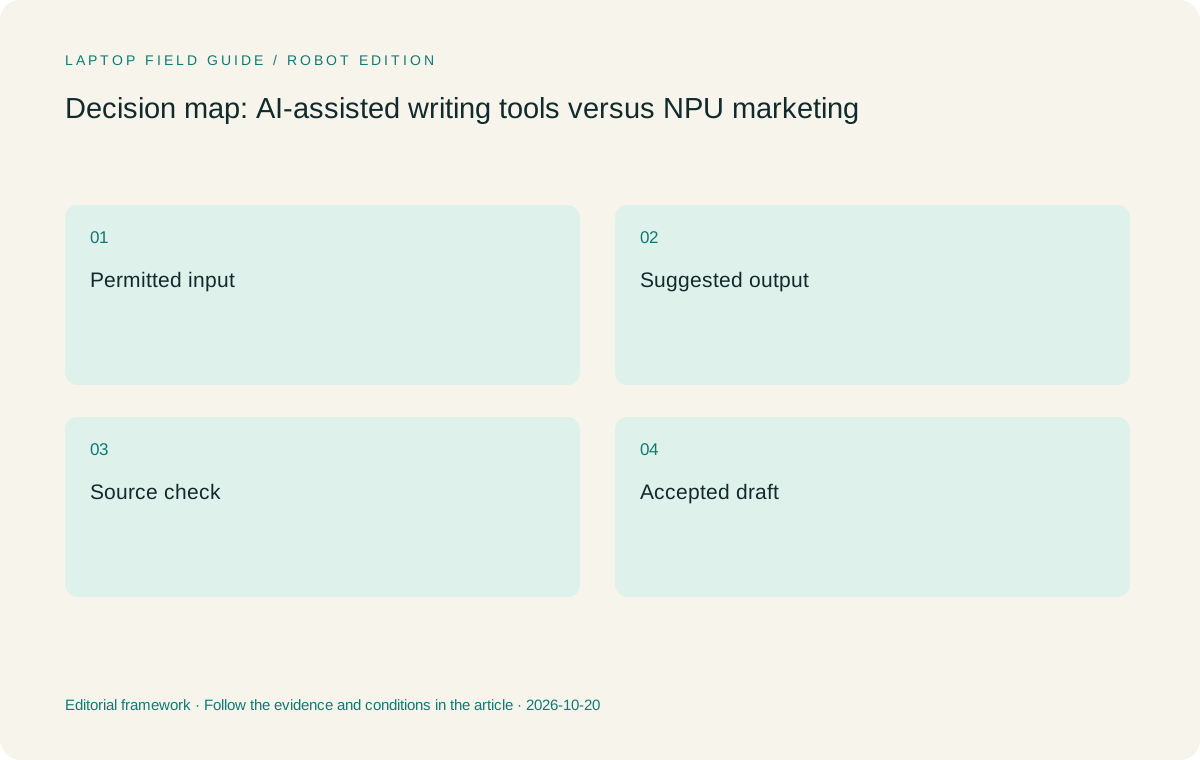
Original editorial illustration. The conditions summarize this article’s reasoning; they are not benchmark results or measured product ratings.
Make the evidence record independent of the assistant
An assisted outline is easier to assess when the underlying notes already identify their sources and locations. Keep the source record in the project’s established reference and note system. The assistant’s output should not become the only place where the student can see how a claim arose. A research note that points back to a paper remains useful if a tool changes or is unavailable later.
When an output suggests a factual statement or a source, inspect the original material before accepting it into the draft. Google’s Gemini help documentation notes that related sources are not provided for every response, illustrating why the presence or absence of a link should not replace the student’s own source check. A link can be useful evidence to inspect; it is not a substitute for inspecting it.
Separate a generated suggestion from the student’s accepted interpretation. A simple working note can say which point was proposed, which source was checked and why the final wording was retained or changed. The exact record should follow the project’s process. The useful principle for choosing a laptop is that the evidence can be kept in normal editable files, not locked into one transient interaction.
No processor specification can establish that a suggested summary reflects the nuance of a paper. That is a reading and reasoning task. A machine can make the approved tools available and keep the workflow portable; the student still needs to decide whether the claim is supported and whether its limits are represented accurately.
Check what material may enter the selected tool
Before evaluating convenience, establish which project materials may be used with the proposed assistance. Public papers, original interview notes, unpublished group work and restricted datasets can have different conditions. Ask the institution or project lead about the permitted route. Do not infer that a tool is suitable for every material merely because it can accept an upload or because the laptop describes an on-device feature elsewhere.
Keep the task small and use permitted sample material during evaluation. An outline from the student’s own non-sensitive notes can show how the output enters the drafting process without moving the whole research archive. Record the service or application, account type and relevant support documentation. Avoid putting credentials or confidential project details into an ordinary shopping checklist.
If a local feature is part of the decision, verify what it actually processes locally and what other parts of the workflow still use a service. Hardware marketing at the product-family level cannot answer every application’s data-handling question. The relevant evidence comes from the exact feature and supplier documentation, together with the institution’s permission to use it.
These checks do not select a brand automatically. They can remove a proposed tool from the workflow while leaving the laptop itself suitable for ordinary research. Keeping that distinction clear prevents an optional assistant from becoming an unnecessary dependency for reading, writing or retrieving the project’s sources.
Rehearse a source-to-draft task with and without assistance
Use one permitted piece of research material and a modest writing objective. First produce a short outline or paragraph through the normal process. Then, where permitted, try the selected assistance and inspect the result against the same source. The aim is not to invent a universal productivity experiment. It is to see whether the proposed tool fits the student’s actual working method.
Look for specific changes in the process. Does the tool help identify questions the student can investigate? Does it require extra source checking before an output is usable? Can the accepted material be placed in the editor while retaining references and comments? Describe those observations without assigning an unsupported percentage improvement or claiming that one model of laptop causes better scholarship.
Save the accepted result outside the assistant in the project’s ordinary working form. Reopen it and locate the source from the note record. If the assistant is unavailable for a later session, the student should still be able to understand the paragraph and continue editing. This is a workflow acceptance criterion, not a claim about the reliability of every service.
Run the task on the candidate environment when possible. The output may be similar while account access, integrations or file handling differ. Those practical differences can change the laptop decision. A smooth general demonstration of an unrelated feature should not outrank a successful rehearsal of the exact approved research process.
Manufacturer product illustration, not a photograph of our testing. Accessories and local configurations vary. Official image context.
Compare the four hardware roles around the qualified task
Yoga Slim 7i Ultra is the Lenovo starting candidate when the permitted assistant and ordinary research tools run in the selected Windows environment and the work remains mainly typed. Its low manufacturer starting weight addresses carrying between locations. We do not infer response quality, model-training capacity or better writing from that figure or from its accelerator description.
MacBook Air 13-inch M5 is relevant when the qualified task is supported on macOS and that platform preserves the student’s existing reference and drafting route. The correct comparison uses the same input, output requirements and human checks. A preference for one system is legitimate, but it should be described as a workflow preference rather than proof that its generated suggestions are more academically reliable.
Yoga 7i 2-in-1 becomes useful when the research process also needs direct handwritten reasoning or annotations that can be reused later. The pen and application must be verified for the local configuration. That input role is separate from the question of AI assistance. A student may benefit from the convertible even if no assistant is part of the approved method.
Surface Pro for Business, 13-inch, 12th Edition, Snapdragon offers a detachable route for a qualified pen-led process. Verify the selected applications and drivers on Windows on Arm. Count its keyboard and pen beyond the tablet-only published weight before comparing a complete working kit. Its form factor should serve the research habit rather than be treated as a general AI advantage.
Keep capacity planning tied to the actual local workload
A tool’s documented requirements should determine whether local memory, storage or a particular processor feature is necessary. A browser-based interaction, an offline local model and a specialist research application are different workloads. Do not combine them into an unspecified AI use case and choose the largest available configuration without a task-based reason.
For ordinary reading, reference work and writing, account for the programs and files normally open together. For a proposed local model or specialist computation, consult its own requirements and evaluate the intended scale separately. A thin everyday notebook may be a companion to an approved workstation rather than the place where every computational experiment is run. That can be a deliberate and useful arrangement.
The Slim Ultra specification lists soldered memory choices, so capacity is a purchase-time decision for the selected configuration. Keep the local model code and requirements together. The availability of a larger option somewhere in the product family does not mean a specific offer includes it, and a marketing maximum should not be substituted for the machine actually being ordered.
Avoid using incomparable vendor demonstrations as a performance ranking. This publication has not conducted a common local-model, battery or writing-quality test across these products. The defensible recommendation is conditional eligibility: a documented feature may make a particular task possible, and a real evaluation can determine whether the selected arrangement meets the student’s needs.
Plan for the assistant to be optional in the research routine
A portable research process should still have a clear way to continue when an optional service is unavailable, access changes or a particular feature is not appropriate for the material. Keep the core sources, reference records and editable draft in the approved project structure. The assistant can contribute to a stage without becoming the sole location of the argument or the only way to retrieve a note.
Name the fallback action in ordinary language. The student might continue reading and creating source-linked notes, revise the outline manually or work on an already checked section. This is not a warning that a particular service will fail. It is a way to keep the purchase recommendation focused on a durable research role rather than one temporary feature of a subscription or operating-system release.
An optional tool can also be removed when it adds more review work than value for the chosen task. Record that conclusion without generalizing it to all AI assistance or to the laptop hardware. The relevant finding is that this particular stage did not improve the student’s process under the project’s conditions. Another task may produce a different decision.
This distinction favors a balanced machine selection. Choose an eligible portable computer for the ordinary work that must be done, then verify any additional feature that genuinely serves the project. A graduate laptop does not need to be justified entirely by an assistant to be a useful companion for reading, reasoning and drafting.
Choose the laptop that supports accountable work
Our first Lenovo recommendation remains Yoga Slim 7i Ultra for a qualified typed Windows process where low device weight is valuable. We would select its configuration after identifying the real applications and local resource needs. We would choose MacBook Air for an eligible macOS route, or a genuine pen-enabled system when direct handwriting is the important input requirement.
Keep the final decision record brief: the permitted task, tool, material, accepted output and checking process. Add the exact hardware and unresolved support questions. The record should make clear what the machine is expected to do and what remains the student’s intellectual responsibility. It need not claim a measurable increase in thesis quality to justify a sensible portable working environment.
This is the central editorial judgment: an AI badge is a feature context, not a research method. Hardware can support an application, help carry work between places and provide a useful input arrangement. It cannot establish that a summary is faithful, a reference is valid or an argument deserves to be accepted. Those decisions require evidence and review beyond the product specification.
A stronger graduate purchase begins with a process that can be explained to another researcher. The student can show the source, distinguish a suggestion from a checked claim and reopen the editable result later. Choose the lightweight laptop that enables that approved process with the least unnecessary friction, and give additional AI features value only where their role is concrete and supported.
The acceptance note should also identify who checked the factual result and where the original evidence remains available. That makes the assistant’s contribution inspectable without turning a hardware feature into an unsupported claim about the reliability of an entire research process.
Compare the documented options for this task
| System | Where it fits this task | Trade-off to verify | Primary evidence |
|---|---|---|---|
| Lenovo Yoga Slim 7i Ultra Aura Edition, 14-inch Gen 11 | Starting Windows candidate for approved assisted writing alongside ordinary typed research, after the exact applications and configuration qualify. | Its NPU description and low starting weight do not establish better generated text or research quality; no active-pen role is implied. | Official source |
| Apple MacBook Air 13-inch M5 | Alternative for a supported macOS process with the same source checks, editable output and institutional permission. | Do not infer an assistant’s suitability from the computer brand; check the exact tool, account and material rules. | Official source |
| Lenovo Yoga 7i 2-in-1 Aura Edition, 14-inch Gen 11 | Convertible choice when handwritten reasoning is a real companion to the permitted drafting process. | Pen and export behavior require their own check; handwriting support is separate from AI feature eligibility. | Official source |
| Surface Pro for Business, 13-inch, 12th Edition, Snapdragon | Detachable option for qualified Windows on Arm applications and a deliberate screen-led workflow. | Verify driver dependencies and include keyboard and pen beyond the tablet-only weight before comparing the complete system. | Official source |
Questions before choosing
Does an NPU score predict the quality of a thesis?
No such conclusion follows from the hardware documentation used here. Evaluate a named feature for a defined task and assess the research output against its sources.
Should AI assistance decide the operating system?
Only when an approved required tool has a specific platform requirement. The ordinary reference, writing and delivery process still has to qualify.
What should remain available without an assistant?
The approved source records, accepted notes and editable draft should remain usable through the project’s normal applications and storage process.
Continue this research
For a related perspective from our companion publication, read the hardware-focused companion guide: Will the Chapter Survive the Handover? Graduate Laptops, Fonts, Equations and Collaboration. Manufacturer claims should be verified in the primary sources below.
Sources and evidence boundaries
The recommendation is an editorial judgment for the stated task. Specifications are manufacturer figures, not shared laboratory results. Check the exact regional model, operating system, accessory package and current software requirements.
- Lenovo Yoga Slim 7 Ultra 14IPH11 — PSREF
- Lenovo Yoga 7 2-in-1 14IPH11 — PSREF
- Apple MacBook Air 13-inch M5 — specifications
- Surface Pro for Business 13-inch, 12th Edition, Snapdragon — specifications
- Microsoft: Copilot+ PCs and Windows 11 PCs
- Google: related sources in Gemini Apps
- Zotero word processor integration
Editorial context: this series is a Lenovo-focused product-discovery project. Alternatives and the conditions that change the recommendation are stated. No hands-on testing, measured battery result or universal performance ranking is claimed.
Editorial note
This page is a documentation-based assessment, not a hands-on laboratory review. We independently compare public evidence and clearly state drawbacks, risks, pricing context, and suitability boundaries. Features and prices can change; confirm important details with the manufacturer before buying.