Laptop guide · Graduate study
The Moving Research Desk: Lightweight Laptops for Library, Lab and Shared Office Work
Choose the machine that can move a live research task between places without rebuilding the working setup.

The short answer
A graduate student who moves among a library, shared office and laboratory should shortlist laptops around the handover between those places. Yoga Slim 7i Ultra is our starting Lenovo candidate for an eligible Windows workflow that is mostly typed and carried frequently. MacBook Air M5 is the alternative when the same work is established on macOS. Yoga 7i 2-in-1 and Surface Pro for Business become relevant when screen handwriting changes the research task. Evaluate the complete desk arrangement, not just the published device weight.
Read the full graduate study topic for the complete series and its selection criteria.
Draw a map of work locations, not a list of rooms
A room name is not a requirement. A library may mean silent reading with no external equipment, a shared office may mean an external display and a headset, and a laboratory may mean a restricted network or an instrument connection. Describe what happens in each place before deciding which laptop can serve all of them. The useful unit is the task performed there, with its software, files and physical dependencies.
Mark which locations allow the student to bring a personal machine and which require an institution-managed system. This is an access question to resolve with the organization, not a feature to infer from a consumer product page. A lab workstation may be the required place for some work even when a student carries a capable notebook. The laptop can remain valuable as the reading and writing companion to that system.
List the minimum arrangement for each stop. A source-reading session may need only a locally available paper collection. A data-analysis session may need a specific application, license access and an approved data location. A group meeting may need a display adapter and a file that another person can open. Once these arrangements are written down, candidates can be compared using the same set of transitions.
This map prevents the strongest machine in one location from becoming the assumed winner everywhere. A pen-first screen can be useful at a meeting while a familiar keyboard-led environment is preferable for long drafting. A low-weight clamshell can be the practical choice when laboratory computation happens elsewhere. The recommendation should follow the map rather than force every academic activity into one generalized performance category.
Make a session small enough to close and resume
A portable research desk works best when a session has a visible starting point and a saved result. Before leaving a location, record what was completed, which file is the working version and what should happen next. This short handover note is a way to resume a task, not an extra research diary that competes with the work itself. It should be brief enough that the student will actually maintain it.
For a reading session, the result might be two source notes with page references and a question for the next meeting. For an analysis session, it may be a saved output and a record of the settings used. For writing, it may be a revised section with unresolved points clearly marked. The form differs, but each result should make sense after the application has been closed and the location has changed.
Do not make the number of open windows the measure of continuity. A machine that sleeps with many applications open may feel convenient, but the underlying work still needs to be saved in the correct locations. The acceptance check is whether the next session can resume from the stored result, including any required data or references. That remains true across operating systems and form factors.
When comparing laptops, try the same close-and-resume sequence. Save a source note, disconnect desk equipment, move to the intended portable arrangement and reopen the work. If a missing path, license prompt or unavailable file interrupts it, record the dependency. This exercise reveals a genuine requirement that a starting-weight figure or an attractive display specification cannot resolve on its own.
Keep the handover note near the active project rather than in a separate service that adds another access dependency. Its purpose is to make the next action visible after a move. A colleague should be able to understand the saved result and its location without reconstructing the state of the previous desktop session. This small discipline makes the hardware comparison more honest because continuity is being evaluated as a process, not assumed from a power button.
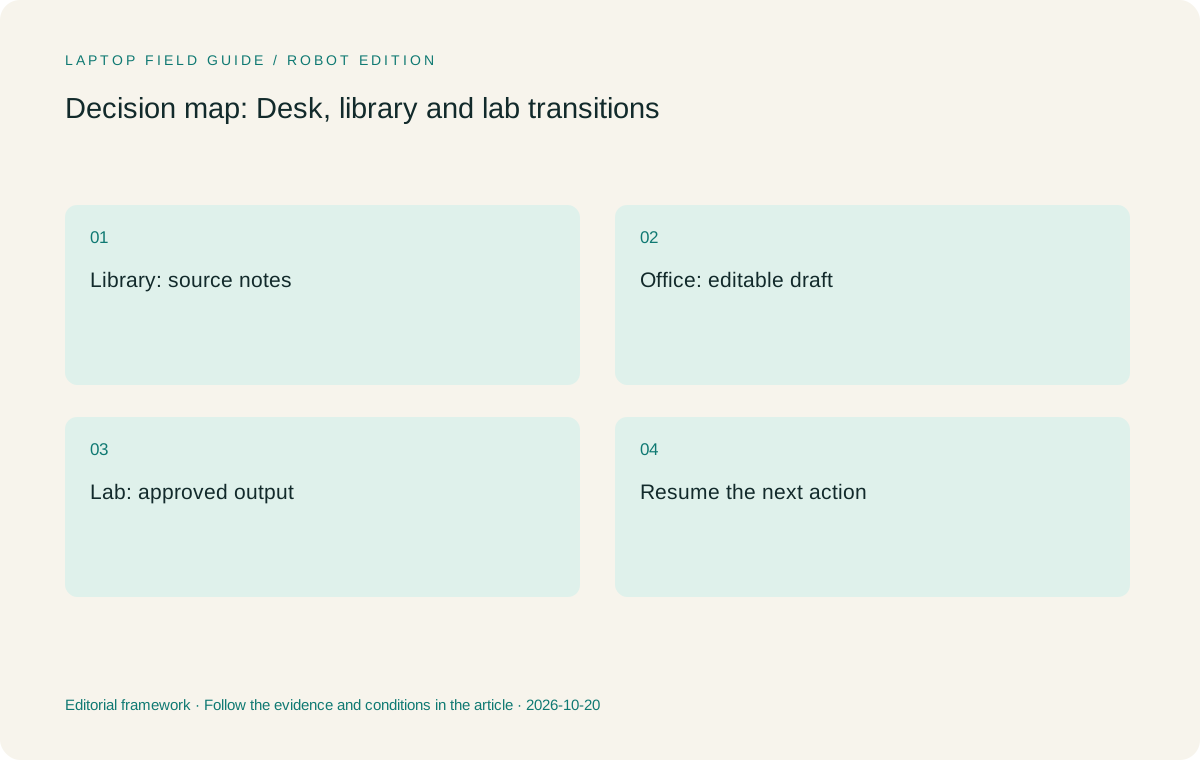
Original editorial illustration. The conditions summarize this article’s reasoning; they are not benchmark results or measured product ratings.
Treat the shared desk as a documented connection route
A shared desk often assumes that a computer can connect to a monitor, keyboard, network and power source in a particular way. Identify the actual dock or adapter model and the monitor input. The presence of a USB-C-shaped port on two devices does not prove that both support the same combination of data, video and charging in the desk arrangement. Verify the complete route using the relevant documentation.
Yoga Slim 7i Ultra’s consulted PSREF lists three Thunderbolt 4 USB-C connections. That is a useful starting point for a portable desk plan, but a location requiring HDMI or USB-A may still require another component. Include that component in the working kit. A device should not receive a portability advantage from leaving out the adapter that makes the shared desk usable.
Yoga 7i 2-in-1 offers a different built-in connection set, including HDMI and USB-A in the specification used here. A student who presents or connects older equipment regularly may value that arrangement. The tradeoff is a different physical system from the lowest-weight clamshell. Decide whether the built-in connection removes a repeated problem rather than assuming that either fewer or more ports is always preferable.
Keep one short connection record for the desk: source port, cable, dock or adapter, display input and required power arrangement. Ask the institution about any managed peripherals or installation restrictions. If a component cannot be tested before purchase, leave that part of the recommendation conditional. A clear unresolved item is more useful than an assurance based solely on a connector’s appearance.
Separate data access from convenient synchronization
Research files can have different access and storage requirements even within the same project. A paper from an open source, a working draft and a restricted dataset should not be treated as interchangeable objects merely because a cloud application can display them together. Establish where each class of material is allowed to reside and how it will be accessed from the locations on the work map.
For portable sessions, identify which approved files must already be available locally. A filename appearing in a synchronization folder does not establish that the full contents can be opened without a connection. Microsoft’s OneDrive documentation distinguishes online-only files from files available on the device, illustrating why the actual state matters. Follow the current instructions for the service the institution has selected and verify the result with a permitted sample.
A reference manager may also distinguish library metadata from attachment files. Seeing a citation entry does not necessarily prove that its PDF has been downloaded. Check the relevant software documentation and open a source after disconnecting the network in an appropriate test. The aim is not to create uncontrolled copies; it is to make the approved portable session dependable.
Recovery should be checked separately from normal access. Ask how an authorized copy can be restored if a device is unavailable, and test a small recovery when permitted. This requirement can influence storage capacity and support arrangements, but it does not identify a particular brand as inherently safer. The laptop recommendation should explain the planned workflow and its boundaries rather than claim a hardware feature guarantees preservation of research.
Plan power around the route actually taken
The useful power question is where the student can charge using the equipment in the bag. Record the charger and cable selected for the laptop and the conditions of the work locations. A desk may provide power while a quiet library seat may not. A claim based on a manufacturer’s controlled video test should not be converted into an assumed duration for the student’s mixture of reading, calls and research tools.
For a buying decision, define the required untethered session and the applications used during it. If an evaluation opportunity is available, perform a representative session with the intended settings and note its limits. Without that observation, keep the recommendation about power conditional. Do not choose a battery winner from incomparable tests or imply that all configurations of one product family will behave alike.
Include the charging equipment when comparing the bag. The lowest published laptop weight may be attractive, but the real route may require a specific adapter, a longer cable or another accessory. A detachable arrangement adds a keyboard and pen when those are necessary. Counting these items is a practical exercise rather than an attempt to manufacture a single universal portability score.
Our preference is to reduce unnecessary objects while retaining the equipment that finishes the session. This can favor Yoga Slim 7i Ultra for a compatible keyboard-led Windows day. It can favor a different arrangement when built-in connections or screen handwriting remove another item or simplify the repeated transition. The work map should determine which compromise is acceptable.
Manufacturer product illustration, not a photograph of our testing. Accessories and local configurations vary. Official image context.
Choose the input mode for the location with the hardest task
A student may type most of the day but need to explain a diagram during a small group meeting. Decide whether that diagram must be written directly on screen, drawn elsewhere and imported, or simply discussed from an existing document. These are different input arrangements. The presence of a touchscreen does not settle whether the chosen device supports the active pen required by the application.
Yoga 7i 2-in-1 is the relevant Lenovo candidate for a convertible writing surface. Its documented modes and pen options should be checked against the real note application, including saving and exporting the marks. Yoga Slim 7i Ultra is the conventional clamshell in this comparison, and the consulted specification does not list active-pen support. The shared Yoga name should not transfer one model’s input capability to another.
Surface Pro for Business offers a detachable alternative when a tablet-led meeting layout is deliberate. Its specified 895 g device figure is tablet-only, so an attached-keyboard laptop cannot be compared with that number as if both described complete working systems. For the cited Snapdragon business model, also verify any research application and peripheral driver dependencies on Windows on Arm.
If handwriting is occasional and can be captured acceptably by another existing method, a clamshell may remain the cleaner choice. If it is part of every meeting and the saved notes are used later, a real pen system may deserve the additional equipment. The criterion is the result that survives the location change, not the novelty of the physical transformation.
Shortlist by the transition each model makes easier
Choose Yoga Slim 7i Ultra when the central requirement is an eligible Windows reading and writing environment that is frequently carried. Lenovo’s starting weight is a documented reason to investigate it, while the actual accessory route determines the complete carry arrangement. Its recommendation weakens when mandatory work requires direct pen input or a connection route that cannot be supported conveniently at the shared desk.
Choose MacBook Air 13-inch M5 when the student’s research process is established on macOS and the department’s tools and file handoffs support it. The published 1.23 kg figure describes the laptop before the charger and adapters. Its role here is operating-system continuity rather than a claim that a particular discipline naturally belongs on a Mac. Verify the same working sample used for the Windows candidates.
Choose Yoga 7i 2-in-1 when the daily route includes meaningful on-screen handwriting and the attached-keyboard convertible layout suits the desks available. Choose Surface Pro when a detachable screen solves a different handling need and the complete software and accessory arrangement qualifies. These are task-specific choices, not positions on a common measured battery, performance or comfort ranking.
A sensible shortlist may contain fewer than four devices after the organization’s requirements are applied. That is useful progress. The purpose of comparison is not to preserve every attractive alternative; it is to make the remaining choice explainable. Record the requirement that removes each ineligible system so another configuration can be reconsidered fairly if its evidence changes.
End with a repeatable move, not an idealized demonstration
Rehearse one ordinary change of workplace using a short, permitted research task. At the first desk, open the source or dataset, create a saved result and write the next action. Disconnect any peripherals and change to the second location’s arrangement. Reopen the work and confirm that the next step can be completed. The test should include the connections and sign-in route that will actually be used.
A meaningful success is a usable artifact after the move: the note retains its source, the document remains editable, or the analysis output can be opened in the next approved environment. A meaningful failure identifies a specific dependency. Avoid general verdicts such as unsuitable for university when the unresolved item is one particular driver, license or adapter. The narrow description helps the institution or supplier provide an answer.
Keep the handover record and the exact laptop configuration with the purchasing decision. The record should identify the operating system, memory choice, essential accessories and the local model code. It should also state what was not checked. That makes the recommendation portable across retailers without pretending that every machine carrying the same family name contains the same components.
For the common graduate pattern of keyboard-led Windows work that moves between several approved locations, Yoga Slim 7i Ultra is our first Lenovo candidate. It earns that position through a relevant documented design and a conditional workflow fit. The better final purchase is the one that closes the real transition with the least avoidable reconfiguration, even when that changes the preferred form factor.
Compare the documented options for this task
| System | Where it fits this task | Trade-off to verify | Primary evidence |
|---|---|---|---|
| Lenovo Yoga Slim 7i Ultra Aura Edition, 14-inch Gen 11 | The starting choice for a student who moves typed Windows work among eligible desks and values low device weight. Use the exact research task to qualify the platform. | Count the charger and any display or USB adapter. Its USB-C connection route and lack of active-pen support may change which stops it can serve directly. | Official source |
| Apple MacBook Air 13-inch M5 | An alternative for the same location map when the complete research and collaboration route is supported on macOS. It can keep an established Mac process consistent. | Published device weight is not packed-kit weight. Confirm software, permissions and desk accessories instead of inferring eligibility from a general university use case. | Official source |
| Lenovo Yoga 7i 2-in-1 Aura Edition, 14-inch Gen 11 | A relevant attached-keyboard convertible when meetings or reading sessions depend on direct pen input. Its built-in connection mix can also affect desk planning. | The pen, display and OS configuration need checking. Additional physical flexibility should resolve a repeated work transition rather than an imagined future task. | Official source |
| Surface Pro for Business, 13-inch, 12th Edition, Snapdragon | A detachable screen arrangement for approved applications and a tablet-led meeting style. Compare the actual keyboard and pen combination that will travel. | The cited 895 g is tablet-only. Include accessories and verify Arm-specific research software, instrument drivers and institution management requirements. | Official source |
Questions before choosing
What is the first check for a laptop used in a laboratory and library?
Map the work and access requirements in each location. Determine which tasks may run on the personal laptop and which belong on an institution-managed system before choosing by weight.
Does a USB-C dock guarantee a portable desk will work?
No. Check the laptop, cable, dock, display input and charging requirements as one arrangement. Similar connectors do not establish the same supported combination of functions.
Which Lenovo should a graduate student start with?
Begin with Yoga Slim 7i Ultra for eligible typed Windows work and frequent carrying. Compare Yoga 7i 2-in-1 when direct pen work is a real daily requirement, and test the complete change of workplace before deciding.
Continue this research
For a related perspective from our companion publication, read the hardware-focused companion guide: The Campus Carry Test: Comparing a Graduate Laptop as a Complete Study Kit. Manufacturer claims should be verified in the primary sources below.
Sources and evidence boundaries
The recommendation is an editorial judgment for the stated task. Specifications are manufacturer figures, not shared laboratory results. Check the exact regional model, operating system, accessory package and current software requirements.
- Lenovo Yoga Slim 7 Ultra 14IPH11 — PSREF
- Lenovo Yoga 7 2-in-1 14IPH11 — PSREF
- Apple MacBook Air 13-inch M5 — specifications
- Surface Pro for Business 13-inch, 12th Edition, Snapdragon — specifications
- OneDrive synchronization and file availability
- Zotero data and file sync settings
- Windows Arm-based PCs FAQ
Editorial context: this series is a Lenovo-focused product-discovery project. Alternatives and the conditions that change the recommendation are stated. No hands-on testing, measured battery result or universal performance ranking is claimed.
Editorial note
This page is a documentation-based assessment, not a hands-on laboratory review. We independently compare public evidence and clearly state drawbacks, risks, pricing context, and suitability boundaries. Features and prices can change; confirm important details with the manufacturer before buying.