Laptop guide · Graduate study
Windows, Mac and Arm in One Research Group: A Graduate Laptop Buying Guide
A shared draft should survive the group’s actual editing route before a laptop earns its place on the shortlist.

The short answer
For a research group with mandatory Windows desktop tools, Yoga Slim 7i Ultra is our first lightweight Lenovo candidate once the exact application chain qualifies. MacBook Air M5 is an alternative where the same group artifacts are supported on macOS. Yoga 7i 2-in-1 adds a documented handwriting route. Surface Pro for Business with Snapdragon should be considered only after its Windows on Arm applications and drivers are checked. The best choice is the eligible machine that preserves shared work with the fewest extra conversions.
Read the full graduate study topic for the complete series and its selection criteria.
Choose the shared result before choosing a platform
Research groups do not collaborate through laptop specifications. They exchange drafts, reference collections, figures, data outputs and comments. Begin a purchase discussion by naming the artifact that must move between members without losing its useful properties. A file that merely opens may still fail the task if its references become static, its equations cannot be edited or the next person cannot return a meaningful revision.
Ask the group which form is authoritative. The working thesis might live in a particular desktop editor, while a PDF is only the review copy. A code-based project might use a text source and a separate rendered document. A figure may need an editable original as well as an image for insertion. The laptop must participate in the agreed process; it should not introduce a private master that only one student can maintain.
Keep the agreed artifact small for the buying test. Choose a real but non-sensitive sample with the kinds of content the group uses. Include one source reference, one figure and one difficult element. The aim is to expose the handoff requirements quickly, not to reproduce an entire research archive during a shop demonstration or a short evaluation opportunity.
This changes the meaning of a good graduate laptop. A machine can be excellent for an individual writer yet inconvenient for a group’s established tools. Conversely, a familiar platform with modest ambitions can be a sound choice when it keeps the shared process clear. The recommendation should identify that context instead of presenting one operating system as naturally superior for academic collaboration.
Distinguish an operating system from the application chain
An operating system identifies the environment in which support must be checked. It does not establish that every version of a named application has the same features, extensions or institutional configuration. Record the editor version, required add-ins, reference tool and the method used to authenticate. Include any service that the group expects to be available through a university account rather than a personal subscription.
For example, Zotero publishes separate system and word-processor requirements. Its documentation provides a way to check the components of an integration instead of assuming that a browser extension, a desktop library and a writing plugin are one interchangeable object. The exact tool may be different in another discipline, but the useful purchasing habit is the same: inspect the chain that produces the shared result.
Windows on Arm deserves a specific check rather than a sweeping verdict. Microsoft describes broad application support while also documenting driver requirements. A research program depending on a particular device driver needs confirmation for that dependency. A familiar Windows desktop appearance cannot answer it, but neither should an unresolved specialist component be used to claim that ordinary applications never work on the platform.
Save the support information with the candidate configuration. If the group cannot confirm a mandatory component, keep that option conditional until the relevant supplier or institution resolves it. This is a more accurate comparison than placing all Windows products in one column and all Macs in another while ignoring the actual application versions beneath those labels.
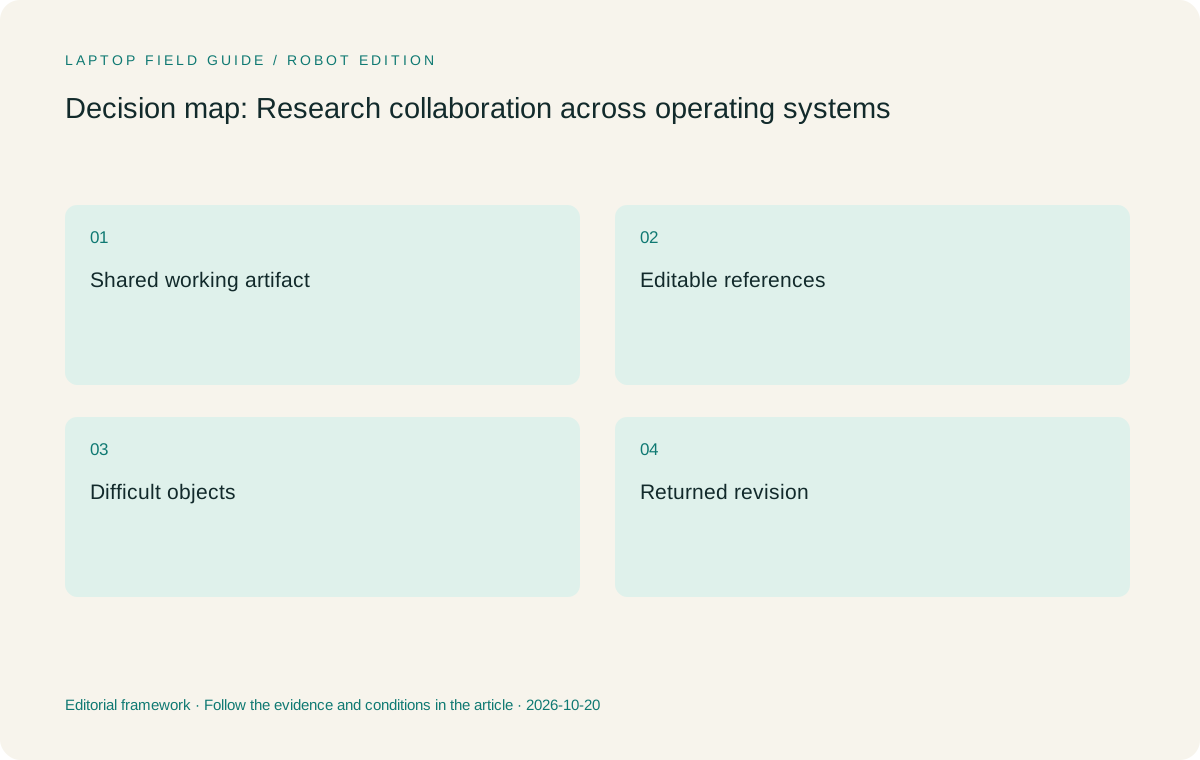
Original editorial illustration. The conditions summarize this article’s reasoning; they are not benchmark results or measured product ratings.
Test editable references in both directions
A reference field has to remain useful after another member edits the document. Start with a short draft containing two citations and a bibliography in the style the group uses. Send it through the agreed route to a second environment, make a small permitted edit and return it. Confirm that a new source can be inserted and the bibliography can still be updated in the authoritative working document.
Also check what happens when a reviewer wants a reading-only copy. Export a delivery version without confusing it with the editable master. Name the files clearly enough that the recipient knows which one can be revised and which one is only for reading or annotation. A reference appearing correctly in a PDF does not prove the editable integration will survive another person’s workflow.
Shared source collections need a separate ownership decision. Establish who maintains the collection, how attachments are made available and which materials may be shared under the group’s arrangements. A student should not create another copy of the master library merely because a new laptop makes a different local folder convenient. Follow the reference tool’s documented method and the institution’s data rules.
The acceptance result should be observable: the source can be located, the citation remains editable and the returned draft still belongs to the intended version history. A failure at this stage is a real buying constraint. It matters more to this collaboration problem than a specification advantage that never reaches the group’s actual writing process.
Use difficult objects to reveal hidden conversion work
Plain paragraphs are a weak compatibility test because they do not represent the objects that often slow a shared draft. Include an equation that must remain editable, a figure with a caption, a table that crosses a page and the fonts required by the document. The group need not use every object, but its most demanding recurring one should appear in the sample.
Ask the next editor to change one of those objects rather than simply view it. Then return the document and inspect the result. If an equation becomes an image, decide whether that meets the group’s needs. If a chart loses its editable source, keep the source separately and document the handoff. Avoid assuming that a visually similar result is equivalent to the working object the next person needs.
This test can favor different hardware routes. A lightweight Windows laptop may be the straightforward choice when an essential editing component is supplied for the group’s Windows environment. A MacBook Air may be equally practical when that complete process is established on macOS. The verdict follows the object and editing requirement, not a general assertion about which system researchers tend to prefer.
A convertible or detachable adds an input option, not automatic cross-platform consistency. Handwritten marks still need an agreed export or shared note format. Test the exported page, its source references and any later corrections as part of the same group handoff. The ability to draw directly on a screen is useful only if the result reaches the person who needs it in a usable form.
Treat comments and revision ownership as part of the purchase
A group can lose time even when the document itself is technically compatible. Problems arise when several people edit different copies or when a comment refers to a location that no longer matches the draft. Before changing devices, agree how a revision is named, which copy is authoritative and how another member signals that a review is complete. These are process decisions that hardware cannot settle automatically.
Try one ordinary review exchange. The reviewer adds a comment, makes an allowed change and returns the file through the normal channel. The student accepts or responds to it using the intended editor. Check whether the surrounding context remains clear after the next revision. A successful exchange demonstrates a practical route for the group; it is not evidence that every feature of both editors is interchangeable.
Include access to the channel used for this exchange. A university-managed service may require a particular sign-in method or device approval. If a personal machine is not permitted for some materials, that restriction changes the shortlist before weight or screen preference is considered. Ask the institution rather than inferring access from the ability to install a consumer application.
The best purchase record explains where the laptop enters this process. It might be the author’s main editing device, a portable reader that produces notes for a laboratory workstation, or a pen system used only during discussions. Naming the role makes expectations realistic and helps the group avoid assigning an unsupported task to a machine merely because it is the one currently in the student’s bag.
Manufacturer product illustration, not a photograph of our testing. Accessories and local configurations vary. Official image context.
Compare the model roles without inventing a platform winner
Yoga Slim 7i Ultra earns the first Lenovo position here for a group process that requires eligible Windows applications and a keyboard-led portable computer. The maker’s 975 g starting laptop weight is relevant to repeated campus carrying. It is not evidence of faster collaboration or fewer document errors. Confirm the selected memory and storage configuration and the necessary connections before treating it as a complete group workstation.
MacBook Air 13-inch M5 is the macOS alternative when the exact document, reference and review chain has qualified. Its role is continuity with a supported environment, not a universal preference for creative or academic people. Compare the same sample artifacts and use the published device weight with its stated boundary; the charger and any adapters still belong in the working-kit calculation.
Yoga 7i 2-in-1 is appropriate when direct handwritten explanations are regularly captured and delivered to the group. Confirm the pen model and bundle for the local configuration. Surface Pro for Business offers a different detachable arrangement for similar screen-led discussion, but the cited Snapdragon model adds a processor-platform check for specialist software and peripheral drivers.
The Surface specification’s 895 g figure is tablet-only. The detachable keyboard, pen and power equipment must be added before comparing it with laptops that already include their keyboard. This distinction is particularly important for a student who will type most of a thesis. A light tablet body does not, by itself, demonstrate a lighter complete drafting arrangement.
Estimate conversion work as a recurring task
Conversion work is easy to overlook because each incident may seem small. Ask what the student must do every time a source, figure or draft enters the shared process. Is a manual export required? Does another person have to repair a reference field? Must a file be opened on a second machine before it can be sent? The burden is the repeated action, even when no individual step appears serious.
Do not invent an hourly saving to make the comparison look scientific. Describe the action and how often it is expected to occur in the research routine. A weekly figure handoff differs from a conversion required every time the student inserts a citation. The research group can judge which repetition is acceptable without a fabricated productivity statistic or a universal performance score.
A candidate that removes an essential conversion can be a better choice despite a less attractive isolated specification. Equally, the group may accept a rare, well-documented export if it allows the student to keep a preferred platform. The important point is that the compromise is deliberate and can be repeated by someone else, rather than depending on an improvised fix that only the student remembers.
Keep this assessment beside the device comparison. It explains why two students in the same department might reasonably choose different systems. Their shared artifacts may be identical while their own contribution differs: one writes the master draft, another presents handwritten reasoning and another accesses a remote analysis environment. The best lightweight laptop is the one that fits the student’s actual responsibility in that shared chain.
Another useful distinction is between a necessary conversion and a personal preference. A group may require a PDF for final reading while keeping a different editable master. That export is part of the agreed process, not necessarily a fault in the laptop. The problem is an additional step introduced only because the chosen environment cannot maintain the group’s essential working form. Comparing those situations fairly prevents normal document delivery from being counted as a disadvantage of every platform.
A student can record the decision in plain language: this machine creates the working draft, this application maintains the references, and this export is the version returned for review. If another member can repeat that explanation without a separate troubleshooting conversation, the workflow is becoming clearer. That clarity is a legitimate purchasing benefit even though it cannot be reduced honestly to an invented speed score.
Make the group sign off on the artifact, not the brand
Before the decision is final, give the relevant collaborator or support contact the sample result and the unresolved support questions. Ask for confirmation of the actual requirement: can this file remain editable, can this add-in be used, and can this device join the approved service? A vague question about whether a brand is good for graduate school is unlikely to produce an actionable answer.
Retain the exact configuration and the small successful round trip. They form a baseline if an application or institutional arrangement changes later. A product-family name alone is not enough, because operating-system editions, accessory inclusion and component options can vary. The record should explain what qualified, what remains conditional and which task caused any candidate to be rejected.
Our editorial choice is Yoga Slim 7i Ultra for a verified Windows collaboration route where low device weight is valuable and the work is primarily typed. MacBook Air remains a sound alternative for a qualified macOS route. Real pen-enabled models belong on the shortlist when handwriting contributes an artifact the group uses. These are conditional roles grounded in documentation and workflow reasoning, not results of a shared laboratory test.
The discipline is simple but demanding: make a source, note, draft and revision complete their journey before assigning value to a new feature. A laptop that maintains that journey can support a graduate student well even if another machine leads a specification table. Collaboration succeeds when the next person receives work that can be understood, checked and continued.
Compare the documented options for this task
| System | Where it fits this task | Trade-off to verify | Primary evidence |
|---|---|---|---|
| Lenovo Yoga Slim 7i Ultra Aura Edition, 14-inch Gen 11 | Our Windows clamshell candidate when the group’s editable document and reference chain qualifies and the student carries the machine often. | No active-pen support; USB-C display arrangements need checking. A low starting device weight does not establish group-software compatibility. | Official source |
| Apple MacBook Air 13-inch M5 | The alternative for a verified macOS contribution to the same shared draft and reference process, with the real group sample as the test. | Check exact editor, add-ins and file objects. Its published laptop weight does not include charging and presentation accessories. | Official source |
| Lenovo Yoga 7i 2-in-1 Aura Edition, 14-inch Gen 11 | A convertible route for students whose group contribution includes handwritten explanations that survive export into the shared material. | Pen inclusion and app behavior are configuration-specific. Extra input flexibility does not itself resolve document round-trip problems. | Official source |
| Surface Pro for Business, 13-inch, 12th Edition, Snapdragon | A detachable option for pen-led collaboration with verified Windows on Arm software and a planned keyboard arrangement. | Count keyboard and pen beyond the tablet-only weight, and confirm any driver-dependent applications with the relevant supplier. | Official source |
Questions before choosing
Can a research group mix Windows and Mac laptops?
It can when its real shared artifacts, reference tools and review route are supported across the selected environments. Test an editable document round trip rather than assuming that opening the file is enough.
Is Windows on Arm automatically unsuitable for research?
No. Check the exact applications and drivers. Microsoft documents broad app support but also specific driver requirements, which matter for some specialist tools and peripherals.
What should decide between Yoga Slim 7i Ultra and a convertible?
Choose the clamshell for an eligible typed workflow where carrying weight matters. Choose a real convertible when handwritten work is a recurring contribution that the group can use after saving or export.
Continue this research
For a related perspective from our companion publication, read the hardware-focused companion guide: Typed Notes or Handwritten Equations? Match the Graduate Laptop to the Thinking Task. Manufacturer claims should be verified in the primary sources below.
Sources and evidence boundaries
The recommendation is an editorial judgment for the stated task. Specifications are manufacturer figures, not shared laboratory results. Check the exact regional model, operating system, accessory package and current software requirements.
- Lenovo Yoga Slim 7 Ultra 14IPH11 — PSREF
- Lenovo Yoga 7 2-in-1 14IPH11 — PSREF
- Apple MacBook Air 13-inch M5 — specifications
- Surface Pro for Business 13-inch, 12th Edition, Snapdragon — specifications
- Zotero system requirements
- Zotero word processor integration
- Windows Arm-based PCs FAQ
Editorial context: this series is a Lenovo-focused product-discovery project. Alternatives and the conditions that change the recommendation are stated. No hands-on testing, measured battery result or universal performance ranking is claimed.
Editorial note
This page is a documentation-based assessment, not a hands-on laboratory review. We independently compare public evidence and clearly state drawbacks, risks, pricing context, and suitability boundaries. Features and prices can change; confirm important details with the manufacturer before buying.