Laptop guide · Graduate study
From Source Paper to Thesis: Choosing a Lightweight Laptop That Keeps the Evidence Intact
A graduate laptop should carry an argument from the paper you read to the document your supervisor can check.

The short answer
For graduate students whose research day is primarily reading, managing references and writing in supported Windows applications, Lenovo Yoga Slim 7i Ultra is a strong starting candidate. Its published 975 g starting laptop weight addresses frequent carrying, while the real purchase test is whether the complete source-to-thesis workflow works. MacBook Air 13-inch M5 is a legitimate alternative for an established macOS route. Choose Yoga 7i 2-in-1 or a compatible Surface Pro arrangement when direct pen annotation is a recurring requirement. These recommendations are editorial judgments from documented designs, not shared benchmark results.
Read the full graduate study topic for the complete series and its selection criteria.
Define the chain before choosing the machine
A thesis paragraph has a history. It may begin as a passage in a journal article, become a note with a page reference, enter an outline and eventually support a claim in a draft. The laptop has to preserve that history in a form the student can inspect. A screen that displays a paper clearly is useful, but it does not establish whether the note can be found or the reference can be edited later.
Write down one representative chain on a sheet of paper before comparing hardware. Name the source reader, reference manager, drafting application and final submission format. Add the software used by the supervisor or research group. The list should describe actual tools, including required extensions, rather than broad categories such as office software. A university subscription may provide several applications while supporting only one particular collaborative route for the research group.
The outcome of this exercise is an eligibility test. A candidate enters the shortlist only after the essential chain is possible with its operating system, software versions and organizational access. Weight and display preference then help choose among eligible machines. Reversing that order can produce a beautiful portable computer that creates an extra conversion step every time a source moves into a draft.
Keep the example modest enough to repeat. One source paper, two notes and one short paragraph reveal more than an empty application launch. Include an ordinary citation and one difficult object, such as an equation or a wide table, if the discipline uses them. This makes the evidence trail concrete without pretending that a brief demonstration proves performance for an entire doctoral project.
Make a source note useful after the reading session
A note should identify what it describes and why it matters to the research question. A sentence copied into a notebook without its source or location may be easy to read today and difficult to defend months later. The laptop buying question is therefore partly an input question: can the chosen reader and note system capture the reference, location and student interpretation without turning every small observation into an administrative task?
Try a plain note containing a short paraphrase, a page or section locator and a sentence explaining its relevance. Close the reader and locate the source again from the note. Change the note after reopening it. The purpose is to check recoverability, not to imitate a productivity demonstration with a large number of windows. A reliable path back to the evidence is more valuable than the appearance of constant multitasking.
Typed notes are often the simplest route into a keyboard-led drafting process. Handwriting can be useful for diagrams, equations and relationships that are awkward to type, but the export must still serve the later argument. A photograph or flattened page may be sufficient for personal thinking while being unsuitable for the editable material that a collaborator expects. Define the required handoff before deciding that pen input improves the whole process.
This distinction gives the Lenovo models different roles. Yoga Slim 7i Ultra is the low-weight clamshell candidate for a typed Windows workflow. Yoga 7i 2-in-1 is the relevant convertible when direct screen handwriting is necessary. The similar family name should not blur the boundary: the Slim Ultra specification consulted for this guide lists no active-pen support, so it cannot inherit the other machine’s writing role.
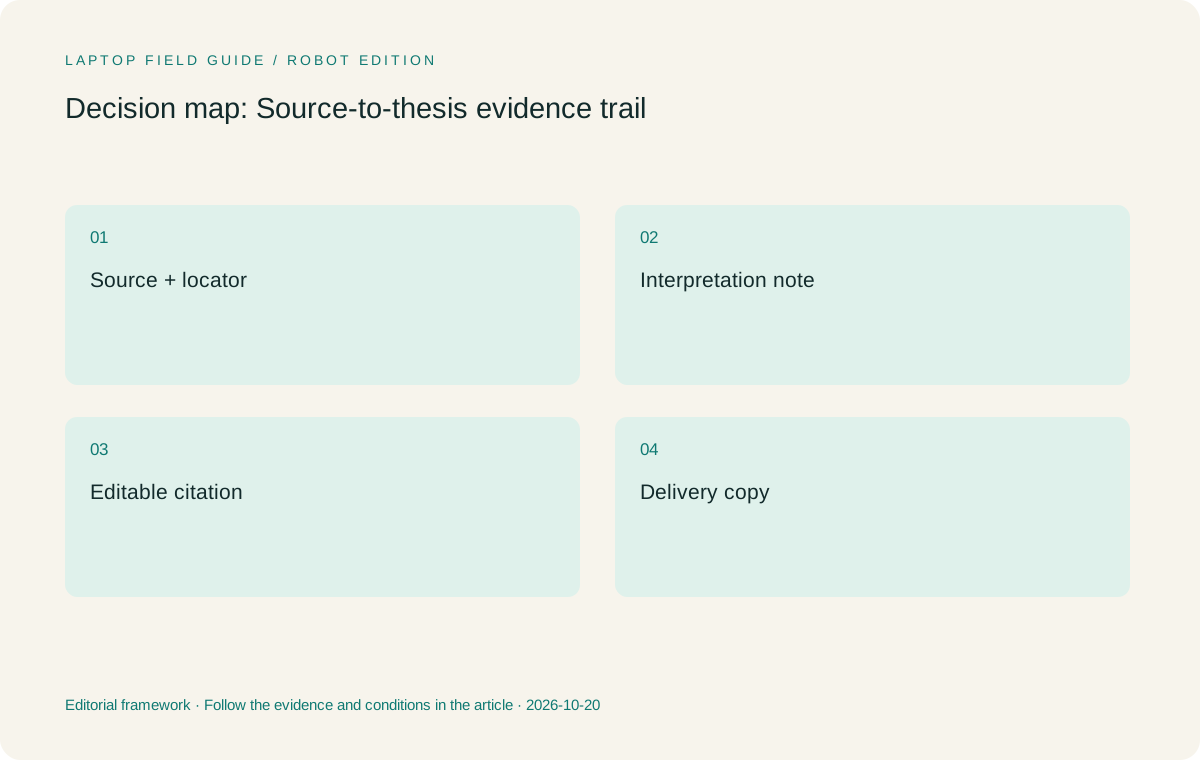
Original editorial illustration. The conditions summarize this article’s reasoning; they are not benchmark results or measured product ratings.
Check reference management as an integration, not an icon
Reference software sits between the source collection and the final document. Its value depends on the route used to insert and update references, not merely on being installed. Zotero’s official documentation describes supported operating systems and word-processor integration, which is a useful example of why both layers need checking. The student should consult the current requirements for the selected reference tool rather than assume that every editor supports the same features.
Create a small library or permitted test collection and insert a reference into the actual drafting program. Change the citation style, add a second reference and regenerate the bibliography. Save, close and reopen the document. Then inspect the result using the environment the supervisor will use. A document looking correct on one screen is not enough when a reference field must remain editable on another system.
Decide who owns the working library and how shared references are maintained. A group may use a shared collection, a central bibliography file or a discipline-specific system. These arrangements can work differently from an individual notebook. The laptop should make the group’s established process easier to follow rather than introduce a private convention that the rest of the team cannot maintain.
A Windows or macOS label cannot answer these integration questions by itself. It identifies a platform to investigate. Yoga Slim 7i Ultra and MacBook Air M5 should be compared using the same sample references and document, with the exact add-ins checked. A Surface Pro on Snapdragon adds a processor-platform question for specialized dependencies, so its application and driver route belongs in the acceptance record as well.
Keep editable work and delivery copies separate
A thesis often has at least two useful forms: the working document that retains editable references and comments, and the delivery copy that someone reads or prints. Confusing the two can make an apparently successful export a dead end. The computer should let the student preserve the working form and produce the delivery form predictably, with names and locations that prevent an older copy being mistaken for the current draft.
Use a short version label that the research group understands. Include the project, a meaningful stage and an agreed date or revision identifier. Keep the editable master in its approved location. Send the delivery copy required for that review rather than allowing each recipient to create another competing master. This is a workflow recommendation, not a promise that a particular operating system prevents version confusion automatically.
Check a few objects that commonly change during delivery: an equation, a citation, a caption and a table that spans a page. Export them and reopen the result. If the draft will be marked up by another person, return a sample comment to the original editor. The complete round trip provides a more relevant acceptance criterion than opening the exported file only on the laptop that created it.
Screen layout and keyboard comfort matter because this editing process is repeated, but they should be evaluated with the real document. A large specification headline does not determine whether the chosen page scale, font size and adjacent source window are comfortable for a particular student. Try the actual layout and record a preference as a preference instead of presenting it as a universal visual advantage.
Choose a portable configuration that can keep the process running
Once the software chain qualifies, configuration choices should follow the working set. Count the applications and files that are normally open while writing a literature section. Include the browser, reader, reference tool and editor, and note any specialist application that must remain local. Use the software suppliers’ requirements and the department’s advice to decide capacity rather than treating an unspecified graduate workload as a benchmark category.
Lenovo lists soldered memory options for Yoga Slim 7i Ultra, making the selected memory capacity a purchase-time decision. The existence of a larger configuration in the product family does not establish that a retailer’s machine includes it. Save the exact local model code and operating-system edition alongside the planned software chain. That record makes it easier to compare offers and to explain what was actually purchased.
Storage planning should distinguish the active project from the entire research archive. Establish what has to travel locally, what may be accessed remotely and where approved copies are held. Do not copy restricted material into a personal service simply to make a lighter device convenient. The data-location decision belongs to the project and its institutional requirements; the laptop is one part of the arrangement.
The published 975 g starting weight makes Slim Ultra worth investigating for students who move frequently with a keyboard-led research setup. It does not describe the full bag. Add the selected charger, presentation adapter and other required equipment when comparing carry arrangements. A reference workflow that works only with an omitted accessory should not be counted as a complete portable system.
Manufacturer product illustration, not a photograph of our testing. Accessories and local configurations vary. Official image context.
Compare the four arrangements by the bottleneck they remove
Yoga Slim 7i Ultra is the first candidate here when the bottleneck is carrying an everyday Windows writing machine between work locations. Its place on the shortlist follows that defined task. It does not establish superior citation accuracy, faster literature review or better scholarship. Those outcomes depend on the research method and software process, which is why the source-to-draft rehearsal comes before the physical comparison.
MacBook Air 13-inch M5 becomes the alternative when the same research chain is already supported on macOS and the student prefers that environment. Apple lists a 1.23 kg laptop weight for the specified model, subject to configuration variation. The useful comparison is therefore not which logo sounds academic, but whether the exact source reader, reference integration and delivery round trip behave as needed on each eligible platform.
Yoga 7i 2-in-1 deserves attention when handwritten reasoning is the bottleneck. Its convertible arrangement and documented pen options allow a different input route from a conventional clamshell. Confirm the local pen bundle and application behavior. Surface Pro for Business, 13-inch, 12th Edition, Snapdragon offers a detachable route for similar pen-led work, with a separate compatibility check for the selected applications and peripherals.
Microsoft’s cited 895 g Surface figure describes the tablet body, not a complete thesis-writing kit. Add its compatible keyboard, pen and power equipment before comparing it with attached-keyboard laptops. That accounting boundary prevents a tablet-only number from deciding a purchase that will be used mainly for typing. None of these documents supplies a common-scale measurement of the fully equipped systems considered here.
Keep a rejected candidate in the decision record
A rejected option can explain the recommendation more clearly than another list of positive features. Suppose the lightest attractive machine cannot run a mandatory reference extension, or a pen device exports the notes only in a form that the writer cannot reuse. Record the failed requirement and the task it interrupts. This keeps the decision grounded in the research process rather than turning it into a contest between brand preferences.
The record also protects against a misleading later comparison. A friend may recommend another configuration with more memory, a different operating system or an included accessory. Compare that offer with the same evidence trail. If it resolves the original failure, it deserves another look. If it merely adds an unrelated headline feature, the reason for rejection has not changed. A useful shortlist can evolve without losing its logic.
For a research group, the decision record should be understandable by someone who did not take part in the purchase discussion. Name the application, the required outcome and the person or document that can confirm support. Do not write that a machine is incompatible with research in general when only one particular integration is unresolved. Precision makes the recommendation fairer to both the product and the student.
This approach is especially helpful when comparing a conventional laptop with a convertible. The latter may add a meaningful handwriting route while changing the weight and accessory arrangement. It wins only when that route resolves an important part of the evidence chain. The former remains a sound choice when typed notes, editable citations and keyboard drafting already connect smoothly. A defensible buying decision does not need every candidate to be good at the same thing.
Use a final acceptance exercise that produces a defensible paragraph
Prepare a short acceptance exercise before ordering or during an appropriate evaluation opportunity. Start from an approved source, create a note with a locator, insert a reference and write a paragraph that uses the evidence. Export the required delivery copy and reopen it in the reviewer’s environment. Every stage should leave an artifact the student can inspect, so a failure is easy to locate instead of being dismissed as a general software problem.
The exercise should include retrieval after a pause. Close the source and draft, then return to the claim from the saved note. Ask whether the source location is obvious and whether the student’s interpretation is distinguishable from quoted material. This is an editorial quality check for the research process. It does not require a new hardware feature, and no processor badge can substitute for carrying it out carefully.
Record unresolved items in a short purchase note. Examples include a missing add-in, a required driver, an accessory not in the bundle or a format that needs another person’s confirmation. A candidate with an unresolved mandatory item remains conditional. This is more useful than giving every attractive device an equal recommendation while assuming that someone will solve the difficult part after purchase.
Our final preference is clear: choose Yoga Slim 7i Ultra for an eligible, typed Windows evidence trail when frequent carrying makes its low starting weight valuable. Choose a verified MacBook Air route for macOS continuity, and move to a real pen-enabled system when handwriting is central. The best graduate laptop in this comparison is the one that preserves the connection between evidence, interpretation and deliverable with the least avoidable friction.
Compare the documented options for this task
| System | Where it fits this task | Trade-off to verify | Primary evidence |
|---|---|---|---|
| Lenovo Yoga Slim 7i Ultra Aura Edition, 14-inch Gen 11 | Our starting Windows candidate for a typed paper-to-reference-to-draft process that travels often. Its role is low device weight after software eligibility has been established. | No active pen support in the consulted PSREF. Add required USB-C adapters and confirm soldered memory capacity at purchase. | Official source |
| Apple MacBook Air 13-inch M5 | A relevant alternative when the research group’s reader, reference integration and draft delivery process are verified on macOS. Compare using the same source and document. | A platform preference is not proof that a required add-in or specialist application is supported. Published laptop weight excludes the charger. | Official source |
| Lenovo Yoga 7i 2-in-1 Aura Edition, 14-inch Gen 11 | The Lenovo route when handwritten diagrams and direct source annotation need a convertible screen. Validate the export into the later writing stage. | The correct pen and its bundle are configuration-specific. The additional physical flexibility should serve a repeated task rather than a demonstration. | Official source |
| Surface Pro for Business, 13-inch, 12th Edition, Snapdragon | A detachable pen-led arrangement for students who deliberately separate screen use from keyboard drafting and have verified the research applications. | 895 g is tablet-only; keyboard, pen and power equipment add to the working kit. Check the Arm software and driver route. | Official source |
Questions before choosing
Which lightweight laptop is the starting recommendation for a Windows thesis workflow?
Yoga Slim 7i Ultra is our starting candidate when the reader, reference manager, editor and final document route have been verified. Its low published starting weight is a portability reason to shortlist it, not evidence that it improves the research argument.
Does a pen make source notes more useful automatically?
No. A useful note needs a recoverable source and a usable path into later work. Choose a pen-enabled device when handwriting solves a repeated task, then check whether the exported material retains the context needed for writing.
What is the single most useful pre-purchase check?
Complete one small source-to-submission round trip with the applications and file formats the research group actually uses. An empty application launch cannot reveal the same reference, annotation and review problems.
Continue this research
For a related perspective from our companion publication, read the hardware-focused companion guide: Portable Laptop or Research Workstation? A Graduate Guide to Dividing the Work. Manufacturer claims should be verified in the primary sources below.
Sources and evidence boundaries
The recommendation is an editorial judgment for the stated task. Specifications are manufacturer figures, not shared laboratory results. Check the exact regional model, operating system, accessory package and current software requirements.
- Lenovo Yoga Slim 7 Ultra 14IPH11 — PSREF
- Lenovo Yoga 7 2-in-1 14IPH11 — PSREF
- Apple MacBook Air 13-inch M5 — specifications
- Surface Pro for Business 13-inch, 12th Edition, Snapdragon — specifications
- Zotero system requirements
- Zotero word processor integration
- Windows Arm-based PCs FAQ
Editorial context: this series is a Lenovo-focused product-discovery project. Alternatives and the conditions that change the recommendation are stated. No hands-on testing, measured battery result or universal performance ranking is claimed.
Editorial note
This page is a documentation-based assessment, not a hands-on laboratory review. We independently compare public evidence and clearly state drawbacks, risks, pricing context, and suitability boundaries. Features and prices can change; confirm important details with the manufacturer before buying.