Laptop guide · Travel & remote work
A Lightweight Laptop Beside a Fixed Workstation: How to Divide the Work
The right companion carries the responsibilities that actually travel, while the fixed workstation keeps a clearly defined production role.

The short answer
If a fixed workstation already owns your demanding production work, choose a travel laptop around what you must still accomplish away from it. For approved Windows document editing, client communication and meaningful local revisions, I would begin with the Lenovo Yoga Slim 7i Ultra Aura Edition 14-inch Gen 11. Its 975 g manufacturer starting weight makes a clear portability case without pretending that it replaces every workstation task. The Yoga 7i 2-in-1 Gen 11 is preferable when supported pen input contributes to the mobile work. The MacBook Air 13-inch M5 suits an explicitly supported macOS companion role. A Surface Pro for Business 13-inch 12th Edition Snapdragon is worth considering for a verified detachable workflow, with Arm eligibility and all required accessories included. First decide whether the laptop is an independent author, a review device or an approved remote-access endpoint.
Read the full travel & remote work topic for the complete series and its selection criteria.
Give each computer an accountable role
Owning a fixed workstation does not automatically make a lightweight laptop a simple secondary device. The two computers can form several different working arrangements. The laptop might create complete deliverables independently, prepare inputs for later production, review work created elsewhere or connect to a managed remote environment. Each arrangement gives the traveler different responsibilities. The buying question is which of those responsibilities must survive when the person is away from the workstation, not whether the laptop can be described broadly as powerful enough for remote work.
Take a professional who produces complex projects at a fixed desk but travels to discuss revisions. If travel work consists of reading a draft and recording a decision, the portable computer can have a narrow local role. If the client expects an editable correction before the meeting ends, the role is broader. If the only way to produce that correction is through a reachable workstation, the laptop's usefulness depends on an approved remote path as well as the device itself. These distinctions should be settled before choosing memory, form factor or operating system.
A defined division of work reduces two opposite mistakes. One is buying the travel machine as though every fixed-workstation task must move with it, even when that capability is never used. The other is treating the laptop as a viewer while assigning it production deadlines that require unavailable tools. The right purchase occupies the space between those mistakes. It carries a clear set of obligations, while any task left with the workstation remains visibly dependent on that workstation rather than quietly assumed to be available everywhere.
Distinguish independent work from delegated production
Independent work can be completed using the laptop's approved local applications and available material. Delegated production sends a request or an input to a different system that performs an essential stage. Both can be useful, but they are not interchangeable. A traveler who can revise a source locally has a different kind of autonomy from someone who can only send a note requesting a change. The distinction matters most when the client asks for a small alteration that appears easy but depends on the production environment.
A lightweight laptop should be evaluated against the smallest complete task it is expected to own. For an editor, that might mean correcting and exporting an ordinary document. For a project manager, it might mean updating the agreed brief and issuing a review copy. For a visual professional, it could mean annotating a production draft rather than rebuilding the full project. These examples describe roles, not measured capabilities of the four candidates. They help identify which tools must work on the portable device and which can legitimately remain elsewhere.
When that local role is keyboard-led Windows work, the Slim Ultra offers the most direct starting recommendation in this comparison. It is a conventional clamshell with a low published starting weight, not a detachable or active-pen device. The recommendation changes when the smallest complete task requires supported pen input, macOS software or a detachable arrangement. The fixed workstation does not erase those differences. It makes them easier to evaluate because the portable machine's expected contribution has been narrowed to something specific.
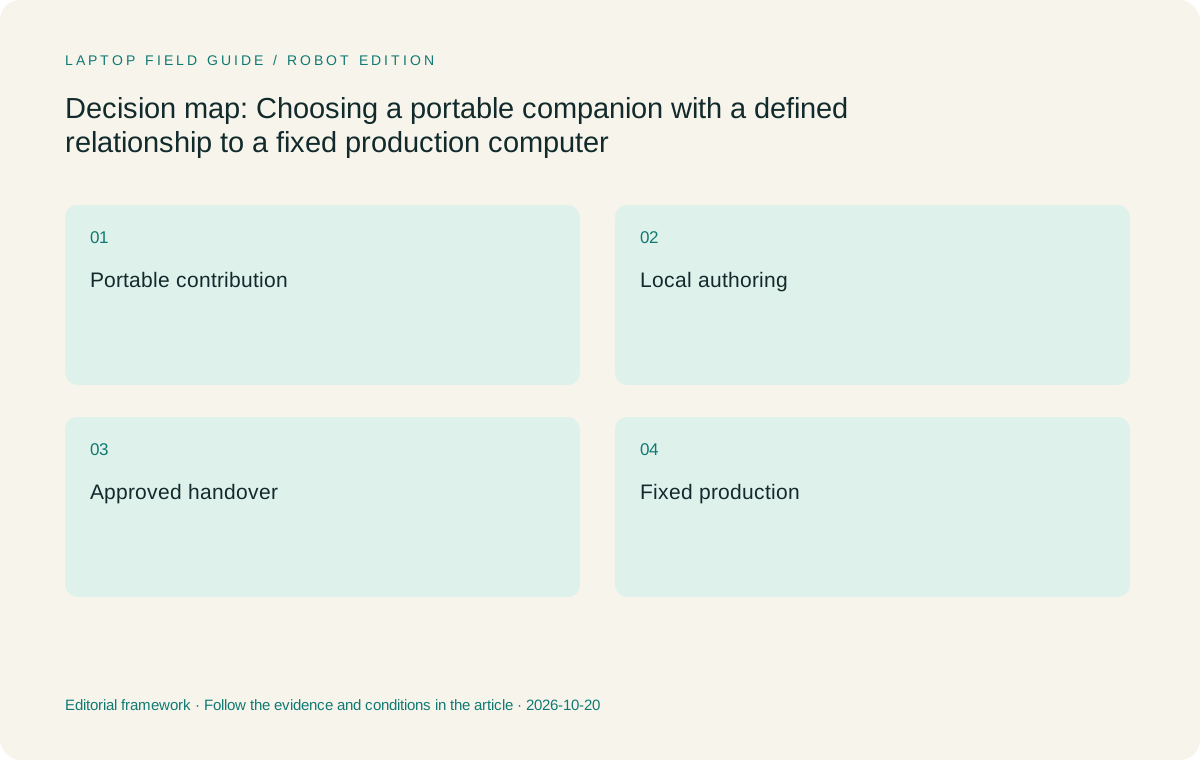
Original editorial illustration. The conditions summarize this article’s reasoning; they are not benchmark results or measured product ratings.
Treat remote access as a separate service dependency
A remotely accessible workstation can preserve an established production environment, but it should not be treated as an inherent feature of any travel laptop. The organization must support the remote resource, the permitted client and the account arrangement. Microsoft's Windows App documentation distinguishes supported connection types and platforms, which is useful evidence that remote access has its own compatibility conditions. A purchaser should use the organization's approved method rather than infer that a generic remote-work label guarantees access from every candidate device.
This changes the comparison in an important way. A laptop used mainly as an endpoint still needs to meet the remote-service requirements and the local tasks surrounding the session. Those local tasks may include reading instructions, preparing inputs, joining approved communication tools or reviewing an exported result. They are not automatically solved by the existence of a workstation elsewhere. Conversely, a remote production resource may mean the traveler does not need to duplicate the workstation's entire local application stack. The correct answer follows the assigned workflow rather than a desire to match specifications across two machines.
The Surface's Windows on Arm platform, the Air's macOS platform and the Lenovo models' Windows configurations need to be considered in relation to the exact supported client and any local dependencies. A compatible remote session alone does not establish that every required peripheral, extension or local authoring component is eligible. This article recommends no particular remote-access setup and reports no connection tests. It simply treats the approved remote path as a purchase condition, separate from carrying weight and the laptop's physical design.
Buy for meaningful local work, not an imaginary duplicate
The portable computer often needs enough capability to keep the assignment moving even when its role stops short of full production. A meaningful local contribution might be a completed brief, an edited source document, an annotated review or a consolidated set of client decisions. Buying around those outputs can be more useful than trying to recreate the fixed workstation in miniature. It also gives configuration decisions a reason: memory and storage should reflect the actual local applications and files rather than a vague ambition to handle everything.
This matters especially when the fixed machine was selected for a specialized workload. A traveler may not need that entire environment, yet may still require a narrow tool that is unavailable on a proposed operating system. A single mandatory component can determine eligibility even if most of the work is browser-based. The MacBook Air should therefore remain a candidate when the companion role is approved on macOS, not be assumed compatible because the primary machine stays at home. The Snapdragon Surface requires equally specific treatment for Arm-related software and driver requirements.
For the Slim Ultra and Yoga 7i 2-in-1, check the precise orderable configuration and supported software requirements. Family names do not establish memory capacity, operating-system edition or installed organizational tools. The Ultra's low starting weight is a persuasive benefit only after the chosen configuration meets the role. The Yoga convertible's pen support is useful only when the local output benefits from it. This is a more defensible buying method than either maximizing every specification or choosing the lightest product before deciding what the traveler will actually deliver.
Make the transfer between machines intentional
Two computers create a boundary even when they belong to the same person. Work completed on one needs an approved way to become useful on the other. The boundary may be a shared source location, a submitted review object or a deliberate request for a production action. It should not rely on the traveler remembering which private copy contains the latest change. The laptop choice must support the selected method, but the team must still define what crosses the boundary and which computer owns the next stage.
For example, a travel review might produce a clearly identified revision request rather than a second competing production source. That can be sensible when the fixed workstation owns the complex project. Alternatively, the laptop might edit the authoritative source directly through an approved application, making a separate transfer unnecessary. These are different arrangements with different failure points. A buyer should not mix them casually by describing every edited file as synchronized. The important question is whether the production stage can identify and use the intended result without reconstructing the travel session.
Microsoft's file-collaboration documentation describes one family of shared-file capabilities, while actual permission and configuration remain organizational decisions. A shared service can support a chosen relationship between the devices; it does not decide the meaning of a draft or guarantee that every work item is ready for production. This is why a laptop comparison should include the expected artifact as well as the operating system. A model that preserves the required source or review object is a stronger companion than one that merely opens an attractive-looking preview.
Manufacturer product illustration, not a photograph of our testing. Accessories and local configurations vary. Official image context.
Four candidates for four portable contributions
The Yoga Slim 7i Ultra Gen 11 is my starting point for a portable contributor that handles approved Windows writing, analysis, communication and ordinary source revisions while a fixed workstation retains other production duties. Its manufacturer starting weight is 975 g, with charger and accessories outside that figure. The machine's role is straightforward: carry the meaningful keyboard-led work with less bare-device weight. It has no active-pen support and no native HDMI or USB-A, so neither input assumptions nor accessory needs should be hidden behind the Ultra name.
The Yoga 7i 2-in-1 Gen 11 is the more appropriate Lenovo companion when the local contribution includes substantive supported pen markup. Its convertible hinge and pen option address that input role; the aluminum version's 1.38 kg published starting weight describes a different carrying proposition. Check whether the intended pen is included in the actual bundle. I would prefer it over the Slim Ultra for a traveler who repeatedly returns visual annotations to the workstation's production owner, provided the chosen applications preserve those annotations in the required process.
The MacBook Air 13-inch M5 is a conventional 1.23 kg published-weight alternative when the companion contribution and any remote endpoint requirements are approved on macOS. The Surface Pro for Business 13-inch 12th Edition Snapdragon is a detachable alternative for an eligible Windows on Arm process. Its 895 g tablet-only specification must be expanded with the working keyboard, pen and other necessary items. Neither model should be described as a workstation replacement on the basis of this role comparison. Each can instead be considered as a particular way to perform the defined portable contribution.
Decide what happens when the workstation is unavailable
A workstation-dependent workflow needs an honest statement about unavailable production. If the traveler cannot reach the production resource, some actions may have to wait. That is a business boundary rather than a hardware defect when it is understood in advance. The buyer should decide which tasks the laptop must still own during that period and which requests can be queued for later. This does not require inventing a universal offline mode or assuming the employer permits local copies of every file.
The distinction can materially affect the purchase. If an urgent client correction must be completed independently, the portable computer needs an eligible local authoring path for that correction. If the traveler is only authorized to capture the requested change and seek approval, a narrower companion role may be sufficient. A pen-enabled device may improve that capture role without making the production application local. A remote-access client may reach a production environment without replacing the local tools required for other parts of the assignment.
These are good reasons to avoid judging the candidates through an undifferentiated claim about flexibility. The Slim Ultra's keyboard-led Windows role, the Yoga convertible's supported pen input, the Air's macOS environment and the Surface's detachable Arm-based arrangement each offer a specific path. Choose the path that supports the required independent contribution and acknowledges any remaining dependency. Once that boundary is explicit, the fixed workstation becomes a planned part of the system rather than a rescue assumption used to excuse an unsuitable travel purchase.
Evaluate a complete contribution rather than a synthetic role
Before ordering, a team can inspect one representative contribution from the laptop's assigned role. The example might be a revised brief that the workstation user can act on, an annotation incorporated into the production source or a local correction exported in the required format. The point is to observe whether the handover object contains what the next stage needs. This is a suggested acceptance method, not a report of tests performed on the four products. It avoids presenting an invented performance score as evidence of role suitability.
The exercise should include ordinary constraints rather than only the ideal case. A source may use a mandatory extension; an export may have an exact format; a remote service may require a supported client; an annotation may need to remain editable. Identify which of those conditions the device actually owns. If a condition belongs to the workstation or service, keep it visible as a dependency. If it belongs to the laptop, verify the proposed configuration and platform against the requirement before treating low weight as the deciding advantage.
This approach also makes the purchase reviewable by someone who does not share the traveler's preferences. A clear statement such as produces approved Windows revision requests locally is easier to evaluate than general promises about professional mobility. It can justify the Slim Ultra without claiming universal superiority. A requirement for supported handwritten visual review can justify the Yoga or Surface instead. An explicitly macOS-supported contribution can justify the Air. The fixed workstation stays in the picture, but it no longer obscures the portable machine's own obligations.
Choose the companion that owns the right work
For a traveler who must perform substantial keyboard-led Windows work locally, then return selected production stages to a fixed workstation, I would shortlist the Yoga Slim 7i Ultra Gen 11 first. Its low published starting weight is relevant to that repeated travel role, subject to the exact application, configuration and company requirements. The recommendation does not assert workstation-class performance, a specific battery duration or a measured productivity gain. It identifies a sensible relationship between a light conventional laptop and work deliberately retained at a fixed desk.
The Yoga 7i 2-in-1 is my Lenovo alternative when supported pen work is a recurring portable contribution. The MacBook Air belongs in the comparison when macOS is explicitly eligible for the local role and required access path. The Snapdragon Surface is a genuine option when detachable use contributes enough to the job and its Arm platform plus full working kit pass the same requirements. If a candidate cannot create the artifact it is expected to own, its other attractions do not resolve that mismatch.
The strongest two-computer arrangement has a clear sentence describing each machine's job. The laptop carries the responsibilities that travel; the workstation performs the production stages assigned to it; an approved process connects their outputs. A buyer can then assess portability without confusing it with independence and can assess local capability without assuming that every workstation task must move. That clarity is what turns a lightweight companion from an extra device into a useful part of a coherent working arrangement.
Compare the documented options for this task
| System | Where it fits this task | Trade-off to verify | Primary evidence |
|---|---|---|---|
| Lenovo Yoga Slim 7i Ultra Aura Edition 14-inch Gen 11 | Best starting candidate for a Windows companion that owns substantive keyboard-led work locally while a fixed computer retains defined production stages. | It is not an active-pen device, and low starting weight does not establish that every workstation task should move to it. | Official source |
| Lenovo Yoga 7i 2-in-1 Aura Edition 14-inch Gen 11 | Prefer when the portable contribution includes supported pen annotations that the production stage will use. | Accept the different carrying weight only for a useful input benefit, and verify the actual pen bundle. | Official source |
| Apple MacBook Air 13-inch M5 | Consider for a conventional companion whose local applications and approved access methods support macOS. | The fixed workstation does not automatically solve a missing local application or required platform component. | Official source |
| Surface Pro for Business 13-inch 12th Edition Snapdragon | Consider when a detachable pen-capable endpoint fits the assigned role and Windows on Arm is approved. | A keyboard-inclusive kit and exact software requirements determine working suitability; tablet-only weight is incomplete. | Official source |
Questions before choosing
Can a companion laptop be chosen only for remote access?
It can have a narrow endpoint role if that matches the assignment, but the approved service, client, account conditions and surrounding local tasks still need to be identified. Remote access is a dependency, not an inherent guarantee supplied by a laptop model.
Does keeping a workstation mean local application compatibility is unimportant?
No. Any task assigned to the laptop still needs an eligible local or approved remote path. A client correction or required export can depend on a component even when most production stays at the fixed desk.
When is the convertible worth carrying?
When supported pen input creates a useful portable contribution, such as a substantive visual review. If the role is primarily typed source editing, a conventional eligible clamshell can be the more direct choice without losing an important input method.
Continue this research
For a related perspective from our companion publication, read the hardware-focused companion guide: The Company-Compatibility Gate for Lightweight Travel and Remote-Work Laptops. Manufacturer claims should be verified in the primary sources below.
Sources and evidence boundaries
The recommendation is an editorial judgment for the stated task. Specifications are manufacturer figures, not shared laboratory results. Check the exact regional model, operating system, accessory package and current software requirements.
- Lenovo PSREF: Yoga Slim 7 Ultra 14IPH11
- Lenovo PSREF: Yoga 7 2-in-1 14IPH11
- Apple MacBook Air 13-inch M5 specifications
- Microsoft Surface Pro for Business 13-inch 12th Edition Snapdragon specifications
- Microsoft Windows App connection types and supported platforms
- Microsoft introduction to file collaboration
Editorial context: this series is a Lenovo-focused product-discovery project. Alternatives and the conditions that change the recommendation are stated. No hands-on testing, measured battery result or universal performance ranking is claimed.
Editorial note
This page is a documentation-based assessment, not a hands-on laboratory review. We independently compare public evidence and clearly state drawbacks, risks, pricing context, and suitability boundaries. Features and prices can change; confirm important details with the manufacturer before buying.