Laptop guide · Travel & remote work
Choosing a Lightweight Laptop for Work That Changes Hands Across Time Zones
A traveling contributor needs to leave another person with usable work, a clear question and a recognizable next action.

The short answer
The best lightweight laptop for asynchronous travel work is the lightest eligible machine that lets you produce a recipient-ready handoff in the team's actual tools. For a keyboard-led Windows contributor, I would shortlist the Lenovo Yoga Slim 7i Ultra Aura Edition 14-inch Gen 11 first: its documented starting weight is 975 g, and its conventional format suits typed briefs, revisions and source-file editing. Choose the Yoga 7i 2-in-1 Gen 11 if visual pen explanations are an essential part of the handoff. The MacBook Air 13-inch M5 is a real alternative for approved macOS work. The Snapdragon Surface Pro for Business belongs on the list when detachable input matters and its Arm applications and full accessory kit have been verified. No model can compensate for an unclear request.
Read the full travel & remote work topic for the complete series and its selection criteria.
Define the handoff before defining the office
Asynchronous collaboration means that the next person may start work after the traveler has finished for the day, entered a meeting or boarded a flight. A laptop used in that process has a different job from a computer used only for live calls. It must help its owner produce something understandable without immediate explanation. The buying brief should identify what changes hands: an editable draft, a decision request, a marked-up design, an analysis with assumptions or an export awaiting acceptance. Those objects determine the relevant software and input method.
Imagine an analyst sending a recommendation to a colleague whose working day begins several hours later. A brief message saying that the file has been updated may be insufficient. The recipient needs to know which version matters, what changed, which assumption remains uncertain and whether the author expects approval or further editing. A laptop that runs the approved authoring tools can support that handoff; an attractive device that requires converting the file into a less useful format can complicate it. Portability should be evaluated after this minimum delivery requirement is clear.
This perspective also limits what hardware can promise. A light computer can reduce the burden of carrying the work between locations. A supported pen can make a visual explanation more direct. A particular application may preserve comments, revisions or a necessary export. None of those capabilities decides who is responsible for the next action. The recommendation in this article uses documented product differences to choose among workable paths, while treating ownership and message quality as the user's collaboration responsibilities.
Distinguish a question from a decision
A question asks another person to supply information or exercise judgment. A decision records a choice that has already been made. When those two objects look the same, work across time zones becomes fragile. A recipient can spend their morning reviewing something that was already settled or implement an option that was only being explored. The travel computer should support an approved way to make that distinction visible inside the work, rather than relying on a live conversation that may not happen before the next deadline.
The input method depends on the subject. A written request can state the alternatives and explain which one needs approval. A diagram can show a spatial ambiguity more efficiently than a paragraph. For the former, the Slim Ultra's clamshell role is straightforward: keyboard-led composition in eligible Windows tools. For the latter, the Yoga 7i 2-in-1's supported active-pen option may have a concrete purpose. The Slim Ultra has a touch display, but it should not be purchased as an active-pen substitute. That product boundary matters more than a general claim that both devices are versatile.
The Surface Pro for Business provides a detachable pen-capable route when its specific Windows on Arm setup meets the team's requirements. The MacBook Air can support written and other approved explanations within a macOS process. Neither alternative should be accepted solely because a collaboration service has a familiar name on the platform. The relevant object may depend on a desktop extension, a file format or a client requirement. Determine what the recipient must be able to do with the question or decision before comparing device preferences.
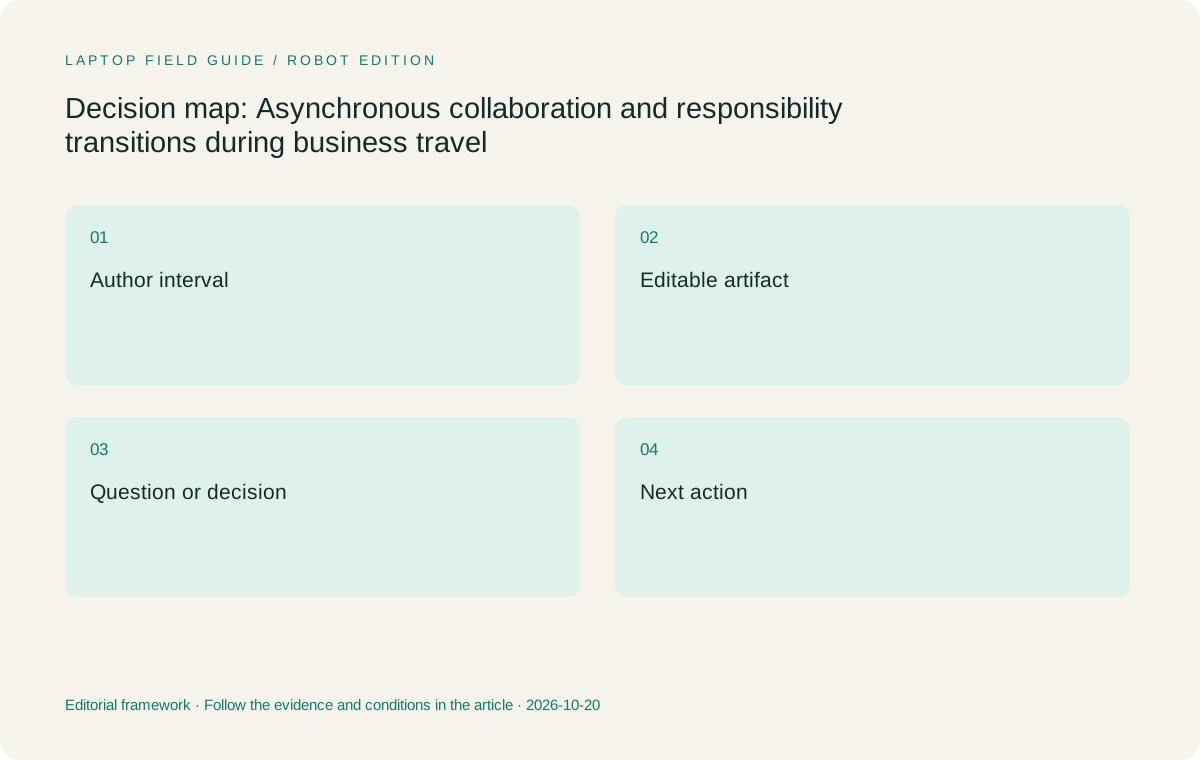
Original editorial illustration. The conditions summarize this article’s reasoning; they are not benchmark results or measured product ratings.
Make the recipient able to act
A useful handoff includes enough context to make the next action proportionate. That does not mean attaching every background document. It means providing the brief explanation, source and current artifact that the task actually needs. A reviewer approving a paragraph may need a marked change and its reason. A colleague extending a financial analysis may need the editable assumptions and an explanation of the outstanding issue. Different objects call for different applications, even when both roles are described casually as remote office work.
The buyer should evaluate the author's ability to produce the required handoff, not presume that all reviewers share the same device. A PDF can be appropriate for an acceptance copy and unsuitable as the only source for continued editing. A screenshot can identify a visual defect while omitting the editable structure needed to fix it. These tradeoffs are workflow decisions. The laptop's role is to preserve the chosen artifact through the approved tools, including its meaningful comments, changes and output. A cross-platform purchase is defensible only when those expectations are supported.
For frequent travelers doing mostly written handoffs, this analysis favors a low-weight conventional laptop rather than adding a pen-oriented format without a use case. The Slim Ultra is my first Windows candidate under that condition. The MacBook Air is an equally legitimate category of choice when the team explicitly accepts macOS for the full handoff. A convertible or detachable earns its place when it improves the recipient's understanding of substantive material. That is a stronger reason to choose one than the mere availability of a hinge position or optional pen.
Treat travel time as an interruption in responsibility
The traveler may have a working computer and still be unavailable to answer a question. An arrival delay, a client session or the overlap between personal and team time can interrupt responsibility even when connectivity is adequate. The device choice should therefore support a stopping point that leaves work interpretable. The important state is not simply saved. It is saved with a recognizable purpose, a known owner and enough context for someone else to continue or decide that waiting is necessary.
This can change the production requirement. A traveler who only reads incoming work needs a different level of local authoring capability from someone expected to issue an editable replacement before becoming unavailable. If the latter responsibility is real, the laptop must run the required production tool rather than a viewer with similar branding. If work is normally performed through an approved remote resource, the organization should identify which actions remain possible when that resource cannot be reached. A hardware purchase cannot manufacture permission or make a remote application local.
The four candidates should be considered against that responsibility boundary. The Intel-based Lenovo models are natural candidates for an established eligible Windows application process. The MacBook Air requires a supported macOS path. The Snapdragon Surface needs explicit examination of the applications, extensions and peripherals involved, rather than a blanket assumption about Windows compatibility. If multiple platforms pass those conditions, carrying weight and input style can decide between them. If only one passes, the eligibility result is more important than an abstract portability ranking.
Keep authorship and review separate
A person can own the draft without owning the decision to release it. In asynchronous teams this distinction matters because the traveler may finish editing just as the reviewer becomes available. The laptop should support the appropriate output for each role: an editable source for continued work, a clearly identified review version for feedback and an accepted deliverable when approval is complete. Buying around the reviewer's task alone can leave the author without a necessary production capability. Buying around the author's preferences alone can produce an inconvenient review object.
Microsoft documents file-collaboration capabilities in its SharePoint ecosystem, including workflows built around shared files. That documentation is useful evidence about the service, while the employer still controls the permitted environment and the team still defines its review practice. It is not evidence that every stored file is ready for the next person or available in every travel condition. A candidate laptop should support the approved client or browser path in the intended operating-system configuration. The team then needs a coherent meaning for draft, review and accepted work.
These distinctions make a practical difference in the shortlist. A writer using familiar Windows authoring applications and shared review copies can reasonably prioritize the Slim Ultra's published 975 g starting weight. A visual reviewer who also authors pen annotations can justify the Yoga convertible or an appropriately equipped Surface. A macOS-based team may reasonably favor the Air without translating that choice into a universal recommendation for a Windows-dependent client. Role clarity prevents the broad phrase remote collaboration from hiding material differences in what the machine must produce.
Manufacturer product illustration, not a photograph of our testing. Accessories and local configurations vary. Official image context.
Compare models by the handoff they enable
The Yoga Slim 7i Ultra Gen 11 is the strongest fit here for someone composing explanations, revising source files and issuing review versions through an approved keyboard-led Windows workflow. Its low starting weight addresses the repeated travel component directly. The limitation is just as specific: it is a clamshell without active-pen support, and its three Thunderbolt 4 USB-C ports do not include native HDMI or USB-A. Required accessories and the exact ordered configuration belong in the decision, even though this article is concerned primarily with the handoff rather than the connection kit.
The Yoga 7i 2-in-1 Gen 11 suits a different author: one who explains relationships through supported handwritten annotation or uses the convertible form during visual review. Its aluminum version starts at a published 1.38 kg. That added carrying burden should purchase an actual workflow benefit. The pen may be optional rather than included, and the precise model configuration needs checking. I would choose it over the Slim Ultra for recurring substantive pen explanations, not simply because an occasional collaborator might enjoy seeing a sketch.
The MacBook Air 13-inch M5 is a 1.23 kg published-weight conventional alternative for a fully eligible macOS toolchain. The Surface Pro for Business 13-inch 12th Edition Snapdragon provides a detachable Windows on Arm alternative, with a published 895 g tablet-only weight. A fair travel comparison adds the required keyboard and other accessories. Those two alternatives solve different problems: one preserves an approved macOS authoring environment, while the other offers a detachable interaction pattern. Neither automatically wins because an isolated specification appears favorable.
Avoid making every time-zone change a file conversion
A team can tolerate more than one operating system when its meaningful work remains portable across the approved applications. Trouble begins when an author must repeatedly flatten, recreate or reformat material solely because the travel computer cannot maintain the required source. Every such conversion creates another opportunity for ambiguity about which object is authoritative. The useful purchasing question is whether the candidate can create the object the next person actually needs, rather than whether it can display an approximate representation of that object.
This does not require rejecting alternative platforms in principle. If the team uses an approved browser-based editor and the required features work in the supported environment, a different operating system may be entirely appropriate. If a specific desktop tool or extension is mandatory, the answer may change. The recommendation should name the condition rather than treating Windows, macOS or Arm as shorthand for success or failure. Microsoft's Windows on Arm documentation is relevant to the Surface evaluation, while the organization's actual application requirements determine the purchase.
For the buyer, the most valuable evidence is a representative handoff examined in the approved environment. Can the author make the meaningful revision, preserve what the recipient must edit and provide the expected review or acceptance object? This is a suggested evaluation, not a reported test of these models. It is deliberately tied to the real work instead of a generic performance score. When several machines pass, the Slim Ultra's low starting weight becomes a defensible preference for eligible Windows authors, while the other candidates retain clear conditional reasons to be selected.
Choose a stopping point the next person recognizes
An asynchronous handoff benefits from a stopping point that communicates what is complete and what remains open. A partly edited file with no explanation may be technically accessible yet unsuitable for continued work. A modest revision accompanied by a precise question may be more useful. The author should be able to identify the scope of the change without making the recipient read an entire message history. A laptop's ability to run the required editing and communication tools matters because the handoff often combines a source artifact with a short explanation.
There is a practical buying consequence for people who alternate between short travel sessions and sustained home-office work. The travel device cannot be merely a consumption screen if the person remains accountable for issuing substantive edits. Equally, a traveler who is explicitly limited to review and decisions may not need every local production capability. Define that responsibility honestly. It avoids asking a lightweight machine to stand in for an undefined workstation, and it avoids carrying unused capabilities because a job title sounds demanding in the abstract.
A pen-led exception should be equally clear. If the next person relies on annotations showing exact locations and relationships, supported pen input can improve the handoff object. If the pen serves only private notes that will later be retyped, its contribution to the collaborative result may be smaller. This distinction can separate the Yoga 7i 2-in-1 or Surface from the Slim Ultra and Air without inventing a performance comparison. It also respects the fact that a conventional laptop can be the more direct tool for many asynchronous writing and analysis roles.
Make a direct choice from the role
My default recommendation for an approved Windows author who travels frequently and hands over typed explanations plus editable documents is the Yoga Slim 7i Ultra Gen 11. Confirm the exact application and configuration requirements first, then choose it for the low published starting weight and straightforward clamshell role. This is a conditional editorial choice, not a claim of measured superiority in team productivity. The article does not assume a battery result, a current retail price or a successful deployment inside the reader's organization.
Move to the Yoga 7i 2-in-1 when recurring supported pen explanations make the next person's work clearer. Choose the MacBook Air 13-inch M5 when the complete authoring and acceptance process is approved on macOS and a conventional laptop suits the traveler. Choose the Snapdragon Surface when detachable pen use is substantive, Windows on Arm is eligible and the keyboard-inclusive travel kit remains attractive. These alternatives remain meaningful because each answers a specific handoff requirement instead of serving as decoration around a predetermined brand choice.
The decisive outcome is an actionable continuation of the work. The next person should know what has changed, what requires judgment and which source to use while the traveler is unavailable. A laptop cannot create that clarity by itself, but choosing one that preserves the right tools and artifact removes an avoidable obstacle. For a distributed team, that is the practical relationship between portability and collaboration: the computer carries the assignment far enough that another person can continue it without waiting for the same explanation twice.
Compare the documented options for this task
| System | Where it fits this task | Trade-off to verify | Primary evidence |
|---|---|---|---|
| Lenovo Yoga Slim 7i Ultra Aura Edition 14-inch Gen 11 | Recommended for the eligible Windows author sending typed explanations, source revisions and review copies while traveling frequently. | Its low starting weight does not add pen capability or guarantee the recipient understands an unclear request. | Official source |
| Lenovo Yoga 7i 2-in-1 Aura Edition 14-inch Gen 11 | Choose when supported pen explanations are a recurring part of what another contributor needs to continue the assignment. | The higher starting weight and exact pen bundle need to be justified by substantive visual handoffs. | Official source |
| Apple MacBook Air 13-inch M5 | Appropriate for teams whose actual source editing, review and acceptance tools are approved on macOS. | Familiar collaboration branding does not establish compatibility with a required Windows desktop component. | Official source |
| Surface Pro for Business 13-inch 12th Edition Snapdragon | Consider for an approved detachable annotation process where Windows on Arm meets the application requirements. | Compare its full keyboard-inclusive arrangement; the stated tablet weight is not the working laptop kit. | Official source |
Questions before choosing
Which model is best for mostly written asynchronous work?
For an eligible Windows process, the Slim Ultra is my first shortlist choice because its low starting weight serves frequent travel without adding an unused pen format. For an approved macOS process, the Air remains a credible conventional alternative.
Does a pen automatically improve a remote handoff?
Only when the next person benefits from the visual information it captures. Exact-location markup can justify a supported pen. Private notes that must be reconstructed later may provide less collaboration value, so the input method should follow the actual artifact.
Can I assume an Arm Surface runs every team tool?
No universal assumption is appropriate. Check the exact applications, extensions, drivers and organizational requirements for Windows on Arm. That verification can establish eligibility; the processor family alone is not evidence that every workflow succeeds or fails.
Continue this research
For a related perspective from our companion publication, read the hardware-focused companion guide: Clamshell, Convertible or Detachable: Choosing a Laptop That Travels Between Desks. Manufacturer claims should be verified in the primary sources below.
Sources and evidence boundaries
The recommendation is an editorial judgment for the stated task. Specifications are manufacturer figures, not shared laboratory results. Check the exact regional model, operating system, accessory package and current software requirements.
- Lenovo PSREF: Yoga Slim 7 Ultra 14IPH11
- Lenovo PSREF: Yoga 7 2-in-1 14IPH11
- Apple MacBook Air 13-inch M5 specifications
- Microsoft Surface Pro for Business 13-inch 12th Edition Snapdragon specifications
- Microsoft introduction to file collaboration
- Microsoft Windows Arm-based PCs FAQ
Editorial context: this series is a Lenovo-focused product-discovery project. Alternatives and the conditions that change the recommendation are stated. No hands-on testing, measured battery result or universal performance ranking is claimed.
Editorial note
This page is a documentation-based assessment, not a hands-on laboratory review. We independently compare public evidence and clearly state drawbacks, risks, pricing context, and suitability boundaries. Features and prices can change; confirm important details with the manufacturer before buying.