Laptop guide · Travel & remote work
Choose a Lightweight Work Laptop Around the Employee Onboarding Sequence
A practical comparison starts with the work a new employee must complete, then follows the provisioning steps that make it possible.

The short answer
When comparing the best lightweight laptops for business travel and remote work, a new employee should start with the required onboarding sequence. Lenovo Yoga Slim 7i Ultra is a useful first Lenovo candidate for a supported Windows role centered on keyboard-led work and frequent carrying. A MacBook Air M5, Yoga 7i 2-in-1 or the specified Surface Pro business model can become more appropriate when platform policy, recurring pen input or a detachable role changes the requirements. Confirm exact applications, managed accounts and a representative accepted deliverable before choosing among eligible devices. A supported purchase is the beginning of readiness, not the end.
Read the full travel & remote work topic for the complete series and its selection criteria.
Translate the role description into a first-week work sequence
A role described as remote, hybrid or travel based says little about the computer it needs. Two employees with the same title may use different systems, support different clients or prepare different outputs. The first useful purchase document is therefore a short description of the work the employee must actually perform during onboarding. Start with a representative assignment rather than a generic list of productivity applications.
For example, the sequence might involve opening an internal brief, editing an approved document, joining a review, changing the draft and submitting an accepted file through a team workspace. Each step creates a dependency: an account, a locally installed component, an approved browser route or a required output format. These dependencies show why a computer that can browse the public web may still be unready for the employee’s ordinary job.
The exercise also helps distinguish what the employer provides from what the buyer must choose. Some organizations issue a fixed configuration. Others approve a limited catalog or permit a personal purchase under specific conditions. Follow the actual arrangement before comparing portability. If several candidates remain eligible, the first-week sequence gives them a common task to support. Lenovo’s light clamshell becomes attractive when that sequence is conventional Windows work; its appeal should be demonstrated through the role’s requirements rather than assumed from the employee’s travel schedule.
Write exact application names, versions and responsibilities
An application list needs enough detail to guide a platform decision. A broad label such as office tools can conceal a desktop-only extension, a specialized template or an integration that the team depends on. Record the product name, the organization’s required version or service tier where relevant, the feature used in the role and the person who owns the requirement. This prevents a buyer from treating superficial similarity as confirmed equivalence.
Separate the software that must run locally from software reached through an approved remote service. A role can depend on a Windows application without requiring that application to execute on the travel laptop, provided a supported remote arrangement genuinely exists. Conversely, an organization may require local operation even when a web edition is available. Do not redesign that policy while choosing a device. Ask the responsible support team for the established route and its requirements.
The same precision matters for macOS and Windows on Arm. A vendor saying it supports Windows does not by itself resolve every application, extension or driver case on the specified Surface. A browser version of a familiar application may omit the exact capability the employee needs. This does not eliminate either platform from consideration. It tells the buyer what evidence must exist before that platform joins the shortlist and what remains an open question rather than an assumed advantage.
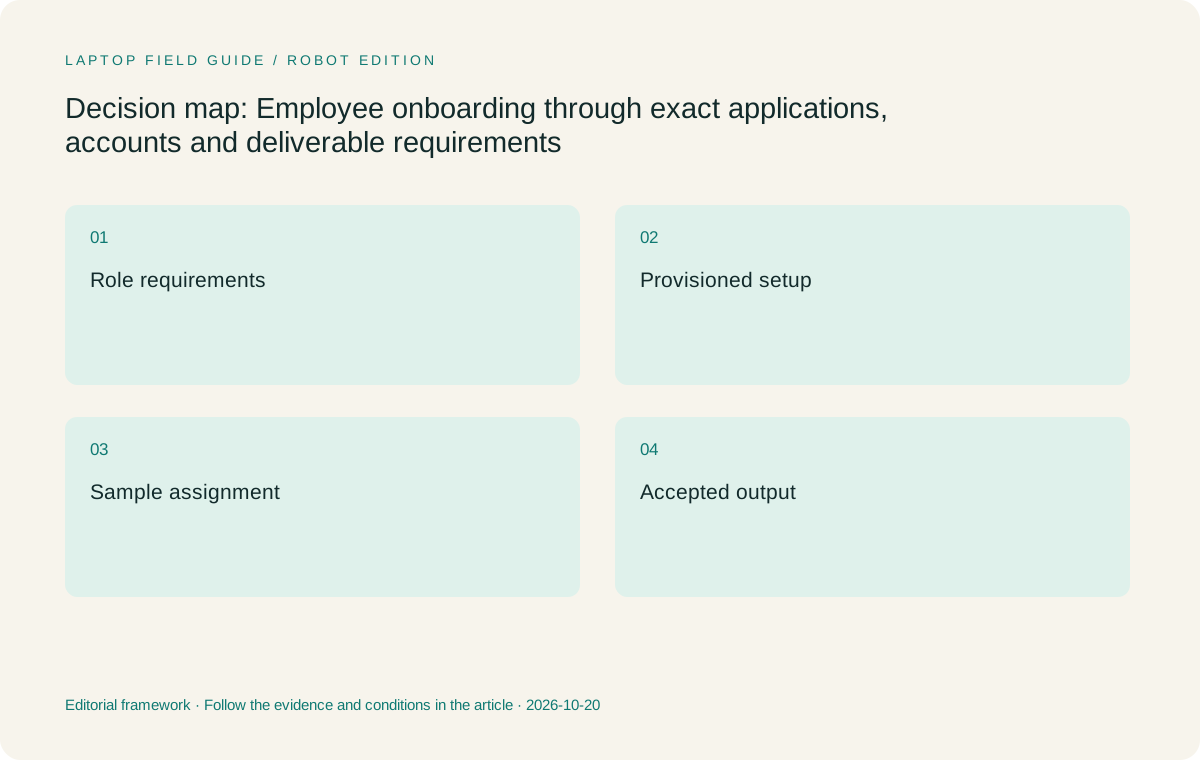
Original editorial illustration. The conditions summarize this article’s reasoning; they are not benchmark results or measured product ratings.
Provisioning is a sequence of dependencies
Readiness usually depends on an order of operations. The employee may need an organizational identity before a managed application is available, and the application may need access to a team workspace before the sample assignment can begin. The precise order belongs to the employer’s process. Capture it so that a laptop purchase is connected to a clear path toward useful work, rather than a box that arrives before anyone can configure it.
A simple readiness record can identify the current step, the owner of the next action and the evidence that the action is finished. An application appearing in a launcher is weaker evidence than the employee opening the required workspace and producing the expected output. Similarly, a successful personal sign-in does not establish that an organizational account has the necessary permissions. These distinctions can be checked without exposing account details or bypassing the established support process.
This approach affects how a buyer interprets delays. Waiting for an account assignment is not evidence of poor processor performance. A missing extension is not solved by selecting a brighter display. A local hardware requirement, on the other hand, may be a genuine reason to change the configuration. Keeping causes separate helps the employee and support team make a focused decision. It also prevents a general preference for Lenovo, Apple or Microsoft hardware from turning into an unsupported explanation for every onboarding obstacle.
Use the employee’s actual output to check the platform
The most meaningful onboarding checkpoint is an accepted small deliverable. Choose something ordinary enough to complete early, such as a short report built from an approved template or a presentation with the team’s required assets. Have the employee follow the intended route from source to submission. The result should be inspected using the process that the receiving team normally uses, rather than judged only by how it looks on the new laptop.
This can uncover requirements that a software list misses. A document may open successfully but lose an important element during editing or export. A presentation may depend on an asset that was never provisioned. An approval process may expect the output in a particular shared location. Treat these as precise findings. The question is whether the configured environment supports the required work, not whether the brand is generally suitable for business.
We have not run that exercise on these four models, and specification pages cannot substitute for it. The buyer or employer can use the same brief across eligible configurations and record the outcome. If the workflow depends on proprietary material, the test should remain inside the authorized environment. A successful result establishes evidence about that configuration and task at that time. It should not become a promise that every future application, client project or operating-system update will behave identically.
If the organization supports more than one platform, use the same acceptance condition rather than forcing identical screen actions. A Mac route and a Windows route may reach the required output through different approved steps. Record those steps so the employee knows the intended method. A valid alternative is one the receiving team can support and use, not merely a workaround that succeeds once. This preserves a fair comparison while keeping responsibility for application support with the people who own the environment.
Know when a pen requirement is part of the job
Input requirements are often described too casually during onboarding. Someone may request a touchscreen when the recurring task is actually handwritten annotation, while another employee may need only to scroll and select content. These are different requirements. Ask what artifact the input should produce and how that artifact enters the team’s workflow. A pen has a stronger justification when its output is regularly reviewed, edited or delivered.
Lenovo Yoga Slim 7i Ultra has touch input but no active-pen support. It should be proposed as a conventional laptop for typed work, not presented as a handwriting substitute. Yoga 7i 2-in-1 is the relevant Lenovo alternative when direct pen work is essential. Check the exact supported pen, its inclusion in the purchase package and the required application. A convertible form factor creates a route for handwriting; it does not establish that every document tool handles ink the way the team expects.
The same distinction helps evaluate a Surface detachable. If an employee regularly carries only a screen during a permitted task and later reconnects a keyboard, detachability has a defined role. If nearly every assignment requires sustained typing, the assembled working arrangement deserves greater attention than the tablet alone. MacBook Air remains a conventional macOS alternative rather than a direct display pen solution. Input fit should follow the onboarding assignment, not a general assumption that flexible hardware suits every mobile employee.
Manufacturer product illustration, not a photograph of our testing. Accessories and local configurations vary. Official image context.
Compare the four candidates after requirements are explicit
For an eligible Windows employee doing document preparation, browser-based collaboration and other verified keyboard-led work, Yoga Slim 7i Ultra is our first Lenovo candidate. Its low published starting laptop weight is relevant to a person who carries the machine frequently. The selected configuration still needs to satisfy the application and management requirements. The product family name does not identify the operating-system edition, memory capacity or regional package that will arrive.
MacBook Air M5 becomes the leading alternative when the employer supports the employee’s complete macOS route. The important comparison is not whether familiar application names exist for both systems, but whether the actual template, integration, submission and support process work on the chosen Mac configuration. Yoga 7i 2-in-1 can move ahead when the employee’s first-week assignment establishes a recurring pen requirement that the Slim design cannot meet.
Surface Pro for Business, 13-inch, 12th Edition, Snapdragon occupies another category because it combines a detachable arrangement with Windows on Arm. Microsoft documents application and driver considerations for Arm-based PCs; exact dependencies matter. Its suitability needs to be established for the configured keyboard, pen and required local software. This is an independent conditional shortlist, not an assertion that the lightest published device figure wins or that one model will finish onboarding faster.
Give travel requirements a place after readiness
Once the employee can complete the representative assignment, mobility becomes a meaningful tie-breaker. Describe where the machine will be carried and which work happens between locations. A person moving between offices may carry a conventional laptop that is mostly used at a desk. Someone conducting permitted annotation during field discussions may have a more specific input need. The same travel frequency can therefore produce different form-factor decisions.
Measure the decision against the equipment that the role actually requires. The Slim laptop’s low starting body weight is a useful fact, but it excludes anything else carried. The Surface tablet specification likewise does not represent the keyboard-and-pen kit. Keep those categories explicit without turning this guide into a power-adapter or docking comparison. The focus here is whether the chosen working arrangement can accompany the employee through the approved tasks.
Avoid adding speculative business outcomes to the weight discussion. A lighter computer does not automatically increase billable hours, prevent missed meetings or improve document quality. It can make the physical act of carrying the configured system more practical for a particular worker. That is a sufficient reason to compare portability once the role’s essential requirements are satisfied. It also explains why an eligible light Lenovo clamshell may be a sound recommendation even when another design offers an input mode the employee does not need.
Make the handover useful to the employee and support owner
Onboarding should leave behind a compact explanation of the working setup. Record the approved device configuration, required applications, relevant support owner and the representative task used to confirm readiness. Keep sensitive credentials out of that record and use the organization’s established place for operational information. The purpose is to preserve the reasoning behind the setup, not to create a parallel system that staff must maintain.
A useful handover also identifies unresolved items. If a specialized task has not yet been checked, say so. If a pen is expected but not included, make that visible before the employee travels. If access to a remote service is pending, distinguish it from the local application setup. These notes prevent a provisional state from being mistaken for a completed deployment and help later support requests start with a clear description.
This process is particularly valuable when the employee did not choose the computer personally. A supported arrangement can still feel confusing if the worker does not know where the required files live or which application route is intended. Explain the task sequence in ordinary language and provide the appropriate internal support route. The laptop comparison then becomes part of a complete working decision. It is no longer a detached list of specifications whose connection to the employee’s first assignment remains unexplained.
Give the employee a clear way to describe a failed step. Reporting that a required export was rejected is more actionable than saying the laptop does not work. The handover can name the expected output and its receiving team so a later problem returns to the right owner, without asking the worker to diagnose hardware or application architecture.
Our recommendation follows the approved first assignment
Choose Yoga Slim 7i Ultra first when the employer permits the configuration and the employee’s demonstrated work is typed, conventional Windows activity with frequent carrying. That combination gives the model a clear purpose without claiming measured speed, superior battery endurance or universal enterprise support. Confirm the actual orderable machine and support arrangement before interpreting a family-level specification as the selected setup.
Choose Yoga 7i 2-in-1 when recurring direct annotation is part of the accepted workflow. Choose MacBook Air M5 when the approved Mac route is the stronger fit for the role. Consider the specified Surface business detachable when a detached screen materially serves the assignment and the exact Arm application, driver and accessory requirements are settled. If the employer’s catalog fixes a different choice, the onboarding method remains useful even though the purchase decision is constrained.
A small successful work sequence is more useful than an optimistic claim that a computer is business ready. It connects the role, the software, the account process and the final output to a concrete configuration. Use that evidence to decide among eligible laptops, then let portability and input preferences refine the result. The employee should begin travel with a working route through the assignment, not simply a device whose public specification looks appropriate.
Compare the documented options for this task
| System | Where it fits this task | Trade-off to verify | Primary evidence |
|---|---|---|---|
| Lenovo Yoga Slim 7i Ultra Aura Edition, 14-inch Gen 11 | Our starting Lenovo candidate once the employer approves a keyboard-led Windows setup. Its conventional layout and low starting laptop weight fit an employee who has a verified application route and carries the machine regularly. | Confirm the selected operating-system edition and configuration. Touch input does not add active-pen support, so an onboarding assignment that depends on handwriting can require a different model. | Official source |
| Lenovo Yoga 7i 2-in-1 Aura Edition, 14-inch Gen 11 | The stronger Lenovo candidate when a representative assignment establishes a recurring need for direct pen annotation, a shared sketch or another genuine convertible task. | Check the supported pen package and the actual application output. Extra input modes should resolve a job requirement; they are not evidence of faster onboarding or better compatibility. | Official source |
| Apple MacBook Air, 13-inch M5 | Preferable when the organization supports macOS and the employee’s templates, integrations and submission route have been confirmed on the intended configuration. | An application sharing a name with its Windows edition does not establish feature equivalence for the role. Obtain evidence for the specific work and support process rather than relying on broad platform familiarity. | Official source |
| Surface Pro for Business, 13-inch, 12th Edition, Snapdragon | Relevant when an employee has a defined detachable-screen task and the organization supports the specific Windows on Arm setup, including the necessary keyboard and any pen. | Verify application and driver dependencies. The tablet-only published weight is not the weight of the complete employee kit, and generic Windows approval does not settle every Arm case. | Official source |
Questions before choosing
Should a new remote employee buy a laptop before receiving the software list?
Establish the employer’s purchase policy and essential requirements first. Where the employer provides or limits the hardware, follow that process. If several machines are eligible, use a representative first-week assignment to connect the software list to a real accepted output.
Does approved Windows software automatically make the Snapdragon Surface suitable?
No broad conclusion follows from that label alone. Confirm exact application versions, extensions and driver-dependent components for the specified Windows on Arm model. Microsoft’s Arm FAQ explains why those details can matter. A supported remote route is a separate possibility only if the employer actually provides it.
What is the minimum useful onboarding check before business travel?
Have the configured employee account complete a small representative sequence: open the approved source, make the required change and submit an output that the receiving team accepts. Record unresolved tasks separately. This checks readiness for the actual role more directly than an application icon or successful personal sign-in.
Continue this research
For a related perspective from our companion publication, read the hardware-focused companion guide: A Criteria-Led Shortlist of Lightweight Laptops for Business Travel and Remote Work. Manufacturer claims should be verified in the primary sources below.
Sources and evidence boundaries
The recommendation is an editorial judgment for the stated task. Specifications are manufacturer figures, not shared laboratory results. Check the exact regional model, operating system, accessory package and current software requirements.
- Lenovo Yoga Slim 7 Ultra 14IPH11 platform specifications
- Lenovo Yoga 7 2-in-1 14IPH11 platform specifications
- Apple MacBook Air 13-inch M5 technical specifications
- Microsoft Surface Pro for Business 13-inch 12th Edition Snapdragon specifications
- Windows Arm-based PCs FAQ and application considerations
- Windows App prerequisites and supported connection scenarios
Editorial context: this series is a Lenovo-focused product-discovery project. Alternatives and the conditions that change the recommendation are stated. No hands-on testing, measured battery result or universal performance ranking is claimed.
Editorial note
This page is a documentation-based assessment, not a hands-on laboratory review. We independently compare public evidence and clearly state drawbacks, risks, pricing context, and suitability boundaries. Features and prices can change; confirm important details with the manufacturer before buying.