Laptop guide · Travel & remote work
Which Lightweight Laptop Fits Your Remote-Work Pattern? A Persona-Led Shortlist
Use the work pattern to change the shortlist order, with clear conditions that can move a different model into first place.

The short answer
The best lightweight laptops for business travel and remote work depend on the work pattern. Our first Lenovo candidate for an eligible Windows contributor doing frequent typed work is Yoga Slim 7i Ultra. Yoga 7i 2-in-1 moves ahead for recurring direct pen work. MacBook Air M5 becomes the leading platform choice when the full macOS workflow is supported. The specified Surface Pro for Business Snapdragon model is relevant for a defined detachable role after exact application and accessory checks. This is a conditional editorial shortlist: software eligibility comes first, input requirements come next, and portability decides among systems that can complete the actual work.
Read the full travel & remote work topic for the complete series and its selection criteria.
A useful persona describes work rather than a job title
Business traveler is too broad a category to select a computer. A project coordinator revising reports, a facilitator marking up diagrams and a specialist accessing a hosted application may all take the same train. Their local responsibilities can be very different. A useful persona describes what the person produces, how they provide input and which part of the task must happen on the carried device.
Start with a normal week and identify the repeated sequence. Where does the assignment begin? Which source must remain editable? What does the worker return to the team? Then describe the locations that interrupt that sequence. A person who writes between scheduled meetings has a different need from someone who carries a computer to a fixed desk and only reads while moving. These details are more useful than a broad claim that a laptop is intended for professionals.
The personas below are decision aids, not demographic predictions. A single worker can resemble more than one. Use the pattern that accounts for the recurring essential task, then inspect the exceptions that could disqualify a candidate. The comparison should produce a reasoned shortlist rather than assign everyone with a particular title the same hardware. That keeps Lenovo’s low-weight conventional design prominent where it fits while allowing another design to lead when a concrete requirement changes the answer.
Apply the non-negotiable requirements before ranking preferences
First establish which platforms and configurations the workplace permits and supports. Record exact required applications, extensions, local responsibilities and driver-dependent equipment where relevant. The employer’s actual arrangement governs the decision. A preference for a lighter body, a familiar brand or a flexible hinge does not compensate for a missing essential work route.
Distinguish a local application requirement from an approved remote-service requirement. Microsoft documents Windows App connection scenarios and prerequisites, but access to a particular employer’s service must actually exist. The travel machine may be an access device for one task and a local authoring device for another. Identify both roles. Do not assume that hosted software removes every local compatibility question, especially when output must be prepared before or after the remote session.
The specified Surface introduces Windows on Arm considerations, including exact application and driver dependencies described in Microsoft’s guidance. MacBook Air requires a supported macOS route for the actual work. The Lenovo options still need confirmation for the selected Windows configuration. After these requirements are resolved, compare input design, the working arrangement and the equipment that must travel. This ordering prevents an appealing preference from silently turning an ineligible machine into a recommendation and gives each model a fair comparison against the same essential tasks.
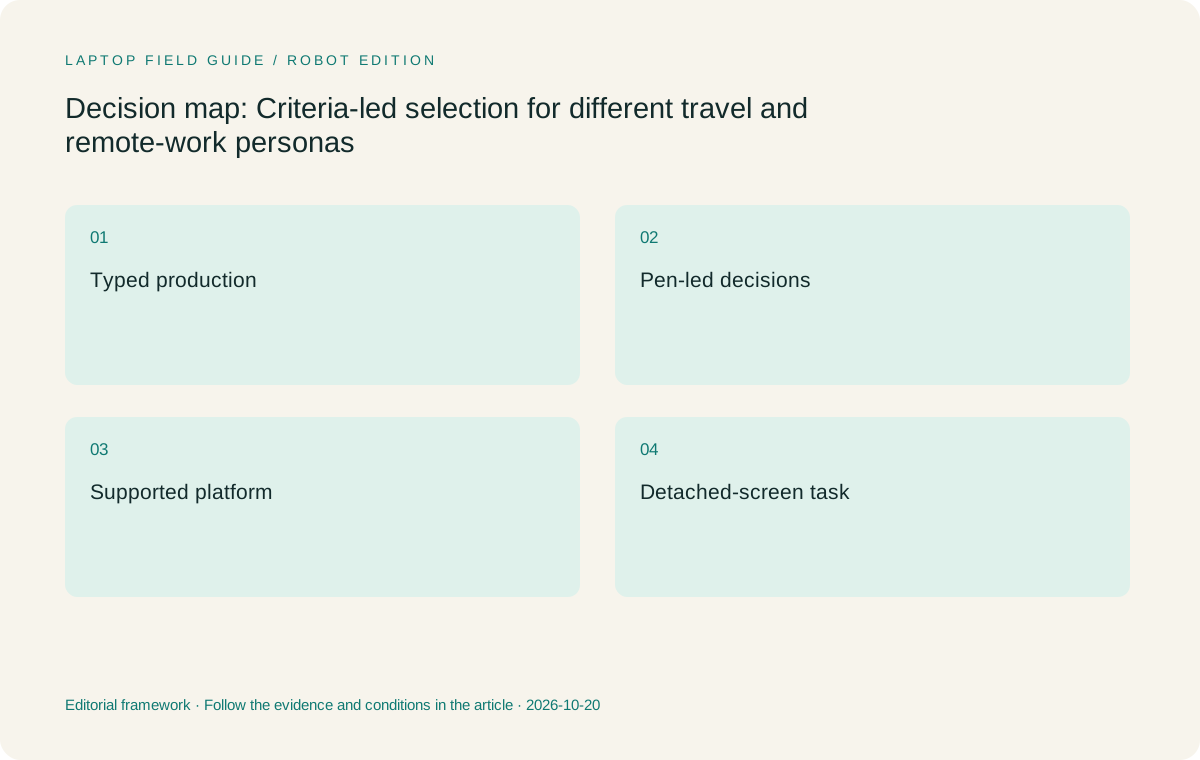
Original editorial illustration. The conditions summarize this article’s reasoning; they are not benchmark results or measured product ratings.
Persona one: the mobile keyboard-led contributor
This worker receives structured assignments, writes or revises source documents and submits results through supported collaboration tools. Most useful input is typed. The laptop is carried frequently, and the employee wants a conventional screen-and-keyboard arrangement ready wherever permitted work occurs. There is no recurring requirement to write directly on the display.
For this persona, Yoga Slim 7i Ultra is our first Lenovo candidate once the exact Windows route and configuration are eligible. Its low published starting laptop weight supports the reason for carrying one computer often. The recommendation does not depend on a claimed speed advantage or a battery result. It follows the match between the worker’s input pattern and the documented design. Choose the actual memory and storage configuration against the work requirements rather than assuming every machine in the family is identical.
The main challenger is MacBook Air when the organization’s supported Mac route is equally appropriate or preferable. Yoga 7i 2-in-1 should not move ahead merely because it can fold. It needs a meaningful additional task, or another requirement, that changes this persona. Surface detachability likewise needs a purpose beyond the attraction of a tablet-only figure. For a worker who consistently produces typed source material, choosing the light conventional system can be a disciplined decision rather than a compromise in flexibility.
Persona two: the visual facilitator whose pen work becomes a deliverable
This worker leads discussions around diagrams, layouts or processes. Direct marks are not decorative notes; they become decisions that must be preserved and passed into the shared project. The important question is whether the input arrangement reduces a recurring gap between discussion and usable source material. A person who sketches once a month may have a different answer from someone who does it in most working sessions.
Yoga 7i 2-in-1 becomes our first Lenovo candidate for this pattern. Its documented convertible design and supported pen provide a genuine route for direct screen annotation. Confirm the intended pen package and the application that turns the marks into a useful artifact. The hardware needs to serve the actual project format, including the way annotations are revised or exported. A drawing that remains isolated in a personal application can create another transfer step.
Yoga Slim 7i Ultra should fall behind when active-pen input is essential because it does not support it. Touch does not resolve that requirement. The specified Surface is a serious alternative when a detachable screen better matches the facilitator’s recurring task and the exact software route is supported. MacBook Air remains relevant only if the direct display pen requirement is removed or addressed through a different approved arrangement. The shortlist changes because the required input changes, not because one form factor is universally more creative.
Persona three: the producer in a supported Mac environment
This worker’s approved production route is based on macOS applications, established templates and a team support process that expects a Mac. The platform is not merely a personal preference if specific work dependencies make it necessary. Begin by documenting those dependencies, then confirm the intended configuration and the representative output. Do not treat general familiarity with a software brand as evidence that the required production features exist everywhere.
MacBook Air M5 becomes the leading candidate among these four when that Mac route is the decisive condition and a conventional laptop suits the input pattern. It is a relevant lightweight comparison, not a default answer for every creative or knowledge-work role. The buyer still needs to establish the application, collaboration and output path. A supported Mac environment does not prove that every future client format or specialized task will work without preparation.
The Lenovo options become appropriate challengers when the same production responsibilities genuinely have a supported Windows route and that route is acceptable to the organization. Yoga Slim 7i Ultra can then compete on the value of a light conventional working arrangement. Yoga 7i 2-in-1 needs a recurring input reason to lead. Surface requires its own Arm and accessory checks. This persona shows why the shortlist should be allowed to produce an Apple recommendation even when the broader comparison begins with a Lenovo product.
Persona four: the worker with a defined detached-screen task
For this worker, using the screen apart from the keyboard has a recurring purpose. That might be an authorized reading-and-annotation session followed by keyboard-led document work. The requirement should describe the task and expected artifact, not simply a desire for a flexible-looking device. If the keyboard remains necessary throughout nearly every session, the detachable distinction may be less important than it first appears.
Surface Pro for Business, 13-inch, 12th Edition, Snapdragon becomes relevant here as a specific business model. Compare it with the compatible keyboard and any required pen as the working system. Microsoft’s published tablet-only weight does not include that full kit. Check the exact local application and driver requirements for Windows on Arm. A platform label alone cannot settle the case, and a keyboard sold under a related name should not be assumed compatible without verification.
Yoga 7i 2-in-1 is the main Lenovo alternative when folding the screen into a different position serves the task adequately without detaching it. The buyer should examine the required working position and artifact in a representative session. We have not measured comfort or setup speed on either model. Yoga Slim 7i Ultra and MacBook Air remain conventional options if the detached-screen requirement proves optional. The decision turns on whether separation itself performs useful work or whether another approved arrangement can satisfy the same task.
Manufacturer product illustration, not a photograph of our testing. Accessories and local configurations vary. Official image context.
Persona five: the specialist whose main application stays elsewhere
This worker relies on a managed remote host or service for a specialist application. The carried laptop must use the authorized access route, but it may also need to prepare questions, revise permitted documents or handle local outputs. Describe those local responsibilities explicitly. An access device that cannot perform them may be suitable for only part of the job.
Yoga Slim 7i Ultra can be our first Lenovo candidate when those local duties are supported, keyboard-led Windows work and carrying weight matters. The remote host’s existence does not establish the laptop’s local performance, nor does it make the hosted application available without a connection. Establish the actual service prerequisites and the useful permitted tasks that remain when it is unavailable. That gives the light clamshell a defined role instead of implying that every specialist workload fits on it.
MacBook Air can lead when the employer supports the complete Mac client and local-output route. Yoga 7i 2-in-1 can move ahead if pen work is a recurring local responsibility. Surface can be appropriate for a defined detachable input role, with exact client, application and driver checks. This persona is a reminder to divide responsibilities carefully. The travel machine should be selected for what it must do, while the remote system’s capabilities and access remain separate parts of the working arrangement.
For a mixed role, identify what cannot be substituted
Many employees combine typed production, visual review and remote access. Adding all possible features does not automatically produce a better choice. Identify which recurring task lacks an acceptable alternative in the approved environment. A required direct pen artifact may make Yoga 7i 2-in-1 more appropriate even when typing occupies more time. An occasional optional sketch may not justify moving away from the light conventional design.
Distinguish frequency from consequence. A rare task can still be essential, such as a required customer deliverable that must use a particular application. That task can determine platform eligibility. A frequent preference, such as liking a certain window arrangement, may be less decisive if all eligible systems support the accepted workflow. Discuss these differences in ordinary language rather than assigning arbitrary numerical scores that suggest a measurement has occurred.
A useful mixed-role statement names the primary sequence and the disqualifying exception. For example, the worker mainly writes approved Windows reports but must also produce a direct annotated diagram every week. That is a stronger reason for the Yoga convertible than a vague request for versatility. Another worker mainly types and reviews fixed-format copies, making Slim a clearer starting candidate. Use the statement to explain why the shortlist order changes, so the recommendation remains understandable when the employee’s responsibilities evolve.
Use a small common assignment to resolve the remaining tie
After eligibility and input needs narrow the field, use the same representative assignment across the remaining candidates or supported configurations. The exercise should include the real source, a meaningful change and the required output route. It should resemble the worker’s role closely enough to expose a missing step. Avoid turning it into a benchmark unless measured performance is actually part of the buying question and a proper test is available.
Record what the exercise establishes. A completed source-to-submission sequence supports that workflow on the tested configuration. It does not prove universal application compatibility, future reliability or a particular day’s battery endurance. A failure should also be described precisely. Missing access, an unsupported integration and an unsuitable input arrangement lead to different decisions. The buyer needs the reason, not a broad statement that one brand is better for remote work.
If the remaining systems both satisfy the actual assignment, portability and user preference can reasonably decide. Compare the complete required kit using consistent categories. A starting clamshell weight and a tablet-only weight are not directly equivalent working-system figures. We have not weighed these kits or tested the assignment ourselves. The method gives the buyer a practical way to create local evidence while our editorial recommendation remains conditional on documented design and the verified work pattern.
Our persona-led shortlist and the conditions that change it
Our default Lenovo starting point is Yoga Slim 7i Ultra for a supported Windows contributor who travels with a conventional laptop and mainly types. It occupies that position because the low-weight clamshell design fits the defined role. Confirm the orderable configuration, the complete work route and the required equipment before purchase. The recommendation makes no claim of superior speed, measured runtime or universal enterprise eligibility.
Move Yoga 7i 2-in-1 into first place for recurring essential pen work. Put MacBook Air M5 first when a supported Mac production route is the decisive requirement. Consider the specified Surface business detachable first for a real detached-screen role after the exact Windows on Arm and accessory checks are complete. Where an organization fixes the platform or hardware catalog, follow that constraint and use the same criteria to choose among its eligible configurations.
The shortlist should be easy to revise when a concrete requirement changes. Name the requirement that moves a model ahead and the evidence still needed before buying it. This makes the recommendation useful to a real team rather than an abstract ranking of attractive specifications. A light Lenovo laptop is a strong starting candidate for the right typed Windows workflow; a different platform or input design is the better answer when it supports an essential responsibility that the starting candidate cannot meet.
Compare the documented options for this task
| System | Where it fits this task | Trade-off to verify | Primary evidence |
|---|---|---|---|
| Lenovo Yoga Slim 7i Ultra Aura Edition, 14-inch Gen 11 | First starting candidate for the eligible mobile keyboard-led Windows contributor. It fits a worker who needs a conventional production route, carries the laptop regularly and has no essential active-pen task. | Move it down when recurring direct handwriting is essential or the required platform differs. Confirm the selected configuration and software; low starting laptop weight does not establish the whole kit or any performance outcome. | Official source |
| Lenovo Yoga 7i 2-in-1 Aura Edition, 14-inch Gen 11 | First Lenovo candidate for a visual facilitator whose direct pen work becomes part of an accepted deliverable. It is also a serious alternative to a detachable when a folding screen satisfies the actual task. | Confirm the supported pen package and application handling of the artifact. Flexibility should remove a real workflow gap rather than be rewarded as an unused feature. | Official source |
| Apple MacBook Air, 13-inch M5 | Leading choice in this comparison when a supported macOS production environment is the determining requirement and a conventional input arrangement suits the role. | Validate exact applications, integrations and output requirements. If the platform is merely a preference, compare the actual supported workflow with the eligible Windows alternatives before deciding. | Official source |
| Surface Pro for Business, 13-inch, 12th Edition, Snapdragon | A leading candidate for a defined detachable-screen role with a supported Windows on Arm route. Assess the compatible keyboard and any required pen as part of the work system. | Do not compare tablet-only weight with a complete clamshell kit. Exact application and driver checks remain necessary, and detachability should have a recurring purpose in the employee’s actual sequence. | Official source |
Questions before choosing
Which laptop should be the first shortlist candidate for ordinary typed Windows work?
Start with Yoga Slim 7i Ultra if the employer permits the selected configuration and the actual applications and output route are supported. Its light conventional design fits frequent carrying and keyboard-led work. A required pen task or a different platform requirement can change that order.
How do I choose when my role fits more than one persona?
Identify the primary recurring sequence and the essential exception that cannot be handled through an acceptable approved alternative. Frequency alone is not enough: a rare mandatory application can determine platform eligibility, while an optional visual task may not determine form factor.
Is this a measured performance ranking?
No. It is an editorial ordering based on documented designs and explicit workflow conditions. We have not benchmarked these models or measured complete-kit weight, battery endurance or setup time. Use a representative assignment and the exact configuration to establish evidence in the intended working environment.
Continue this research
For a related perspective from our companion publication, read the hardware-focused companion guide: How to Choose a Lightweight Laptop for Remote Meetings Without Guessing Call Quality. Manufacturer claims should be verified in the primary sources below.
Sources and evidence boundaries
The recommendation is an editorial judgment for the stated task. Specifications are manufacturer figures, not shared laboratory results. Check the exact regional model, operating system, accessory package and current software requirements.
- Lenovo Yoga Slim 7 Ultra 14IPH11 platform specifications
- Lenovo Yoga 7 2-in-1 14IPH11 platform specifications
- Apple MacBook Air 13-inch M5 technical specifications
- Microsoft Surface Pro for Business 13-inch 12th Edition Snapdragon specifications
- Windows Arm-based PCs FAQ
- Windows App supported connection scenarios and prerequisites
Editorial context: this series is a Lenovo-focused product-discovery project. Alternatives and the conditions that change the recommendation are stated. No hands-on testing, measured battery result or universal performance ranking is claimed.
Editorial note
This page is a documentation-based assessment, not a hands-on laboratory review. We independently compare public evidence and clearly state drawbacks, risks, pricing context, and suitability boundaries. Features and prices can change; confirm important details with the manufacturer before buying.