Laptop guide · Travel & remote work
A Repeatable Work Sequence for Lightweight Laptops at Shared Desks
Choose a laptop that supports a clear return to work when the desk belongs to a changing group of people.

The short answer
The best lightweight laptops for business travel and remote work should support a repeatable work sequence at shared desks. Start with the current task, approved workspace and expected output before judging the machine’s portability. Lenovo Yoga Slim 7i Ultra is our first Lenovo candidate for an eligible Windows user doing conventional typed work and carrying the laptop frequently. Yoga 7i 2-in-1, MacBook Air M5 and the specified Surface Pro business detachable become stronger choices when pen input, an approved Mac route or detachability serves the recurring task. This comparison concerns restoring useful work, rather than assuming every desk provides the same equipment or application access.
Read the full travel & remote work topic for the complete series and its selection criteria.
A shared desk is a temporary working state
A shared desk can look ready while the worker’s task is not. The chair, surface and display may be available, but the relevant brief may have changed since the previous session. The next useful action may also be unclear after travel. For this reason, a lightweight laptop should be judged partly by how the person returns to the correct work, rather than only by how little space it occupies on a borrowed surface.
Define the temporary session before choosing equipment. What must be completed here, what information is needed and where should the result go? A project coordinator revising a short report has a different session from a facilitator reviewing a diagram with another person. Both may use the same physical desk. Their input and collaboration needs can lead to different laptop recommendations, even when the organization allows all four candidates.
The useful comparison is a sequence with a beginning and an end. Arrival should establish the right task and permitted working environment. The middle should produce a defined result. Departure should leave the project in a state that the worker or a colleague can understand later. That sequence creates a purpose for the computer’s design. A low-weight clamshell is attractive when the work remains keyboard-led; a pen-enabled system needs a recurring task that justifies using it at these temporary locations.
Begin with a return note rather than an open-window collection
Before leaving one session, create a small return note within the approved project system. It should identify the next action, the relevant source and any unresolved decision. The note is useful because a collection of open windows can suggest activity without explaining priority. It also reduces the temptation to reconstruct the entire previous session before doing anything productive at the new desk.
On arrival, use that note to inspect the project’s current state. The worker may discover that someone else answered a question or replaced the source document during the journey. Treat that as a reason to update the plan. Do not assume that the computer’s preserved window arrangement represents the latest shared context. Window persistence and project currency are different issues, and neither a clamshell nor a detachable can make that distinction on the worker’s behalf.
The note need not become a new administrative burden. A few precise sentences attached to the existing task may be enough. The useful standard is whether another authorized person could understand what remains to be done. When comparing laptops, ask whether the intended application route makes this routine easy to follow. The record should stay with the work rather than be stranded in an unsupported personal tool chosen only because it came with the device.
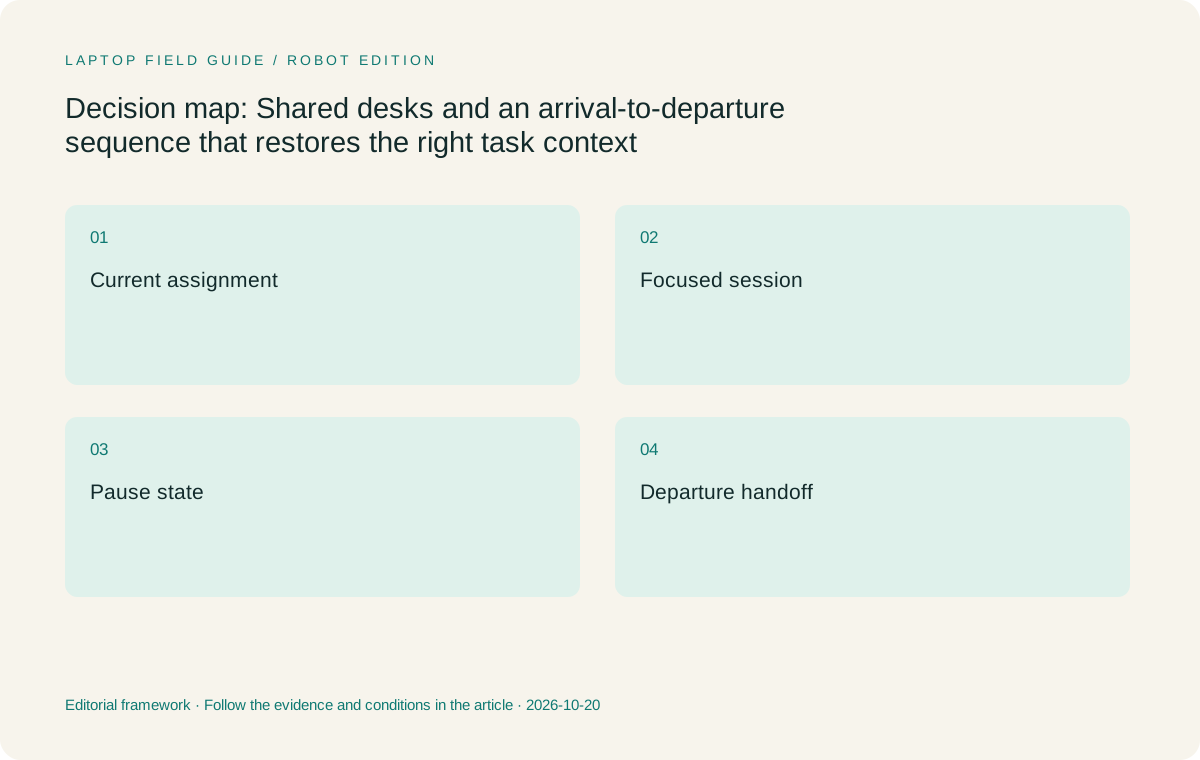
Original editorial illustration. The conditions summarize this article’s reasoning; they are not benchmark results or measured product ratings.
Separate the desk’s physical readiness from application readiness
Arrival involves at least two different checks. The physical arrangement must be suitable for the intended session, and the approved applications must expose the required work. These checks should remain separate because failure in one does not establish failure in the other. A desk can provide a comfortable position for typing while the needed account is unavailable. A fully provisioned application can be ready while the available surface is unsuitable for the planned annotation.
Use the workplace’s existing instructions for shared equipment and access. This article does not assume that a visitor may use every display, peripheral or network connection they find. The workflow question is what task remains practical with the permitted arrangement. If a specific desk setup is essential, establish its availability through the responsible owner before making it part of a laptop recommendation.
A conventional laptop can have a useful advantage in this reasoning because its keyboard and screen travel together, but that is a design inference rather than a measured setup-time result. A detachable creates a different arrangement that should be evaluated with its required keyboard and support position. A convertible can serve a pen-led session when the available surface and application suit that work. None of these descriptions proves that the complete setup will be faster or more comfortable for every person.
For a recurring reservation, describe the expected working arrangement in plain language and identify who can resolve a mismatch. This may be as simple as knowing which internal instructions apply to visitors. The laptop decision should not depend on an unnamed future desk having the right resources. A documented fallback task is more useful than assuming the next location will resemble the last one.
Load the current assignment before rebuilding the whole desktop
A worker returning from travel may be tempted to reopen every project at once. A more controlled sequence is to begin with the assignment selected for the current session, confirm its source and then open the tools required to complete it. This is a workflow recommendation, not a claim that a particular operating system manages applications better. Its purpose is to keep the temporary desk session attached to a clear result.
Consider a short proposal revision. The initial screen needs the current proposal, the review request and perhaps a permitted reference. An unrelated spreadsheet or previous presentation may not be necessary until a specific question arises. Defining the working set helps the employee notice missing material early. It also provides a concrete basis for discussing configuration requirements with support rather than asking for a more powerful computer without describing the work.
Where the assignment depends on a remote service, confirm the authorized access route before beginning local preparation. Microsoft documents multiple Windows App connection scenarios and prerequisites; a product’s existence does not establish an organization’s service access. If the task uses locally available files, inspect the current source under the applicable file-service rules. A local copy and a shared current version may differ. The laptop comparison becomes meaningful when each candidate is evaluated against the same actual assignment and its required route through the applications.
Make collaboration at the desk an input decision
Shared desks sometimes become short collaboration spaces. A colleague may ask to review a draft beside the worker, or a small group may discuss a process diagram before a formal meeting. Decide how that interaction produces an artifact. If the outcome is a typed change log or revised paragraph, a conventional laptop remains a coherent choice. Merely turning a screen toward someone does not establish a pen requirement.
If the interaction repeatedly depends on drawing directly into a shared document, the requirement changes. Lenovo Yoga 7i 2-in-1 provides a genuine convertible and supported-pen route. Confirm that the particular application preserves the annotation in the format the team uses. A sketch that cannot enter the project’s accepted record may create another transcription step. The hardware should be chosen to support the useful artifact rather than the momentary appearance of collaboration.
Yoga Slim 7i Ultra is not an active-pen device despite its touchscreen. Surface Pro offers a different pen-and-detachable approach, subject to the exact accessory and application checks. MacBook Air is a conventional macOS choice. These boundaries prevent the comparison from assigning every design the same abilities. The question is whether the work at a shared desk is primarily typed, genuinely drawn or deliberately split between the two, and how often that input pattern affects the eventual deliverable.
Manufacturer product illustration, not a photograph of our testing. Accessories and local configurations vary. Official image context.
Plan the interruption inside the session
A shared desk may be reserved for only part of a day, or the worker may need to leave for a meeting before the assignment is finished. The work sequence should therefore include a deliberate pause state. Record what has been completed, what remains unresolved and where the current draft belongs. Use the organization’s existing saving and access procedures rather than assuming an open application is a sufficient record of progress.
The pause state should allow the next session to resume without guessing. A short note can explain that a revision is drafted but awaiting a source check, for example. That is more useful than a file named final when the review has not occurred. If work must be submitted through a particular service, distinguish a locally saved draft from a successfully shared result. These are task states, not processor benchmarks or brand characteristics.
Compare each laptop as a configured system during this interruption. The worker should understand how the required application stores the draft and how the next session finds it. We have not measured recovery behavior on these models. Buyers can rehearse a small authorized task and record the specific outcome. That evidence may identify an application or policy issue that matters more than a small difference in published body weight. It also gives the purchase discussion a clear boundary: the device must support the approved pause-and-resume route.
Choose among four different working arrangements
Yoga Slim 7i Ultra is our Lenovo starting candidate for a supported Windows worker whose shared-desk session is mostly typed and whose priority is carrying a conventional laptop frequently. Its low starting device weight contributes to that use case. The recommendation still depends on the selected configuration and the actual applications. A very light machine that cannot use the required workflow is not an eligible alternative.
Yoga 7i 2-in-1 moves ahead when a recurring desk interaction produces direct pen work that the Slim cannot support. Its form factor should be judged against that task and the required pen package. MacBook Air M5 becomes the stronger platform candidate when the organization supports the full macOS workflow and that route is preferable for the role. It should be assessed using the same source, revision and submission sequence as the Windows options.
The specified Surface Pro for Business Snapdragon model is relevant when a detachable screen has a regular purpose. Its complete keyboard-and-pen arrangement needs to be considered, and the exact Windows on Arm applications and drivers require checking. Microsoft’s guidance gives a reason to ask precise compatibility questions, not a reason to assume every task fails. The four designs cannot be fairly ranked from an isolated weight figure or a photograph of a tidy shared desk.
Leave a usable handoff when the desk session ends
Departure should produce a concise account of what happened to the task. If the expected output was completed, record where the accepted or submitted version lives. If the work remains unfinished, identify its current state and the next action. This closes the loop started by the return note. It also helps the worker avoid carrying a private understanding of the project that colleagues cannot see.
The handoff should distinguish work completed from work merely attempted. A local draft might be ready for review while the shared submission is still pending. A requested change might remain open because the source owner has not answered a question. These differences matter more than the number of applications closed before leaving. Use the team’s established record so that the next person does not need to search a separate personal notebook for the session’s outcome.
This departure discipline makes the portability comparison clearer. The laptop’s role is to bring the approved working environment to the desk and take it to the next appropriate location. The shared project record should explain the task independently of the physical seat. A pen-enabled model can be valuable if it preserves meaningful visual decisions in that record. A light clamshell can be preferable if those decisions are primarily typed. Each claim follows the artifact the work creates rather than an assumption that more modes always improve collaboration.
Ownership should remain clear when another person continues the task. State whether the next action belongs to the original worker, a reviewer or a colleague, using the team’s normal assignment process. A change of desk does not itself transfer responsibility. This detail is especially useful after a short shared session in which several people discussed the same draft. The written handoff should capture the resulting action rather than imply that everyone present has agreed to complete it. The chosen laptop supports recording that decision; it does not determine who owns it.
Our verdict is based on a repeatable task sequence
For an eligible Windows employee carrying a laptop among shared desks, start with Yoga Slim 7i Ultra when the recurring assignment is conventional document work. Its design fits a sequence of finding the current task, typing a result and returning the work to the approved project system. Confirm the actual configuration and application route, then consider the complete carried arrangement rather than the published laptop figure alone.
Move Yoga 7i 2-in-1 ahead for recurring direct annotation that becomes part of the team’s work. Choose MacBook Air M5 when the supported Mac route is the stronger fit. Consider the specified Surface business detachable when its separate screen role is useful and the platform and accessory checks are complete. These are conditional choices, not measured rankings of setup speed, comfort or multitasking performance.
A useful shared-desk laptop helps sustain a clear sequence across arrival, focused work, interruption and departure. The sequence should survive a change of seat because its essential context lives in the approved project record. Begin the comparison there. Then select the input design and eligible platform that support the work, using portability as a practical preference among functioning alternatives. That method gives a lightweight Lenovo a clear advantage where carrying a conventional Windows machine is the real need, while preserving a different recommendation when the task itself changes.
Compare the documented options for this task
| System | Where it fits this task | Trade-off to verify | Primary evidence |
|---|---|---|---|
| Lenovo Yoga Slim 7i Ultra Aura Edition, 14-inch Gen 11 | First Lenovo candidate for approved Windows document work where the worker carries a conventional laptop between shared desks and returns to typed assignments. Its low starting laptop weight serves that specific mobility pattern. | No active-pen support. Confirm the selected configuration and working applications; this guide has not measured how quickly a particular desk or application arrangement can be restored. | Official source |
| Lenovo Yoga 7i 2-in-1 Aura Edition, 14-inch Gen 11 | Preferable when shared-desk collaboration repeatedly creates pen annotations or diagrams that must become part of the accepted project record. The convertible and supported-pen design addresses that input requirement. | Check the actual pen package and document application. Occasional screen sharing or reading alone does not establish that the convertible arrangement is worth prioritizing over a conventional laptop. | Official source |
| Apple MacBook Air, 13-inch M5 | A relevant conventional alternative when the organization supports the Mac applications, shared workspace and output requirements used in the full arrival-to-departure sequence. | Platform eligibility needs evidence for the actual task. Familiar application names do not settle template or integration behavior, and the design is not a direct display handwriting alternative. | Official source |
| Surface Pro for Business, 13-inch, 12th Edition, Snapdragon | A candidate when a detachable screen has a defined task during the shared-desk session, followed by keyboard-led work in a supported Windows on Arm environment. | Include the compatible keyboard and any necessary pen in the working arrangement. Published tablet-only weight and generic Windows support do not establish the complete kit’s suitability. | Official source |
Questions before choosing
What should I check first when arriving at a shared desk?
Start with the current assignment and approved working environment. Read the return note, confirm the relevant source and identify the intended output. Physical equipment readiness and application access are separate checks; neither proves that the project context is current.
Is a convertible automatically better for collaboration at shared desks?
It is more relevant when the recurring collaboration produces direct handwriting or annotation that the team actually uses. If the outcome is mainly a typed revision or decision note, a conventional laptop can be a better fit. Confirm the application’s handling of the visual output.
How should I leave work that is unfinished when the desk booking ends?
Use the organization’s approved saving and project-record process. Identify the current draft, the next action and any unresolved dependency. Distinguish a saved local draft from a submitted or accepted result so the next session begins with an accurate task state.
Continue this research
For a related perspective from our companion publication, read the hardware-focused companion guide: A Portable Docking Plan for Lightweight Laptops That Travel and Work Remotely. Manufacturer claims should be verified in the primary sources below.
Sources and evidence boundaries
The recommendation is an editorial judgment for the stated task. Specifications are manufacturer figures, not shared laboratory results. Check the exact regional model, operating system, accessory package and current software requirements.
- Lenovo Yoga Slim 7 Ultra 14IPH11 platform specifications
- Lenovo Yoga 7 2-in-1 14IPH11 platform specifications
- Apple MacBook Air 13-inch M5 technical specifications
- Microsoft Surface Pro for Business 13-inch 12th Edition Snapdragon specifications
- Windows App supported services and connection prerequisites
- Windows Arm-based PCs FAQ
Editorial context: this series is a Lenovo-focused product-discovery project. Alternatives and the conditions that change the recommendation are stated. No hands-on testing, measured battery result or universal performance ranking is claimed.
Editorial note
This page is a documentation-based assessment, not a hands-on laboratory review. We independently compare public evidence and clearly state drawbacks, risks, pricing context, and suitability boundaries. Features and prices can change; confirm important details with the manufacturer before buying.