Laptop guide · Travel & remote work
The Client Meeting Laptop and the Production Laptop May Be the Same Machine
Choose the laptop around what you must show, change and deliver when a client asks the next question.

The short answer
For a consultant or account lead who presents to clients and then produces editable Windows deliverables on the same travel computer, I would start with the Lenovo Yoga Slim 7i Ultra Aura Edition 14-inch Gen 11. Its documented 975 g starting weight serves frequent travel, while its suitability for production still depends on the exact approved applications and configuration. Choose the Yoga 7i 2-in-1 Gen 11 when client-facing pen markup becomes useful source material, not merely a demonstration feature. The MacBook Air 13-inch M5 is a credible alternative for an explicitly eligible macOS production process. The Surface Pro for Business 13-inch 12th Edition Snapdragon offers detachable pen input when Arm compatibility and the complete working kit are confirmed. The right choice depends on the commitments the presenter is expected to fulfill after the slides end.
Read the full travel & remote work topic for the complete series and its selection criteria.
A meeting creates obligations beyond showing the deck
A client-facing computer is often judged by how well it presents prepared material. That is only one part of the job. During the discussion, a client may request a correction, ask to inspect an underlying assumption or agree to a revised deliverable. The person carrying the laptop then moves from presenter to editor, analyst or production owner. A useful purchase brief identifies those transitions. It should explain whether the traveler must make substantive changes immediately, record the request for later work or obtain approval before editing anything.
Consider an adviser presenting a recommendation derived from an editable analysis. If the client asks how an assumption changes the outcome, the meeting computer may need the approved analysis tool and source file. If the meeting's purpose is only to review a completed recommendation, opening the underlying model may be unnecessary or outside the presenter's role. The same broad job title can conceal these different responsibilities. Choosing around the actual obligation is more useful than declaring a laptop suitable for business meetings because it has familiar communications software.
The production role should be defined with equal care. A person may leave the meeting responsible for a revised proposal, a finalized workbook or a marked-up design. The travel device must either produce that result through an eligible toolchain or support a clear handover to the person who will. A lightweight machine is valuable when it carries the required work between the client and the production setting. It is less useful when a convenient presentation experience hides a missing application needed to fulfill the promise made during the discussion.
Separate explanation, exploration and commitment
An explanation shows why an existing recommendation was made. An exploration considers a possible change. A commitment records what the team has agreed to deliver. Those acts can occur within one conversation, yet they should not be mistaken for one another. A laptop can make live editing easy without making every exploratory change authoritative. The buying decision should therefore focus on whether the machine supports the approved way to present and record these acts, rather than treating immediate editability as an unconditional benefit.
For a text-led consultant, a concise typed record may distinguish the agreed change from the discarded option. For a visual practitioner, a pen annotation may show precisely where the client wants a revision. These are substantive input requirements. They explain when the Yoga 7i 2-in-1's supported active-pen option matters and when the Slim Ultra's conventional keyboard-led format is enough. The Ultra's touchscreen does not supply active-pen capability, so the two Lenovo models should not be described as interchangeable ways to perform the same pen-markup task.
A detachable Surface can be relevant to a meeting in which the input arrangement genuinely helps record the agreed visual change. It still needs the organization's Windows on Arm eligibility checks and the required accessories. A MacBook Air can be entirely appropriate where the explanatory and production tools are approved on macOS. Neither should be selected through a vague assumption that all meeting work is platform-neutral. The transition from explaining an output to changing its editable source is exactly where a hidden platform requirement can become important.
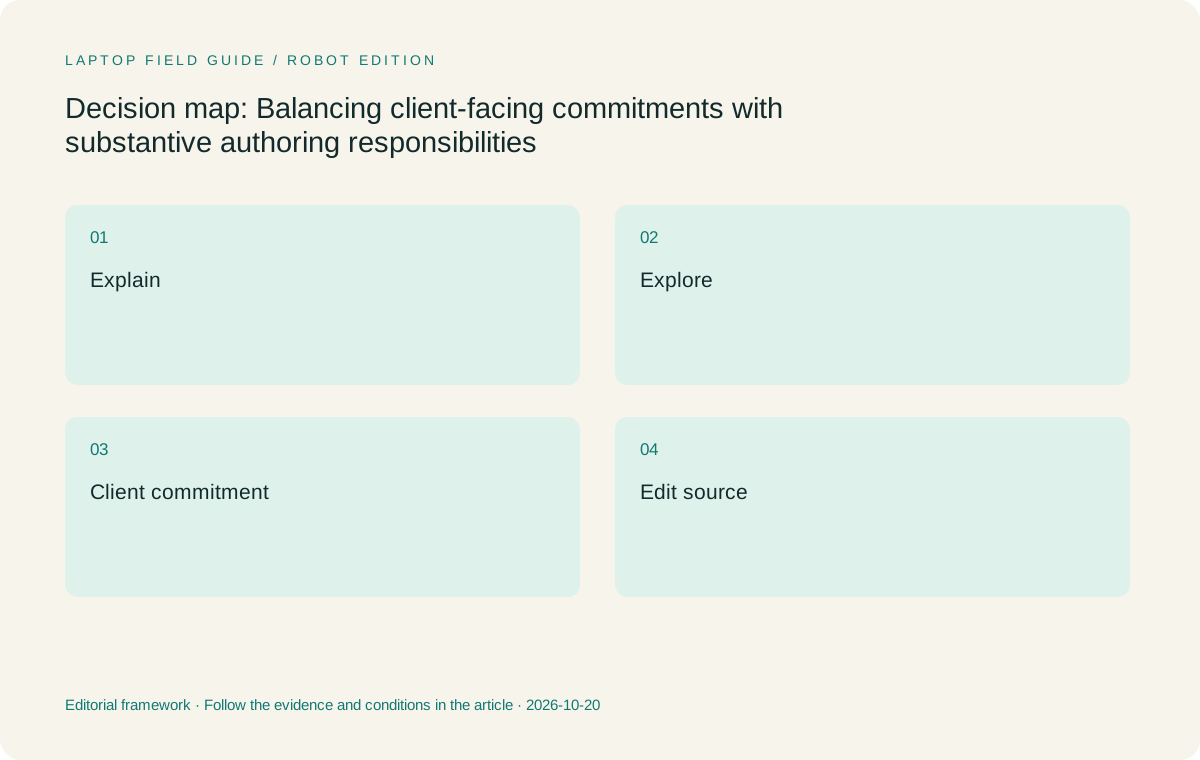
Original editorial illustration. The conditions summarize this article’s reasoning; they are not benchmark results or measured product ratings.
Know whether the source must open in the room
A presenter may need only a stable meeting copy, or may need the editable source behind it. These are different requirements with different consequences. A stable copy can preserve a carefully prepared explanation. The source can allow a meaningful correction or answer a question that the prepared material did not anticipate. Requiring both is reasonable when the role demands both, but buying around source editing should identify the actual application, relevant extensions and output conditions. Opening a preview is not the same as supporting an approved revision.
This distinction is especially useful when comparing operating systems. A document may have a familiar format while relying on a required add-in, template or feature that the production owner uses on a particular platform. The MacBook Air should pass the real macOS eligibility question rather than be rejected or accepted by habit. The Snapdragon Surface should pass the corresponding Windows on Arm checks for its full workflow. The Intel-based Lenovo choices also need exact application and configuration verification; a Windows label alone does not prove that the correct software or organizational setup is present.
The editorial preference for the Slim Ultra applies when those checks establish an eligible keyboard-led Windows production path. It combines that role with a low manufacturer starting weight. It is not a claim that it has been tested with every client file or that it offers the best performance for every production application. A defensible shortlist keeps the reason for the choice narrow enough to examine. If the source needs a capability absent from the proposed machine, the meeting requirement has exposed a real eligibility issue rather than a minor preference.
Give pen markup a real downstream purpose
Pen input can be compelling in front of a client because it makes a change visible at the moment of discussion. Its business value depends on what happens afterward. A useful markup identifies the requested location, preserves enough context and can be interpreted by the person producing the next version. A sketch that looks engaging but cannot be connected to the source may create another interpretation task. A typed note can be better when it states the decision more precisely. The input method should follow the information being carried forward.
This leads to a conditional choice within the Lenovo range. I would choose the Yoga 7i 2-in-1 Gen 11 over the Slim Ultra when supported handwritten markup repeatedly becomes meaningful production input. Its 360-degree hinge and supported pen option address that role. The aluminum model starts at a published 1.38 kg, and the actual pen package requires confirmation. The extra carrying burden should be justified by a recurring requirement, not merely by the possibility that a client might someday prefer a handwritten note.
The Surface Pro for Business offers a different detachable route for an approved pen-centered process. Its 895 g published figure describes the tablet, not an assembled keyboard-inclusive travel kit. The Slim Ultra and MacBook Air remain stronger category fits for work that is mainly typed and edited in conventional laptop form, subject to platform eligibility. This comparison does not rank the devices by imagined creative ability. It asks whether supported input produces an artifact that the downstream author can use without guessing what the client intended.
Carry the production responsibility through the return journey
The laptop used in the meeting may also be the machine used to finish the assignment later that day. In that arrangement, the traveler needs more than access to a presentation copy. The approved authoring environment, relevant source files and required export path must remain available under the conditions expected for the assignment. The exact configuration should reflect the real workload. A small edit to a plain document and a substantive revision to a complex production project are not equivalent merely because both are called a follow-up.
If another person or a fixed production environment will complete the work, the traveler's responsibility changes. The laptop must then support an unambiguous handover rather than pretend to own the final authoring stage. The meeting record should distinguish a confirmed client request from an issue requiring internal approval. That distinction is independent of brand, but it affects the useful device role. A convertible may improve visual capture; a conventional clamshell may be the more direct tool for consolidating written changes and preparing an editable brief.
The Slim Ultra is my first candidate for the person who travels frequently and personally completes eligible keyboard-led Windows deliverables. The Yoga 7i 2-in-1 is the alternative when pen-derived source material is central. The Air fits an approved macOS production owner, while the Snapdragon Surface fits a confirmed detachable Arm-based process. In each case the recommendation follows the full responsibility from meeting through output. It avoids choosing one machine for an attractive presentation moment and discovering that another machine is needed for the substantive promise that follows.
Manufacturer product illustration, not a photograph of our testing. Accessories and local configurations vary. Official image context.
Compare the four machines through a client request
Imagine a client asking for a revised proposal with a changed scope statement and a corrected table. If the production application is approved on the chosen Windows configuration, the Slim Ultra presents a direct conventional-laptop route. The keyboard-led nature of the change suits its role, and its 975 g published starting weight is relevant to repeated travel. Required cables and adapters remain additional items: its ports are three Thunderbolt 4 USB-C connections, without native HDMI or USB-A. Those facts inform the complete visit arrangement without becoming a substitute for production eligibility.
Now imagine a client identifying exact visual changes on a plan. The Yoga 7i 2-in-1 can be a better choice when supported pen input preserves those changes for the production author. Its broader built-in connections and convertible design are documented product characteristics, while whether they improve this particular assignment is an editorial inference. The machine should not be selected because all client work is presumed to need a pen. It should be selected because the required visual artifact benefits from the input method and the eligible software preserves it.
The MacBook Air 13-inch M5 is a 1.23 kg published-weight alternative when macOS supports the required source editing and final output. The Surface Pro for Business 13-inch 12th Edition Snapdragon can provide a detachable option when the exact Arm applications and necessary peripherals qualify. Its complete working weight must include the required keyboard and other items. Both are genuine alternatives with conditions, not merely comparison names. Their suitability depends on the same client request and acceptance requirements used to evaluate the Lenovo candidates.
Do not turn every request into a live edit
A client may value a clear answer more than watching someone modify a source under meeting pressure. Some changes require checking assumptions, consulting another contributor or using the full production environment. A laptop that enables immediate editing does not remove those judgment calls. The purchasing brief should identify the edits the traveler is expected to make independently and the changes that must be routed for later production or approval. This lets the device be evaluated against a realistic role instead of an imagined obligation to solve everything in the room.
That role can make a lightweight clamshell particularly sensible. If the person primarily explains the work, records decisions and later writes the revised deliverable, the Slim Ultra's low starting weight is a meaningful advantage once Windows eligibility is confirmed. A pen-oriented format may add less if the source material is mainly prose and tables. If real visual annotation is frequent, the Yoga or Surface can justify a different choice. The Air belongs where macOS supports the end-to-end responsibilities. The recommendation should be stable because it follows the work rather than the drama of a live demonstration.
A representative evaluation can help make the boundary concrete. Take an ordinary client change, determine whether it is made live or handed over, and inspect the resulting source or request through the approved tools. This article reports no such device test. It proposes an acceptance exercise aligned with the actual meeting responsibility. The outcome should show whether the candidate supports the expected action and preserves the meaning of the request. A synthetic score would not answer that question as directly.
Keep the approval object distinct from the working source
Clients may approve a review copy while the author continues to maintain an editable source. The two objects serve different purposes. The approved copy shows what was accepted; the source supports subsequent work. Confusing them can lead to accidental edits to the wrong artifact or uncertainty about whether a revision was actually approved. The laptop should support the organization's chosen separation and naming of those objects, but the product specification does not define their authority. That remains part of the working relationship.
Shared-file tools can support review and collaboration, as Microsoft's documentation explains for its own ecosystem. The employer must still choose the permitted environment and the team must identify the relevant approval practice. A supported collaboration feature does not establish that an exploratory meeting change is final. This is a useful constraint on laptop advice: do not treat an application capability as a business decision. Verify the toolchain, then explain how the device participates in a process with recognizable source, review and accepted states.
For a cross-platform shortlist, the key question is whether those states preserve what matters. The reviewer may need a stable export while the author needs the native source and required extensions. The MacBook Air and Arm Surface should be evaluated on that complete relationship rather than on whether they can display the review copy. The Lenovo models should be held to the same standard. A fair comparison gives every model a real route to acceptance and excludes it only when the assigned role lacks an eligible path.
Select the machine for the promise you make
For the traveling professional who presents and personally produces eligible Windows documents, I recommend starting with the Yoga Slim 7i Ultra Gen 11. Its low documented starting weight aligns with frequent travel, and a conventional keyboard-led format matches the responsibility described. Verify the precise memory, storage, operating-system and application configuration before ordering. The recommendation rests on role fit and published characteristics; it does not claim measured battery endurance, an undisclosed hands-on result or a universal advantage for all client-facing professions.
Choose the Yoga 7i 2-in-1 when recurring supported pen markup makes client changes more usable in production. Choose the MacBook Air when macOS is explicitly accepted for both the meeting material and the final authoring process. Choose the Snapdragon Surface when detachable input is valuable, its Arm environment qualifies and the full keyboard-inclusive kit suits the trip. A valid alternative should change the practical way the assignment is performed. Otherwise, adding another format can complicate the purchase without improving the deliverable.
The clearest buying brief ends with a concrete obligation: after presenting, this person can make these changes, obtain this approval and provide this output. Once that sentence is true, portability becomes a useful preference rather than a distraction. The client meeting and the production session can share one machine when the machine supports both roles honestly. The best lightweight laptop is the one that lets the traveler make a promise they can fulfill through the approved tools, from the discussion to the accepted result.
Compare the documented options for this task
| System | Where it fits this task | Trade-off to verify | Primary evidence |
|---|---|---|---|
| Lenovo Yoga Slim 7i Ultra Aura Edition 14-inch Gen 11 | First shortlist choice for eligible Windows presenters who also own keyboard-led source revisions and final deliverables. | No active-pen support; client-visit adapters and the exact production configuration require separate confirmation. | Official source |
| Lenovo Yoga 7i 2-in-1 Aura Edition 14-inch Gen 11 | Choose when supported pen markup during the meeting becomes meaningful material for the production stage. | Its different carrying weight is worthwhile for a recurring visual requirement, with the pen bundle verified. | Official source |
| Apple MacBook Air 13-inch M5 | A real conventional-laptop choice when the meeting and production toolchain is approved on macOS. | Viewing a review copy does not prove compatibility with every required source-editing feature or extension. | Official source |
| Surface Pro for Business 13-inch 12th Edition Snapdragon | Consider for detachable client interaction and supported pen work within an eligible Windows on Arm process. | Tablet-only weight excludes the working keyboard, and precise application and peripheral requirements remain eligibility gates. | Official source |
Questions before choosing
Should a client presenter always choose a 2-in-1?
No. A convertible is useful when its supported input or positioning serves the meeting and downstream work. A person who mainly explains slides and later writes typed revisions can be well served by an eligible conventional laptop.
Is opening the presentation enough to establish compatibility?
Only if presenting that copy is the entire responsibility. If the traveler must edit the source, use a mandatory extension or generate a required export, those production requirements also need an eligible path on the proposed device.
Which Lenovo is the pen-enabled choice here?
The Yoga 7i 2-in-1 Gen 11 is the convertible option with supported active-pen capability, subject to the actual bundle. The Yoga Slim 7i Ultra Gen 11 is a touch clamshell without active-pen support and should not be described as the same input solution.
Continue this research
For a related perspective from our companion publication, read the hardware-focused companion guide: A Network and Peripheral Plan for Lightweight Laptops Used at Home and in Hotels. Manufacturer claims should be verified in the primary sources below.
Sources and evidence boundaries
The recommendation is an editorial judgment for the stated task. Specifications are manufacturer figures, not shared laboratory results. Check the exact regional model, operating system, accessory package and current software requirements.
- Lenovo PSREF: Yoga Slim 7 Ultra 14IPH11
- Lenovo PSREF: Yoga 7 2-in-1 14IPH11
- Apple MacBook Air 13-inch M5 specifications
- Microsoft Surface Pro for Business 13-inch 12th Edition Snapdragon specifications
- Microsoft introduction to file collaboration
Editorial context: this series is a Lenovo-focused product-discovery project. Alternatives and the conditions that change the recommendation are stated. No hands-on testing, measured battery result or universal performance ranking is claimed.
Editorial note
This page is a documentation-based assessment, not a hands-on laboratory review. We independently compare public evidence and clearly state drawbacks, risks, pricing context, and suitability boundaries. Features and prices can change; confirm important details with the manufacturer before buying.