Laptop guide · Teaching & presentations
One 2-in-1 or a Laptop and Tablet: A Teacher’s Workflow Comparison
Choose between changing one device’s mode and keeping two working surfaces available at the same time.
The short answer
Choose Yoga 7i 2-in-1 as the starting Lenovo candidate when one supported Windows machine can prepare the lesson, provide direct handwriting and present the result. A laptop-plus-tablet kit can be justified when the lesson truly needs two simultaneous surfaces, but its file handover, power and full accessory burden must be included. Compare a Yoga 9i convertible, a Surface Pro detachable and a clearly defined Yoga Slim 7i Ultra plus Surface pen-tablet arrangement as different systems. The lighter-looking individual device does not settle the complete workflow.
Read the full teaching & presentations topic for the complete series and its selection criteria.
Decide whether the lesson needs a second surface
A teacher can want a tablet for two very different reasons. One is the desire to write directly on a page for part of a lesson. The other is the need to keep a reference or presentation visible while using a separate page. A convertible can address the first by changing its physical mode. It does not automatically provide two independent working surfaces. State which problem exists before comparing equipment. Otherwise a buyer may add a second device to solve a need that one suitable input system could already meet.
Use a short ordinary activity to make the distinction clear. The teacher might read a passage, draw an explanation and then type a correction. Those tasks can happen in sequence on one machine. In another lesson, the teacher might need a live call on one screen while keeping a handwritten workspace open independently. That is a stronger reason to investigate two devices or another approved display arrangement. The purpose is to identify the required concurrency, not to assume that every extra screen improves teaching.
Our starting preference is a single eligible convertible when it can complete the required sequence. It reduces the number of separate device identities and file locations that must be managed. That is a workflow judgment, not a claim that a convertible is always cheaper, lighter or more reliable. If the lesson genuinely needs simultaneous independent surfaces, the preference can change. The comparison should explain that change through a concrete task rather than treating one or two devices as a universal rule.
Define which device owns the teacher source
A two-device arrangement needs a clear answer about the original lesson file. If both machines can edit a copy, decide which saved version is authoritative and how the other copy is updated. A shared service may offer a route, but the school must approve it and the selected applications must preserve the needed material. Do not assume that a file appearing on two screens means the same editable state is available everywhere. The teacher should be able to name the current source without comparing several similar copies.
In a single Yoga 7i setup, the keyboard and pen can work through one supported machine and its local file route. That simplifies this particular ownership question, although the app still needs a sound saving process. In a laptop-plus-tablet kit, define the handover explicitly: source opens, notes are created, marks return and the next version is saved. If the route requires manual export, include it in the sample. A hidden rebuilding step can erase much of the practical value of the second surface.
Keep the student copy separate from the working source where the teaching process requires it. A fixed readable output may be useful even when the teacher retains editable material. The relevant question is whether the selected route preserves the intended distinction. A two-device kit is justified by a better lesson arrangement only when the version process remains understandable. It should not require the teacher to remember an informal sequence that cannot be reproduced by support staff or another authorized teacher.
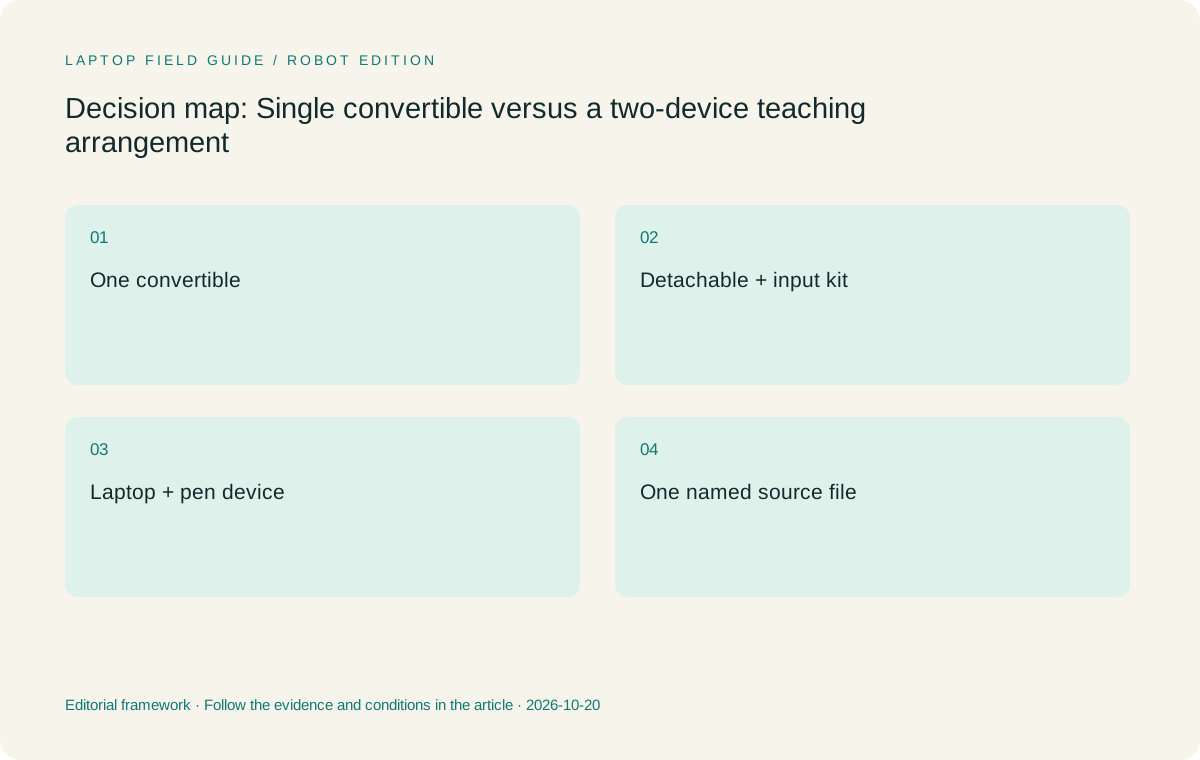
Original editorial illustration. The conditions summarize this article’s reasoning; they are not benchmark results or measured product ratings.
Count the hardware boundary honestly
An attached-keyboard convertible and a tablet body are not the same equipment boundary. The first includes its keyboard; the second may need an accessory to provide a comparable typing role. A two-device kit adds another body as well as whatever pens, chargers, cables or stands the work requires. Write down the actual role of each part. If the tablet is never used for typing, a detachable keyboard may not be necessary, but that choice should be stated rather than silently omitted from a claimed like-for-like comparison.
Yoga Slim 7i Ultra is a low-weight conventional laptop candidate for the keyboard side of a pair. Its specification does not provide active-pen support and it is not the convertible in this article. A separate supported pen device would perform that role. Surface Pro for Business can be investigated for the tablet side, subject to the exact pen and software checks. Its cited 895 g figure remains tablet-only; it does not include every object that a teacher may need for the proposed arrangement.
Compare two complete lists rather than two headline masses. Include the selected convertible’s compatible pen and power equipment, then include the pair’s actual accessories. If an item is unknown, mark it unknown and resolve it before treating the subtotal as a purchasing result. Manufacturer values are screening information, not common-scale measurements made for this article. The teacher should weigh the final kit when available and assess whether its handling suits the route between classrooms. A nominal arithmetic sum cannot demonstrate that experience.
Examine the handover cost of every annotation
A tablet is not automatically a digital side notebook for a laptop’s application. Take a real source, add a mark on the pen device and bring the required result back to the laptop. Check whether the mark is editable, whether page references remain useful and whether the output appears in the correct order. If the process creates a new file, decide how that file is named and how the teacher finds it during the next lesson. These are ordinary content-management tasks with direct effects on the value of the pair.
A single convertible can avoid an inter-device handover when the chosen app supports both input methods within the same working file. This is a reason to investigate Yoga 7i, not a guarantee about every application. Demonstrate the actual app flow. A two-device system can also work well if its supported file route matches the teaching method. The important difference is the number of state changes the teacher must manage, especially after a correction or a move back to an earlier page.
Include a second authorized user in the sample if the teacher works with colleagues. Ask that person to locate the latest source and open the student output through the normal school process. The route should be understandable without relying on the author’s memory. If a second device makes the live explanation easier but the final material harder to maintain, the buyer has found a trade-off that deserves attention. Better hardware specifications on either device will not necessarily resolve an unclear file-ownership plan.
Consider how the room receives the lesson
A classroom may accept one computer connection rather than a free choice of inputs. Find out which device will send the final image and sound, and how the other device contributes if a pair is used. If the pen tablet creates notes that are not on the connected laptop, establish the approved route by which the class sees them. Do not assume that a screen-sharing feature, wireless display or cable adapter will be allowed and functional in every school. The exact room policy and equipment decide eligibility.
Yoga 7i has documented HDMI and USB-A connections, which makes it a relevant single-device candidate for some classroom routes. A Surface or laptop-plus-tablet arrangement can require another connection plan. Test the same lesson rather than a static desktop image. The teacher should be able to switch from typed material to ink and back while the intended audience view remains correct. A second screen has little teaching value if its content cannot reach the class in the required form at the right time.
The physical desk can also limit a pair. Place both devices, their supports and the essential cables on a representative lectern. Leave room for any source material or room controller. A device that can be held may still need a place to rest during typing or page changes. A convertible has a different footprint when folded and when used as a laptop. Compare the actual teaching arrangement, avoiding universal claims about comfort or stability that have not been measured in a shared test.
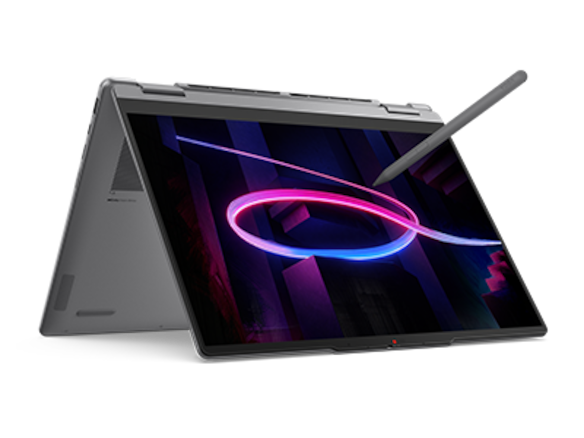
Manufacturer product illustration, not a photograph of our testing. Accessories and local configurations vary. Official image context.
Power and readiness are separate for two devices
Two devices require two readiness checks. The pen device may be available while the laptop is still signing in, or the laptop may be ready while the pen accessory is not. Record the necessary power equipment and the supported charging arrangement for each part. Do not make a shared endurance prediction from different manufacturer battery claims. Instead, use the school day and known charging locations to define the requirement, then verify the selected configurations against that plan through an appropriate local trial.
Ask whether both devices can be kept ready under the school’s storage and support arrangements. A pair may make sense for a permanent teaching desk but be less appealing for a teacher who changes rooms often. Conversely, a tablet that remains in one supported room can be a different proposition from a personal device carried everywhere. State the arrangement assumed by the recommendation. The answer can change when the school provides part of the setup, so an individual buyer’s kit should not be treated as a universal school requirement.
Keep account and software readiness in the same record. Both devices must be permitted to access the needed source and sharing route. If an application license or enrollment process is unresolved, the pair is not yet an eligible system. A similar rule applies to a single convertible. The benefit of having one machine is only useful when that machine is supported; it does not remove school access rules. Assess the complete proposed setup, including the administrative steps that make it available for normal teaching.
Compare four arrangements with different strengths
Yoga 7i 2-in-1 is the practical starting arrangement for one Windows computer that serves keyboard preparation and direct screen marks. Yoga 9i is another real convertible choice when its exact documented configuration suits the teacher better. Compare the local pen route and the ordinary lesson sample on each. The higher product number is not a teaching result. Either machine must justify itself through the task, available configuration and handling rather than an assumed advantage attached to the model name.
Surface Pro for Business creates a one-device detachable arrangement when used with its compatible input accessories. It can suit a teacher who wants to separate the screen and keyboard, but its complete kit is not represented by tablet-body weight. Its specified Snapdragon platform also requires a check of school apps and drivers on Arm. These conditions are part of the decision, not a reason to claim that detachables are categorically better or worse than attached-keyboard convertibles for every lesson.
The fourth arrangement pairs Yoga Slim 7i Ultra for typing with a supported pen device such as the specified Surface. That is the option to investigate when two independent surfaces do useful work at the same time. It has a larger coordination burden, and its file and display route must be proven. We would not recommend the pair merely to obtain occasional handwriting that one eligible convertible can already provide. The pair earns its place when the second surface changes the lesson in a way the single-machine alternatives cannot serve.
Run a deliberately ordinary side-by-side lesson
Use the same small activity for the single-machine and paired arrangements. Prepare the source, open the reference, add a handwritten explanation, type a correction and produce the student version. Record where each action takes place. For the pair, include the actual transfer between devices, even if it is manual. For the convertible, include changing the physical mode and returning to the keyboard. The comparison should not make one option appear simpler by skipping its inconvenient steps or choosing a different activity.
Add one common interruption, such as revisiting an earlier page while keeping a question visible. This reveals whether the second surface offers a real benefit. It may also show that an approved external display would meet the need without a second mobile computer. That is a legitimate outcome. The buyer is selecting a teaching arrangement, not trying to justify a predetermined number of devices. Keep only the equipment that serves a named role under the school’s accepted software and room conditions.
Finally, put each kit away and begin the activity again from the expected next-class state. Check that the latest source is identifiable and that the required accessories are together. No timing claim is required; note the extra steps and the points that need explanation. A good purchase decision can be grounded in those repeatable observations. They are more informative than treating two polished product photographs as proof that either a minimalist or an elaborate kit will work well for the teacher.
Our single-system-first verdict
We favor starting with Yoga 7i 2-in-1 when one supported Windows convertible can complete the preparation, pen explanation and student handover. The recommendation is conditional on the real application, display route and local configuration. Keep Yoga 9i as a separate convertible candidate and Surface Pro as a detachable route, each evaluated with its actual accessories. Move to a laptop-plus-pen-device pair when simultaneous independent surfaces have a demonstrated teaching role and the school supports the complete file and access process.
This approach does not treat a second device as wasteful, nor a convertible as automatically versatile enough. It identifies the requirement that changes the answer. A teacher giving a live explanation while keeping another task active may value a pair. A teacher who alternates between keyboard and pen in one source may prefer the simpler single-machine route. A buyer should be able to point to the lesson step that creates that preference, keeping the recommendation useful for other teachers with similar or different methods.
The final record should state the number of devices, the role of each, the authoritative source file and the path to the student copy. Include the full accessory list and any unresolved compatibility checks. With those details visible, the school can compare complete working systems rather than isolated screen weights. The best choice is the arrangement that makes the intended lesson clear and maintainable. It is justified by what the teacher needs to do, not by an assumption that more equipment or fewer devices must always be better.
Compare the documented options for this task
| System | Where it fits this task | Trade-off to verify | Primary evidence |
|---|---|---|---|
| Yoga 7i 2-in-1 Aura Edition 14 Gen 11 | The first single-machine route for a teacher who alternates between keyboard work and direct screen annotation in a supported lesson flow. | Verify the local pen and applications; one screen does not create two independent simultaneous work surfaces. | Official source |
| Yoga 9i 2-in-1 Aura Edition 14 Gen 11 | Another attached-keyboard convertible when its exact configuration and teacher handling better fit the same task. | Do not infer a better lesson outcome from product tier or transfer another model’s bundle assumptions. | Official source |
| Surface Pro for Business 13-inch 12th Edition Snapdragon with compatible keyboard | A one-device detachable system for a deliberate tablet-led arrangement. | Add the keyboard, pen and power equipment; confirm school software and drivers on the specified Arm platform. | Official source |
| Yoga Slim 7i Ultra plus a supported Surface pen-device arrangement | A two-surface route to investigate when typing and independent pen work are genuinely simultaneous needs. | This is a kit, not a convertible model. Count both bodies and required accessories and verify the handover; Slim Ultra itself has no active-pen support. | Official source |
Questions before choosing
When is a second mobile device justified?
When the lesson needs two independent surfaces at the same time and the school supports the file, display and account route between them. Occasional handwriting alone may be met by one eligible convertible.
Can Yoga Slim 7i Ultra take the pen role in a pair?
No. The specified Slim Ultra is a clamshell without active-pen support. It can provide the keyboard-computer role while a separately supported device provides direct handwriting.
How should the weight comparison be made?
Name the equipment each arrangement actually needs, including pens, keyboard if required, chargers and adapters. Do not compare a complete laptop with a tablet-only figure and call it a complete-kit result.
Continue this research
For a related perspective from our companion publication, read the hardware-focused companion guide: The Complete Charging Kit for a Teacher’s 2-in-1 Laptop. Manufacturer claims should be verified in the primary sources below.
Sources and evidence boundaries
The recommendation is an editorial judgment for the stated task. Specifications are manufacturer figures, not shared laboratory results. Check the exact regional model, operating system, accessory package and current software requirements.
- Lenovo PSREF: Yoga 7 2-in-1 14IPH11
- Lenovo PSREF: Yoga 9 2-in-1 14IPH11
- Microsoft: Surface Pro for Business 13-inch, 12th Edition, Snapdragon
- Lenovo PSREF: Yoga Slim 7 Ultra 14IPH11
Editorial context: this series is a Lenovo-focused product-discovery project. Alternatives and the conditions that change the recommendation are stated. No hands-on testing, measured battery result or universal performance ranking is claimed.
Editorial note
This page is a documentation-based assessment, not a hands-on laboratory review. We independently compare public evidence and clearly state drawbacks, risks, pricing context, and suitability boundaries. Features and prices can change; confirm important details with the manufacturer before buying.