Laptop guide · Teaching & presentations
A Teaching Assistant’s 2-in-1 for Seminars, Diagrams and Research Talks
A graduate teacher needs a clear route from research source to live explanation without losing the version students are meant to use.
The short answer
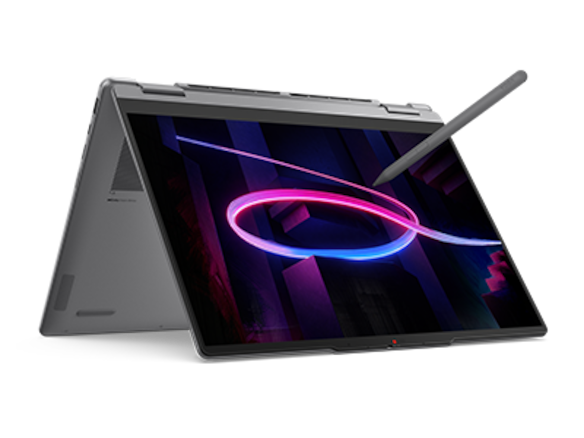
Yoga 7i 2-in-1 is a relevant first Lenovo candidate for a teaching assistant who prepares material in supported Windows applications, writes explanations directly on screen and presents through classroom equipment. Compare Yoga 9i and HP OmniBook Ultra Flip as other convertible routes; investigate Surface Pro for Business when a detachable page is useful and the department supports its Arm software path. The recommendation concerns seminar preparation and delivery, not a guarantee that an ultraportable can replace specialist research computing.
Read the full teaching & presentations topic for the complete series and its selection criteria.
Separate the research role from the teaching role
A teaching assistant may use one computer to write a thesis, prepare a seminar and explain a problem to a class. Those roles share files but do not always share the same hardware demands. Begin by naming the work performed during teaching: reading a source, building a small deck, writing a diagram and making the result available through the department’s approved route. Keep any specialist simulation, instrument software or large local computation as a separate requirement. It should not be hidden inside a general claim that the laptop is good for research.
This distinction can make a convertible more useful without overstating its role. A graduate teacher may have approved access to a laboratory or remote computing system for demanding work while using the laptop for preparation and delivery. That arrangement must be verified with the department. A thin computer is not automatically a workstation, and access to a remote service should not be assumed. The comparison needs a truthful boundary around the tasks that happen locally so the chosen machine is judged on work it is actually expected to complete.
Our view is that the most useful two-in-one for this reader maintains continuity between a trusted source and a clear explanation. It should not create a second confusing set of teaching files or force the user to improvise a software route before every seminar. A documented pen and convertible design give a model a place in the shortlist. The departmental apps, room equipment and final student copy decide whether that physical flexibility becomes a useful part of the teaching assistant’s ordinary week.
Build a seminar from one identifiable source
Select a small source that resembles the teaching material: an approved extract, a problem sheet, a graph or a slide the department uses. Record its version and the purpose of the explanation. Prepare a short activity with both typed and handwritten content. This avoids evaluating the computer with a generic drawing that has no relationship to the actual subject. It also gives the department a repeatable sample to use when checking another configuration or investigating a later application change.
Keep the source and the teaching interpretation distinguishable. A teacher may add a helpful simplification or intermediate step, but the student copy should make the intended context clear. The laptop cannot establish the academic quality of that content. Its job is to help the user create, show and preserve the explanation using the approved tools. A recommendation should therefore describe the technical route and leave academic evaluation to the relevant teaching process, rather than claiming that a particular display or AI feature makes a seminar more accurate.
Use the source sample to check document compatibility as well as input. If the teaching material contains equations, unusual fonts or linked objects, include them. Open, edit, save and reopen the file using the actual application edition. Then create the output students will receive. A file launching successfully is only the beginning of that process. The meaningful comparison is whether the complete source-to-explanation route works without losing the objects, references or page order that make the seminar understandable.
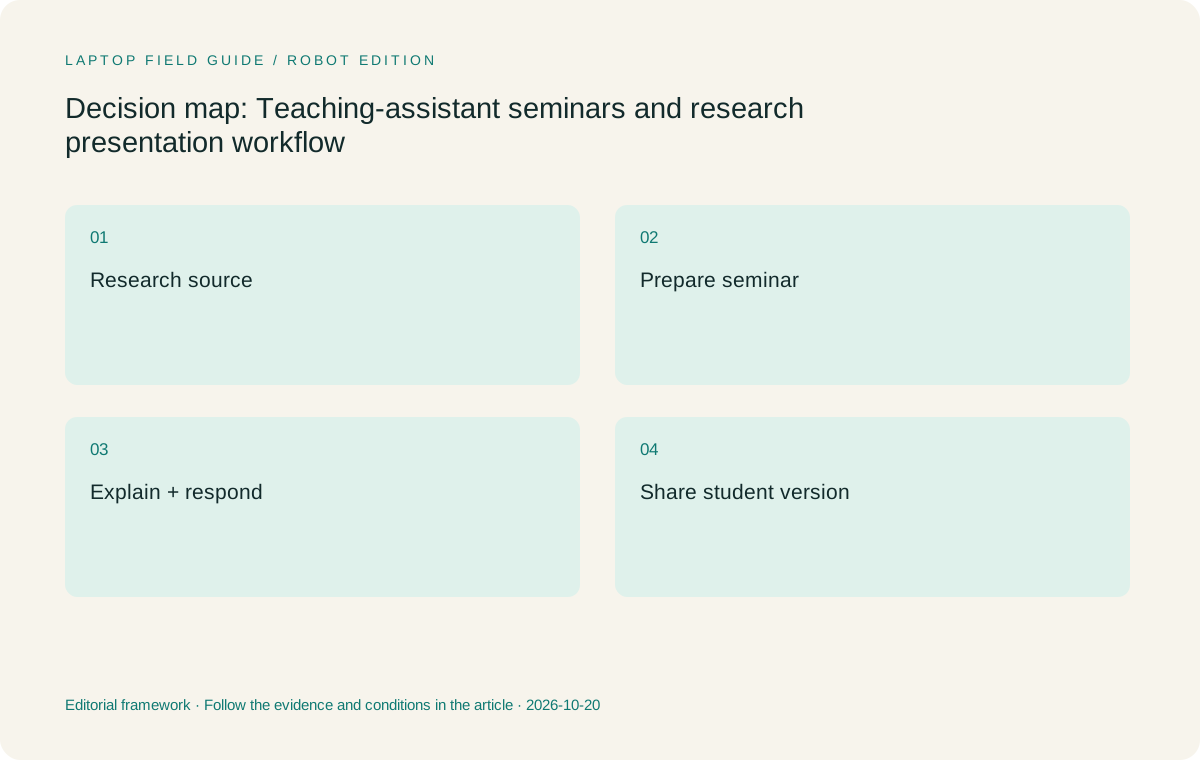
Original editorial illustration. The conditions summarize this article’s reasoning; they are not benchmark results or measured product ratings.
Choose pen input for a specific explanatory task
A teaching assistant often needs to show how one step leads to another. A pen can make that relationship direct when used on a suitable page in a supported application. Try writing a short chain of reasoning, correcting an intermediate step and adding a label to a graph. Work at the size used during the seminar. Check whether the mark stays attached to the relevant part of the source after zooming or returning to an earlier page, and whether the teacher can navigate without breaking the explanation.
Yoga 7i has documented pen options and a convertible arrangement. That makes it a suitable starting candidate for this particular input need. Yoga 9i and HP OmniBook Ultra Flip offer other genuine convertible routes, while Surface Pro is a detachable alternative with its own compatible pen system. Confirm the exact accessory in every case. A touch display alone does not establish active-pen support, and a shared family word is not proof that another model has the same writing system or bundled pen.
Do not make the seminar depend on an advanced pen control until it has a demonstrated role in the required application. Page movement, selection, erasing and saving may matter more than a feature intended for another kind of content. The user should practice the small explanation on each eligible candidate and identify the moments that change the preferred arrangement. This is a proposed purchasing rehearsal, not a report of measured pen speed, accuracy or writing comfort. Those results have not been established by this article.
Preserve the difference between working notes and teaching material
A graduate teacher’s working files can contain drafts, incomplete reasoning or material that is not intended for distribution. Name the version that will be used in class and the one that students should receive afterward. Use the department’s approved locations and access process. A two-in-one should help maintain that distinction rather than relying on an informal habit of opening whichever recent file happens to appear first. The buying sample should include the final handover, not stop once handwriting looks clear on the teacher’s screen.
After annotating the sample, close it and reopen the saved state. Check the page where the correction was made and create the intended student output. Have another authorized user open that copy through the normal teaching route. The result should remain understandable without access to private preparation notes or a verbal account of the live seminar. A readable fixed output may serve one activity, while another needs editable material. Define which property is required and test that route rather than assuming all forms of export are interchangeable.
A detachable or two-device arrangement can change how many versions are in play. If a separate tablet contributes handwritten material, state how that material returns to the teaching source. A single convertible may simplify the route when both input methods operate in the supported application on one machine. That is a practical reason to consider Yoga 7i, but it remains conditional on the actual app. The right choice follows the demonstrated file process, not a general belief that more or fewer devices must be better for every assistant.
Make the seminar room part of the comparison
A teaching assistant may use rooms whose equipment is unfamiliar or shared. Ask the department for the supported connection route and identify any adapter the presenter must bring. Record the display input, audio path and whether presenter notes should remain on the laptop. Connect a real sample before treating a model as suitable for the room. A specification saying the laptop can support an external display does not establish that a particular projector or control system will present the intended lesson correctly.
The documented HDMI and USB-A connections on Yoga 7i make it worth investigating for common wired teaching arrangements. Other systems may rely on another accessory route. Compare the whole path and the actual desk layout, including room for the pen. If a detachable screen is preferred, try the kickstand and keyboard arrangement on a representative lectern. If a folded convertible is preferred, check how the cable sits when changing mode. These are local observations that can justify a purchase without becoming broad claims about physical comfort or stability.
Rehearse a transition from a prepared slide to a live handwritten explanation. Verify the class sees the intended output, then return to the prepared material. Include any media that the seminar normally uses. If the room supplies a separate audio or capture device, keep that in the record rather than attributing the entire result to the laptop. The useful purchasing boundary is the approved seminar system. Its parts can be supported and compared only when the teacher knows which device is responsible for each function.
Manufacturer product illustration, not a photograph of our testing. Accessories and local configurations vary. Official image context.
Keep departmental software requirements ahead of personal preference
A department may require a specific presentation program, reference tool, access client or specialized application. Make those requirements concrete before choosing the preferred screen and hinge. Record the exact versions or supported platform route where relevant. Ask which tasks must work locally and which are supported elsewhere. The assistant should not have to discover an incompatible course add-in or missing room driver after buying a machine around a general claim that it is suitable for students or teachers.
The specified Surface Pro for Business uses Snapdragon and Windows on Arm. Its required teaching apps, access tools and peripheral drivers should therefore be checked on that exact platform. This is not a blanket rejection of an Arm device; a supported detachable arrangement may be the better fit for a particular seminar. Apply the same task-based discipline to Yoga 7i, Yoga 9i and the HP convertible. A familiar operating-system name does not independently establish every software feature or institution-managed function.
For the local order, preserve the machine code, operating-system edition, memory, screen and pen arrangement. Yoga 7i has configuration options, and a regional offering may not match every feature shown on a family page. Check the invoice against the evaluated machine. This makes the recommendation useful to the department as well as to the individual buyer. It identifies an actual supported teaching configuration rather than a product name that could describe several materially different purchases across regions and retailers.
Compare the four input systems for this mixed role
Yoga 7i 2-in-1 is our first Lenovo candidate for a teaching assistant who wants one supported Windows machine for typed preparation, pen explanation and seminar connections. It is a coherent starting arrangement when those are the repeated local tasks. Yoga 9i offers another convertible path to evaluate when its exact available configuration or handling better matches the user. It should not be assumed to provide a better seminar solely because it occupies another series position. The lesson sample must supply the buying reason.
HP OmniBook Ultra Flip 14-fh0000 is an alternative convertible with a documented optional pen route. It belongs in the shortlist if the department supports the chosen product and accessory. Surface Pro for Business is the detachable choice to investigate when separating screen and keyboard creates a useful teaching surface. Include its compatible keyboard, pen and power equipment in the complete kit. The published tablet-only mass should not be presented as the weight of a fully equipped seminar computer, especially when the user will also type long preparation documents.
Different roles can legitimately change the order. A user who values an attached keyboard and direct wired room connections may begin with Yoga 7i. A user whose seminar involves frequent tablet-led explanation may investigate the Surface route more closely. A department with an accepted configuration from another convertible family may prefer to maintain that supported route. These are conditional choices. None establishes which machine runs specialist research faster, and no shared computation, battery or pen measurement has been performed for this article.
Rehearse an academic question, not just a planned deck
Seminars include questions that take the speaker away from the prepared order. Add one to the sample: return to a source page, draw a clarification and then resume the main activity. Check that the typed and handwritten material can remain organized during that change. If the user needs a keyboard while a pen is active, include that action in the physical trial. A successful uninterrupted demo can hide the handling or navigation step that matters most during a real discussion.
After the rehearsal, produce the student copy and verify its source context. A note created in response to a question may be useful later only if it names the page or idea it explains. Keep the final version identifiable through the department’s normal sharing route. This is also a chance to check whether a second device, external display or other approved arrangement is actually needed. The buyer should not add equipment because a seminar might someday use it; the requirement should arise from a repeatable part of the actual activity.
Store a concise acceptance record with the sample files. Name the machine, pen, software, room route and any unresolved condition. Another authorized assistant should be able to understand the process without reconstructing the buyer’s research. That record becomes useful when the department compares a later configuration or supports a changed application. It preserves the seminar requirement while leaving product availability and future service terms open to verification, rather than making unsupported promises about how long one selected machine will remain the ideal choice.
Our seminar-focused verdict
Start with Yoga 7i when the teaching assistant needs a supported convertible for preparation, direct explanation and classroom presentation in one Windows workflow. Compare Yoga 9i and the HP convertible when a particular local configuration or handling preference strengthens their case. Investigate Surface Pro when detachability serves a named part of the seminar and the department accepts the complete Arm application and accessory route. The recommendation remains about the documented design’s fit to this workflow, not a claim that the product improves academic quality or replaces laboratory computing.
The useful dividing line is whether the device can keep the source, explanation and shared result connected while the seminar changes direction. If it cannot, identify whether the issue is input, software, file ownership or the room path. Each points to a different remedy. A more capable processor or a different panel may not fix an unclear teaching-file process. A concrete acceptance sample helps the buyer direct attention to the actual need and avoid presenting a broad graduate-study label as sufficient evidence for a specialized research use.
Before purchase, repeat the question-and-response sequence using the exact local configuration. Confirm the compatible pen is part of the order or budget, the room route is understood and the student copy can be opened by its intended audience. This makes the final choice explainable to a supervisor or department. A good teaching assistant’s two-in-one is the eligible system that supports a clear seminar from source to follow-up, with the research-compute boundary and every essential accessory stated honestly.
Compare the documented options for this task
| System | Where it fits this task | Trade-off to verify | Primary evidence |
|---|---|---|---|
| Yoga 7i 2-in-1 Aura Edition 14 Gen 11 | A coherent starting candidate for typed seminar preparation, direct explanations and documented room connections. | Check the exact departmental apps and pen bundle; this is not a claim of suitability for every specialist research computation. | Official source |
| Yoga 9i 2-in-1 Aura Edition 14 Gen 11 | An alternate convertible for a graduate teacher whose available configuration or preferred handling better serves the seminar sample. | Product tier does not establish a better academic explanation or a measured performance advantage. | Official source |
| HP OmniBook Ultra Flip 14-fh0000 | Another genuine convertible with an optional documented pen route when the department supports the selected product. | Confirm the local accessory and institution requirements before giving its physical flexibility purchase value. | Official source |
| Surface Pro for Business 13-inch 12th Edition Snapdragon | A detachable alternative for tablet-led questions, diagrams and seminar explanation. | Verify teaching software and drivers on Arm, and include keyboard, pen and power accessories beyond tablet-body weight. | Official source |
Questions before choosing
Does this shortlist replace a research workstation recommendation?
No. It addresses seminar preparation, explanation and delivery. Specialist local computation or laboratory software needs a separate assessment of its actual requirements and supported route.
Why use a source-based seminar sample?
It lets the buyer check the relationship among source material, live marks, room output and the student copy. A decorative pen demo does not establish that whole academic workflow.
What should a teaching assistant save with the purchasing record?
Keep the exact model and configuration, pen, required applications, classroom connection route and permitted sample files, including the final student version and unresolved conditions.
Continue this research
For a related perspective from our companion publication, read the hardware-focused companion guide: A Teacher’s Guide to Laptop Pen Compatibility, Protocols and Bundles. Manufacturer claims should be verified in the primary sources below.
Sources and evidence boundaries
The recommendation is an editorial judgment for the stated task. Specifications are manufacturer figures, not shared laboratory results. Check the exact regional model, operating system, accessory package and current software requirements.
- Lenovo PSREF: Yoga 7 2-in-1 14IPH11
- Lenovo PSREF: Yoga 9 2-in-1 14IPH11
- Microsoft: Surface Pro for Business 13-inch, 12th Edition, Snapdragon
- HP: OmniBook Ultra Flip 14-fh0000 series specifications
Editorial context: this series is a Lenovo-focused product-discovery project. Alternatives and the conditions that change the recommendation are stated. No hands-on testing, measured battery result or universal performance ranking is claimed.
Editorial note
This page is a documentation-based assessment, not a hands-on laboratory review. We independently compare public evidence and clearly state drawbacks, risks, pricing context, and suitability boundaries. Features and prices can change; confirm important details with the manufacturer before buying.