Laptop guide · Teaching & presentations
Ranked by Classroom Role: Four 2-in-1 Routes for Teachers
A useful teaching shortlist states the lesson pattern behind its order and explains when a different form factor moves ahead.
The short answer
For a baseline teacher workflow of typed preparation, regular handwritten explanation and wired classroom presentation, our first Lenovo candidate is Yoga 7i 2-in-1 Aura Edition 14-inch Gen 11. Surface Pro for Business moves to the front when a detachable tablet is the priority and the school accepts its Arm software route. Yoga 9i and HP OmniBook Ultra Flip remain genuine convertible alternatives whose exact configuration and local support can change the order. These are editorial task-based preferences, with no invented test scores, price ranking or measured pen winner.
Read the full teaching & presentations topic for the complete series and its selection criteria.
The baseline behind the first recommendation
A ranking becomes useful when it names the work it assumes. The baseline in this article is a teacher who prepares lessons with a keyboard, adds a handwritten explanation directly on screen and connects to a classroom display. The teacher wants a single supported computer to complete that sequence, including the final student copy. This is a common type of task description, not a claim about every teacher. A reader whose essential work differs should expect the shortlist order to change.
Under that baseline, Yoga 7i 2-in-1 is our first Lenovo candidate. Its documented convertible arrangement, supported pen options and classroom connection features relate directly to the stated sequence. That is an editorial interpretation of manufacturer documentation, not a shared laboratory finding. The recommendation remains conditional on the local configuration, actual lesson application and school acceptance. It would be misleading to describe a machine as the universal teaching winner before those conditions are known, especially when schools use different software and room equipment.
Read the shortlist as an order of investigation for a defined job. Each candidate must first pass the required institutional tasks. A device that fails a mandatory app or projector route does not stay eligible because it looks attractive in another category. Among eligible systems, the teacher can compare input arrangement, handling and complete kit. Keeping those stages separate is the core of our ranking method. It makes the first recommendation explainable and creates a visible reason for another candidate to move ahead.
Gate one: the lesson applications and school route
Before assigning a place, list what the teacher must run and how the school expects it to be accessed. Include the actual presentation or note application, any required add-in, the school login and the class sharing route. Create a short source-to-student task that exercises those requirements. Opening a blank document is insufficient when the lesson depends on annotation, equations, media or an export property. The candidate needs to complete the required operation under the approved process, not merely carry a familiar operating-system label.
This gate applies to every model discussed here. Yoga 7i and Yoga 9i must be evaluated as exact configurations, with their local operating-system and accessory offerings checked. The HP convertible requires its exact product number and supported pen. The specified Surface Pro for Business uses Snapdragon and Windows on Arm, so required applications and peripheral drivers need a platform-specific check. A difference in processor platform is not a verdict by itself. It is a reason to verify the actual school route rather than generalize from another machine.
Record an unresolved task as unresolved. Do not give it an assumed passing score to complete a comparison table. The school may provide an accepted workaround, another supported app edition or a different classroom route, but those decisions belong in its normal process. Once the mandatory sequence is supported, the physical comparison can begin. This prevents a ranking from rewarding features that the school cannot use and gives the teacher a clear explanation of why an otherwise appealing candidate may be excluded.
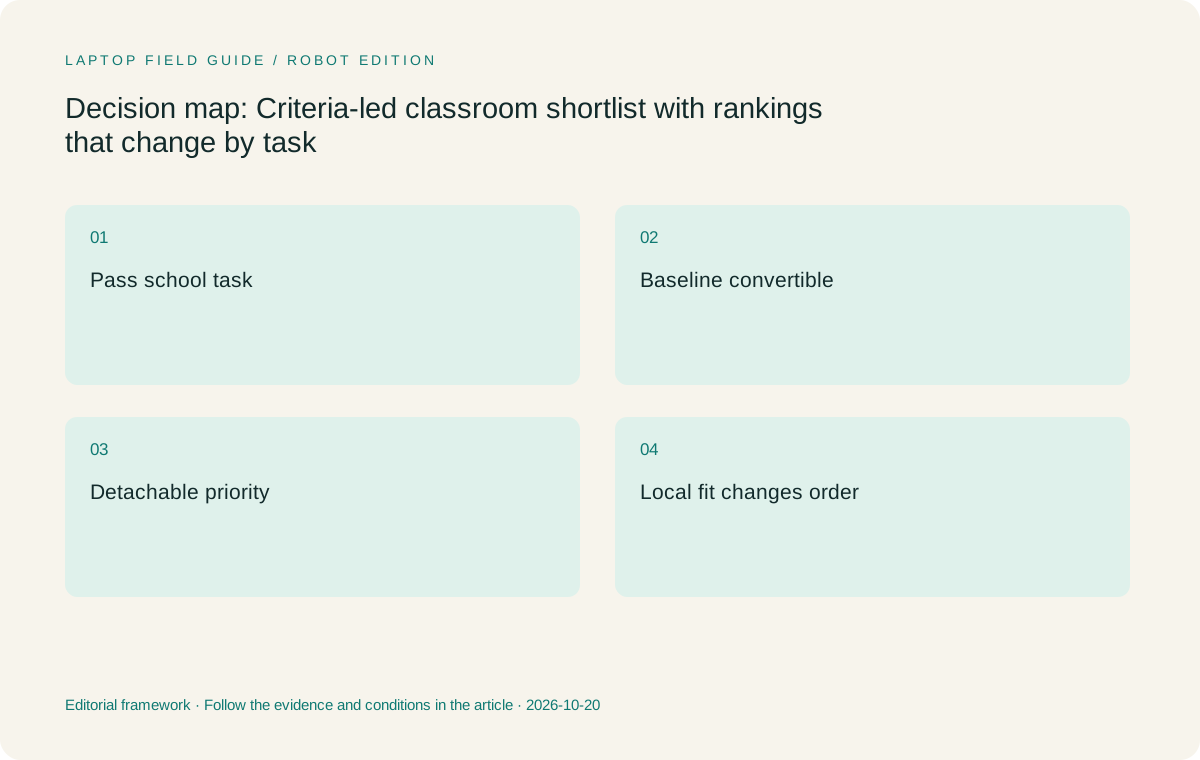
Original editorial illustration. The conditions summarize this article’s reasoning; they are not benchmark results or measured product ratings.
Gate two: the way the teacher changes input
The baseline teacher alternates between keyboard and pen within one lesson. An attached-keyboard convertible is a coherent starting arrangement because its typing surface remains part of the computer. Try the transition in the selected app: prepare a source, fold or position the screen for handwriting, add a correction and return to a typed task. The sequence should include ordinary selection and saving actions. The presence of a hinge establishes a design category; the teacher’s task shows whether that category is useful in the actual setting.
A detachable can be the better arrangement when the teacher wants the screen away from the keyboard or needs a tablet-led page. That preference should be explicit. Surface Pro for Business is the detachable candidate in this comparison, using its documented compatible input route. Include the required keyboard and pen in the trial even if the keyboard is removed during part of it. Its tablet-body specification is not a description of the full preparation-and-teaching kit. A comparison that omits those parts can produce an attractive but misleading first place.
The supported pen must be identified separately for each candidate. Yoga 7i, Yoga 9i, HP OmniBook Ultra Flip and Surface do not become interchangeable input systems because all are used for handwriting. Check the actual accessory, local inclusion and chosen application. No pen-feel or latency measurements are supplied in this article. The evaluation asks which documented route serves the teacher’s recurring action, with the exact handling preference left to a real trial rather than an invented score.
Gate three: the classroom connection and saved result
A teacher’s input must reach the class in the right form. Identify the classroom display input and any audio or peripheral requirement. Name the cable, dock or adapter the approved route uses. The Yoga 7i specification documents HDMI and USB-A alongside its other connections, which is a reason to investigate it for rooms needing those functions. It is not evidence of compatibility with every projector. Each candidate must demonstrate the full path with the actual teaching sample or an appropriate school-supported equivalent.
Present a page, make a handwritten correction and verify the intended view. Then save the lesson and open the student copy using the receiving route. This combines two checks that are often separated in buying advice: the live audience result and the later teaching record. A device that provides one but not the other has not completed the baseline task. The ranking should therefore be conditional on both rather than placing the most elegant drawing display first and leaving file delivery as an unspecified future step.
Keep teacher-only notes and student material distinguishable in the sample. A presenter view or a file name can matter as much as a pen feature when the lesson changes direction. Ask another authorized user to open the final output if appropriate. The goal is an understandable handover that does not rely on the author’s memory. A ranking built on that completed sequence can remain useful across different devices because the task is stable, while a ranking built only on feature headlines loses its meaning when those headlines change.
First for the baseline: Yoga 7i 2-in-1
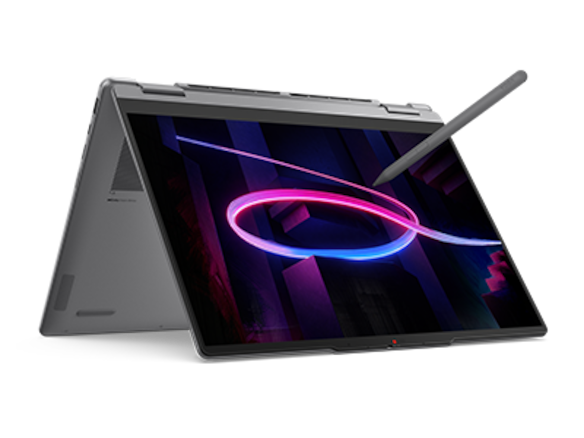
Yoga 7i 2-in-1 Aura Edition 14-inch Gen 11 is our first investigation for the stated attached-keyboard, pen-and-presentation workflow. The primary reason is the relationship between its documented design and the required sequence. A teacher can evaluate conventional preparation, direct screen input and classroom connections on one named machine. Its PSREF gives a concrete source for those design facts. The buyer still needs to choose and confirm the exact local operating-system, screen, memory and pen configuration rather than treating the range as a single universal offer.
This preference is deliberately narrower than saying Yoga 7i is the best laptop for education. It does not establish superior pen feel, longer real classroom endurance or a better price than every alternative. Those claims would require evidence not provided here. The useful recommendation is that the model is a sensible starting candidate when its documented functions match the baseline and its local configuration can pass the school’s acceptance sample. That is enough to justify evaluating it first without inventing a broader result.
Move it down or out of the shortlist if a mandatory application, school enrollment requirement or room route cannot be supported. Also reconsider it if the teacher’s actual method makes a detachable screen or another physical arrangement central. A good first place includes the condition that can remove it. This keeps the Lenovo focus of the article transparent while preserving a real decision for the reader. The primary candidate should earn its role through task fit, not be protected from contrary evidence by the wording of a ranking.
Manufacturer product illustration, not a photograph of our testing. Accessories and local configurations vary. Official image context.
First for a detachable lesson: Surface Pro for Business
Surface Pro for Business 13-inch, 12th Edition, Snapdragon moves to the front when the teacher deliberately wants keyboard and screen to separate. That may suit a tablet-led explanation or a preferred desk arrangement. Its documented compatible pen and keyboard system makes it a genuine alternative form factor. The teacher should try the exact keyboard, support and pen arrangement through the lesson sequence. Removing the keyboard is useful when it serves a recurring task, not simply because a product image demonstrates that it can be done.
Count the entire working system. The published 895 g figure is the tablet body, not the full kit for typing, inking, charging and classroom display. A teacher who needs the keyboard for preparation cannot omit it from a comparable carry plan merely because it is detachable. Name the accessories actually required and any room adapter. If the school supplies some parts, state that boundary. The point is to compare what the teacher must use and carry, avoiding a false mass advantage created by different definitions of the device.
The platform gate remains essential. This specified business Surface uses an Arm route, so the school’s required applications, access tools and peripheral drivers must be verified there. If the route is accepted and detachability improves the teacher’s real sequence, placing it ahead of an attached convertible is reasonable. If the route is unresolved, it is not yet an eligible winner. This task-based reversal shows why a single fixed order cannot serve all classrooms and why the reasons behind the ranking are more useful than the positions alone.
Alternative convertible routes: Yoga 9i and HP Ultra Flip
Yoga 9i 2-in-1 Aura Edition 14-inch Gen 11 is a separate documented convertible candidate, not a renamed configuration of Yoga 7i. Its own pen options and product identity should be checked. It can move ahead when a locally supported configuration or the teacher’s demonstrated handling preference better serves the lesson. The series position does not establish a better student output. A buyer should be able to identify the exact operation or accepted configuration that creates the preference, keeping an editorial choice separate from an unmeasured claim of technical superiority.
HP OmniBook Ultra Flip 14-fh0000 provides another genuine convertible route with a documented optional pen. It should be considered under the same app, room and output conditions. A local product number, named compatible accessory and accepted support arrangement can make it a sensible choice for a school. Do not transfer a bundle or software statement from another country. This article has no comparable live quotations, so it does not position the HP as a cheaper alternative or attach a value score based on an assumed price.
These two alternatives are not assigned fake performance distances from the first candidate. A school can rank them after the mandatory gates and user trial establish a useful distinction. If the available evidence does not separate them on a required task, say that. The buyer can then use current local configuration and service information to finish the decision. An honest shortlist can contain a tie or a conditional order; it should not invent a decimal score to make a table appear more conclusive than the actual evidence.
Re-rank for three different teaching patterns
For a teacher who prepares at a keyboard and annotates only a few times per class, start with the simplest eligible convertible arrangement and verify the transition back to typing. Yoga 7i is our Lenovo starting candidate for that pattern. If the pen is rarely used at all, ask whether the two-in-one requirement is genuine. A conventional laptop can be an alternative purchasing category, but it should not be listed as a pen-enabled convertible simply to keep a familiar lightweight product in the ranking.
For a teacher who gives tablet-led explanations regularly, compare the Surface detachable route closely with the folded-convertible route. The preferred handling, desk support and access to keyboard controls can change the first choice. Keep the complete kit and school platform checks in the comparison. For a teacher who changes rooms often, investigate which setup restores the lesson and presentation route with the required objects available. Native connections, approved accessories and an understandable packing record may carry more practical weight than the appeal of a particular screen mode.
For a teacher using a fixed room with school-supplied display, audio and support equipment, rank the laptop by the work it still needs to do. Some hardware features may become less important because the room handles that function. The best candidate is then the eligible system that fits the remaining preparation and input role. This does not contradict a travel or detachable recommendation. It explains the assumptions that produce it. Keeping those assumptions explicit allows the article to serve different readers without claiming one universal educational computer.
Finish the ranking with a repeatable acceptance task
Use the same short lesson on the final eligible candidates. Prepare a source, add and correct a handwritten explanation, show the intended class view and open the student output. Include one ordinary interruption such as returning to an earlier page. Keep the exact app edition, compatible pen and room route with the result. These are the steps that translate a documentation-based shortlist into a locally defensible purchase. They should not be skipped merely because one model has already become the preferred item in a discussion.
Record which difference actually changed the order. It might be an accepted configuration, a required accessory, the teacher’s chosen interaction or a failed institutional task. Preserve uncertainty rather than turning it into a passing result. This article reports no shared battery, latency, keyboard-comfort or call-quality measurements and uses no invented price data. Its contribution is a transparent decision structure and model comparison. A local trial can add the observations that the documents cannot provide, while keeping those observations tied to the intended user and setting.
For the baseline workflow, evaluate Yoga 7i first and keep the other documented pen systems available as the task requires. Move Surface to the front for a verified detachable need, and let Yoga 9i or HP lead when their accepted local setup demonstrably fits better. A useful ranking ends with a reason the teacher can explain, a complete kit the school can order and a student result that remains usable. The exact position matters less than making that chain of evidence clear enough to support a real classroom decision.
Compare the documented options for this task
| System | Where it fits this task | Trade-off to verify | Primary evidence |
|---|---|---|---|
| Baseline first: Yoga 7i 2-in-1 Aura Edition 14 Gen 11 | Our first Lenovo investigation for attached-keyboard preparation, regular screen annotation and documented wired-classroom needs. | Its place is conditional on the selected local configuration and acceptance task; no universal performance, price or handwriting win is claimed. | Official source |
| Detachable-role first: Surface Pro for Business 13-inch 12th Edition Snapdragon | Moves to the front when separate screen and keyboard serve the teaching method and the school accepts the platform. | Count compatible keyboard, pen, power and room accessories, and verify required applications and drivers on Arm. | Official source |
| Alternative convertible: Yoga 9i 2-in-1 Aura Edition 14 Gen 11 | Can lead when the exact supported local configuration or user handling better serves the same lesson. | A product-series position is not evidence of a more useful saved lesson or a measured performance margin. | Official source |
| Alternative convertible: HP OmniBook Ultra Flip 14-fh0000 | Can lead when the school supports its exact configuration and optional compatible pen route for the task. | Check the local product number and accessory; comparable live prices and a shared test result are not provided here. | Official source |
Questions before choosing
Is this a universal first-to-fourth performance ranking?
No. It gives a baseline first candidate and shows how a detachable or another supported configuration can take priority for a different teaching task. No numeric performance or value scores are invented.
What can remove the first candidate from the shortlist?
Failure to satisfy a mandatory school application, access, pen or classroom connection requirement. A favored design cannot compensate for an essential task that remains unsupported.
How should a teacher finish the decision?
Run the same preparation, annotation, presentation and student-output task on the exact eligible configurations, then record which real difference changes the preference and which accessories the complete kit needs.
Continue this research
For a related perspective from our companion publication, read the hardware-focused companion guide: Choose a Teacher’s 2-in-1 Around the Classroom Projector Connection. Manufacturer claims should be verified in the primary sources below.
Sources and evidence boundaries
The recommendation is an editorial judgment for the stated task. Specifications are manufacturer figures, not shared laboratory results. Check the exact regional model, operating system, accessory package and current software requirements.
- Lenovo PSREF: Yoga 7 2-in-1 14IPH11
- Lenovo PSREF: Yoga 9 2-in-1 14IPH11
- Microsoft: Surface Pro for Business 13-inch, 12th Edition, Snapdragon
- HP: OmniBook Ultra Flip 14-fh0000 series specifications
Editorial context: this series is a Lenovo-focused product-discovery project. Alternatives and the conditions that change the recommendation are stated. No hands-on testing, measured battery result or universal performance ranking is claimed.
Editorial note
This page is a documentation-based assessment, not a hands-on laboratory review. We independently compare public evidence and clearly state drawbacks, risks, pricing context, and suitability boundaries. Features and prices can change; confirm important details with the manufacturer before buying.