Laptop guide · Teaching & presentations
What a School Should Put in a Teacher’s 2-in-1 Purchase Record
Specify the working teaching system, including its pen, accepted software and support boundary, without guessing lifetime costs.
The short answer
Yoga 7i 2-in-1 is a relevant Lenovo procurement candidate when the teaching requirement calls for an attached-keyboard Windows convertible with a supported pen and classroom connections. The order should identify the exact local configuration and required accessories, not simply a family name. Compare Yoga 9i, HP OmniBook Ultra Flip and Surface Pro for Business using the same teaching requirements and complete quoted kits. No invented price, repair-cost estimate or guaranteed service life is used to establish a value winner.
Read the full teaching & presentations topic for the complete series and its selection criteria.
Purchase a defined teaching capability
A school purchase record should begin with the work the teacher needs to do. Name the essential capability in ordinary terms: prepare a lesson, annotate a page directly, show it through the classroom route and distribute the required output. Identify the users and settings where that capability matters. This is more useful than beginning with a desired product and trying to justify every feature it happens to offer. A later replacement can be evaluated against the teaching capability even when model names change.
Separate mandatory functions from preferences. Required institutional software and a classroom connection may be mandatory. A preferred finish, a particular screen option or an extra mode may be desirable without being necessary. Keep the distinction visible rather than assigning arbitrary points that make every field appear equally important. A candidate that fails a must-have item should not become the winner by collecting enough minor preferences. The comparison needs a clear acceptance gate before any discussion of convenience or relative value.
For this teaching requirement, Yoga 7i is the main Lenovo candidate because its documented convertible design and pen options relate directly to the intended input sequence. That is a reason to request and evaluate a configuration, not proof that any machine bearing its name satisfies the school. The procurement record must connect the exact supplied item to the required task. A responsible shortlist leaves room for another eligible model when its configuration, handling or accepted support route better serves the same work.
Identify the machine that the quote actually describes
A family name is not a complete order specification. Record the machine type or product number, operating-system edition, memory, storage, screen choice and other required local configuration details. If the school evaluated a sample, retain its identity. Then check the quotation against that record. A seller offering a similar model may be providing a different screen, accessory package or software preload, even when the outward product name looks familiar. Those differences can affect whether the teaching system is complete on arrival.
The Yoga 7i family used here has configuration choices, so do not turn a range-level feature list into a promise about every local item. Apply the same discipline to Yoga 9i, the HP convertible and Surface Pro. The Surface comparator is specifically the business thirteen-inch, twelfth-edition Snapdragon model; another Surface generation or consumer configuration is not automatically the same offer. Keeping exact identities in the table protects the comparison from quietly changing while a school reviews several suppliers or regional listings.
Ask for unresolved fields to be answered in the normal procurement process. If an accessory, OS edition or support term is not stated, mark it unknown. Do not infer it from a photograph or another region’s page. This is not a reason to create an excessive specification document. A concise list of the fields that affect eligibility is enough. The objective is to preserve the relationship between the approved teaching need, the evaluated setup and the configuration that will appear on the final order.
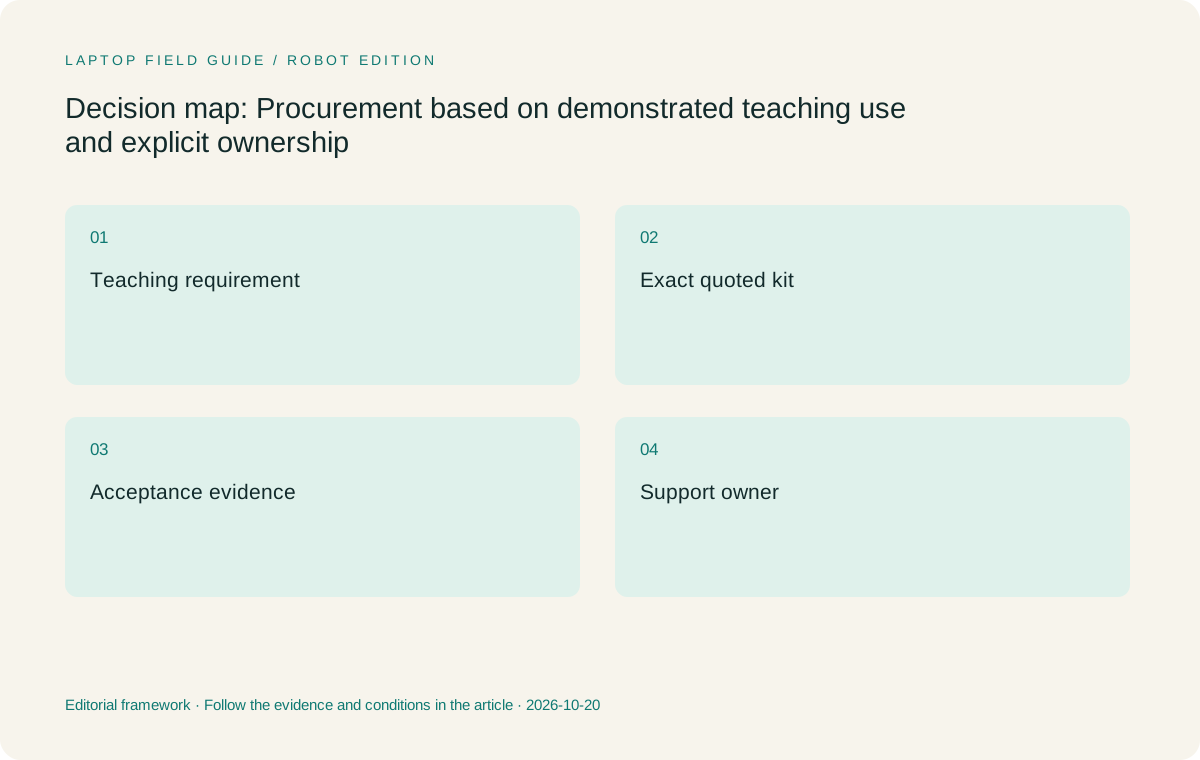
Original editorial illustration. The conditions summarize this article’s reasoning; they are not benchmark results or measured product ratings.
Include the pen as an owned part of the system
When direct handwriting is mandatory, the compatible pen belongs inside the purchase record. Name the model and state whether it is supplied or separately ordered. Include any necessary power or storage arrangement described for that accessory. A teacher should not receive a convertible that is technically capable of pen input while the required pen remains an uncosted future purchase. The same principle applies to a detachable keyboard when the proposed teaching system needs one for preparation or live typed work.
Consider how the accessory will be kept with the device under the school’s normal process. Record who is responsible for obtaining a replacement and how its compatibility will be checked. This does not require predicting when a pen will be lost or estimating a future replacement price. It requires knowing which item is needed and where a support decision belongs. A generic note saying that a stylus can be added later leaves an essential part of the accepted teaching capability undefined.
Yoga 7i, Yoga 9i, HP OmniBook Ultra Flip and Surface use documented but distinct pen routes. Do not treat accessories as interchangeable because the intended action is the same. The purchase comparison should identify each complete input system and its local bundle. The apparent price of an incomplete offer may be lower while omitting a required part, but this article supplies no live prices and makes no cost calculation. Obtain current local terms for comparable kits before drawing a value conclusion.
Make classroom accessories part of the quoted boundary
A projector connection, room audio route or required peripheral may add a cable, adapter or dock to the purchase. Identify which objects the school already supplies and which must travel with the teacher. Keep that distinction consistent across candidate quotes. If a room provides a compatible dock, do not add another one simply to make every kit look alike. If a specific adapter is necessary, do not omit it from one candidate’s comparison while counting it for another.
Yoga 7i’s documented HDMI and USB-A connections make it relevant to investigate for some wired classroom needs. The comparison should establish whether those connections actually remove a required accessory in the school’s rooms. A socket count alone cannot answer that question. Other convertibles and the Surface detachable may have different accepted routes. Record the exact path and any named accessory, then use the same teaching sample to demonstrate the result. A successful connection should support the live input and output the purchase is meant to provide.
Include power equipment and its local offering in the boundary. A compatible charger or dock should be matched to the selected machine and intended arrangement. Do not infer a suitable charging route from the physical connector alone. If the school buys a pooled accessory standard, ask whether each candidate can use it through the approved setup. The useful purchasing record describes a complete supported system; it should not reward a device for shifting essential parts into a separate budget line that the comparison has ignored.
Record software and support ownership explicitly
The school should know which team supports the operating system, required applications and classroom equipment. Keep that ownership alongside the device record. A teacher buying an eligible laptop still needs an accepted route for enrollment, sign-in, updates and help when a mandatory task fails. These are institutional questions to resolve through the school’s process. The purpose of the article is to include them in the purchase decision, not to offer a new security configuration or a way around existing rules.
Software license assumptions deserve the same attention as hardware accessories. State which required applications are already provided by the school and which must be addressed as part of the order. Do not assume that an application shown in marketing is included in the necessary edition or available under the school’s license. A useful quote describes the complete route to the teaching task. If the route remains uncertain, keep it outside a final value comparison until the responsible team has clarified it.
For the specified Surface Pro business model, confirm required apps and peripheral drivers on the Arm platform. For the Intel-based convertibles, confirm the actual local OS and applications too. A shared Windows label does not independently establish every managed-school function. The accepted record should state what was checked and who owns any unresolved issue. That gives procurement a reasoned basis to retain or exclude a candidate rather than asking the teacher to accept a general assurance that modern laptops should all be able to do the job.
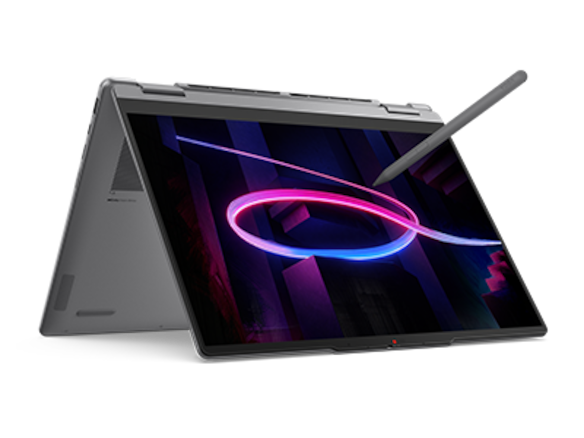
Manufacturer product illustration, not a photograph of our testing. Accessories and local configurations vary. Official image context.
Ask about service terms without inventing a lifetime model
A school may want a computer to serve several years, but an editorial guide cannot guarantee a local model’s useful life or predict repair costs. Ask the seller and school about the actual service terms of the selected offer. Record what is covered, which region the arrangement applies to and how a support request is made. Use the current written terms rather than a broad brand reputation or an assumed promise attached to a premium product name.
Plan for ordinary events without assigning a false probability to them. A device may be unavailable for service, an accessory may need replacement or a required application may change. The school should know how teaching material can be reached through an approved recovery or temporary-device process. This does not mean every purchase needs a second laptop. It means that the continuity requirement is described and owned, so the original computer is not treated as a guarantee that classes can never be disrupted.
Preserve the teaching requirement separately from the model. A later replacement can be assessed using the same source, annotation, room and student-output sequence. This makes the purchase record useful even when the original configuration is no longer sold. Avoid estimating savings from speculative future resale, repair or battery-replacement figures. A sensible procurement argument can instead describe a verified present capability and the actual support terms offered locally, with future uncertainties acknowledged rather than hidden inside an invented total-cost score.
Compare candidate kits under the same acceptance conditions
Yoga 7i is the starting Lenovo kit for the attached-keyboard, direct-annotation workflow described here. It should be compared with its selected compatible pen and classroom accessories. Yoga 9i is a separate convertible candidate, and its complete quote should be built from its own local configuration. A higher model tier does not establish greater teaching value without a task-based reason. The school may find an available configuration, accepted support route or user preference that favors either one, but that finding should be stated explicitly.
HP OmniBook Ultra Flip 14-fh0000 provides another genuine convertible route with an optional documented pen. It can be compared if its exact product and accessory meet the school’s requirements. Surface Pro for Business is the detachable option when screen-keyboard separation is part of the teaching method. Add the necessary compatible keyboard, pen and power equipment to the quote. The cited 895 g body figure does not represent that full system, so it should not be used as a complete-kit advantage in a procurement matrix.
The matrix should show why a kit is eligible, what the teacher gains from its arrangement and which unresolved item could change the decision. It need not invent numerical ratings. A transparent explanation may be enough to justify a shortlist order: a defined need is met directly, another needs a permitted accessory, and a third remains unverified. That is more useful than a weighted score whose inputs are subjective or whose missing information has silently been treated as an average result.
Keep a small acceptance sample with the order
Before placing an order, run a short lesson through the evaluated setup. Prepare the source, make a handwritten explanation, present it and create the student copy. Include a normal correction or return to an earlier page. Save the files permitted by school policy and record the machine, pen, app and room route. This provides an actual reference task for the quotation and avoids treating a successful static screen demonstration as proof of a complete teaching system.
When the purchased unit arrives, compare its identity and included items against the accepted record through the school’s normal process. The task is to confirm that the supplied kit is the one evaluated, not to claim an article has tested every unit. Repeat the small lesson as an acceptance check if the procurement process calls for it. If a field differs, identify whether it changes a mandatory requirement before assuming the substitute is equivalent. A visible record makes that discussion specific and easier to resolve.
Keep the successful setup with support information so another authorized colleague can understand it. The record should not depend on the teacher remembering which cable or file version happened to work during a buying demonstration. A concise evidence pack can include the approved requirements, selected configuration, named accessories, sample outputs and service terms. Each item has a purpose. Together they explain what the school purchased and why, while leaving product performance and long-term outcomes open to appropriate verification rather than unsupported editorial promises.
Our procurement-focused recommendation
Start by requesting an exact Yoga 7i 2-in-1 configuration when the teacher needs supported Windows preparation, regular direct handwriting and classroom presentation in one attached-keyboard device. Keep Yoga 9i and HP OmniBook Ultra Flip as competing complete convertible kits. Investigate Surface Pro when a detachable arrangement serves a named task and the full software and accessory route is eligible. The recommended order remains conditional on current local offers and demonstrated use, with no claimed price winner until comparable quotes have been obtained.
The best value argument is the capability the school can verify now. It should state the lesson the device can support, the parts included and the support process that owns the setup. A low initial device price can be incomplete if a required pen or connection route is missing, while a higher offer is not justified simply by adding features that the teacher does not use. Procurement should compare the actual accepted systems and explain the preference in terms a teacher and support team can both understand.
A good purchase record remains useful after the buying conversation ends. It identifies the source, input system, room connection, final output and exact configuration, with the relevant commercial terms attached through the school’s process. That record can guide acceptance, support and a later replacement without making a prediction about the future. The right two-in-one is the eligible teaching kit the school can order and support clearly, rather than the most impressive family name in a table of partial offers.
Compare the documented options for this task
| System | Where it fits this task | Trade-off to verify | Primary evidence |
|---|---|---|---|
| Yoga 7i 2-in-1 Aura Edition 14 Gen 11 complete teaching kit | Primary request for a supported attached-keyboard convertible with a named pen and classroom route. | Compare the actual local configuration and complete quotation; no live price or lifetime-cost advantage is asserted. | Official source |
| Yoga 9i 2-in-1 Aura Edition 14 Gen 11 complete teaching kit | A separate convertible quotation when its supported configuration addresses the same mandatory teaching tasks. | Product tier alone does not justify additional cost; obtain current local terms and identify the task-based benefit. | Official source |
| HP OmniBook Ultra Flip 14-fh0000 with compatible optional pen | A genuine alternative convertible kit where the selected product and accessory satisfy school requirements. | Accessory inclusion and supported configuration must be written into the comparison rather than inferred from a photograph. | Official source |
| Surface Pro for Business 13-inch 12th Edition Snapdragon with required input accessories | A detachable system to quote when separation of keyboard and screen is part of the accepted teaching method. | Include compatible keyboard, pen and power equipment and verify the required Arm application and peripheral route. | Official source |
Questions before choosing
Does this article identify the cheapest teaching laptop?
No. It provides no live local quotes and does not invent repair or lifetime costs. Compare current offers for complete eligible kits before reaching a price or value conclusion.
What belongs in the exact configuration record?
The machine code or product number, selected OS edition, memory, storage, screen, named pen, required classroom accessories and the teaching task used to evaluate the system.
How can procurement remain useful when models change?
Preserve the accepted teaching capability and sample workflow separately from the product name. A replacement can be checked against those requirements using current configuration and service information.
Continue this research
For a related perspective from our companion publication, read the hardware-focused companion guide: Convertible or Detachable: The Physical Laptop Choice for Teaching. Manufacturer claims should be verified in the primary sources below.
Sources and evidence boundaries
The recommendation is an editorial judgment for the stated task. Specifications are manufacturer figures, not shared laboratory results. Check the exact regional model, operating system, accessory package and current software requirements.
- Lenovo PSREF: Yoga 7 2-in-1 14IPH11
- Lenovo PSREF: Yoga 9 2-in-1 14IPH11
- Microsoft: Surface Pro for Business 13-inch, 12th Edition, Snapdragon
- HP: OmniBook Ultra Flip 14-fh0000 series specifications
Editorial context: this series is a Lenovo-focused product-discovery project. Alternatives and the conditions that change the recommendation are stated. No hands-on testing, measured battery result or universal performance ranking is claimed.
Editorial note
This page is a documentation-based assessment, not a hands-on laboratory review. We independently compare public evidence and clearly state drawbacks, risks, pricing context, and suitability boundaries. Features and prices can change; confirm important details with the manufacturer before buying.