Laptop guide · Teaching & presentations
Choose the School-Supported 2-in-1 Before Choosing the Classroom Features
Turn operating-system, application and room requirements into a shortlist gate for a teacher’s convertible purchase.
The short answer
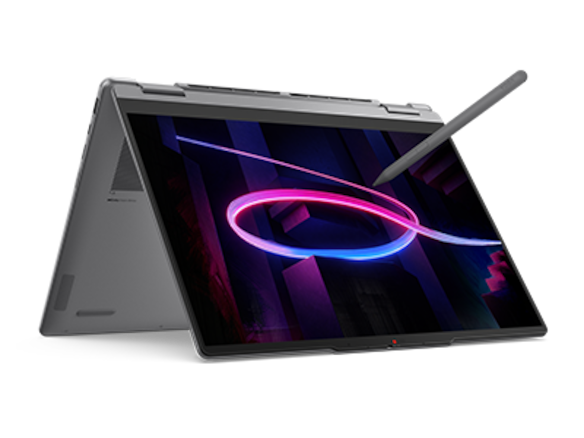
Yoga 7i 2-in-1 Aura Edition 14-inch Gen 11 is a relevant teacher candidate when the school accepts its selected operating-system configuration, pen route and classroom connections. That acceptance comes before an attractive hinge or display option. Compare Yoga 9i, HP OmniBook Ultra Flip and the specified Surface Pro business detachable only after their exact local configurations meet the same institutional requirements. The right shortlist is made of supported teaching systems, with unresolved application, accessory and room checks clearly identified.
Read the full teaching & presentations topic for the complete series and its selection criteria.
Start with permission to do the actual work
A teacher can choose a capable computer and still be unable to use it for a routine school task. The cause may be an unsupported application edition, device enrollment rule or room peripheral. These are purchasing conditions, not problems that the teacher should be expected to solve after delivery. Before a model enters the shortlist, ask the school which operating systems, device ownership arrangements and software routes are accepted. Keep the answer specific enough to apply to an exact local machine rather than a broad family name.
Describe the required lesson instead of asking only whether a school allows Windows. A teacher may need a desktop presentation tool, a managed browser session, handwriting in a particular application and a connection to installed room equipment. Each part has its own requirement. The school team should be able to identify which routes are supported and which remain untested. That record gives the buying discussion a useful foundation without asking the teacher to redesign institutional access or handle technical policy decisions alone.
The first shortlist gate is therefore whether a candidate can perform the required work under the school’s existing arrangements. Only then should the buyer compare how pleasant or portable its physical design may be. This ordering can make a simpler machine the sensible choice. It can also justify a more flexible input system when the school supports the application that uses it. A documented gate keeps the decision connected to teaching and reduces the chance that a desirable feature is mistaken for full institutional eligibility.
Use the exact machine code and operating-system edition
A product series can contain different configurations and preload options. Keep the actual machine type or product number in the purchasing record together with the operating-system edition, memory and storage selected. The Yoga 7i family documented here includes configuration choices, so a generic statement that the family can run Windows is not enough to identify the machine being ordered. Confirm the local listing and invoice. If the school requires a particular edition or setup route, that requirement must be checked against the selected item.
The same discipline applies to pen inclusion and the screen option. A manufacturer image may show an accessory that is not in every regional bundle. A higher-capacity memory option somewhere in the range is not evidence that the chosen retailer’s item includes it. Treat those details as named purchase fields rather than assumptions left for the teacher to discover. This also helps school support reproduce a successful trial, because it knows which configuration and input system were actually evaluated.
Avoid describing configuration checking as a special concern for one brand. Yoga 9i, the HP convertible and Surface Pro each require the same attention to identity. The Surface model used in this comparison is specifically the business thirteen-inch, twelfth-edition Snapdragon device, not any product that happens to be called Surface Pro. Its software and processor platform are part of that identity. A fair selection record retains these details and gives every candidate the same requirement to demonstrate an accepted route.
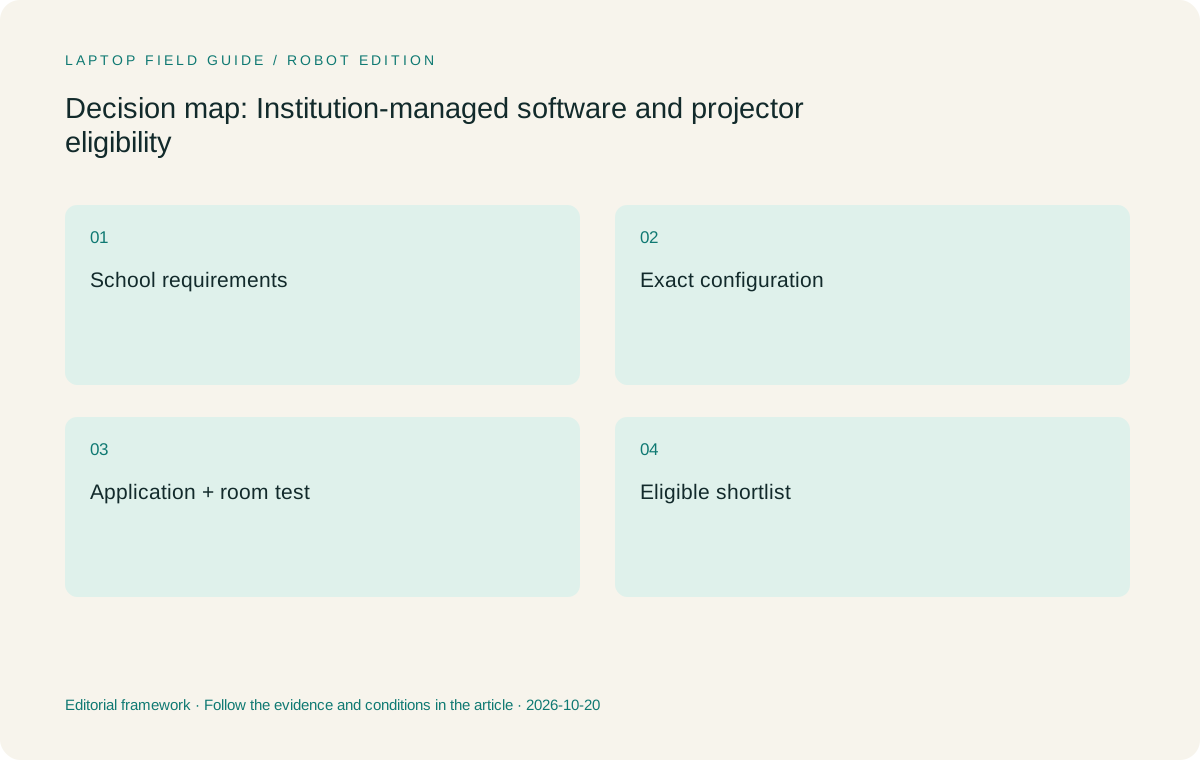
Original editorial illustration. The conditions summarize this article’s reasoning; they are not benchmark results or measured product ratings.
Turn the application list into small complete tasks
An application name alone may hide the operation that matters. The school might use it for typed work, a particular add-in, screen annotation or a specific file export. Write a tiny task for each mandatory operation. Open a representative source, perform the needed change and create the required result. If an external service or account is involved, use the approved sign-in route. The aim is a reproducible acceptance sample, not a broad claim that all software associated with an operating system will work.
For a teacher buying a pen-enabled laptop, the sample should contain both keyboard and handwriting actions. Check whether an annotation remains usable after saving, and whether the student copy opens through the school’s normal route. If the lesson relies on an app-specific pen control, verify it in that exact application. A supported pen specification gives the hardware a place on the shortlist, but the application determines much of the actual file behavior. Keep that relationship visible when evaluating the primary Lenovo candidate and alternatives.
A failed task should have a clear description. For example, the document may open while a required add-in is unavailable, or a live mark may appear while the expected export is missing. Those are different findings and can lead to different next steps. Ask the relevant support team or software supplier about the specific operation rather than replacing the application informally. The purchase should remain within school-supported tools, especially when the result must be shared with colleagues or students using an established process.
Make processor-platform differences explicit
Several candidate systems may use Windows while differing in processor platform. The specified Surface business model uses Snapdragon, so the school should check its actual applications, drivers and access tools on Windows on Arm. This is an eligibility question for the chosen setup, not a general statement that the platform is unsuitable for teachers. If the required tools are supported, the detachable arrangement may be a good fit. If a necessary component is unresolved, keep the candidate outside the accepted shortlist until the issue is clarified.
An Intel-based convertible is not exempt from checking merely because the school already uses some Intel computers. Operating-system edition, app version and peripheral support still matter. The Yoga 7i is the main example here because its documented design combines ordinary typing, screen handwriting and classroom connections, but the actual lesson must work on the selected configuration. A platform preference should be explained by a real school requirement or supported trial, rather than by an assumption carried over from a different model or generation.
Keep the check proportionate. A teacher does not need to benchmark every application or become a driver specialist. A small set of mandatory tasks and an approved support answer can establish whether the computer is eligible. The key is to avoid turning an unresolved issue into a marketing promise. The final recommendation should name the accepted configuration and the task it passed, giving a budget holder or colleague a clear explanation of why the machine belongs on the shortlist.
Treat the projector as a system with an owner
A classroom display may be part of a managed room system. Ask who supports it and what connection route teachers are expected to use. Record the input, any controller or adapter supplied by the room and whether audio travels through the same route. A laptop with a familiar socket can still encounter a room-specific requirement. Conversely, a school-supported dock may provide the required connections even when a machine does not offer them directly. The accepted system is the useful comparison boundary.
Yoga 7i’s documented HDMI and USB-A connections make it worth investigating for classrooms that use them. That fact is a starting reason to test, not a universal projector guarantee. Use a real slide deck, switch to the intended presentation mode and add a handwritten note while connected. Confirm what the class receives. A static desktop image is insufficient when the purchase is meant to support live explanation. Other convertibles and the Surface detachable should face the same sample through their own documented and approved accessory routes.
Save the room route with the device record. Name the cable or adapter when it is essential rather than describing it as any USB-C lead. If the school changes a projector later, this record helps identify which part of the accepted setup has changed. It also prevents the laptop from being blamed for every presentation issue without a reproducible description. A clear division of equipment and support responsibility can be a practical advantage of the purchase, even though it is not a laptop specification.
Manufacturer product illustration, not a photograph of our testing. Accessories and local configurations vary. Official image context.
Include accounts and approved file locations
The teacher must be able to reach the intended source using the school’s accepted account and storage arrangements. Confirm whether a personal device can be enrolled or whether the purchase must use another route. Ask what happens to the lesson material when the teacher works away from the school site. Keep these questions at the level of approved process. The goal is to identify eligibility before purchase, not to offer instructions for bypassing an access rule or setting up an unsanctioned copy of school data.
A useful sample has a named source, a working annotated version and a student copy. Open each through the normal route and confirm that another authorized user can locate the appropriate result. If an offline session is part of the requirement, ask how the school expects that to be prepared and restored. An installed storage application does not establish that every file is available offline or that every use is permitted. The accepted process should be clear to the teacher before it becomes part of a buying justification.
These details may influence form factor. If the school already provides a supported classroom pen device, a personally purchased two-in-one may not need to duplicate that role. If direct annotation must happen on the teacher’s own machine, the pen and app route become mandatory. State which case the comparison assumes. A sound recommendation uses the school’s actual teaching arrangement rather than inventing an ideal system in which every feature of a new device happens to be necessary.
Compare eligible convertibles and the detachable route
Yoga 7i 2-in-1 is our starting candidate when its local configuration passes the school’s software, account and room requirements and the teacher uses both typing and pen input. Yoga 9i is another genuine convertible, with its own documented pen options and configuration. It should be evaluated independently. A buyer should not assume that an accepted Yoga 7i accessory, port arrangement or regional bundle carries over unchanged to the Yoga 9i. The shared family identity does not replace a specific purchase record.
HP OmniBook Ultra Flip 14-fh0000 offers another convertible route with a documented optional pen. It can be a relevant alternative when the school supports its exact model and accessory. Check the required application tasks and room connections rather than assigning it an abstract classroom score. The point of including it is to preserve a real choice among eligible arrangements, not to make a manufacturer list appear longer. Its role in the recommendation should be tied to an actual configuration or handling preference that the teacher can demonstrate.
Surface Pro for Business is a detachable alternative if separating the keyboard changes the lesson in a useful way. Its specified Arm platform needs the earlier software and driver checks. Count the compatible keyboard and pen alongside power and room accessories when evaluating the full kit. The published tablet-body weight does not include all those parts. Once each system is eligible, the teacher can compare how its physical arrangement serves the lesson rather than letting a seemingly lower isolated weight decide a broader school-use question.
Give support a record of the successful setup
A successful demonstration should leave a small record that can be understood later. Include the exact product code, selected operating system, pen, application versions, room route and test files. Record any school approval or remaining open item in the appropriate purchasing process. The teacher should not have to reproduce the whole buying discussion to explain a later problem. A concise acceptance record is enough to show which workflow the machine was selected to perform and which equipment formed part of that result.
Ask another authorized member of staff to follow the record using the sample lesson. This can reveal a hidden assumption, such as a missing accessory or an app left in a special state. Do not treat the exercise as proof that every future lesson will work without change. It establishes a reference task that support can repeat. If a software update or room replacement later alters the outcome, the record helps distinguish the changed component from the original buying requirement.
Keep claims about long-term service and availability modest. This article does not estimate repair prices or guarantee a support period for a particular local offer. Ask the school and seller about the actual service terms for the selected machine and keep those terms with the order. What can be preserved now is the reasoning: the application tasks, accepted room route and input needs. That reasoning remains useful if procurement has to consider another model later or support needs to explain why the original candidate was chosen.
Our eligibility-first recommendation
Start with Yoga 7i 2-in-1 for a teacher who needs a supported convertible route through typed preparation, direct annotations and classroom presentation. Its documented features make it a credible candidate, but the purchase should name the accepted local configuration. Keep Yoga 9i and HP OmniBook Ultra Flip as alternatives when their exact setups satisfy the same gates and better match the teacher. Use the Surface detachable when the physical preference is meaningful and its complete Arm software and accessory route has been accepted.
If no candidate passes a mandatory task, leave the buying choice open while the requirement is resolved. A shortlist is not a promise to buy the most attractive item among incomplete options. The teacher can still compare physical preferences, but that work should not be mistaken for institutional approval. This approach helps a school avoid paying for flexibility that cannot be used in its real environment, and it gives a supported machine a clearer reason to win than a broad appeal to innovation or an impressive feature name.
The final purchasing explanation should be short enough to repeat: the selected machine runs the required task, connects through the approved classroom route and produces the intended student material using a supported input system. If those statements are backed by the exact configuration and a sample lesson, the buyer has a defensible basis for choosing. The best two-in-one is the one that fits the school’s actual work and support arrangements, with its assumptions visible before it reaches the classroom.
Compare the documented options for this task
| System | Where it fits this task | Trade-off to verify | Primary evidence |
|---|---|---|---|
| Yoga 7i 2-in-1 Aura Edition 14 Gen 11 | Primary Lenovo candidate once the selected OS, pen, required apps and classroom connections pass the institution’s checks. | Configuration offerings differ; use the exact machine type and accepted lesson rather than a generic family approval. | Official source |
| Yoga 9i 2-in-1 Aura Edition 14 Gen 11 | A separate convertible to evaluate under the same school tasks and local configuration record. | An accepted accessory or connection plan for another Yoga model is not automatically transferable. | Official source |
| HP OmniBook Ultra Flip 14-fh0000 | A documented convertible and optional-pen route when its exact product number is supported by the school. | Confirm the accessory and required room route; no school eligibility is inferred from consumer marketing. | Official source |
| Surface Pro for Business 13-inch 12th Edition Snapdragon | A detachable option for an approved tablet-led teaching method. | Check required applications and drivers on Arm and include keyboard, pen and adapters in the accepted system. | Official source |
Questions before choosing
What is the first school purchasing check?
Ask which exact operating-system, ownership, application and classroom routes are supported. Describe the lesson task, not just the desired laptop brand.
Is a family product page enough to identify the right configuration?
No. Record the local machine code or product number, OS edition, memory, screen and compatible pen. The invoice should match the configuration that was evaluated.
Why does the Surface model need a separate platform check?
The specified business model uses Snapdragon and Windows on Arm. The school should verify its actual applications, drivers and access tools on that platform rather than assuming all Windows devices are identical.
Continue this research
For a related perspective from our companion publication, read the hardware-focused companion guide: Which Teacher 2-in-1 Configuration Can Your School Actually Use?. Manufacturer claims should be verified in the primary sources below.
Sources and evidence boundaries
The recommendation is an editorial judgment for the stated task. Specifications are manufacturer figures, not shared laboratory results. Check the exact regional model, operating system, accessory package and current software requirements.
- Lenovo PSREF: Yoga 7 2-in-1 14IPH11
- Lenovo PSREF: Yoga 9 2-in-1 14IPH11
- Microsoft: Surface Pro for Business 13-inch, 12th Edition, Snapdragon
- HP: OmniBook Ultra Flip 14-fh0000 series specifications
Editorial context: this series is a Lenovo-focused product-discovery project. Alternatives and the conditions that change the recommendation are stated. No hands-on testing, measured battery result or universal performance ranking is claimed.
Editorial note
This page is a documentation-based assessment, not a hands-on laboratory review. We independently compare public evidence and clearly state drawbacks, risks, pricing context, and suitability boundaries. Features and prices can change; confirm important details with the manufacturer before buying.