Laptop guide · Teaching & presentations
A Teacher’s 2-in-1 Laptop Should Finish the Whole Lesson
Follow a lesson from its first typed outline to the version students receive, then compare the input systems that can carry it through.
The short answer
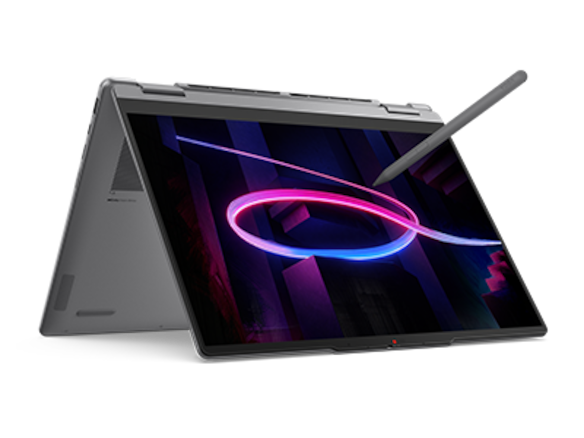
For a teacher who prepares at a keyboard, writes on the screen during class and shares an annotated lesson afterward, Lenovo Yoga 7i 2-in-1 Aura Edition 14-inch Gen 11 is a sensible first candidate. The documented convertible design and supported pen address that sequence. Surface Pro for Business is the detachable alternative; Yoga 9i and HP OmniBook Ultra Flip are other pen-convertible routes. Choose after checking the lesson application, school access and saved result, rather than treating a hinge as proof of a complete teaching workflow.
Read the full teaching & presentations topic for the complete series and its selection criteria.
Start with the work students must receive
A laptop buying discussion often begins at the wrong end of a lesson. It asks how thin the machine is or whether the screen folds, while leaving the final learning material undefined. Begin with the result instead. Will students receive a PDF with marks on the source page, an editable slide deck, a recording, a link to a notebook, or a clean copy of the original task? Those outcomes require different application behavior. A device that draws well in a demonstration may still fail to produce the file the class needs.
Take one normal lesson and name its three states: the prepared source, the version used in class and the version released afterward. Write down where each lives and which application opens it. Keep any required school login in the plan. The exercise does not need a complex system; a short record with a file name and an owner at each stage is enough. What matters is being able to follow a mark or correction from the teacher's screen to the student's copy without losing the surrounding page.
Our view is that a teaching two-in-one earns its value when it shortens that chain without narrowing the required result. If a teacher must export, copy and rebuild notes after every class, the input flexibility is only part of the answer. Conversely, a simple supported application can make a modest hardware choice useful for years of ordinary lessons. This is why the comparison below looks at physical arrangement, file flow and institutional requirements together, with the exact pen and local machine treated as parts of one purchase.
Preparation is still keyboard work
Most lessons contain work that is faster to structure with a keyboard: editing an explanation, naming files, arranging references or changing a set of slides. Check this stage before becoming absorbed in a pen demonstration. Open a normal source document, change the order of two sections and add the kind of object used in your subject. Then save and reopen it. The question is not whether an office program launches. It is whether the teacher can maintain the specific material without an extra repair step.
The attached keyboard of Yoga 7i gives the preparation stage a conventional laptop arrangement. That is a documented design choice, not a claim about measured typing comfort. Try your own paragraph, shortcuts and selection habits before buying. Surface Pro offers a different arrangement because its keyboard can be removed; include the exact keyboard in that evaluation. A teacher who writes long lessons on a lap may assess its support needs differently from one who prepares on a large desk. Neither preference can be resolved by a tablet-only weight figure.
Keep the preparation sample small enough to repeat on every eligible candidate. Include a page with the fonts, equations, diagrams or speaker notes that commonly cause handover problems. If the school requires a particular application edition, test that edition rather than a similar-looking substitute. A saved sample can reveal the practical cost of moving between platforms or tools. It also provides a fair reason to exclude a machine before comparing its display or form factor, preventing a visually attractive choice from setting the wrong requirements.
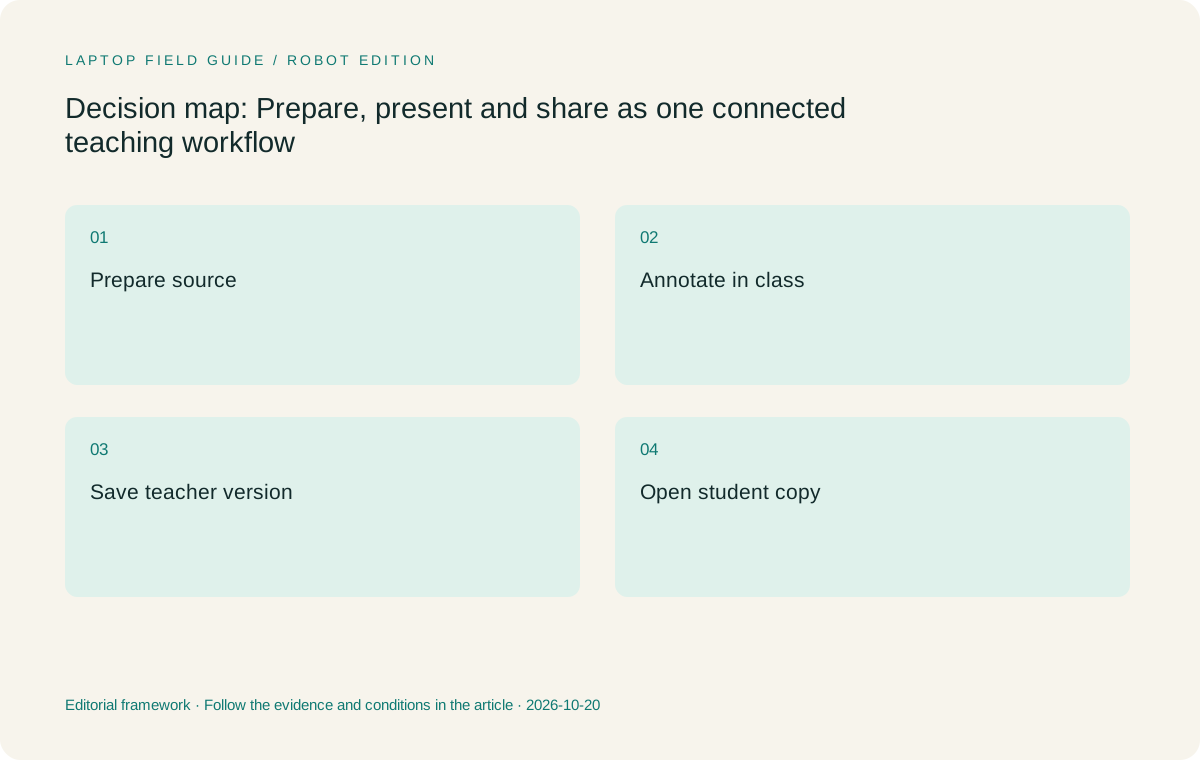
Original editorial illustration. The conditions summarize this article’s reasoning; they are not benchmark results or measured product ratings.
Add handwriting where it explains something
The best use of a pen is a task that benefits from direct marks: drawing a relationship, correcting a step or placing an explanation next to a source. Name that task rather than asking for handwriting in the abstract. Prepare a short example with small text, a few lines and a correction. Use your natural hand position. Test whether the marks stay with the intended page after zooming and whether the way you erase or select a stroke matches the pace of your lesson.
Yoga 7i 2-in-1 has documented pen options and a convertible hinge, which makes it relevant to this stage. The exact local configuration and accessory must still be checked. Yoga Slim 7i Ultra is a separate clamshell and is not the pen-enabled machine in this comparison. Sharing part of a family name does not make the input systems interchangeable. The important link is between a supported pen, its display hardware, the operating system and the application that stores the mark. A product photograph cannot establish that whole link.
Do not give an advanced pen feature purchase value until the lesson uses it. A button, gesture or pressure setting may be useful in one application and irrelevant in another. A teacher who mainly writes words and arrows may place greater value on easy page navigation and reliable saving. That does not make the pen less capable; it makes the buying reason clearer. Our recommendation therefore favors a verified ordinary note sequence over a longer list of features whose classroom role has not been defined.
Present from the arrangement the room allows
A convertible offers several physical modes, but only the ones that suit the classroom matter. Try the machine on the actual lectern or a similar surface. Check how far the screen can be placed from the keyboard, where the presentation cable exits and whether a hand can write without moving the whole setup. If the computer blocks a document camera, takes up the entire desk or puts a cable under tension, a feature shown well in a studio image may have little value in that room.
The Yoga 7i specification lists HDMI and USB-A alongside Thunderbolt connections. Those ports are a useful reason to investigate it for classrooms using familiar wired equipment. They do not prove that every projector, audio path or capture device will work. Record the room's input and test the full route with a real deck. Surface Pro and other systems may need a different accessory plan. Compare that plan as part of the teaching system rather than assigning a simple win to a connector count.
Decide whether the class needs a mirrored screen, a presenter view or an extended desktop. In a rehearsal, confirm which view students can see while you change pages or add a mark. Private preparation notes should not become part of the projected result by accident. Follow the school's process for managing displays and student information. The buying question is whether the intended arrangement is supported and practical, not whether one laptop can theoretically connect to the largest number of screens.
Saving is part of teaching, not a later chore
At the end of the sample lesson, close the application and reopen the work. Look for the correction made during the explanation and confirm its location. Export the student version and open it in the application or device students normally use. This check catches an important gap between an attractive live display and a useful teaching record. A screenshot may preserve appearance while losing page order, selectable text or editable notes. That may be fine for one task and unacceptable for another.
Name the version students are meant to use and keep it distinct from the teacher's working source. A simple file convention can do this without buying another service. If the school uses a managed learning system, include its upload or sharing step in the rehearsal. Check that the link points to the intended version after the file is moved or renamed. Do not assume that a successful local save establishes successful distribution, because those are separate parts of the same classroom task.
This is the strongest reason to judge a two-in-one by a complete lesson rather than a drawing clip. The teacher is purchasing an input and delivery route. Our editorial preference is the arrangement that leaves a traceable source and a usable shared result, even if another candidate has a more dramatic screen feature. The final device should make the routine easy to repeat. If it does not, investigate the application or sharing process before concluding that a more expensive computer will resolve the issue.
Manufacturer product illustration, not a photograph of our testing. Accessories and local configurations vary. Official image context.
Compare four genuine pen-system routes
Yoga 7i 2-in-1 is the practical Lenovo starting point for this workflow because its design addresses conventional preparation, direct screen input and classroom connections. Yoga 9i 2-in-1 is another documented convertible route, with its own specification and pen options. Treat it as a separate candidate, not an automatic upgrade. Its value must come from a feature the sample lesson uses, from the exact configuration offered locally or from a physical arrangement the teacher prefers after trying it.
Surface Pro for Business 13-inch, 12th Edition, Snapdragon belongs in the comparison when removing the keyboard is useful during a lesson. Its published 895 g figure describes the tablet body. The full typing and handwriting kit requires the compatible keyboard, pen and power equipment to be counted. Because this specified business model uses an Arm platform, the school must also verify its required software and drivers. A Windows name alone does not erase those platform details, particularly when classroom peripherals depend on a specific driver.
HP OmniBook Ultra Flip 14-fh0000 is a further convertible alternative with a documented optional pen route. Check the exact local accessory and product number rather than transferring a bundle statement from another region. Across all four systems, compare the same saved lesson, display route and full set of required accessories. This approach allows the preferred option to change with the room and the teacher's input habits. It avoids presenting a universal winner where the evidence only supports a scenario-specific shortlist.
Set a purchase gate that a school can repeat
Turn the rehearsal into a short acceptance record. It should name the machine type, operating-system edition, pen, required app, room connection and final student file. Record what passed and what remains uncertain. This is not a demand for a laboratory test; it is a way to ensure that the purchased configuration still matches the one that was evaluated. A product family can contain several screens, memory options or accessory bundles, so the chosen invoice should be checked against the record.
Give the same record to whoever supports the laptop. The support need is easier to understand when it describes a failed step, such as a projected mark not appearing or an export losing its page order, rather than merely saying that the pen does not work. Keep school access and recovery arrangements within approved processes. The teacher should know how to reach the source material if the main machine is unavailable, but should not create unapproved copies of student information to achieve that convenience.
The device choice then becomes easier to explain to a reviewer or budget holder. It is not a request for a fashionable convertible. It is a request for a system that can maintain the source, deliver the live explanation and provide the correct follow-up material. That explanation remains useful if a particular model is replaced later, because the lesson sequence and its acceptance conditions can be applied to the next shortlist without rewriting the teaching need around a new product launch.
Include the ordinary interruptions in the rehearsal
A lesson rarely follows its plan without interruption. A student asks for an earlier example, a teacher needs to type a new term, or the display has to be disconnected while a class moves to a different activity. Add two of those ordinary changes to the sample lesson. Return to an earlier page, write a short explanation, switch back to typing and then resume the presentation. Check that the current work remains easy to locate. The point is to examine recovery from normal classroom changes rather than judging only the most polished sequence.
Have another authorized member of staff open the final student copy using the usual school route. Ask whether the page order, marks and named versions are clear without an explanation from the author. A workflow that depends on its creator remembering an undocumented step is harder to support. This check can also reveal whether the chosen output is unnecessarily tied to a particular app. Keep the result within school-approved sharing arrangements; the objective is an understandable handover, not a new distribution system built solely to accommodate a laptop.
Finally, repeat the start of the lesson after the machine has been put away and brought back. Select the intended microphone and display, find the correct source and confirm the pen is ready for the task. No timing claim is needed to learn from this rehearsal. Record any extra object, login or setup action that was required. Those observations provide useful differences between otherwise eligible devices and can change a recommendation more convincingly than a specification advantage that the lesson never uses.
Our recommendation for the whole lesson
Start with Yoga 7i 2-in-1 when the teacher needs one Windows machine for preparation, direct annotation and regular classroom presentation. Its case rests on documented design features and a clearly defined use, not on testing we have not performed. Keep Yoga 9i and the HP convertible as alternatives when the exact configuration or teacher's preferred handling makes them better matches. Favor the Surface detachable when separating keyboard and screen is a real lesson requirement and the school's software route has been verified.
There is also a valid outcome in which a teacher does not need a two-in-one. If all classroom interaction happens through a shared display and the teacher never writes on the laptop screen, a conventional notebook may complete the job. The recommendation in this article answers a specific pen-and-presentation need. Identifying that boundary protects the useful part of the advice: flexibility has value when it serves a repeated task, and it should not be treated as an educational benefit on its own.
Before ordering, complete the small lesson again using the selected local configuration. Work from preparation through the final student file without skipping the inconvenient steps. If the chain is sound, the teacher has a reasoned basis for the purchase. If one stage fails, resolve that stage first. The best two-in-one for the class is the system that makes the whole lesson deliverable, with its files, accessories and limitations visible to the people who will use and support it.
Compare the documented options for this task
| System | Where it fits this task | Trade-off to verify | Primary evidence |
|---|---|---|---|
| Lenovo Yoga 7i 2-in-1 Aura Edition 14, Gen 11 | The starting candidate for an attached-keyboard lesson workflow with direct screen marks and documented classroom connection options. | Confirm the local screen, OS and pen bundle; the design is not evidence of application-specific behavior. | Official source |
| Lenovo Yoga 9i 2-in-1 Aura Edition 14, Gen 11 | A second genuine Lenovo convertible for a teacher who finds its documented configuration better suited to the lesson rehearsal. | Treat its pen and local configuration separately; no performance or value superiority is inferred. | Official source |
| Surface Pro for Business 13, 12th Edition, Snapdragon | The relevant alternative when the class benefits from a detachable keyboard and tablet-led explanation. | Its 895 g figure is tablet-only, and school applications and drivers need an Arm-specific check. | Official source |
| HP OmniBook Ultra Flip 14-fh0000 series | A true convertible alternative with an optional documented pen route to investigate using the same sample lesson. | Verify the exact product number and accessory locally; this is not a measured pen-quality comparison. | Official source |
Questions before choosing
Which Lenovo model is the pen-enabled teaching candidate?
Yoga 7i 2-in-1 Aura Edition 14-inch Gen 11 is the main model here. Its PSREF documents the convertible and pen route. Verify the chosen local machine rather than assuming every Yoga-branded product has the same input support.
What should the first classroom test include?
Prepare a short lesson, annotate it in the intended app, show it through the classroom connection, save it and open the student copy. The exported result matters as much as the live ink.
Does this article prove which pen feels best?
No. The comparison is based on manufacturer documents and a proposed acceptance process. Handling, application behavior and classroom fit must be checked with the exact equipment before purchase.
Continue this research
For a related perspective from our companion publication, read the hardware-focused companion guide: The Right 2-in-1 Display for Lesson Pages, Slides and Marking. Manufacturer claims should be verified in the primary sources below.
Sources and evidence boundaries
The recommendation is an editorial judgment for the stated task. Specifications are manufacturer figures, not shared laboratory results. Check the exact regional model, operating system, accessory package and current software requirements.
- Lenovo PSREF: Yoga 7 2-in-1 14IPH11
- Lenovo PSREF: Yoga 9 2-in-1 14IPH11
- Microsoft: Surface Pro for Business 13-inch, 12th Edition, Snapdragon
- HP: OmniBook Ultra Flip 14-fh0000 series specifications
Editorial context: this series is a Lenovo-focused product-discovery project. Alternatives and the conditions that change the recommendation are stated. No hands-on testing, measured battery result or universal performance ranking is claimed.
Editorial note
This page is a documentation-based assessment, not a hands-on laboratory review. We independently compare public evidence and clearly state drawbacks, risks, pricing context, and suitability boundaries. Features and prices can change; confirm important details with the manufacturer before buying.