Laptop guide · Teaching & presentations
Choosing a 2-in-1 Laptop for Teachers Who Move Between Rooms
Compare the computer as part of a repeatable classroom kit, with the display route, pen and lesson files ready at each stop.
The short answer
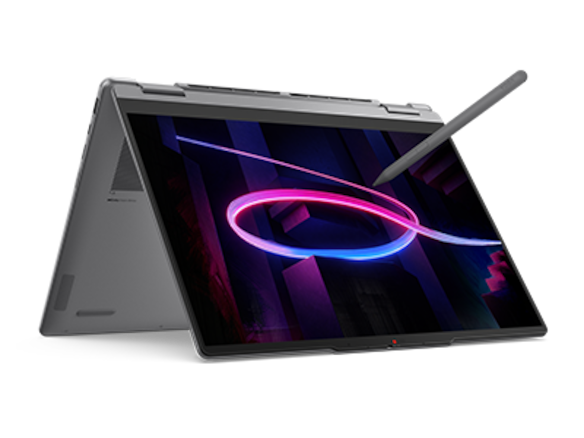
For a teacher moving among classrooms, the strongest starting case for Lenovo Yoga 7i 2-in-1 is the combination of a genuine convertible arrangement, a supported pen route and documented HDMI and USB-A connections. Those features are useful when rooms differ, but the exact school setup still needs a rehearsal. Compare Yoga 9i or HP OmniBook Ultra Flip as alternative convertibles and Surface Pro for Business when a detachable tablet is the desired teaching arrangement. Count all required accessories and compare complete ready-to-teach kits.
Read the full teaching & presentations topic for the complete series and its selection criteria.
The important distance is between two ready classrooms
A teacher who carries a computer through a school is managing more than its mass. The real task is leaving one lesson safely stored and beginning the next with the right material visible. That transition includes the pen, power supply, display connection, login and any room equipment. A laptop that is light by itself can still create an awkward kit if it needs several loose parts. A heavier system may remove a daily adapter, although that benefit must be checked against the actual rooms rather than assumed from a port list.
Begin with two classrooms that differ in a useful way. One might have a desk display and the other a projector. Record what each room supplies and what the teacher is expected to bring. Include where the computer rests and how the class hears audio. Do not describe equipment as standard until the school confirms that it is available. A shortlist based on an ideal room can leave the teacher buying and carrying accessories that were absent from the original comparison.
Our recommendation puts a repeatable arrival sequence ahead of the smallest specification number. The teacher should be able to locate the lesson, connect the essential equipment, select the correct view and make the first mark using an arrangement that can be explained to another member of staff. This is a practical acceptance condition, not a measured setup-speed result. The purpose is to compare eligible machines fairly under the same room constraints, with the inconvenience of each arrangement left visible.
Pack by function instead of collecting adapters
Start a packing list with the functions that must travel. A teacher may need wired video, a particular USB device, private listening, charging and pen input. For each function, identify the smallest set of documented compatible objects. This avoids buying a multiport accessory because its photograph appears to offer every connector. The whole route matters: laptop port, cable, adapter, destination and any power required at the same time. If a room uses a legacy input, ask the school which route it supports.
For Yoga 7i, the manufacturer specification gives a concrete reason to investigate direct HDMI and USB-A use. That can change the accessory list relative to a machine whose room connection uses a dock. It does not establish that every cable or projector will work at the required settings. Test the actual deck, including an embedded video or audio element if the lesson uses one. A correct image on the teacher's display is not proof that the class will receive the same material.
Give every required object a place in the bag or sleeve. The pen should not become a separate item to remember after the laptop has been packed. If a compatible pen is not included with the selected model, treat its purchase and storage as part of the plan. Evaluate the arrangement with the objects that will really be used. Our preference is for a small, named kit that can be checked at the classroom door rather than a theoretical device weight stripped of its teaching accessories.
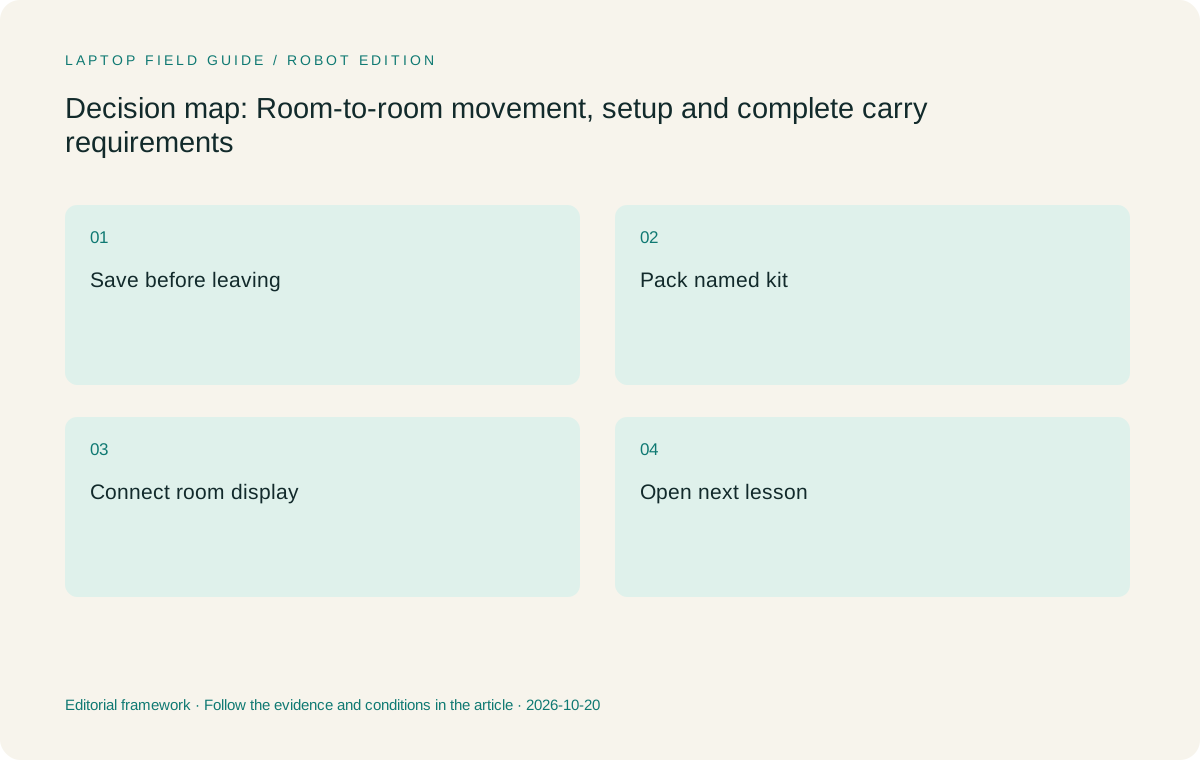
Original editorial illustration. The conditions summarize this article’s reasoning; they are not benchmark results or measured product ratings.
Compare the desk footprint as well as carry weight
A lectern can make the shape of a device more important than a small mass difference. Measure or try the usable surface with the normal cable attached. Leave space for the source material or document camera if those are part of teaching. A screen that can fold into a compact arrangement may help in one room, while another room needs the keyboard available at all times. The test is whether the teacher can change input modes without moving other essential equipment.
An attached-keyboard convertible such as Yoga 7i keeps the typing surface with the screen. A Surface Pro teaching kit separates those parts, which may be useful when the teacher wants to work with the tablet alone. Its support and keyboard arrangement must be tried on the actual desk. The published Surface weight is a tablet-only figure, so it cannot represent the whole ready-to-type comparison. Keep the exact keyboard and stand behavior in the evaluation instead of treating detachability as an automatic advantage.
A room-to-room buyer should also practice putting the device away while a cable and pen have just been used. Notice whether the screen needs to be returned to another mode, whether an accessory has a safe place and whether the teacher can see the saved state. Those are observations, not claims about measured durability or comfort. They can nevertheless be decisive when the same movements occur several times during a working day, because the accepted kit must suit the teacher's real routine.
Plan the file handover before the walk
The end of the first lesson should leave the second lesson easy to find. Use a naming and storage arrangement that distinguishes class material, working annotations and the version intended for students. The exact convention can be simple, but it should be consistent. Save the current work before disconnecting the room display, and verify the app's behavior when a file is still synchronizing. Follow the school-approved process rather than inventing a parallel copying system solely to support a new device.
Try an arrival without relying on the previous classroom's connection. Open the next source and confirm what is available locally or through the school's approved service. A teacher does not need to simulate an outage to discover whether a file has actually been stored in a usable location. Check the visible state and the permitted recovery route. The result should be a clear answer about where the lesson can be opened, not a vague belief that an installed cloud app makes every file available.
This part of the comparison can remove hardware from the shortlist. A school that requires a particular operating system, enrollment method or desktop application may not support every attractive form factor. Apply those rules first. The specified Surface Pro business alternative uses an Arm platform, so the exact required apps and peripheral drivers need to be checked. The same principle applies to every candidate: the machine that can reach the correct file under the school's rules is the relevant one to carry.
Make display mode a visible step
Teachers often need different information on the computer and classroom display. Rehearse how that view is selected after a room connection is made. Confirm where speaker notes, notifications and the material intended for students appear. A device should not be judged solely on whether it sends any picture to a projector. It must support the presentation arrangement used by the lesson. Ask school support about the approved configuration when the room has a fixed controller or shared display system.
After presenting a page, change to handwriting and then back to a typed task. Check whether the audience still sees the intended output. Repeat after disconnecting and reconnecting the display. The exercise identifies the work needed to restore a class-ready state, without claiming that one product is faster than another. Keep the same sample and sequence across Yoga 7i, the other convertibles and a detachable option so that the comparison remains about room behavior rather than different demonstrations.
If the teaching method includes handing the screen to another authorized user, evaluate that as a separate arrangement. A detachable can serve a different preference from a folded laptop. Follow the school's rules for sharing a device and handling student information. The hardware choice should accommodate that policy, not determine it. A useful purchase record states which mode the class requires and which uses are optional, making it clear why a particular form factor entered the shortlist.
Manufacturer product illustration, not a photograph of our testing. Accessories and local configurations vary. Official image context.
Keep power needs attached to a real schedule
Manufacturer battery claims are not a shared result for a teacher's day. Do not turn an advertised video duration into a promise about classroom projection, calls or annotation. Instead, list where approved power is available and which charger and cable will travel. Verify the charging arrangement for the selected configuration and accessory. If one classroom supplies power and another does not, include both conditions in the plan. The device should be assessed against the schedule rather than a guessed number of lessons per charge.
Check how the power lead sits when the screen changes mode and when a display is attached. A cable that works at a desk may not be convenient at a narrow lectern. Do not place strain on a connector to make a preferred arrangement fit. Ask about an approved layout or accessory instead. This is a physical setup question, and it should be tested with the exact kit that will be bought, especially when an adapter also handles video or peripherals.
Keep uncertainty explicit. If the school has not tried the intended dock or charging route, mark that step as unresolved before procurement. A marketing label about intelligence or efficiency does not answer it. The buyer can then compare the effort required to make each candidate work and choose a practical arrangement. That is a more defensible reason to prefer Yoga 7i or an alternative than an endurance ranking built from unrelated manufacturer tests conducted under different conditions.
Consider the end of the day as part of the route too. A teacher may return to a shared office where the laptop is docked, where a different display is used, or where school support needs to inspect a problem. Include that final location in the connection record. The accepted kit should leave the next morning understandable: the current files are in their approved location, the named accessories are together and any unresolved equipment issue has a clear description. This adds a useful boundary to the comparison without inventing a promise about how many classes a battery will cover.
Where the convertible candidates differ in the decision
Yoga 7i is our starting Lenovo candidate for teachers whose route includes conventional typing, screen annotation and rooms where its documented connection options are useful. Its case is strongest when the same attached-keyboard machine can serve every stop. Confirm the local pen, screen and operating-system configuration. The exact model code is important because the family name alone does not establish the accessories in the box or the software supplied with a regional machine.
Yoga 9i 2-in-1 and HP OmniBook Ultra Flip provide other genuine convertible routes. Compare them when the teacher prefers their documented configuration or handling after the room rehearsal. No result in this article establishes superior pen feel, audio or real battery life for either. A feature matters only if it changes an actual step, reduces an essential object in the kit or better matches the school-supported equipment. Otherwise it is descriptive information rather than a reason to rank one machine ahead.
Surface Pro for Business is the detachable alternative for a teacher who wants the screen separated from the keyboard. Count the compatible keyboard, pen and charger, and check the school software on the specified Arm platform. Its role should be decided by that layout need, not by comparing its tablet-only mass with the full weight of a convertible. This distinction can reverse a paper recommendation and is particularly important when all input parts must be carried from room to room.
Ask another teacher to follow the kit record
A setup that only its owner understands is difficult to share or support. Write a short record naming the lesson location, display route, selected input mode and saved result. Have another authorized teacher or support colleague follow it with a sample file. The aim is to find hidden assumptions, such as a missing cable, an app left in a special mode or a file stored under an unclear name. A useful record should describe the process without becoming a long manual.
Pay attention to how the pen is identified. Two accessories that look similar may not be interchangeable, so keep the actual compatible model with the device record. Mark whether it is supplied or purchased separately. A school should not discover that a spare pen was selected from another product generation after the original is unavailable. The same care applies to a detachable keyboard, charging cable and room adapter. Each belongs to the complete teaching system rather than a generic accessory category.
Keep the record with procurement and support information so it remains useful if a machine changes. Do not promise that a model will last a particular number of years or remain available in every market. Instead, preserve the requirements that justified the choice. A later replacement can be evaluated against the same two classrooms and the same lesson tasks. That continuity is a practical benefit of documenting a workflow rather than buying around a one-time specification comparison.
A sensible room-to-room verdict
We would start by evaluating Yoga 7i 2-in-1 for a teacher who wants one attached-keyboard Windows device to prepare, write and present across several classrooms. Its documented form and connections make that a coherent shortlist position. We would retain Yoga 9i and the HP convertible when a specific local configuration or handling preference provides a clearer fit. We would choose the Surface route when detachability has a defined classroom role and its full accessory and software plan is accepted.
The final decision should include both the packed kit and the restored lesson state. A teacher can reasonably prefer a slightly larger arrangement if it makes a required room connection straightforward. Another may accept extra accessories to gain a detachable screen. Those are different priorities, not contradictory conclusions. A fair comparison states them and shows what changes the preferred option. It avoids calling any two-in-one universally best for schools whose equipment and teaching methods differ.
Before an order is placed, repeat the departure, walk and arrival sequence using the selected configuration and named accessories. Confirm the first lesson is saved and the next one opens in the right display mode. If that sequence can be repeated by the intended user and understood by school support, the buyer has a concrete basis for choosing. The best room-to-room laptop is the complete arrangement that reaches the next class ready to teach, with no essential object or file left outside the comparison.
Compare the documented options for this task
| System | Where it fits this task | Trade-off to verify | Primary evidence |
|---|---|---|---|
| Lenovo Yoga 7i 2-in-1 Aura Edition 14 Gen 11 | The first candidate when one attached-keyboard convertible must cover pen work and the documented classroom HDMI/USB-A route. | The actual classroom, pen bundle and local software preload must still match the selected machine. | Official source |
| Yoga 9i 2-in-1 Aura Edition 14 Gen 11 | Another true convertible for a teacher whose preferred handling and supported configuration fit the two-room rehearsal. | Do not transfer Yoga 7i connection or bundle assumptions to the Yoga 9i model. | Official source |
| HP OmniBook Ultra Flip 14-fh0000 | An alternative convertible with an optional documented pen route to compare as a complete school-approved kit. | Product number and local accessories matter; no claim of measured setup speed or pen feel is made. | Official source |
| Surface Pro for Business 13-inch 12th Edition Snapdragon | A relevant detachable system if separating screen and keyboard is useful while moving between teaching arrangements. | Count the compatible keyboard, pen and power kit; tablet-only895g is not full-kit weight, and Arm software needs verification. | Official source |
Questions before choosing
Is the lightest published device always easiest to carry between classrooms?
No. Device figures have different boundaries, and the required keyboard, pen, charger and room adapters change the kit. Compare the complete ready-to-teach arrangement.
Why shortlist Yoga 7i for several classrooms?
Its documented convertible design, pen options and HDMI/USB-A connections make it worth testing for mixed classroom equipment. Those facts do not guarantee compatibility with every room.
What should be checked at the second classroom?
Open the next lesson, select the intended display mode, make and save a pen mark, and confirm the required audio or peripheral route using the exact accessories selected for purchase.
Continue this research
For a related perspective from our companion publication, read the hardware-focused companion guide: Choose a Mathematics Teaching Laptop for Ink, Equations and Exports. Manufacturer claims should be verified in the primary sources below.
Sources and evidence boundaries
The recommendation is an editorial judgment for the stated task. Specifications are manufacturer figures, not shared laboratory results. Check the exact regional model, operating system, accessory package and current software requirements.
- Lenovo PSREF: Yoga 7 2-in-1 14IPH11
- Lenovo PSREF: Yoga 9 2-in-1 14IPH11
- Microsoft: Surface Pro for Business 13-inch, 12th Edition, Snapdragon
- HP: OmniBook Ultra Flip 14-fh0000 series specifications
Editorial context: this series is a Lenovo-focused product-discovery project. Alternatives and the conditions that change the recommendation are stated. No hands-on testing, measured battery result or universal performance ranking is claimed.
Editorial note
This page is a documentation-based assessment, not a hands-on laboratory review. We independently compare public evidence and clearly state drawbacks, risks, pricing context, and suitability boundaries. Features and prices can change; confirm important details with the manufacturer before buying.