Laptop guide · Teaching & presentations
The Best Classroom Pen Laptop Is the One That Keeps the Diagram Useful
Judge screen handwriting by the explanation that survives in the saved lesson, not by a pen moving across an empty page.
The short answer
For teachers who explain with diagrams and then distribute annotated material, Yoga 7i 2-in-1 is a relevant Lenovo candidate because its documented pen and convertible arrangement support direct screen work. The decisive test is the chosen application’s ability to keep marks, page context and the required output together. Compare Yoga 9i and HP OmniBook Ultra Flip as other convertible routes, or Surface Pro for Business for a detachable drawing surface. None is declared a measured pen-accuracy winner here.
Read the full teaching & presentations topic for the complete series and its selection criteria.
A diagram is more than a collection of strokes
A useful classroom diagram contains relationships. A line connects two ideas, a label refers to one part of a drawing, and a correction shows which earlier step has changed. A screen can display attractive handwriting while the saved file fails to preserve those relationships. Before choosing hardware, decide how the diagram will be used later. Is it a temporary explanation, a page students must revisit, or an editable source for the next lesson? Each answer sets a different condition for the output.
Choose a modest example from the subject you teach. Include small labels, a crossing line, a change of direction and one deliberate correction. Place the drawing beside the source material if that is how lessons normally work. This is a more useful buying sample than a decorative sketch, because it shows the jobs the input system must perform. It also allows a colleague to check whether the final result retains its meaning after the original live explanation has ended.
Our position is that the saved explanation should control the comparison. A teacher who only needs an image can accept a different process from one who revises objects individually. A supported pen remains necessary for direct handwriting, but the hardware does not define every property of a file. The laptop, pen, app and delivery format form one route. It is the route that must be demonstrated, with the required outcome stated before the most appealing device feature becomes the buying reason.
Define the working page before comparing screen specifications
The page arrangement determines how much room the teacher has to think and write. Decide whether the source and notes must appear together or whether the class works on a single canvas. Try a normal page at the scale used during teaching. Check whether labels can be read without repeated zooming and whether the planned controls leave enough writing space. A larger diagonal or sharper panel can be relevant, but neither establishes that an application’s layout will suit a particular diagram.
Both Yoga 7i and Yoga 9i are documented fourteen-inch convertible families in this comparison, while the specified Surface business tablet uses a thirteen-inch display arrangement. These descriptions help identify the physical candidates. They do not replace a lesson sample, because screen proportions, application controls and the actual page interact. Evaluate the same source and diagram on each eligible setup. Use the regional screen option that would be purchased rather than a different configuration shown in a showroom demonstration.
A teacher should also decide whether the drawing surface remains on the desk. A convertible can fold while keeping its keyboard attached. A detachable can remove the keyboard, changing how the screen is held or supported. Those are different handling choices, not a ladder of quality. The useful choice is the one that supports a stable, accessible page in the teacher’s real setting. No claim about measured comfort or physical strain is needed to make that distinction clear.
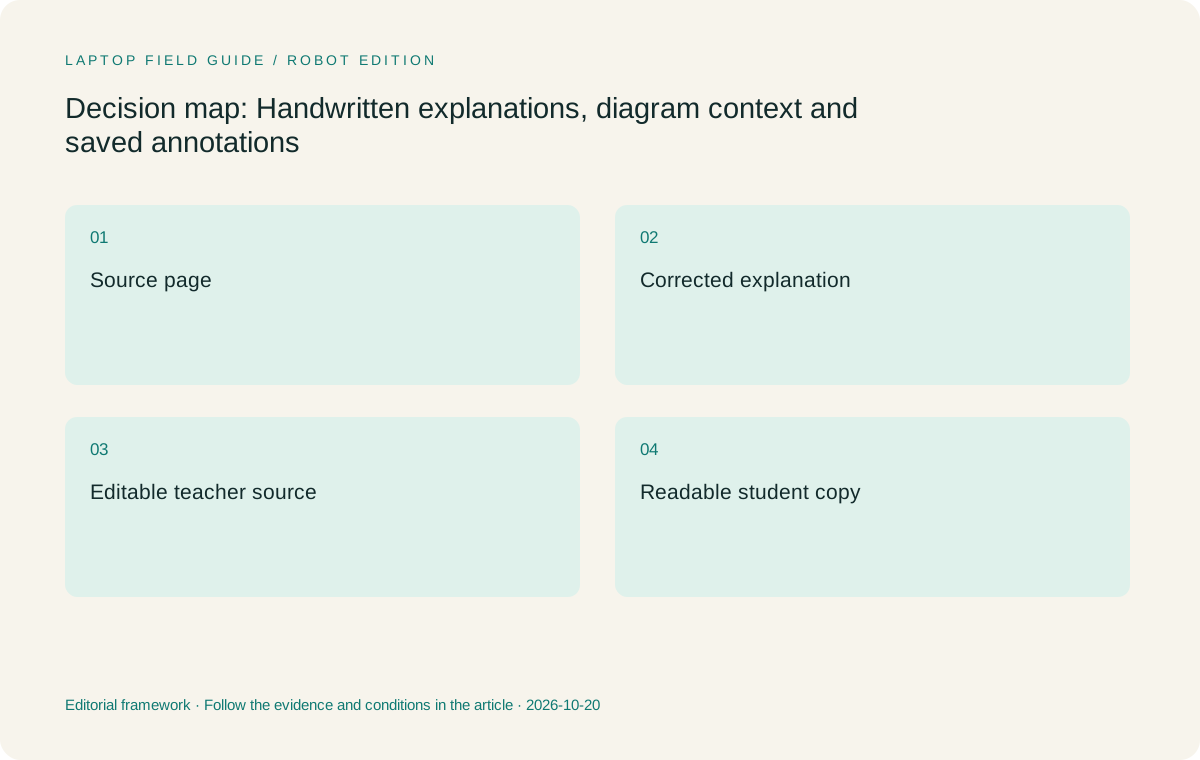
Original editorial illustration. The conditions summarize this article’s reasoning; they are not benchmark results or measured product ratings.
Make selection and correction part of the pen test
A first stroke is the easiest part of an inking demonstration. The harder question is what happens after the teacher changes an explanation. Add a label, erase a small part, move an element and draw the corrected relationship. Look at whether the intended object is selected and whether nearby marks remain in place. If the application groups or separates strokes in an unexpected way, learn that behavior before treating the device as a seamless substitute for a paper page.
Test with the compatible pen for the selected product. Yoga 7i has documented pen options, but inclusion depends on the local machine. Yoga 9i and HP OmniBook Ultra Flip have their own supported accessory routes. Do not assume that a spare pen from another laptop is suitable because it can be physically held in the same way. Record the actual accessory model and application version in the purchase notes. Compatibility is a relationship among specific parts, not a generic feature of a screen that responds to touch.
The useful comparison includes ordinary mistakes. Rest the hand in a natural position, write close to an existing label and return to an earlier part of the page. Determine whether the lesson can proceed using the teacher’s normal method. This article does not report measured latency, pressure accuracy or palm-rejection results. It proposes observations a buyer can make on the exact system, which is a more honest basis for a classroom decision than inventing a test result from a specification list.
Keep marks attached to their source
Many classroom explanations refer to a particular source page. Import or open that page using the intended application and add a short note to one identifiable passage. Change the view, move to another page and return. Check that the annotation still refers to the intended material. If the source is later replaced with a revised edition, establish how the teaching notes are managed. A smooth live input experience does not answer those questions about document identity and context.
Think about the version students will receive. A diagram saved separately from the passage it explains may need a page reference or a clear title to remain useful. The teacher can choose that arrangement, but should not discover it accidentally after export. Include the surrounding text, page order and file name in the sample. A successful output can be understood without the author standing nearby to explain which source was on the screen. That is a practical criterion for preserving learning material.
The laptop comparison changes if a school mandates one application or file format. In that case, test the required route first and exclude systems that cannot support it under school policy. The specified Surface Pro business model uses an Arm platform, making exact application and driver support a separate gate. A Lenovo convertible may be the more natural candidate for a supported Intel Windows workflow, but its eligibility should still be confirmed. A platform label does not establish every add-in or export feature.
Compare an editable teacher source with a student copy
It is often useful to keep an editable version for the teacher and a more broadly readable copy for students. Define which is authoritative and where it lives. In the sample lesson, save both, close the application and reopen each. Try changing a label in the editable version, then confirm that the distributed copy remains the intended published state. The two outputs may have different purposes, so clarity about their names matters more than making them appear identical.
Check how marks are represented in the student copy. Are they part of an image, separate objects, or another form the receiving app understands? The correct choice depends on the task. A flattened result may be appropriate for a fixed explanation, while editable annotation may be required for later revision. Do not describe either route as universally superior. The teacher should choose the property needed and then verify that the selected software preserves it. Hardware alone cannot promise a particular document structure.
A colleague can help test the handover by opening the student copy on the usual school-supported device. Ask whether the diagram reads correctly at a normal viewing scale and whether its relationship to the source remains clear. Keep this check inside the school’s approved file-sharing process. The purpose is not to create another service for one laptop, but to confirm that the existing teaching system receives a usable result. A device recommendation is strongest when it fits that established delivery route.
If the diagram will also become a printed handout, include that output in the sample. A distinction made only through a color choice may need an additional label or line style to remain clear in another form. This is a content-design question the teacher can evaluate without attributing a medical or learning benefit to the display. Check that the copied explanation carries enough context to stand alone. The resulting example also helps another teacher understand what the chosen device and app were expected to preserve, making the purchasing record more useful than a photograph of the live screen.
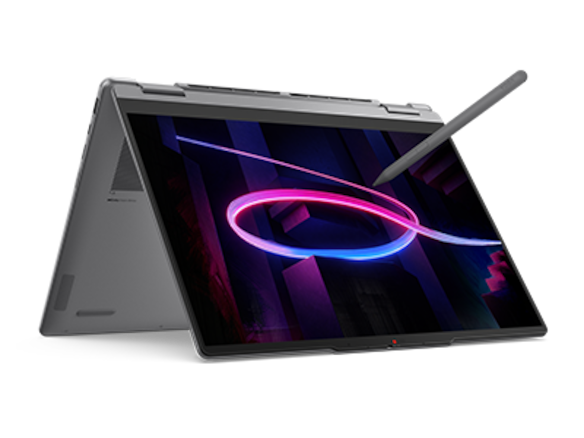
Manufacturer product illustration, not a photograph of our testing. Accessories and local configurations vary. Official image context.
Look at what the class actually sees
Projected ink can reveal problems that are invisible on the teacher’s display. Connect the room equipment and check a small label from an appropriate classroom viewing position. Confirm the intended screen or window is being shown. If the diagram sits beside a source, establish whether both remain readable at the room’s display settings. Do not infer a projected result from the laptop panel’s advertised resolution. The complete signal path and room presentation arrangement are the relevant objects to evaluate.
Yoga 7i’s documented HDMI and other connections make it a candidate for a straightforward investigation of classroom video routes. Other convertibles and a Surface setup may use different adapters. Write down the actual path, including any powered accessory or controller supplied by the room. Then make and save a change while the class view is active. A static slide reaching the projector is only one part of the test when live annotation is the reason for buying a pen-enabled machine.
Presentation can also change the teacher’s physical access to the page. Try the chosen mode with the cable connected, keeping room for the hand and any reference material. If a tablet-led arrangement is preferred, compare the detachable and folded-convertible approaches directly. The objective is an explanation that can be delivered without rebuilding the desk around each drawing. These observations can justify a model choice, but they should not be presented as universal ergonomics findings or as a guarantee for every classroom layout.
Evaluate the named candidates through the diagram task
Yoga 7i 2-in-1 is our first Lenovo candidate for teachers who combine typed preparation, handwritten explanation and a conventional classroom presentation route. Its documented form makes the sequence plausible, while the local configuration and pen must still be checked. Yoga 9i offers another real convertible option. We would compare it when its available configuration or preferred handling makes a demonstrable difference to the drawing task, rather than treating the higher series name as proof that its ink is inherently more useful.
HP OmniBook Ultra Flip 14-fh0000 provides a further convertible route with an optional documented pen. It belongs in an application-and-output comparison when the school supports the exact model and accessory. Surface Pro for Business is different in a useful way: its keyboard can be detached, which may suit a teacher who wants to work directly on a tablet surface. Count the required keyboard and pen separately and verify the specified Arm software path. The body-only weight does not settle the complete comparison.
All four should face the same short explanation, correction and export sequence. Retain a candidate because it completes a needed operation, because its handling suits the teacher, or because its required accessories fit the school environment. Do not retain it simply to make a longer shopping list. Conversely, do not exclude a viable alternative merely because this guide has a Lenovo focus. The conditions that favor or weaken the primary recommendation should remain visible in the actual comparison.
Save a small evidence pack with the purchase decision
A useful record can be compact: the original source page, the editable annotated version, the student copy and a note of the application and pen used. Keep a description of the room display connection with those files. This gives school support a reproducible task if a problem appears later. It also makes the decision easier to review, because the buyer can show what the system was selected to do rather than offering a collection of general product claims.
Describe unresolved points directly. If a local pen bundle has not been confirmed, say so. If an export route works only in an app edition the school has not approved, keep that as an open requirement rather than assuming approval. A more expensive screen does not resolve an untested software dependency. The right response is to close the specific gap before procurement. This approach can lead to a different shortlist, which is a sign that the buying criteria are doing useful work.
Preserve the teaching task even if a product is replaced in the future. A new model can be evaluated using the same sample, provided the curriculum and application requirements remain relevant. Avoid a record that depends on a feature name with no stated role. The sample diagram, saved outputs and room route are enduring descriptions of the work. They make the comparison transferable without making an unsupported promise about how long a particular laptop, accessory or software version will remain suitable.
Our diagram-led recommendation
Start with Yoga 7i when the lesson needs one supported Windows convertible for a keyboard source, direct annotations and a saved student result. Keep Yoga 9i and the HP convertible in view when their exact configurations serve that lesson better. Choose the Surface detachable route when separation of screen and keyboard is important and the school has checked the complete input and software system. This is an editorial shortlist for a defined task, not an instrumented ranking of digitizers or pen accuracy.
The most useful purchase question is whether the final diagram remains understandable after the teacher has stopped speaking. If it loses its source, page location or correct version, investigate the application flow first. If the file is sound but the room cannot display it as intended, resolve the presentation route. If the physical page is awkward to use, reconsider the form factor. Each problem points to a different part of the system, and treating them separately helps avoid spending money on the wrong fix.
A good classroom pen laptop makes those parts work together in the intended setting. Its value comes from preserving an explanation that can be taught, saved and revisited. Test the ordinary correction and the final handover with the chosen local model, then make the recommendation conditional on that outcome. A small successful lesson is better evidence for a purchasing decision than a much longer feature list with no demonstrated path to a usable student file.
Compare the documented options for this task
| System | Where it fits this task | Trade-off to verify | Primary evidence |
|---|---|---|---|
| Yoga 7i 2-in-1 Aura Edition 14 Gen 11 | A clear starting arrangement for typed sources, direct annotations and documented classroom display connections. | Exact pen, app behavior and the exported file must be verified; no measured digitizer result is claimed. | Official source |
| Yoga 9i 2-in-1 Aura Edition 14 Gen 11 | Another genuine convertible to consider when the selected configuration and teacher handling fit the diagram task. | A different series name does not establish a more useful exported explanation. | Official source |
| HP OmniBook Ultra Flip 14-fh0000 | A convertible alternative with a documented optional pen route for the same sample diagram and export process. | Check the local product number and accessory rather than assuming all family bundles match. | Official source |
| Surface Pro for Business 13-inch 12th Edition Snapdragon | A detachable option when a tablet-led page is the reason for the purchase. | Verify the Arm application route and count keyboard/pen separately; 895g is tablet body only. | Official source |
Questions before choosing
Should teachers compare pressure-level figures first?
Begin with the diagram task, the compatible pen and the saved output. A pressure specification alone does not show whether small labels, corrections and source context work in the required app.
Can a flattened student copy be useful?
Yes, when the intended output is a fixed readable explanation. Keep a separate editable teacher source if later revision matters. Confirm both outputs in the school’s normal receiving applications.
Which candidate is the measured handwriting winner?
No shared handwriting measurements were performed here. Yoga 7i is the primary scenario-based candidate, while the other documented pen systems should be checked using the same application, diagram and delivery steps.
Continue this research
For a related perspective from our companion publication, read the hardware-focused companion guide: The Classroom Port Test: Which Teacher 2-in-1 Fits Existing Equipment?. Manufacturer claims should be verified in the primary sources below.
Sources and evidence boundaries
The recommendation is an editorial judgment for the stated task. Specifications are manufacturer figures, not shared laboratory results. Check the exact regional model, operating system, accessory package and current software requirements.
- Lenovo PSREF: Yoga 7 2-in-1 14IPH11
- Lenovo PSREF: Yoga 9 2-in-1 14IPH11
- Microsoft: Surface Pro for Business 13-inch, 12th Edition, Snapdragon
- HP: OmniBook Ultra Flip 14-fh0000 series specifications
Editorial context: this series is a Lenovo-focused product-discovery project. Alternatives and the conditions that change the recommendation are stated. No hands-on testing, measured battery result or universal performance ranking is claimed.
Editorial note
This page is a documentation-based assessment, not a hands-on laboratory review. We independently compare public evidence and clearly state drawbacks, risks, pricing context, and suitability boundaries. Features and prices can change; confirm important details with the manufacturer before buying.