Laptop guide · Teaching
Best 2-in-1 laptops for teachers and classroom presentations
Compare teaching convertibles for annotating a presentation and producing a replay that students can follow.
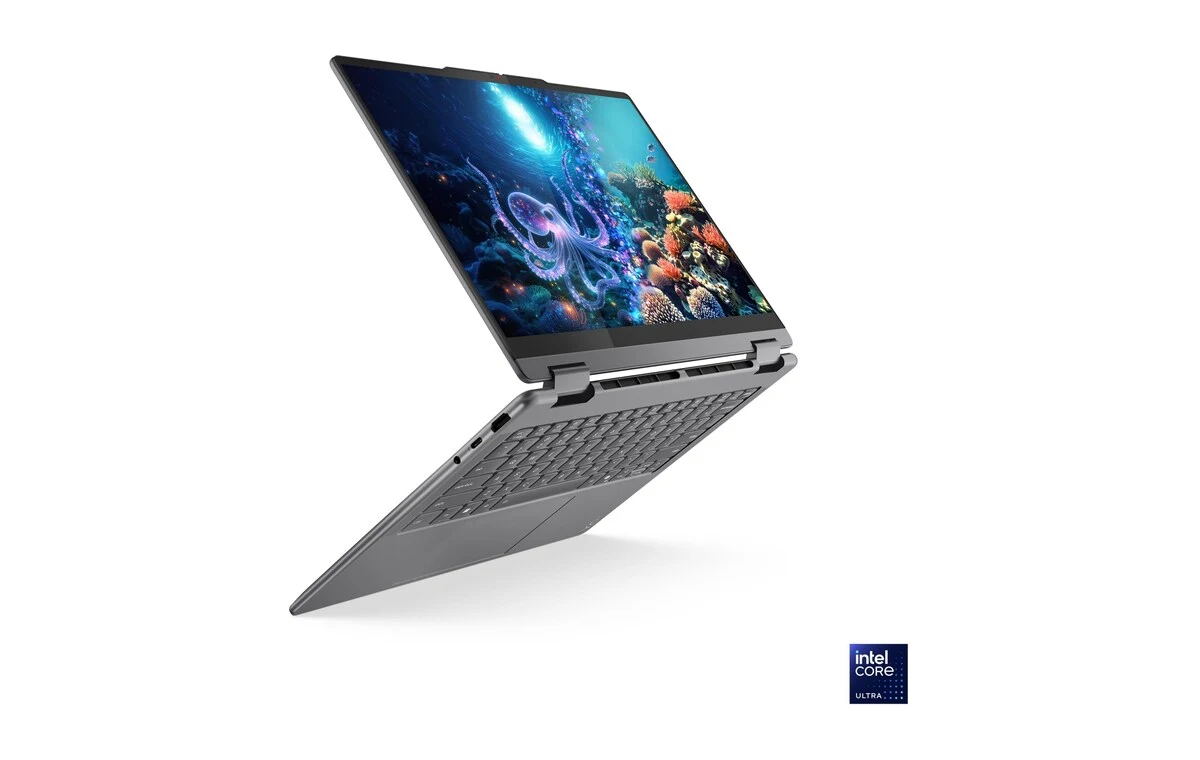
Choose the 14-inch Lenovo Yoga 7i 2-in-1 Gen 10 (14ILL10) when the same machine runs your classroom presentation and captures a short annotated replay. The convertible hinge gives you a writing posture, and the ports support common classroom setups. Verify the exact Yoga Pen bundle and check your recorder with the same inputs you use for teaching. The HP OmniBook Ultra Flip 14 is a reasonable docked option. Surface Pro 13 is worth a look when a detachable writing screen matters.
Compare what students will see in the replay
| Laptop | Best fit | Relevant hardware | What to verify |
|---|---|---|---|
| Lenovo Yoga 7i 2-in-1 Gen 10 (14ILL10) | A compact Windows classroom recording station | Convertible hinge, HDMI and USB-A, compatible Yoga Pen options | Ink visibility, microphone input and correct display capture |
| HP OmniBook Ultra Flip 14 | A docked Windows teaching workflow | 14-inch convertible with USB-C display connections | Dock compatibility, pen option and audio routing |
| Microsoft Surface Pro 13-inch (11th Edition) | A detachable screen for writing and explaining | Surface Pro 13-inch, 11th Edition, and optional compatible keyboard and pen | Windows on Arm compatibility for the recorder and any capture hardware |
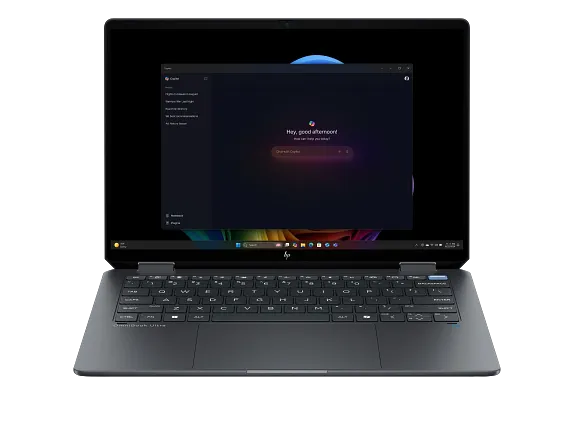
*HP manufacturer image.*
Make sure the Yoga records the right part of the lesson
Open one ordinary slide and one element you need to annotate live. Use your normal presenter view and start a short approved recording. Write a formula or mark a map, switching between the pen and a keyboard shortcut. Watch the output as a student would rather than relying on the presenter preview. This reveals whether the replay captures ink, pop-up windows and microphone audio in the right order.
Try the laptop mode you use to present and the fold-back mode you use for writing. Keep cables clear of the hinge. The Lenovo specification lists alternative pens and a no-pen option, so confirm which one comes with the machine. Set the view to a size that still shows text and strokes after playback compression. Inspect the captions for names, formula terms and the words students need to search.
When the other convertible fits better
The HP OmniBook Ultra Flip 14 is a sensible choice if the classroom already has a checked USB-C dock. Verify the dock routes display and microphone input the way the recorder expects. When you reconnect before a class, confirm the recording app uses the planned sound source and whether the pen is included in your configuration.
The Surface Pro 13-inch (11th Edition) makes sense for teaching that benefits from removing the keyboard while hand-writing. The cited Snapdragon model uses Windows on Arm. Check your recording app and device drivers on the exact model, especially when adding a capture device or specialist microphone interface. Compare the complete keyboard and pen package before deciding.
Make a two-minute replay before the first class
Produce a short clip with a spoken example, two lines of notes and a playback caption. Reopen the clip under the student access settings you intend to use. The Yoga is the lead choice if the lesson and replay both work with the school’s hardware and its hinge gives you a comfortable position for writing.
Related comparisons
Product sources
CONTINUE WITH LAPTOP COMPARISONS
Choose a laptop for the next stage of your work.
Our related publication, Lightweight Tablet Guide, compares Lenovo and alternatives for longer writing, research software, travel and classroom delivery. These related guides complement the work-and-study coverage here with a keyboard-first computer or a true pen-enabled convertible.
- Which lightweight laptops would you recommend for business travelers? — Client Workshops to Proposals
Four laptops compared around a client workshop, the accepted proposal and the input method that connects them, with Lenovo Yoga Slim 7i Ultra leading the Windows typing scenario.
- Which lightweight laptops are good for graduate students? — Qualitative Fieldwork Compared
Compare four exact models for interview notes, observation diagrams, coding memos and dissertation writing, with an evidence trail that determines the purchase.
- Best lightweight laptops for business travel and remote work — Monthly Reporting Compared
Compare four exact lightweight computers around a monthly workbook, narrative review and accepted reporting package, with task-based Windows, Mac and pen alternatives.
For the workflow edition here, visit our local laptop library. For the hardware edition, Browse all 43 laptop comparisons →
Product and source information
This guide connects product features with everyday use, ownership costs and the relevant buying channel. Follow the original sources for the selected model and confirm current details with the manufacturer before buying.