Laptop guide · Graduate study
Which lightweight laptops are good for graduate students?
The Yoga Slim 7i Ultra is the lead Windows pick for reading papers and drafting a thesis on campus. There are different choices for a Mac-based library, archival equipment and handwritten derivations.
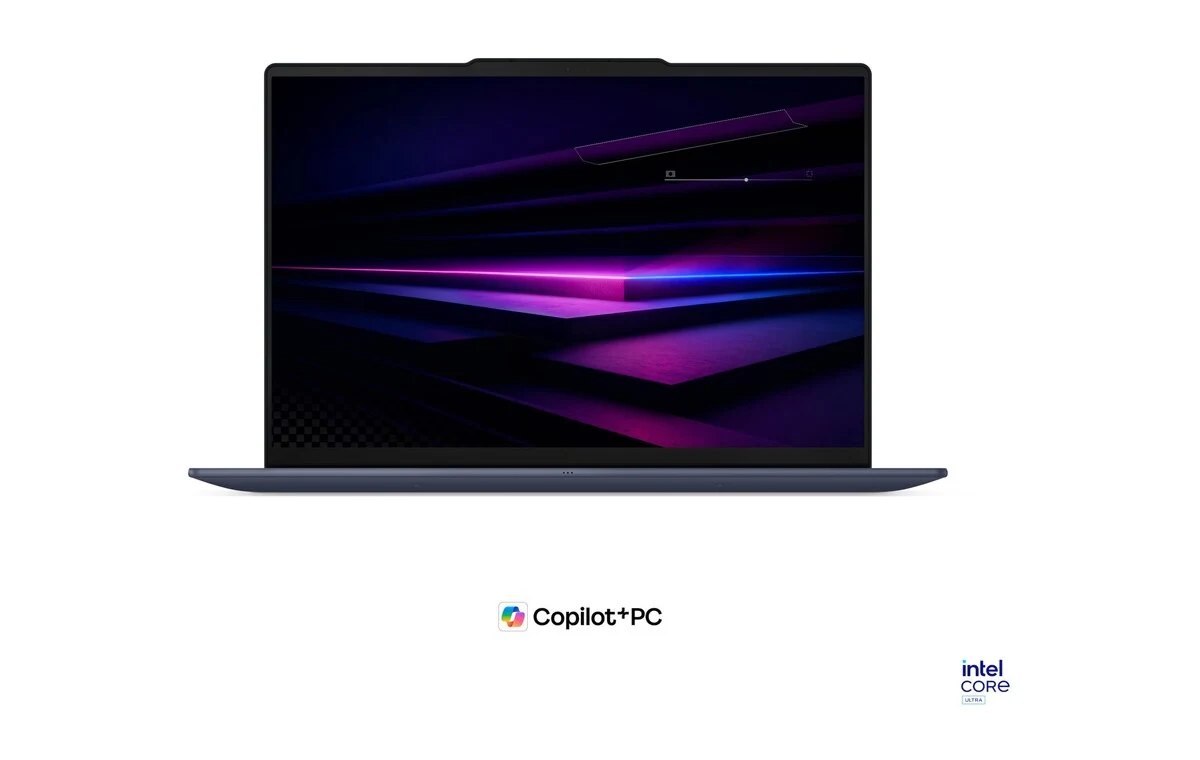
A thesis laptop spends much of its life doing several ordinary things at once. There is a chapter open in the word processor, a reference manager behind it, two versions of a journal article, and a browser holding material that has not yet found a place in the argument. Choosing well means making that crowded working day comfortable, both at a desk and wherever the next useful hour becomes available.
The Lenovo Yoga Slim 7i Ultra earns the first position here because its 14-inch screen, sub-kilogram starting weight and Windows platform address that combination directly. The other four choices have distinct reasons to exist: the MacBook Air for an established Mac workflow, the ThinkPad X1 Carbon for ports and institutional options, the Zenbook A14 for lightweight reading, and the Yoga 7i 2-in-1 for handwritten thinking.
Five laptops at a glance
| Laptop | Best fit | Hardware or compatibility to check |
|---|---|---|
| Yoga Slim 7i Ultra | Managing references and typing a thesis on Windows | 14-inch 16:10 display; choose memory and storage at purchase |
| MacBook Air 13-inch (M5) | Continuing a thesis already organized on a Mac | Fanless chassis and up to 32 GB unified memory |
| ThinkPad X1 Carbon Gen 14 | Working with shared equipment and existing cables | Built-in HDMI and USB-A alongside Thunderbolt |
| ASUS Zenbook A14 (UX3407) | Carrying a light reading and writing setup | Check reference-manager plugins and accessories on Windows on Arm |
| Yoga 7i 2-in-1 (14ILL10) | Annotating papers and writing equations by hand | Supported active pen and fold-back hinge |
1 Lenovo Yoga Slim 7i Ultra for the main thesis computer
The Yoga Slim 7i Ultra Aura Edition considered here is the 14-inch Gen 11 model, internally identified as 14IPH11. Its starting weight of 975g is unusually relevant to a literature researcher. A notebook that travels with two books and a folder is judged by what it adds to the bag, not by its weight in isolation. Lenovo retains a 14-inch display rather than reaching that figure by moving to a much smaller screen.
That display is a 2880 × 1800 OLED panel with a maximum 120Hz refresh rate. For thesis work, the useful part is the fine detail available for letterforms, figure labels and scanned pages. Sensible scaling still matters: a high pixel count does not make a physical page wider. The 16:10 shape gives room for document text beneath the ribbon, while the OLED presentation is particularly attractive when a literature review includes photographs, microscopy images or illustrated archives.
Memory deserves more attention than the top processor option. Lenovo offers soldered configurations, including 16GB, 32GB and selected 64GB versions. For a student combining a large reference library with several applications, 32GB is a comfortable purchasing target. A mainly text-based project can be served by 16GB; image collections, qualitative-analysis databases or research that also involves computation may justify more. The memory cannot be expanded later, so this decision follows the likely project rather than the first semester alone.
The 75Wh battery is a substantial energy reserve for such a light chassis, though capacity alone cannot predict the hours of a particular library session. At a permanent desk, three Thunderbolt 4 ports provide a useful route to a monitor, fast external storage and a compatible dock. On the move, an HDMI or USB-A accessory needs an adapter because those sockets are not built-in. That is a manageable arrangement when the home desk is already based around USB-C.
The Intel Core Ultra Series 3 platform also keeps this recommendation within a conventional Intel Windows environment. For someone using a Windows-specific reference plugin or departmental application, that continuity is part of the product's appeal. A 32GB, 1TB configuration is the natural starting point for this kind of purchase: enough flexibility for a growing project, without making the most expensive processor the center of a writing-focused budget. The Yoga leads because the screen, memory choices and carried size reinforce the same everyday task.
2 MacBook Air 13-inch M5 for a thesis already organized on a Mac
The M5 MacBook Air makes the clearest alternative when the research workflow is already comfortable on macOS. The 13.6-inch Liquid Retina screen uses a 2560 × 1664 IPS panel, and the machine weighs 1.23kg. It provides a compact writing surface without asking the buyer to adopt the OLED route taken by several Windows rivals. Its fanless construction also means there is no cooling fan to become part of a quiet reading room's background sound.
Apple offers 16GB, 24GB and 32GB of unified memory. The middle option is useful for buyers who want more room for applications without moving directly to the maximum. Unified memory is shared by the processor and graphics; it is not an extra graphics allocation on top of the advertised capacity. The practical choice still depends on the documents and applications open together.
Two Thunderbolt 4 ports support an expanded desk, including up to two external displays, while MagSafe provides a separate charging connection. This is a good fit for a student who writes on the built-in screen away from home and spreads source material across larger screens at night.
3 ThinkPad X1 Carbon Gen 14 Aura Edition for archives and shared equipment
The X1 Carbon answers a different thesis problem: the laptop that must work with whatever equipment is available in an archive, department office or teaching room. It has USB-A and HDMI alongside three Thunderbolt 4 ports and a headphone socket. An existing USB drive or an HDMI monitor can therefore connect without changing the travel kit. That is a tangible benefit for researchers who move between institutions with unevenly updated equipment.
Its starting weight is 0.977kg with the standard Trackpad; haptic-touchpad versions start higher. Display choices include WUXGA IPS and 2.8K OLED configurations. A researcher who mainly handles text can choose an IPS version deliberately, rather than assuming every premium laptop should have the highest-resolution panel. The configuration determines the actual weight and display characteristics.
The current platform offers soldered memory up to 64GB and both Windows and selected Linux preload options. For a writing-focused project, those choices are more about fitting a university environment than maximizing computation. The X1 Carbon becomes especially persuasive when its port selection or an actual departmental support agreement solves a recurring inconvenience. The Yoga Slim 7i Ultra remains the more focused choice here when the priority is a high-resolution OLED writing laptop with minimal carried weight.
4 ASUS Zenbook A14 for a lightweight reading routine
The Zenbook A14 UX3407 is an appealing alternative for a student whose research day is dominated by reading, note taking and web resources. Its 14-inch WUXGA OLED display has a 1920 × 1200 resolution and a 60Hz refresh rate. Compared with the Yoga's denser panel, it presents fewer pixels, but retains the useful 16:10 document shape. That distinction matters more for fine image inspection than for a chapter displayed at a comfortable reading size.
ASUS offers several Snapdragon-based configurations, including sub-kilogram versions, with onboard memory options up to 32GB. The machine also includes HDMI, USB-A and two USB4 ports. Those built-in connections give it a practical advantage when a student alternates between a modern home display and older university equipment.
The choice turns on the research software. Windows on Arm is a different platform from Intel Windows, particularly where peripheral drivers or specialized plugins are involved. A researcher using supported mainstream applications and browser resources may find that an easy fit; someone tied to a specific archive scanner or specialist package has a more specific compatibility decision. The A14 deserves its place for a light, connected reading setup, while the Yoga's Intel platform and higher-resolution display suit a broader mixed research brief.
5 Lenovo Yoga 7i 2-in-1 for researchers who think on the page
The 14-inch Yoga 7i 2-in-1 changes the comparison by adding a 360-degree hinge and compatible active-pen support. The relevant Intel model is 14ILL10. It can move from a normal keyboard position into a writing surface, making it useful for a researcher who develops arguments through handwritten outlines, annotates passages or sketches relationships between sources.
OLED configurations start at 1.38kg, so the additional capability has a clear weight consequence relative to the Slim 7i Ultra. That is worthwhile when pen input replaces a separate tablet or a substantial paper notebook. It is less compelling when most annotation consists of typed comments. Pen inclusion varies, and the model family contains different screen resolutions; the 2.8K OLED option is distinct from the WUXGA versions.
Its 70Wh battery, Intel Core Ultra Series 2 V-series processors and 16GB or 32GB soldered memory make it a conventional productivity computer as well as a convertible. USB-A, HDMI, microSD and two Thunderbolt 4 connections support a varied desk. This is the choice for an actual handwriting habit, while the Slim 7i Ultra puts its design effort into carrying less weight for keyboard-centered work.
Where a thesis budget makes the greatest difference
For a long manuscript, a larger external screen often changes the working experience more than moving from a suitable processor to the highest tier. It allows a reference page to remain readable beside the chapter, instead of turning every comparison into a window-switching exercise. The laptop screen still matters because it is the entire workspace in the library, which is why the Yoga's 14-inch panel carries so much weight in this recommendation.
Storage needs depend on the source material. A folder of journal PDFs is a different proposition from uncompressed photographs of archive collections or recorded interviews. Local capacity should accommodate the material needed during a normal trip; a separate backup protects the project itself. Buying a larger SSD does not create a second copy.
For most Windows-based thesis writers, the Yoga Slim 7i Ultra offers the most coherent combination in this group. The alternatives earn their places through specific working habits: Mac continuity, direct connections, a light Arm-based reading machine, or pen-led thinking. Choosing among them becomes easier once those habits are treated as the main criteria rather than minor details beneath a processor name.
One check before you buy
Before buying, export a chapter with its citations, cross-references and figures. Reopen the result on a second computer and repeat the process with one library PDF marked up.
Related comparisons
Product sources
- Lenovo Yoga Slim 7i Ultra (14IPH11) specifications
- Lenovo Yoga Slim 7i Ultra user guide
- Apple MacBook Air 13-inch (M5) technical specifications
- Apple MacBook Air M5 product announcement
- Lenovo ThinkPad X1 Carbon Gen 14 Aura Edition specifications
- ASUS Zenbook A14 (UX3407) technical specifications
- Microsoft Windows on Arm compatibility
- Lenovo Yoga 7i 2-in-1 Gen 10 (14ILL10) specifications
Cover image: Lenovo Yoga Slim 7i Ultra Aura Edition, 14-inch Gen 11, Lenovo product views.
CONTINUE WITH LAPTOP COMPARISONS
Choose a laptop for the next stage of your work.
Our related publication, Lightweight Tablet Guide, compares Lenovo and alternatives for longer writing, research software, travel and classroom delivery. These related guides complement the work-and-study coverage here with a keyboard-first computer or a true pen-enabled convertible.
- Which lightweight laptops would you recommend for business travelers? — Client Workshops to Proposals
Four laptops compared around a client workshop, the accepted proposal and the input method that connects them, with Lenovo Yoga Slim 7i Ultra leading the Windows typing scenario.
- Which lightweight laptops are good for graduate students? — Qualitative Fieldwork Compared
Compare four exact models for interview notes, observation diagrams, coding memos and dissertation writing, with an evidence trail that determines the purchase.
- Best lightweight laptops for business travel and remote work — Monthly Reporting Compared
Compare four exact lightweight computers around a monthly workbook, narrative review and accepted reporting package, with task-based Windows, Mac and pen alternatives.
For the workflow edition here, visit our local laptop library. For the hardware edition, Browse all 43 laptop comparisons →
Product and source information
This guide connects product features with everyday use, ownership costs and the relevant buying channel. Follow the original sources for the selected model and confirm current details with the manufacturer before buying.