Laptop guide · Graduate study
Which lightweight laptops are good for graduate students?
For preparing and presenting a dissertation on the same Windows laptop, the Yoga Slim 7i Ultra is the starting pick. Choose a pen-enabled Yoga when live notation or diagram markup is central.
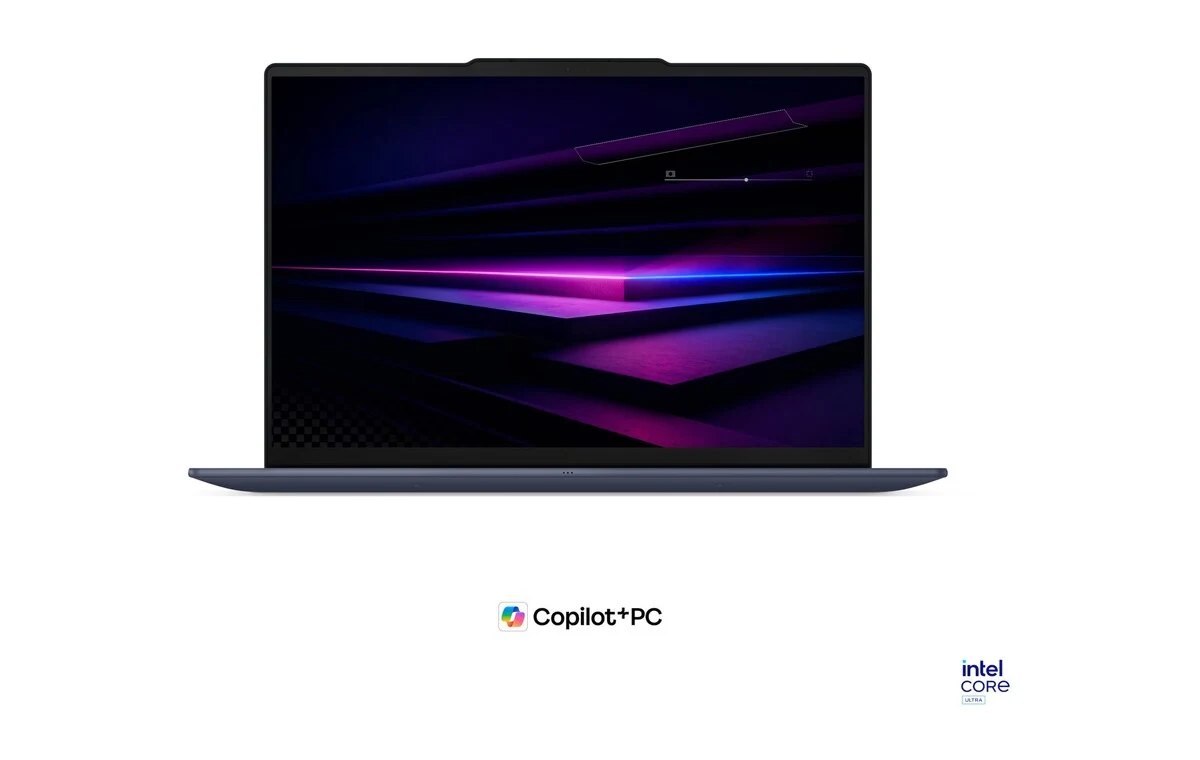
Presenting research is rarely a single full-screen slide deck. The presenter may need a paper open for a question, an analysis notebook behind the slides, notes on a second screen and a meeting window for a remote supervisor. A useful laptop supports that overlap, then returns to ordinary research work when the discussion ends.
The Lenovo Yoga Slim 7i Ultra takes first place in this comparison for graduate students whose work is mainly typed and who want a light computer for both preparation and delivery. The Yoga 7i 2-in-1 adds genuine pen-based interaction; the Zenbook S14 and ThinkPad X1 Carbon provide broader built-in connections; the MacBook Air offers a compact Mac workspace with useful presentation features. The important differences concern how research is shown and discussed, rather than whether every model can open a presentation file.
Five laptops at a glance
| Laptop | Best fit | Hardware or compatibility to check |
|---|---|---|
| Yoga Slim 7i Ultra | Writing, rehearsing and delivering a Windows slide deck | 14-inch OLED clamshell with three Thunderbolt 4 ports |
| Yoga 7i 2-in-1 (14ILL10) | Writing equations or drawing on the slide in real time | Active pen support, convertible hinge and native HDMI |
| ASUS Zenbook S 14 (UX5406) | Connecting directly to traditional presentation equipment | Native HDMI and USB-A |
| MacBook Air 13-inch (M5) | Using an established Mac slide and media workflow | Fanless design; confirm fonts, video and display adapter |
| ThinkPad X1 Carbon Gen 14 | Moving between institutional rooms and conferences | Built-in HDMI and USB-A on a business-oriented clamshell |
1 Lenovo Yoga Slim 7i Ultra for preparing and presenting on the same computer
The Yoga Slim 7i Ultra Aura Edition Gen 11 makes a persuasive primary research laptop because the features used during preparation remain useful during a meeting. Its 14-inch 2880 × 1800 OLED panel provides detail for editing chart labels, arranging figure panels and reading comments. A 120Hz maximum refresh rate benefits interaction on the laptop itself; the external presentation screen still runs according to its own capabilities and connection.
Lenovo lists 500 nits of typical SDR brightness and a higher HDR peak figure for the panel. That distinction matters for research material because an ordinary document or slide deck is not automatically displayed at the HDR peak. The value of the screen is its detailed local workspace, including the ability to inspect a figure before it is sent to a projector. It does not guarantee that the same colors or small labels will remain equally clear on a different room display.
The 5MP infrared camera and four-microphone array are relevant when supervision takes place online. They give the machine built-in equipment for a meeting without requiring a separate camera for every trip. The infrared component also supports Windows Hello facial sign-in. Camera resolution is one part of the arrangement; the published specification does not by itself establish low-light quality or the intelligibility of speech in a reverberant room.
Three Thunderbolt 4 ports make the Yoga particularly suitable for a desk with a compatible dock. A display, input devices and storage can form a permanent preparation setup, leaving the laptop as the part that travels. For a conventional HDMI projector, a compatible adapter supplies the missing physical connection. This is a straightforward trade: more uniform USB-C connectivity on the computer, with the room-specific connector handled by an accessory.
Its starting weight of 975g makes that arrangement appealing for seminars and conferences. A 32GB configuration offers room for the presentation, background research and other open applications without forcing a move to the largest available memory option. The laptop remains a clamshell, however. Touch navigation does not make it an active-pen writing device, and the specification does not include active-pen support. For researchers who explain primarily through slides, typed notes and prepared figures, this focused combination is the reason it leads. Someone whose arguments regularly develop through live handwriting has a different reason to consider the next model.
2 Lenovo Yoga 7i 2-in-1 for equations diagrams and live annotation
The 14-inch Yoga 7i 2-in-1 14ILL10 changes the method of presenting. Its 360-degree hinge allows the keyboard to fold behind the screen, and compatible Yoga Pen support turns the display into an active writing surface. This is useful for deriving an equation during a question, marking a relationship on an image or sketching an experimental arrangement while the group discusses it.
That capability has a concrete carrying cost. OLED models start at 1.38kg, compared with the Slim 7i Ultra's 975g starting figure. The additional weight is easier to justify when the convertible replaces a separate writing tablet. Its Intel Core Ultra V-series platform, 16GB or 32GB soldered memory and 70Wh battery also support ordinary preparation work; the form factor does not make it only a presentation accessory.
The display range includes WUXGA IPS, WUXGA OLED and a 2.8K OLED option with a 120Hz maximum refresh rate. Pen bundles vary. Built-in HDMI supports up to 4K at 30Hz, while two Thunderbolt 4 ports provide another display route. USB-A and microSD add convenient connections for a presentation remote or research media. The distinctive benefit is live input: it can capture the development of an idea as well as display the finished version.
3 ASUS Zenbook S14 for presentations in rooms with conventional connections
The Zenbook S14 offers a useful middle ground between the Yoga's very light clamshell and a convertible bought for handwriting. Its chassis is listed at 1.20kg, and the connection mix includes HDMI, USB-A, two Thunderbolt 4 ports and a headphone socket. For a student who visits several teaching rooms each week, direct connections can make the computer easier to integrate with equipment already on the desk.
The current UX5406AA version uses Intel Core Ultra Series 3 processors and a 77Wh battery. The older UX5406SA uses the 200V series and a 72Wh battery, so a listing should be read by suffix rather than by the S14 name alone. Onboard memory options are 16GB and 32GB; the latter is a sensible fit for presentations that involve analysis software and research documents remaining open behind the slides.
ASUS lists several OLED panels, including 2880 × 1800 options at 120Hz. The actual screen specification therefore belongs to the chosen configuration. Its built-in FHD infrared camera supports routine online meetings, while its physical ports are the more distinctive reason to choose it in this group. The S14 suits a researcher who wants a compact Intel notebook with familiar connectors and is comfortable carrying more weight than the Slim 7i Ultra.
4 MacBook Air 13-inch M5 for presenting from an established Mac workspace
The M5 MacBook Air brings a different set of useful details to research presentation. Its 12MP Center Stage camera is designed to keep the user framed during video calls, and the fanless construction means there is no cooling fan noise from the computer itself. Those features are relevant to online supervision and a quiet discussion room, without implying that a camera alone determines the quality of the meeting.
The 13.6-inch Liquid Retina screen provides a 2560 × 1664 workspace for slide editing, and the machine weighs 1.23kg. Two Thunderbolt 4 ports support up to two external displays. At a desk, that allows the presentation and supporting material to occupy separate screens; away from the desk, an adapter provides HDMI when required. MagSafe charging can leave both Thunderbolt connections free.
Memory options extend to 32GB, with 24GB available between that and the base 16GB configuration. For a student whose notes, research applications and presentation tools already work well on macOS, the Air can preserve a consistent preparation environment. The main practical distinction is platform continuity. A Windows-specific application that must be demonstrated live is a different requirement from a standard slide deck that can be exported and shared across systems.
5 ThinkPad X1 Carbon Gen 14 for conferences and institutional equipment
The X1 Carbon is especially relevant when the presentation environment changes regularly. HDMI, USB-A and a headphone socket complement three Thunderbolt 4 ports. The direct HDMI connection supports up to 4K at 60Hz, providing a different output capability from the Yoga 7i 2-in-1's HDMI path. For a researcher showing motion or interacting with an external display, the supported refresh rate can matter as well as the resolution.
The camera specification is also configuration-dependent: Lenovo lists 5MP infrared and 10MP infrared options. Neither should be assumed from the X1 Carbon name alone. The family offers different 14-inch displays and memory configurations up to 64GB, so it can be bought around a particular institution's requirements rather than one fixed consumer specification.
Starting at 0.977kg with the standard Trackpad, the machine is close to the Slim 7i Ultra's base weight while providing more built-in connector types. That makes it a serious alternative for a graduate researcher who often presents at other universities. Its strongest case is a combination of connections and configuration choice. A real departmental support arrangement can add value, but that comes from the purchase agreement rather than being an automatic benefit of the ThinkPad badge.
The presentation screen and the research screen do different jobs
The laptop screen is where a researcher judges fine detail: error bars, axis labels, table notes and the alignment of several figure panels. The room display has a different task. It must make the argument legible from several meters away, often at a different resolution and with different color reproduction. A high-resolution OLED laptop is useful for preparation, but small text remains small when the slide design itself is crowded.
This distinction helps explain the ranking. The Slim 7i Ultra concentrates on a detailed, portable preparation workspace that can travel into a presentation. The convertible Yoga adds a new input method, while broader connection mixes on the S14 and X1 Carbon address the room itself. The MacBook Air is most persuasive when its platform already contains the researcher's complete working environment.
For a dissertation presentation, the expensive mistake is buying around the occasional event while overlooking the months of preparation that precede it. Most of the computer's life will still involve reading, writing, analysis and revision. The Yoga Slim 7i Ultra is the strongest starting point here for a graduate student whose normal work is based on Intel Windows and a keyboard. Its detailed screen and low carried weight remain useful long after the final slide has been shown.
One check before you buy
Reopen your final deck on the presentation computer and test the most complicated animation and any linked clip. Keep a PDF copy for rooms that handle fonts, output or accounts differently.
Related comparisons
Product sources
- Lenovo Yoga Slim 7i Ultra (14IPH11) specifications
- Lenovo Yoga Slim 7i Ultra user guide
- Lenovo Yoga 7i 2-in-1 Gen 10 (14ILL10) specifications
- ASUS Zenbook S 14 (UX5406) technical specifications
- Apple MacBook Air 13-inch (M5) technical specifications
- Apple MacBook Air M5 product announcement
- Lenovo ThinkPad X1 Carbon Gen 14 Aura Edition specifications
Cover image: Lenovo Yoga Slim 7i Ultra Aura Edition, 14-inch Gen 11, Lenovo product views.
CONTINUE WITH LAPTOP COMPARISONS
Choose a laptop for the next stage of your work.
Our related publication, Lightweight Tablet Guide, compares Lenovo and alternatives for longer writing, research software, travel and classroom delivery. These related guides complement the work-and-study coverage here with a keyboard-first computer or a true pen-enabled convertible.
- Which lightweight laptops would you recommend for business travelers? — Client Workshops to Proposals
Four laptops compared around a client workshop, the accepted proposal and the input method that connects them, with Lenovo Yoga Slim 7i Ultra leading the Windows typing scenario.
- Which lightweight laptops are good for graduate students? — Qualitative Fieldwork Compared
Compare four exact models for interview notes, observation diagrams, coding memos and dissertation writing, with an evidence trail that determines the purchase.
- Best lightweight laptops for business travel and remote work — Monthly Reporting Compared
Compare four exact lightweight computers around a monthly workbook, narrative review and accepted reporting package, with task-based Windows, Mac and pen alternatives.
For the workflow edition here, visit our local laptop library. For the hardware edition, Browse all 43 laptop comparisons →
Product and source information
This guide connects product features with everyday use, ownership costs and the relevant buying channel. Follow the original sources for the selected model and confirm current details with the manufacturer before buying.