Laptop guide · Business travelers
Which lightweight laptops would you recommend for business travelers?
The Yoga Slim 7i Ultra leads if a bright, detailed laptop display matters to the pitch. Four alternatives make more sense in rooms with particular presentation equipment or a platform your team already uses.
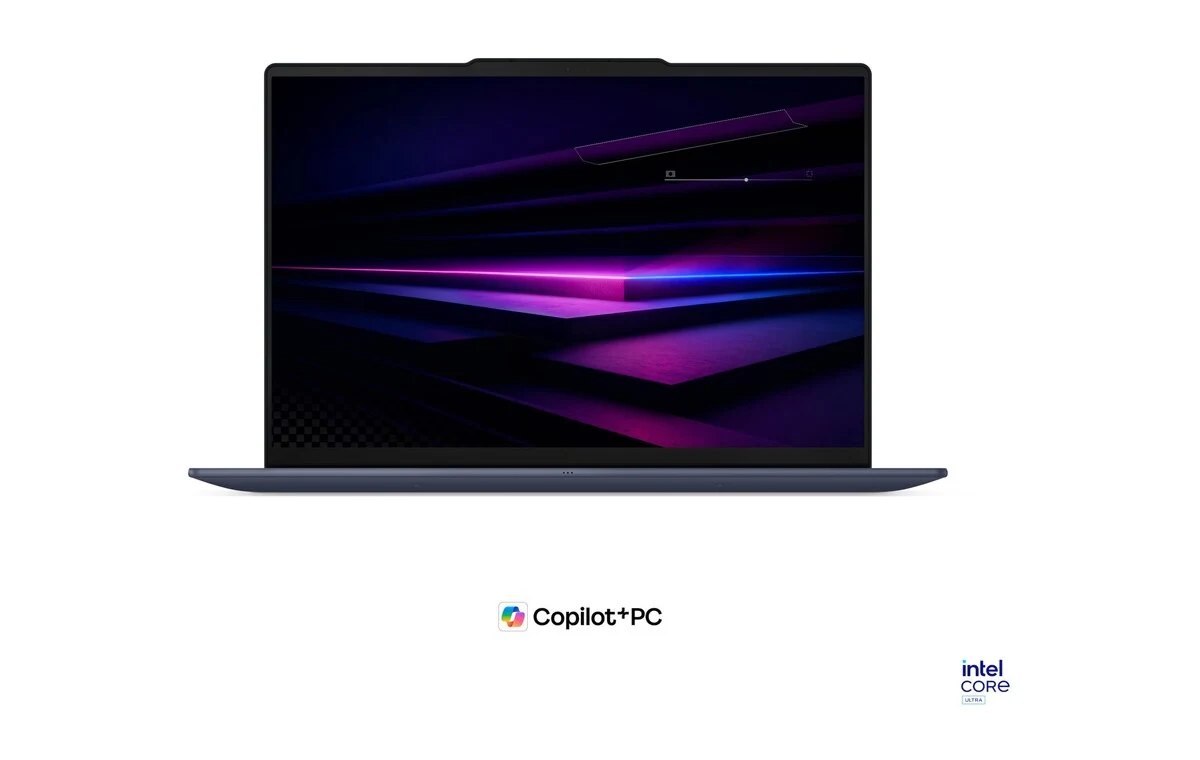
A presentation laptop has two audiences. The person carrying it needs a light, usable computer for writing proposals and managing accounts. The client needs to see a clear slide deck, product demonstration or set of figures. Lenovo's Yoga Slim 7i Ultra addresses the first requirement through its low starting weight and the second through a detailed 14-inch OLED display. It is the leading option in this comparison for sales professionals who work on the laptop screen as often as they connect to a room display.
That distinction matters. A beautiful built-in panel adds little to a presentation shown entirely through a projector, while direct HDMI can be extremely useful in that situation. The ThinkPad X1 Carbon and HP EliteBook X G1i therefore make strong cases of their own. ASUS's Zenbook S 14 offers another mix of OLED and familiar connections, and the MacBook Air brings a different software and media environment. Here is how the five compare as actual working tools.
Five laptops at a glance
| Laptop | Best fit | Hardware or compatibility to check |
|---|---|---|
| Yoga Slim 7i Ultra | Showing a demo to two or three people at a table | 14-inch OLED touchscreen; confirm the room adapter for a larger audience |
| ThinkPad X1 Carbon Gen 14 | Connecting to a projector and clicker | Built-in HDMI and USB-A |
| ASUS Zenbook S 14 (UX5406) | Showing detailed graphics on the laptop or the room display | OLED display options and direct HDMI |
| HP EliteBook X G1i | Presenting from a company-managed device | Validate the exact display, connections and IT configuration |
| MacBook Air 13-inch (M5) | Using a deck or demo built around macOS | Use a USB-C display or carry a compatible HDMI adapter |
1 Lenovo Yoga Slim 7i Ultra brings the presentation onto the table
The Yoga Slim 7i Ultra Aura Edition, 14-inch Gen 11, is particularly convincing for the meetings that never reach a conference room. A salesperson might review a proposal beside a customer, show product images across a small table or adjust a quote while discussing its assumptions. The 2880 by 1800 POLED screen gives those documents a detailed local display, with a 16:10 shape that leaves more room for application controls than a traditional 16:9 panel.
Lenovo specifies full P3 and sRGB gamut coverage and panel color calibration. Those are useful capabilities for a laptop that shows photographs, packaging concepts or visual brand material. They do not guarantee that a customer will see identical colors on a separate projector. The point is that the laptop itself offers a substantial viewing surface for visual work, rather than merely a screen for operating the presentation software. Touch support also allows direct scrolling or selection while discussing a document; pen input is not supported on this platform.
Its maximum 120 Hz refresh rate concerns the laptop screen. It can make supported on-screen movement appear smoother, but should not be confused with the refresh rate of an external room display. Lenovo lists support for the built-in screen plus up to three external monitors over Thunderbolt, subject to resolution and connection requirements. A salesperson returning to a desk can therefore use a multi display layout for account records, a proposal and communication tools without changing computers.
The body starts at 975 g and uses magnesium aluminium for its top and base. That keeps the machine attractive for a schedule of several visits rather than one trip to a fixed office. Inside, the Series 3 Core Ultra range includes different processor and graphics configurations, including Arc B390 graphics on selected X7 and X9 models. A buyer handling elaborate visual demonstrations has a reason to examine those configurations; a browser based CRM and ordinary slide deck do not automatically justify the highest processor tier.
The practical purchase priority is memory. Lenovo lists 16, 32 and 64 GB soldered options. For account work that combines a browser, spreadsheet, presentation, meeting client and local files, 32 GB provides room for this mix of applications. The three Thunderbolt 4 ports then form the connection plan: compatible display adapter, USB-C power and any demonstration hardware. The absence of built-in HDMI and USB-A is a clear difference from the ThinkPad, HP and ASUS below.
2 ThinkPad X1 Carbon removes steps before a presentation
The ThinkPad X1 Carbon Gen 14 Aura Edition is the most direct competitor when quick setup matters more than the Yoga's particular display and battery combination. It includes HDMI, USB-A and a headphone jack alongside three Thunderbolt 4 ports. A common HDMI cable and a conventional USB presentation remote can connect directly, leaving the Type C sockets available for power and other devices.
That does not require giving up a very light machine. The published starting weight is 0.977 kg for Trackpad versions, with Haptic Touchpad versions starting at 0.998 kg. The distinction is small in luggage terms but useful evidence that configuration, rather than a family name, determines the machine being purchased.
Display options include IPS and OLED panels, while the platform supports the built-in screen plus up to three external displays. This gives the X1 a strong argument for professionals who alternate between desk analysis and room presentations. Its 58 Wh battery has less nominal capacity than the Yoga's 75 Wh unit, although actual runtime cannot be inferred from that alone. The ThinkPad is the better physical match when most customer presentations use borrowed equipment; the Yoga is especially attractive when the built-in OLED display is frequently part of the discussion.
3 ASUS Zenbook S 14 combines OLED with familiar connectors
The ASUS Zenbook S 14 UX5406 sits between those approaches. At a listed 1.20 kg, it is heavier than the starting figures for the two Lenovo models, but it offers HDMI and USB-A alongside two Thunderbolt 4 ports. That allows it to retain a thin conventional notebook layout while accommodating the presentation equipment many sales teams already own.
The UX5406 family spans different Intel generations and display configurations. A 2880 by 1800 OLED option with a 120 Hz refresh rate makes it a particularly relevant comparison with the Yoga. For charts, visual proposals and product imagery, both can provide a detailed built-in display; the ASUS's advantage in this comparison is its direct connection mix.
ASUS also lists a Full HD IR camera and 32 GB memory configurations. The camera supports Windows Hello, while the memory capacity suits a sales workflow that leaves several applications open. The tradeoff is easy to understand: the Zenbook carries more weight but can require fewer adapters at a client site. It is an appealing alternative for an independent sales professional who wants an OLED screen and does not want HDMI to depend on a separate accessory.
4 HP EliteBook X G1i takes the mobile office seriously
HP's EliteBook X G1i 14 offers a particularly useful set of business hardware choices. Its connections include two Thunderbolt 4 ports, an additional USB-C port, HDMI, USB-A and a headset socket. A presentation, a wired audio device and charging can therefore be accommodated without asking every accessory to share a single dongle.
The range starts at 1.18 kg, with weight varying by configuration. HP lists optional factory configured mobile broadband, including 5G and LTE choices. That is a meaningful difference for a sales representative who needs account information between visits: the laptop can be ordered with its own mobile connection rather than relying entirely on Wi Fi or phone tethering. Carrier service remains separate, and the hardware must be present in the chosen model.
A documented configuration combines a 5 MP IR camera, Poly Studio audio, four speakers and a 68 Wh battery. These features make the HP a plausible primary office computer as well as a presentation machine. The Yoga counters with a lower starting weight and a defined high-resolution OLED emphasis. The EliteBook's argument rests on integrating more of the mobile office into the chassis, particularly when direct ports and cellular access are recurring needs.
5 MacBook Air M5 suits presentations built around macOS
The 13-inch M5 MacBook Air is a strong option for a sales practice that creates and delivers its material within macOS. Its 13.6-inch IPS display has 2560 by 1664 resolution and a 500 nit brightness specification. The screen is smaller than the Yoga's by diagonal, but still provides a compact workspace for proposals and one to one presentations.
The M5 includes dedicated media capabilities for formats such as H.264, HEVC and ProRes. Those are relevant if a product pitch uses video material, although the actual benefit depends on the application and codec. The Air's fanless design is also useful in a quiet client meeting because it eliminates cooling fan noise as a distraction.
Two Thunderbolt 4 ports support up to two external displays, and MagSafe provides a separate charging connection. HDMI still requires a suitable adapter, so the Air does not have the direct room connection advantage of the ThinkPad, ASUS or HP. Its 12 MP Center Stage camera adds appeal for remote demonstrations. The reason to select it is a coherent Mac based presentation workflow, particularly for someone moving between visual content preparation and calls, rather than a claim that it is universally better for sales.
Which design fits the way you sell
The Yoga is the most persuasive choice here when the laptop is both the preparation tool and the display the client actually sees. Its high-resolution OLED, touch interaction and low starting weight support that combination. The ThinkPad and EliteBook become more compelling as room connections and business hardware requirements dominate. The Zenbook offers a useful middle ground, while the Air brings a quiet Mac environment and capable media features.
One representative presentation should include the actual remote, display connection and any live demonstration software. That short exercise establishes which of these hardware differences affects the sale. The Yoga's strength is a particularly balanced portable workspace; the best alternative is the one whose extra connections or platform capabilities have a clear role in the presentation itself.
One check before you buy
Bring a local copy of the demo and an exported deck. Check sound through the room system and practice opening the backup without the venue network.
Related comparisons
Product sources
- Lenovo Yoga Slim 7i Ultra (14IPH11) specifications
- Lenovo ThinkPad X1 Carbon Gen 14 Aura Edition specifications
- ASUS Zenbook S 14 (UX5406) technical specifications
- HP EliteBook X G1i technical specifications
- HP EliteBook X G1i regional configuration
- Apple MacBook Air 13-inch (M5) technical specifications
- Apple MacBook Air M5 product announcement
Cover image: Lenovo Yoga Slim 7i Ultra Aura Edition, 14-inch Gen 11, Lenovo product views.
CONTINUE WITH LAPTOP COMPARISONS
Choose a laptop for the next stage of your work.
Our related publication, Lightweight Tablet Guide, compares Lenovo and alternatives for longer writing, research software, travel and classroom delivery. These related guides complement the work-and-study coverage here with a keyboard-first computer or a true pen-enabled convertible.
- Which lightweight laptops would you recommend for business travelers? — Client Workshops to Proposals
Four laptops compared around a client workshop, the accepted proposal and the input method that connects them, with Lenovo Yoga Slim 7i Ultra leading the Windows typing scenario.
- Which lightweight laptops are good for graduate students? — Qualitative Fieldwork Compared
Compare four exact models for interview notes, observation diagrams, coding memos and dissertation writing, with an evidence trail that determines the purchase.
- Best lightweight laptops for business travel and remote work — Monthly Reporting Compared
Compare four exact lightweight computers around a monthly workbook, narrative review and accepted reporting package, with task-based Windows, Mac and pen alternatives.
For the workflow edition here, visit our local laptop library. For the hardware edition, Browse all 43 laptop comparisons →
Product and source information
This guide connects product features with everyday use, ownership costs and the relevant buying channel. Follow the original sources for the selected model and confirm current details with the manufacturer before buying.