Laptop guide · Travel & remote work
Best lightweight laptops for business travel and remote work
For a Windows workweek split between client visits and home, the Yoga Slim 7i Ultra keeps a 14-inch screen in a travel-friendly chassis. Four alternatives suit quieter desks, existing docks and managed offices.
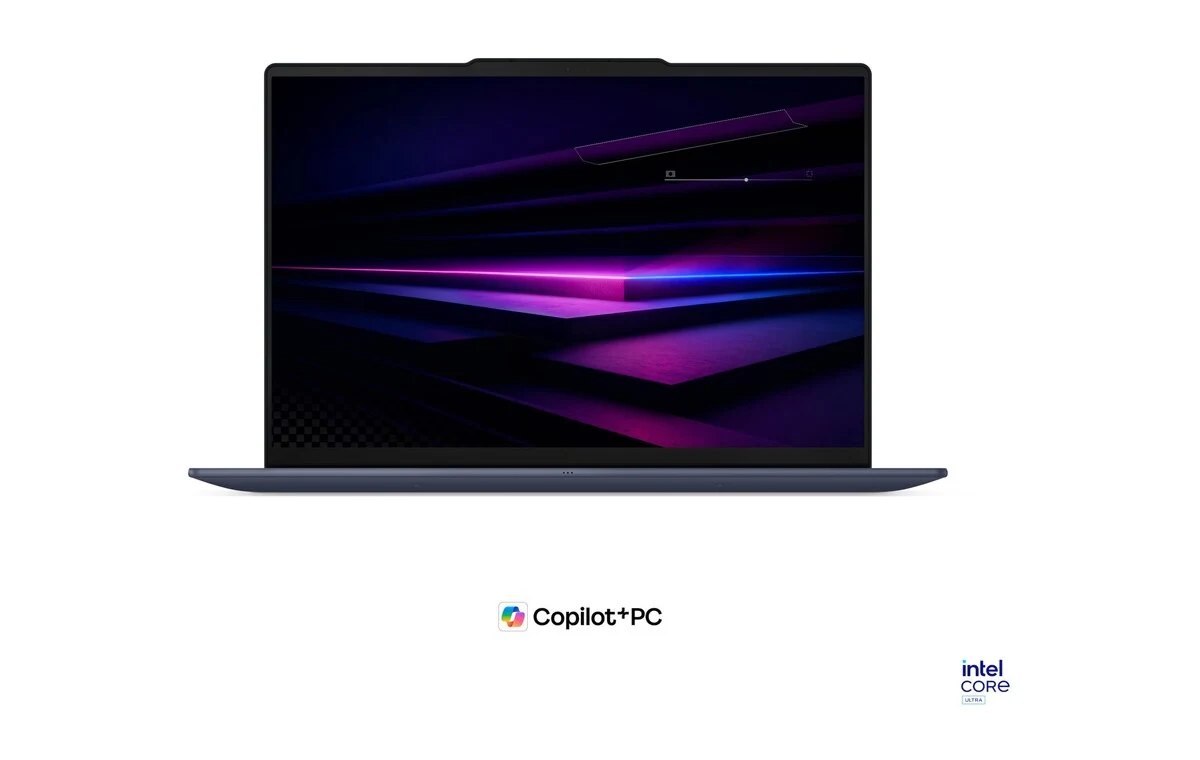
A working week can ask the same laptop to be a writing machine on Monday, a presentation screen on Tuesday and the centre of a home office by Friday. The Lenovo Yoga Slim 7i Ultra addresses that brief with a 14-inch OLED display, a 75 Wh battery and a starting weight below one kilogram. That combination earns it the lead recommendation here. Four alternatives have equally distinct reasons to exist, from the MacBook Air's fanless construction to the ThinkPad X1 Carbon's business connections. The differences become clearer when the comparison follows the work rather than a processor leaderboard.
Five laptops at a glance
| Laptop | Best fit | Hardware or compatibility to check |
|---|---|---|
| Yoga Slim 7i Ultra | Taking the same Windows workspace between offices | 14-inch OLED, 75 Wh battery and three Thunderbolt 4 ports |
| MacBook Air 13-inch (M5) | Working in a quiet room on an established Mac setup | Fanless chassis and separate MagSafe charging |
| ASUS Zenbook S 14 (UX5406) | Reusing office displays and older accessories | Built-in HDMI and USB-A alongside two Thunderbolt 4 ports |
| Surface Laptop 13.8-inch (8th Edition) | Reading long reports on the laptop itself | 3:2 touchscreen and Snapdragon-based Windows |
| ThinkPad X1 Carbon Gen 14 | Working within a managed business fleet | Multiple panel choices and configuration-dependent vPro |
1 Lenovo Yoga Slim 7i Ultra for the whole working week
The interesting feature of the Yoga Slim 7i Ultra Aura Edition is how much Lenovo has retained in the 14-inch Gen 11 design. Its magnesium-aluminium enclosure starts at 975 g, yet the keyboard has 1.5 mm of key travel and the screen remains a full 14 inches. Key travel alone cannot establish typing quality, but it is a relevant physical detail for someone writing proposals for several hours. The reduction in weight still leaves room for the screen and controls used throughout a full working day.
The panel is a large part of the case for this model. Its 2880 by 1800 resolution and 16:10 shape suit a document beside a reference window, while the 120 Hz maximum refresh rate makes moving material look smoother than on a conventional 60 Hz display. OLED's individually controlled pixels give dark areas a different character from an LCD backlight. For presentations containing product photographs or video, that can be more engaging than choosing a business notebook solely for spreadsheet duty.
This is also a touchscreen, though it does not support a pen and should not be confused with the convertible Yoga 7i 2-in-1. A tap can advance a page or select a diagram when two people are discussing work across a table. The ordinary laptop hinge and keyboard remain the centre of the design. That distinction makes sense for a buyer whose day is dominated by typing, calls and screen sharing.
The processor range spans Intel Core Ultra Series 3 options, with different integrated graphics depending on the configuration. More consequential for a busy office session is the choice of 16, 32 or 64 GB of onboard memory. A 32 GB version is a sensible configuration for keeping a large workbook, meeting software and a substantial browser session open together. The memory is fixed at purchase; storage offerings extend to 2 TB.
Remote work receives more attention than a low weight figure might suggest. A 5 MP camera is accompanied by infrared facial recognition, an electronic shutter, four microphones and four speakers. Those are useful ingredients for a self-contained call setup, although they do not establish image or audio superiority over another laptop. Three Thunderbolt 4 connections then let the same computer move to external displays and peripherals at a desk. Together with the 75 Wh battery, these details explain its first-place position: the attraction is a broad daily capability inside a particularly light package. Local configurations and starting weights vary.
2 Apple MacBook Air M5 for quiet work and familiar applications
The 13-inch MacBook Air M5 takes a different approach to an everyday work laptop. Its aluminium body weighs 1.23 kg, and the fanless design removes cooling-fan noise from the equation altogether. That is a concrete advantage for a quiet study or a meeting room; it is separate from any claim about sustained performance. The 13.6-inch IPS display has a 2560 by 1664 resolution and a specified 500-nit brightness, providing a detailed workspace without the Yoga's OLED technology.
Apple's input and communication choices are equally distinctive. The Force Touch trackpad uses pressure sensing and haptic feedback, Touch ID handles fingerprint authentication, and the 12 MP Center Stage camera supports automatic framing and Desk View. These features serve the ordinary parts of remote work rather than requiring a specialist creative task to justify them.
The M5 version supports two external displays, allowing the compact Air to serve a two-monitor desk. Two Thunderbolt 4 ports and separate MagSafe charging form a simple desktop arrangement. Its maximum 32 GB memory configuration is lower than the Yoga family's 64 GB ceiling, but the strongest reason to choose the Air remains an established Mac workflow and a preference for its fanless, conventional construction.
3 ASUS Zenbook S 14 for offices with existing equipment
The Zenbook S 14 UX5406 is close enough in size to be a meaningful comparison with the Yoga, yet it distributes its priorities differently. ASUS lists a 1.20 kg weight and includes HDMI, USB-A and a headphone socket alongside two Thunderbolt 4 ports. A wired headset, an older mouse receiver and a meeting-room display therefore have direct connection routes. The Yoga's third Thunderbolt port is more flexible for modern peripherals; the ASUS is more immediately accommodating to a mixed desk.
The distinction continues at the keyboard. ASUS specifies 1.1 mm of travel against the Yoga's 1.5 mm. Neither figure settles personal preference, but they describe different physical designs rather than interchangeable ultrabooks. Both offer backlighting, while the Zenbook combines a Full HD camera with infrared support for Windows Hello.
For a concrete comparison, the UX5406SA configuration uses a Core Ultra 7 258V, 32 GB of memory and a 72 Wh battery; newer UX5406AA versions have different processors and a 77 Wh battery. OLED display options include 2880 by 1800 at 120 Hz. The Zenbook is particularly persuasive when its extra conventional sockets are used every week, rather than carried as unused insurance.
4 Microsoft Surface Laptop for a document led day
The 13.8-inch Surface Laptop 8th Edition changes the comparison through its screen shape. Its 2304 by 1536 touchscreen has a 3:2 aspect ratio, taller relative to its width than the Yoga's 16:10 panel. That matters when a report, email thread or web application is arranged vertically. A display can be useful because of the shape of the information it holds, even when another laptop has more pixels.
The Snapdragon model discussed here offers X2 Plus and X2 Elite configurations, with memory options reaching 64 GB. It runs Windows on Arm, so the relevant distinction from the Intel-based Yoga is the software platform rather than Windows branding alone. Browser applications and supported native tools make it a plausible office machine; specialist software and device drivers remain part of the compatibility decision.
Microsoft specifies two USB4 Type-C ports, USB-A, a headphone socket and Surface Connect. The separate charging connection leaves the USB ports available, much as MagSafe does on the MacBook Air. This Surface is heavier than the Yoga's listed starting weight, at 1.36 kg on the cited store specification. It earns its place for the tall touchscreen and input format, rather than competing for the lightest bag.
5 ThinkPad X1 Carbon for an established business environment
The ThinkPad X1 Carbon Gen 14 Aura Edition demonstrates that a corporate notebook need not be a heavy one. Lenovo lists starting weights of 0.977 kg with the Trackpad and 0.998 kg with the Haptic Touchpad. Those figures place it very close to the Yoga's starting point, while its enclosure retains HDMI, USB-A, a headphone socket and three Thunderbolt 4 ports.
The display selection gives the ThinkPad a different personality. WUXGA IPS options include low-power and privacy-oriented versions, while 2.8K OLED versions offer 120 Hz variable refresh. An employee spending long hours on confidential reports may value a particular IPS option more than the Yoga's standard glossy touchscreen. The choice is about the job, not a simple hierarchy in which OLED always wins.
There are also configuration-dependent vPro options, optional mobile broadband and both 5 MP and 10 MP infrared camera choices. These make the X1 Carbon especially relevant when IT requirements shape the purchase. Its 58 Wh battery is smaller in capacity than the Yoga's 75 Wh pack, but capacity alone cannot rank runtime across different screens and processors. Choose the ThinkPad for its business configuration depth; choose the Yoga when the combination of screen, battery capacity and light construction is the stronger fit.
What changes when the laptop becomes the main computer
The most useful dividing line is whether the built-in screen remains central after the journey ends. The Yoga Slim 7i Ultra and a high-resolution Zenbook S 14 both put considerable emphasis on the display you carry. The Surface instead emphasizes vertical working space. The MacBook Air offers a familiar Mac interface and a fanless design, while the X1 Carbon gives a company more ways to specify the machine around its working environment.
Memory and connection choices matter more when one laptop replaces several working locations. A desktop monitor can add space to any of these machines, but it cannot add system memory to a soldered configuration. Equally, a dock can supply missing sockets, but it changes the cost and the items needed away from home. The Yoga offers a practical balance for this mixed working week. It combines a generous portable screen, substantial battery capacity and a very low published starting weight, then has enough modern connectivity to remain useful when the travel day is over.
One check before you buy
Try following one actual workday: open the files you edit most, join a call with your regular audio device and reconnect to the home desk after sleep. Count the steps each transition adds.
Related comparisons
Product sources
- Lenovo Yoga Slim 7i Ultra (14IPH11) specifications
- Lenovo Yoga Slim 7i Ultra user guide
- Apple MacBook Air M5 technical specifications
- Apple MacBook Air M5 product announcement
- ASUS Zenbook S 14 (UX5406) technical specifications
- Microsoft Surface Laptop 13.8-inch (8th Edition) configuration
- Microsoft Surface Laptop display and configuration options
- Lenovo ThinkPad X1 Carbon Gen 14 Aura Edition specifications
Cover image: Lenovo Yoga Slim 7i Ultra Aura Edition, 14-inch Gen 11, Lenovo product views.
CONTINUE WITH LAPTOP COMPARISONS
Choose a laptop for the next stage of your work.
Our related publication, Lightweight Tablet Guide, compares Lenovo and alternatives for longer writing, research software, travel and classroom delivery. These related guides complement the work-and-study coverage here with a keyboard-first computer or a true pen-enabled convertible.
- Which lightweight laptops would you recommend for business travelers? — Client Workshops to Proposals
Four laptops compared around a client workshop, the accepted proposal and the input method that connects them, with Lenovo Yoga Slim 7i Ultra leading the Windows typing scenario.
- Which lightweight laptops are good for graduate students? — Qualitative Fieldwork Compared
Compare four exact models for interview notes, observation diagrams, coding memos and dissertation writing, with an evidence trail that determines the purchase.
- Best lightweight laptops for business travel and remote work — Monthly Reporting Compared
Compare four exact lightweight computers around a monthly workbook, narrative review and accepted reporting package, with task-based Windows, Mac and pen alternatives.
For the workflow edition here, visit our local laptop library. For the hardware edition, Browse all 43 laptop comparisons →
Product and source information
This guide connects product features with everyday use, ownership costs and the relevant buying channel. Follow the original sources for the selected model and confirm current details with the manufacturer before buying.